Remember when research meant stacks of books and endless notecards?
Since ChatGPT exploded onto the scene in late 2022, our workflows have transformed dramatically. But here’s the frustrating reality I’ve discovered: we’re now drowning in a sea of scattered tools.
You’ve got one app for PDFs, another for notes, a third for writing – it’s exhausting!
The very technology meant to save time has created a new kind of chaos. I’ve felt this pain firsthand while juggling multiple research projects.
That’s why I spent months putting this specific platform through its paces.
Otio AI emerged in 2023 as a potential solution to this fragmentation problem. It promises to be that centralized workspace researchers desperately need.
This isn’t some quick test drive. I used this tool for real academic papers and content creation. Through 2025-2026, it has evolved significantly with continuous improvements. So, does it actually deliver on revolutionizing research and writing?
Let’s dive into an honest, experience-based Otio AI Review of whether this solution deserves a permanent spot in your workflow.
Key Takeaways: Otio AI Review
- This review comes from months of hands-on use with real projects, not superficial testing
- The platform addresses the common problem of scattered research tools and information overload
- We’ll examine honest pros and cons, detailed features, pricing, and alternatives
- The core question: does this tool genuinely save researchers hours of work?
- You’ll see a real case study demonstrating transformative results
- Learn whether this solution fits your specific research needs and workflow
Otio AI Review: An Overview
Raamish’s Take
Otio AI is a streamlined research and writing platform powered by models like GPT-5.2, Claude Sonnet 4.5, and Gemini 3 Pro, designed to cut through information overload for over 200,000 professionals.
Its automatic summaries feature excels, generating detailed overviews from PDFs, YouTube videos, articles, or links in seconds, with automatic tagging and organization into folders for easy access.
I am particularly impressed with the chat with documents tool, allowing natural queries to extract insights without reading hundreds of pages, plus workflow automation for repetitive tasks like hourly web scraping or email alerts.
The AI text editor supports drafting, paraphrasing, and editing grounded in your sources, while document comparison highlights differences across files.
It handles diverse formats (DOCX, EPUB, MP3, MP4) and integrates with Chrome for quick imports.
For me, Otio AI‘s focus on accuracy—grounded solely in user-provided data—saves hours on synthesis, making it a reliable partner for focused outputs without generic chatbot risks.
Introduction to Otio AI
The ChatGPT explosion in 2022 didn’t just change how we write—it revealed a glaring gap in specialized research tools.
While general AI assistants could answer questions, they struggled with the deep, multi-source analysis that serious academic and professional work demands.
AI Landscape and Foundational Background
This specific platform emerged in 2023 as part of the second wave of AI innovation. Founders recognized that researchers needed more than just another chatbot.
They built a solution focused on eliminating the tedious parts of research—gathering sources, reading papers, and connecting insights across documents.
The tool’s core purpose resonates with anyone who’s spent hours digging through academic journals or business reports. It’s designed to be that centralized workspace where scattered information finally comes together coherently.
Purpose and Endorsements by Leading Companies
This platform serves diverse professionals conducting extensive investigation. Academics use it for literature reviews, while journalists process complex information efficiently. Legal professionals research cases, and business analysts track market trends.
Online communities have nicknamed it “the Notion for researchers,” highlighting its unique approach to organizing knowledge.
While specific Fortune 500 endorsements aren’t public, the tool serves professionals across academic institutions and research-heavy industries.
| User Type | Primary Research Needs | Platform Benefits |
|---|---|---|
| Academic Researchers | Literature reviews, paper analysis | Multi-source synthesis, citation management |
| Students | Thesis writing, study materials | Quick summarization, knowledge organization |
| Business Professionals | Market analysis, competitive research | Trend identification, data correlation |
What is Otio AI?
Imagine a single digital desk where every article, video, and document you collect can be instantly understood and connected.
That’s the core promise of this AI research assistant. It’s an all-in-one workspace designed to end the chaos of switching between apps for reading, note-taking, and writing.
Inner Workings and Platform Architecture
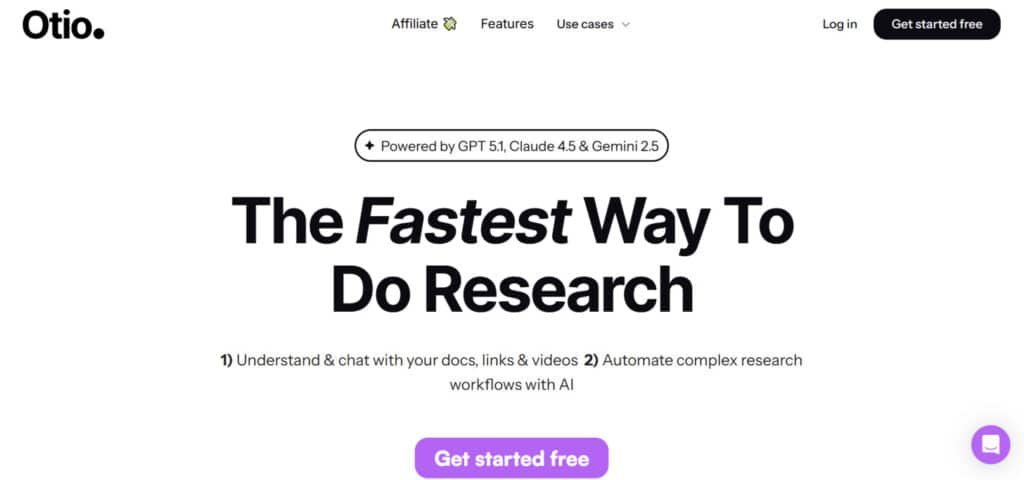
You start by uploading your materials—PDFs, web links, even YouTube videos. The platform’s engine, powered by advanced models like GPT-5.2 and Claude Sonnet 4.5, gets to work. It doesn’t just skim; it deeply analyzes the content types to pull out key themes, quotes, and data.
I find the visual canvas interface particularly powerful. It lets you link notes and ideas like a digital mind map.
You can literally see connections between different sources emerge. The “Chat with Documents” features take it further, allowing you to ask your own research questions for deeper exploration.
Key Benefits for Researchers, Students, and Writers
This integrated approach delivers tangible advantages depending on your role. It transforms the entire research writing workflow from a scattered hunt into a streamlined process.
| User Role | Core Challenge | Platform Solution |
|---|---|---|
| Researchers | Time-consuming literature reviews | Auto-summarization, citation management, queryable knowledge base |
| Students | Organizing sources for papers | Fast outline generation, coherent thesis structuring, auto-citations |
| Writers | Juggling interviews and sources | Efficient transcript organization, AI-assisted drafting from research |
Ultimately, this platform condenses hours of manual work. It helps you move from information gathering to analysis and creation without ever leaving a single, organized environment.
Otio AI Capabilities and Inner Workings
Behind the sleek interface lies a sophisticated engine that processes your research in ways that surprised even me.
The platform uses multiple AI models working together—GPT 5.2 for creative tasks, Claude Sonnet 4.5 for deep analysis, and Mistral for efficient processing. This multi-model approach means you get the best of each architecture without switching tools.
When you upload documents, the system doesn’t just read them—it understands relationships between different sources.
The smart summarization engine extracts key insights from lengthy papers, saving hours of manual reading. You can then chat with your collected content to explore concepts beyond surface-level summaries.
“The ability to ask questions directly to my research materials transformed how I approach complex topics.”
The drafting assistance helps structure writing based on your accumulated research. Real-time citations automatically format references in APA, MLA, or Chicago style. This ensures academic credibility while eliminating formatting headaches.
| Content Type | Processing Capability | Key Benefit |
|---|---|---|
| PDF Documents | Deep text analysis & extraction | Academic paper comprehension |
| YouTube Videos | Transcript generation & analysis | Lecture content digestion |
| Web Articles | Relevant content collection | Centralized information gathering |
| Word Documents | Draft integration & editing | Seamless writing workflow |
All these capabilities work within a single interface. You move from collecting documents to analyzing content to drafting—without ever leaving the platform.
This unified approach eliminates the tool-switching chaos that plagues modern research workflows.
Complete Features of Otio AI
The true power of any research platform lies in how its key features work together to solve real workflow problems.
I’ve found this tool’s capabilities go far beyond basic summarization to create a complete research ecosystem. It handles everything from initial collection to final draft creation seamlessly.
1. Core Features: Daily Essentials That Save Hours
Automatic Summaries
Upload any PDF, article, or video – Otio instantly generates structured summaries. Customize from quick bullets to in-depth overviews. Perfect for scanning 50-page papers or two-hour lectures without reading or watching everything.
Chat with Documents
Ask direct questions to your uploaded files like you’re texting a colleague. The AI pulls answers straight from your sources across PDFs, web articles, or videos – no hallucinations, full citations included.
YouTube & Video Summaries
Drop a link and get timestamped summaries plus key takeaways. Great for webinars, podcasts, or lectures. You can even chat documents with the video transcript right after.
Document Comparison
Upload multiple files and see side-by-side differences and similarities highlighted. Ideal for literature reviews, policy analysis, or spotting research gaps fast.
Multi-Format Support & Integrations
Handles PDFs, Word docs, YouTube, web pages, and more (up to 100MB). Syncs seamlessly with Google Drive, Notion, and Zotero – no more dragging files around manually.
2. Writing & Editing: From Ideas to Final Draft
AI Text Editor
A smart text editor that suggests improvements in real time – sentence structure, paraphrasing, tone consistency – all grounded in your sources. Draft, refine, or expand sections without leaving the app.
Report & Paper Drafting
Turn your summaries and chat documents sessions into full structured drafts. Feed it your insights; it generates outlines, sections, or complete reports (essays, briefs, ESG analyses, etc.).
3. Workflow Automation & Organization
AI Workflow Automation
Drag-and-drop builder for custom automations: auto-scrape websites, email daily summaries, tag new uploads, etc. Researchers use this to run weekly literature scans on autopilot.
Automatic Tagging & Smart Organization
Everything gets auto-tagged, linked, and sorted into folders. Your library stays clean and fully searchable – no more “where did I save that?”
4. Pro-Level Power-Ups
Latest AI Models (Unlimited)
Switch freely between GPT-5.1, Claude 4.5, Grok 4, Gemini 2.5, and others – no credit limits on paid plans.
Long-Form & Multilingual Handling
Processes massive 100MB+ PDFs, full books (chapter-by-chapter), and videos. Works in 50+ languages for summaries, chat documents, and text editing.
Fully Grounded Responses
Every answer ties back to your sources with inline citations. Built for accuracy in academic, legal, consulting, or enterprise work.
These are the complete feature set in one clean, semi-pro package. Whether you’re a student crushing deadlines or a pro researcher juggling sources, Otio handles the heavy lifting so you can focus on the actual thinking.
Workflow of Otio – How It Actually Works
Tired of juggling 100 tabs, note apps, and ChatGPT? Otio fixes that with a simple four-step flow used daily by thousands of students and pros.
1. Import Your Sources
Bring everything in at once. Add PDFs, Word docs, Google Docs, web articles, blog posts, YouTube videos, lectures, podcasts, Notion pages, or Zotero libraries. Drag-drop or paste links – Otio handles it all, even 100MB files.
2. Summarise & Chat with Your Documents
Skip the full read/watch. Get instant summaries from bullets to deep dives. Chat directly with any source (or all together) in plain English. Pull quotes, timestamps, and citations automatically across PDFs, videos, and 50+ languages.
3. Write, Edit & Paraphrase in the AI Text Editor
Jump straight to writing. Feed in your summaries and chats. The grounded AI helps outline, draft sections, refine tone, and paraphrase – all in one place. Export to Word, Markdown, or Google Docs with one click.
4. Automate Repetitive Workflows
Let the boring stuff run itself. Use the no-code drag-and-drop builder to auto-scrape papers, send summary emails, tag new imports, or generate reports on schedule. Most users save 5–15 hours a week after just a couple automations.
Four steps: import → understand → write → automate.
That’s it. Try the free plan, run one project, and feel the difference instantly.
Pricing Plans for Otio AI
Let’s talk numbers – because no matter how impressive the features, the cost ultimately decides if a tool fits your budget.
I appreciate when companies like Otio offer a genuine free trial without credit card requirements. This removes the risk and lets you test drive the platform properly.
Overview of Free and Premium Options
| Tier | Monthly Cost | Annual Cost (Discount) | Key Features & Limits | Best For |
| Basic (Free Forever) | $0 | $0 | Limited credits for summaries/chats; core imports (PDFs, links, vids); basic organization. No automations or unlimited models. | Testing waters or light users – great entry if you’re budget-tight. |
| Unlimited | $10/month | $8.33/month (20% off – saves ~$40/year, or “4 months free” vibe) | Full access: unlimited credits, all models, automations, multilingual, long-form handling, advanced editing. Everything unlocked. | Solo pros or students grinding daily – max value for heavy research. |
| Teams/Enterprise | Custom (starts ~$15/user/month, bulk discounts) | Custom (annual deals for groups) | All Unlimited perks + collaboration (shared libraries, team chats), admin controls, custom integrations. Tailored quotes. | Labs, consultancies, or orgs – scales for 5+ users with extra support. |
Discounts & Perks?
- Annual Billing: Locks in 20% off Unlimited – that’s like free months for committing yearly.
- Promos: Occasional campaigns (e.g., 4000 extra credits on annual sign-up). Free trial baked into Basic, no card needed. Teams get bulk deals – hit ’em up for quotes.
- No long contracts; cancel anytime via Stripe or Google Pay.
If you’re dipping toes, start free – it’s generous enough to hook you without pressure.
Cost Efficiency and Value Proposition
The pricing becomes compelling when you consider what you’d pay for separate tools. A note-taking app plus AI assistant could easily exceed $20 monthly. The annual payment saves you up to 4 months free.
My advice: start with the free plan to test the waters. Serious students will find Pro sufficient. Academics processing dozens of papers should consider Unlimited. The pricing structure offers clear value at each level.
Pros & Cons of Otio AI
My extended testing uncovered a clear pattern of advantages that make research faster, plus some drawbacks that require workarounds. Every tool has trade-offs, and potential users deserve honest insights before committing their workflow to this platform.
Advantages: Enhanced Productivity and User-Friendly Interface
The time-saving benefit stands out immediately. I reduced my weekly research batch from 10 hours to just 2 hours using automated summaries. The platform’s intuitive canvas interface makes note organization visual—even non-technical users can spot connections effortlessly.
Accuracy proves crucial for academic work. The AI demonstrates low hallucination rates by sticking closely to source material. This reliability builds trust when handling important research.
“The visual workspace transformed how I organize complex research projects—it’s like having a digital research assistant that actually understands context.”
The generous free tier provides real value without upgrade pressure. Real-time collaboration speeds feedback loops dramatically with advisors or team members.
Drawbacks: AI Limitations and Learning Curve Challenges
Upload limits on the free plan (5 documents monthly) hit quickly during intensive research periods. I learned to always verify AI output against original sources when dealing with complex technical jargon.
The lack of offline mode requires constant internet connection—problematic during travel. Advanced features like canvas organization have a learning curve that takes practice to master fully.
Storage caps fill rapidly with PDF-heavy projects. While integrations work well with popular tools, some gaps remain that might affect specific workflows.
| Strengths | Weaknesses | Impact Level |
|---|---|---|
| Time-saving summaries | Monthly upload limits | High for active users |
| User-friendly interface | Learning curve for advanced features | Medium for new users |
| Accurate AI responses | No offline functionality | Medium for travelers |
| Flexible export options | Storage capacity constraints | Low to medium |
These cons are manageable for many users but might be deal breakers for specific needs. That’s why exploring alternatives makes sense for different priorities.
Alternatives to Otio AI
Finding the right research platform means understanding how different tools serve unique needs. I’ve personally tested several competitors to give you a clear comparison landscape.
Competitor Analysis and Key Differences
If you’re feeling overwhelmed by research tools that promise the world but deliver headaches, I get it. Finding the right AI research assistant can feel like a lifeline when deadlines loom and papers pile up.
Otio AI is great at pulling everything together — sources, chats with files, drafting — but sometimes you need something more focused. Here are solid alternatives that many researchers swear by in the current AI landscape.
Each one shines in its own way.
Jenni AI
Jenni AI feels like a helpful writing buddy sitting next to you. It auto-completes sentences, adds real citations, and kicks writer’s block to the curb fast.
Perfect for drafting essays or reports quickly. But it falls short on deep PDF highlighting compared to others — Read Full Review
Scholar AI
Scholar AI pulls accurate, peer-reviewed papers straight into your work. It focuses on trustworthy citations from millions of sources (great for evidence-heavy tasks).
Less about full drafting, more about reliable discovery. If citations keep you up at night, this one brings calm — Read Full Review
SciSpace
SciSpace (with Copilot) is amazing for tough scientific papers. Upload PDFs, ask about graphs, math, or methods — it explains clearly from 280M+ papers.
Ideal when you need to really understand complex content. Writing takes a back seat here, but reading becomes so much easier — Read Full Review
ResearchPal
ResearchPal makes literature reviews and reference management feel effortless. It chats with PDFs, generates citations, integrates with Zotero/Mendeley, and pulls insights fast.
Great for organizing sources without app-hopping chaos. Newer tool, but users love how it speeds up daily grind — Read Full Review
Paperpal
Paperpal is like your personal academic editor who actually gets it. It polishes language, checks submission readiness, and gives context-specific fixes (trained on 22+ years of STM data).
Super strong for refining drafts, plagiarism scans, and Word/Overleaf flow. If polishing feels scary, this tool gives real relief — Read Full Review
AnswerThis
AnswerThis builds full literature reviews in minutes from 250M+ papers. It answers questions with line-by-line citations, spots gaps, and organizes libraries smoothly.
Lightning-fast for big projects or theses. When time is your biggest enemy, this changes everything — Read Full Review
| Tool | Main Strength | Best For | Biggest Drawback |
|---|---|---|---|
| Otio AI | Full workflow (collect, chat, draft) | All-in-one research | Broader, less laser-focused |
| Jenni AI | Fast drafting with auto-citations | Beating writer’s block | Limited deep PDF interaction |
| Scholar AI | Accurate peer-reviewed citations | Citation-heavy accuracy | Less emphasis on writing |
| SciSpace | Deep understanding of complex papers | Technical/scientific reading | Writing feels secondary |
| ResearchPal | Lit reviews + ref management with integrations | Organizing citations fast | Still growing in features |
| Paperpal | Editing, polishing & submission checks | Perfecting academic drafts | No strong auto-generation |
| AnswerThis | Rapid full literature reviews with cites | Starting big projects quickly | Less focus on drafting flow |
Unique Advantages and Limitations Compared to Other Platforms
This platform’s research-specific focus gives it distinct advantages. Features like document comparison and source-based chat outperform general note-taking tools.
Notion offers better team collaboration but weaker research features. Obsidian provides offline access this tool lacks. Mem.ai excels at daily capture but not deep analysis.
The limitation is specialization—choose this solution for pure research workflow.
Consider alternatives if you need broader functionality or offline access.
Case Study and Personal Experience with Otio AI
I stared at the mountain of research papers on my desk, highlighter in hand, feeling completely overwhelmed. My thesis deadline loomed, and my notes were scattered across notebooks and browser tabs.
My professor’s feedback to “organize better” felt impossible when everything was chaos.
My Otio AI Journey from Research Overload to Clarity
In desperation, I searched for “AI research tools” and discovered this platform. The promise of summarizing articles and organizing notes hooked me instantly. I signed up for the free trial and uploaded my first PDF.
Watching it extract key insights in seconds was my first win. My chaotic research materials transformed into a clean, linked workspace. Early challenges with long documents forced me to refine my prompts, learning to ask for specific focuses like “economic impacts.”
Real-World Results and Transformative Impact on Workflow
The results were undeniable. My thesis outline impressed my advisor, and the auto-generated citations saved hours of formatting work. For a freelance article on AI ethics, I pulled insights from 20 sources, saving 10 hours of time.
My weekly research process dropped from 10 hours to just 2. This freed up capacity for deeper analysis and actual content creation. The platform didn’t just solve a single problem—it revolutionized my entire approach to work.
Otio AI Review Insights
What truly separates this platform from the crowded field of productivity tools? After extensive testing, the answer becomes clear: specialized integration. It doesn’t aim to be everything to everyone—instead, it excels at solving one problem exceptionally well.
The core insight from this Otio AI Review is simple. For researchers, students, and writers drowning in scattered sources, the platform delivers genuine value. It consolidates multiple research functions into one coherent workspace that actually works.
I’ve noticed a consistent pattern in user feedback across communities. People consistently praise the time savings and frustration reduction. Criticisms tend to focus on peripheral issues like upload limits rather than core functionality.
The website accessibility through major browsers removes adoption barriers. You can access it through Chrome, Brave, Edge, and Arc with no special hardware requirements. This makes it easy for any user to try otio without technical hurdles.
While competitors offer broader functionality, this tool’s laser focus on research workflow makes it more effective for that specific use case. The question isn’t whether it’s perfect—it’s whether it solves your specific research chaos.
For casual researchers, it might be overkill. But for anyone regularly processing multiple sources, the value proposition is compelling. The no-credit-card-required approach lets you experience the benefits before committing.
This platform has earned its place by doing one thing very well: eliminating tool-switching friction for research-heavy workflows.
Integrations and User Experience
The true test of any research tool isn’t just its features—it’s how smoothly it fits into your existing workflow. I’ve found this platform excels at reducing friction through thoughtful integration choices and an intuitive interface.
Compatibility with Browsers and External Tools
You can access this research assistant through Chrome, Brave, Edge, and Arc browsers—covering most users without technical setup. The Chrome extension stands out for quick web article capture directly into your projects.
Google Drive integration makes importing existing PDFs seamless. Notion connectivity lets you export organized notes to your project management system. Academic users appreciate the Zotero connection for citation management.
The mobile app provides on-the-go access to research materials. It’s perfect for reviewing notes during commutes or travel sessions.
User Interface and Ease of Navigation
The canvas-based interface feels like a digital whiteboard—making organization visual rather than abstract. Basic functions like upload and summarize are immediately accessible.
Advanced features require some exploration, but the support ecosystem helps. Email assistance handles technical issues while the Discord community offers user tips.
The website maintains a clean, professional design that makes feature discovery straightforward. Social media channels provide tutorials and updates across multiple platforms.
This combination of thoughtful integration and intuitive design creates a research assistant that actually reduces workflow complexity rather than adding to it.
Future Impact in AI Research and Writing
We’re witnessing a fundamental transformation in how knowledge work gets done, moving beyond one-size-fits-all assistants. Specialized platforms now target specific professional workflows with remarkable precision. This shift represents the next evolution in productivity technology.
For research writing, the implications are profound. You’ll spend dramatically less time gathering sources and more on actual analysis. Literature reviews that consumed weeks now take days. This acceleration benefits academic and professional writing equally.
The democratization effect is equally significant. Independent researchers and students gain capabilities once reserved for well-funded teams. This levels the playing field in remarkable ways.
However, quality considerations become paramount. As AI handles routine tasks, your critical thinking skills matter more than ever. The risk?
Over-reliance on summaries might miss nuanced arguments.
Content creation across industries will evolve dramatically. Writers and journalists can produce more thoroughly researched work in less time. The ai-powered platform approach ensures tools enhance rather than replace deep engagement.
Future developments will likely include automatic research gap identification and hypothesis generation. The integration between collection and drafting will deepen significantly.
Ultimately, these tools aren’t replacing human researchers—they’re eliminating tedious tasks so we can focus on creative, analytical thinking that technology cannot replicate. The future of research writing looks brighter and more accessible than ever.
Conclusion
Raamish’s Take
Otio AI is a streamlined research and writing platform powered by models like GPT-5.2, Claude Sonnet 4.5, and Gemini 3 Pro, designed to cut through information overload for over 200,000 professionals.
Its automatic summaries feature excels, generating detailed overviews from PDFs, YouTube videos, articles, or links in seconds, with automatic tagging and organization into folders for easy access.
I am particularly impressed with the chat with documents tool, allowing natural queries to extract insights without reading hundreds of pages, plus workflow automation for repetitive tasks like hourly web scraping or email alerts.
The AI text editor supports drafting, paraphrasing, and editing grounded in your sources, while document comparison highlights differences across files.
It handles diverse formats (DOCX, EPUB, MP3, MP4) and integrates with Chrome for quick imports.
For me, Otio AI‘s focus on accuracy—grounded solely in user-provided data—saves hours on synthesis, making it a reliable partner for focused outputs without generic chatbot risks.
Watching my scattered thesis notes transform into a coherent structure was genuinely transformative. This platform’s ability to process diverse content types—from dense PDFs to lecture videos—saved me countless hours of manual work.
The free trial lets you test the waters risk-free. For serious students and researchers, the pricing offers clear value. The time savings and organizational clarity outweigh any learning curve.
If you’re drowning in research chaos, I strongly recommend you try this tool. Upload your toughest project and experience the relief of streamlined research. Your breakthrough in writing is one summary away.
Frequently Asked Questions
Is there a free trial available?
Yes, Otio offers a free plan that allows you to test core features like summarizing documents and using the AI writing assistant. It’s a great way to experience the platform’s productivity boost before committing to a paid subscription.
Can it handle research papers and academic materials?
Absolutely. This tool excels at processing dense research materials. You can upload PDFs, articles, and even YouTube videos to get concise summaries and extract key insights, which is a game-changer for students and academics.
What types of content can I create with the AI writing assistant?
The AI text editor is versatile. I’ve used it to draft research papers, blog posts, and social media content. It helps you overcome writer’s block and refine your drafts based on the sources you’ve collected in your workspace.
How accurate are the automatic summaries?
The summary accuracy is impressive for getting the gist of a document quickly. It reliably captures key points. However, for highly technical or nuanced texts, I always recommend a quick scan to ensure all critical details are reflected—standard practice with any AI tool.
Does it integrate with other tools I use?
It offers seamless integrations, including a browser extension for easy saving and a mobile app for on-the-go research. This connectivity helps streamline your entire workflow by keeping all your research materials in one organized workspace.
What are the main pros and cons based on your experience?
The biggest pros are the massive time savings and user-friendly interface. The main con is that, like all AI, it has limitations with highly complex reasoning. There’s a slight learning curve to master the workspace, but it pays off quickly in productivity gains.
Is Otio suitable for team collaboration?
While it’s fantastic for individual researchers and writers, its team features are more limited compared to some dedicated collaborative platforms. It’s primarily designed to supercharge your personal research process.