Creating professional videos with realistic digital presenters used to require expensive equipment, actors, and technical expertise.
Not anymore.
AI avatar generators have revolutionized how we produce video content, making it accessible to everyone regardless of budget or technical skills. But with so many options flooding the market, finding the right tool can feel overwhelming.
As an AI engineer who’s spent countless hours testing these platforms, I’ve seen firsthand how the right AI avatar generator can transform your content strategy. Whether you need corporate training videos, marketing content, or personalized customer experiences, these tools can save you thousands in production costs while delivering studio-quality results.
In this article, we’ll review the top picks to help you choose the perfect AI avatar solution for your specific needs.
What Are AI Avatar Generator?
AI avatar generators are sophisticated platforms that use artificial intelligence to create digital representations of humans. These tools leverage deep learning algorithms to generate realistic facial expressions, lip movements, and even body language that synchronize perfectly with spoken text.
The technology has evolved dramatically in recent years, moving from obviously synthetic characters to digital humans that are nearly indistinguishable from real people.
At their core, these generators work by converting text into speech and then animating a digital character to deliver that speech with natural expressions and movements. Many platforms now offer customization options, allowing you to create avatars that match specific demographics, wear branded clothing, or even clone your own likeness for a personalized digital twin.
Who Can Use AI Avatar Generator Tools?
How I Tested These AI Avatar Tools
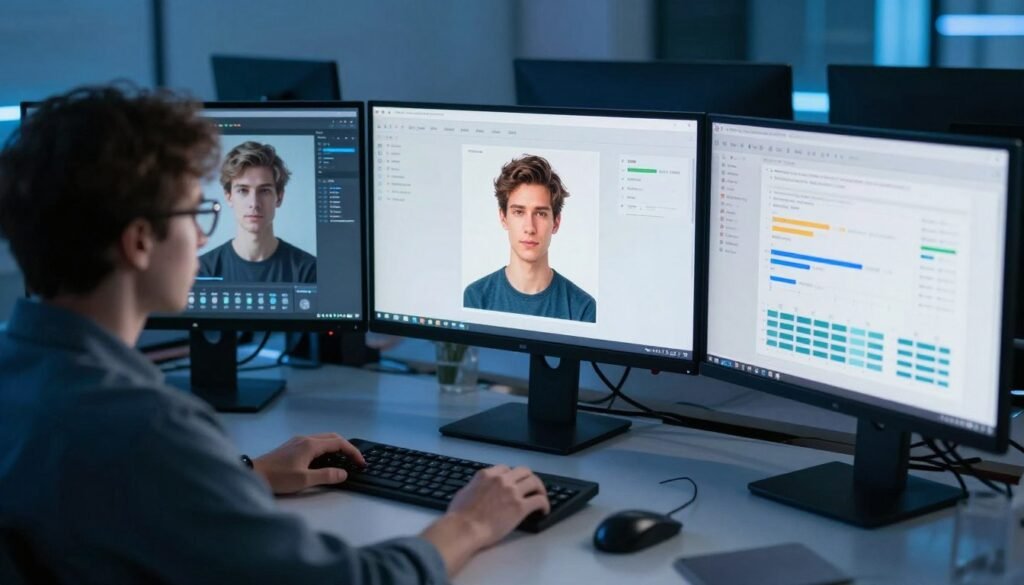
To provide you with an honest assessment, I spent over 100 hours testing each platform with real-world projects. My evaluation focused on seven critical factors that determine whether an AI avatar generator will actually deliver value for your specific needs:
Realism
How natural do the avatars look and move?
Do they avoid the uncanny valley effect?
I scrutinized facial expressions, lip synchronization, and overall believability.
Customization
Can you create branded avatars or personal digital twins?
I evaluated the range of customization options and how easily you can make avatars that align with your brand identity.
Ease of Use
How intuitive is the platform for beginners?
Can you create professional videos without technical expertise?
I assessed the learning curve and user interface quality.
Speed
How quickly can you go from concept to finished video?
I measured the time required to create various types of content, from simple talking heads to complex presentations.
Value
Does the platform deliver results worth its price?
I compared features against cost to determine which tools offer the best return on investment for different use cases.
Integrations
How well does the tool connect with your existing workflow?
I tested compatibility with common platforms like LMS systems, CRMs, and content management tools.
Why Should You Trust My Reviews?

I bring a unique perspective to these reviews as both a technical expert and practical user. With an MS in Data Science and Machine Learning and a BS in Software Engineering, I understand how these AI systems work under the hood. As a working professional since 2018, I’ve ghost-developed numerous AI applications and have firsthand experience with the challenges and opportunities these tools present.
Unlike many reviewers who simply repeat marketing claims, I’ve actually built similar systems and know exactly what to look for in terms of performance, limitations, and practical applications. I’ve used each of these tools for real projects, pushing them to their limits to see where they excel and where they fall short.
AI Avatar Generators Comparison Chart
| Rank | Tool | Best For | Key Features | Rating | Starting Price |
| 1 | Synthesia | Corporate training | 125+ avatars, 160+ languages, SCORM export | 4.8/5 | $29/month |
| 2 | HeyGen | Custom digital twins | 700+ avatars, voice cloning, 175+ languages | 4.7/5 | $29/month |
| 3 | Fliki AI | Blog-to-video conversion | 70+ avatars, 2500+ voices, voice cloning | 4.7/5 | $28/month |
| 4 | Akool | Product showcase ads | Hyper-realistic avatars, 150+ languages, 4K output | 4.6/5 | $21/month |
| 5 | Kreado AI | TikTok-style videos | 1000+ avatars, 40,000+ voices, 140+ languages | 4.6/5 | $24/month |
| 6 | Elai | Interactive e-learning | 80+ avatars, interactive elements, scenario dialogues | 4.5/5 | $23/month |
| 7 | Jogg AI | E-commerce videos | 450+ avatars, URL-to-video, batch creation | 4.5/5 | $29/month |
| 8 | Vidnoz AI | Free daily usage | 1900+ avatars, 2000+ voices, 140+ languages | 4.4/5 | Free (limited) |
| 9 | Arcads AI | UGC-style marketing | 1000+ AI actors, product interaction, emotion control | 4.4/5 | $110/month |
| 10 | Apob AI | Faceless influencer content | Photo animation, full customization, viral-ready tools | 4.3/5 | Free (limited) |
| 11 | Argil AI | Personal branding | Personal AI clones, voice cloning, magic AI editing | 4.2/5 | $39/month |
Detailed Reviews of the Top 11 AI Avatar Generators
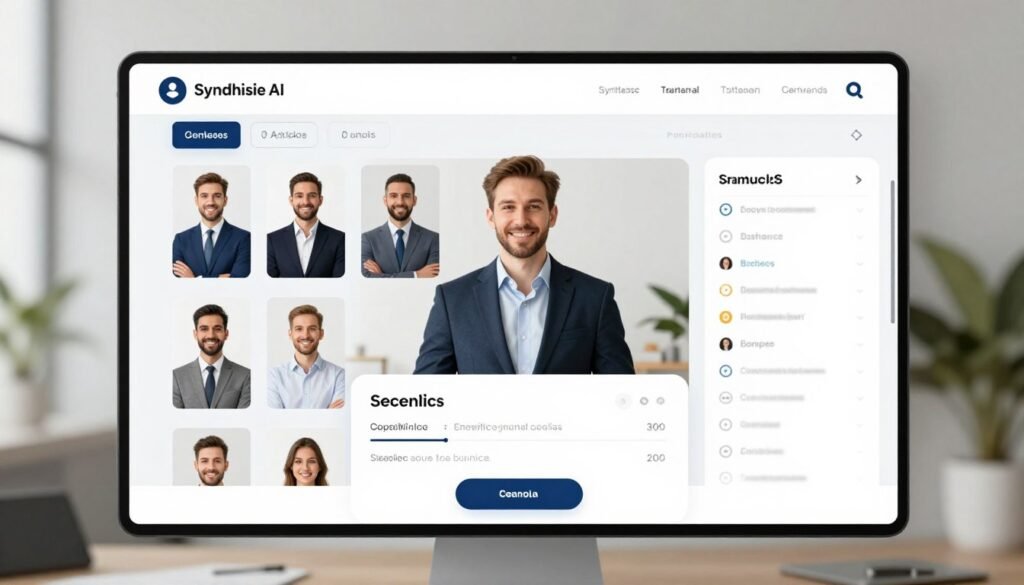
1. Synthesia – Best for Professional Corporate Training
Synthesia has established itself as the gold standard for corporate video creation, particularly excelling in training and educational content. During my testing, I was consistently impressed by the professional quality and natural delivery of their avatars, which maintain credibility even in complex technical explanations.
Key Pain Points Solved:
- Production Complexity: Traditional video production requires coordinating actors, equipment, and locations. Synthesia eliminates these logistics, allowing you to create professional videos with just a script.
- Content Updates: Updating traditional videos means complete re-shoots. With Synthesia, you can edit your script and regenerate only the affected sections in minutes.
- Global Reach: Creating multilingual content traditionally requires multiple presenters and productions. Synthesia’s avatars speak 160+ languages with perfect lip-sync, making global content scalable and affordable.
Standout Features:
- Expressive AI Avatars: 125+ realistic avatars with natural emotions, gestures, and flawless lip-sync.
- Avatar Customization: Change clothing, add logos, and apply brand colors for consistent visual identity.
- Multilingual Support: Create videos in 160+ languages with natural accents and perfect lip movements.
- Text-to-Video Conversion: Simply paste your script or upload documents/PPTs to generate complete videos.
- One-Click Translation: Translate existing videos while maintaining perfect lip-sync.
- Team Collaboration: Share workspaces for seamless team editing and reviewing.
- SCORM Export: Direct integration with learning management systems for training modules.
“Synthesia has transformed our global training program. We’ve cut video production time by 90% while creating content in 12 languages that actually engages our international teams.”
— Sarah Chen, L&D Director at Miro
My Testing Experience:
I created a 5-minute product training video in about 30 minutes, including script writing. The avatar’s delivery was remarkably natural, with appropriate pauses and emphasis that made the technical content easy to follow. What impressed me most was how seamlessly I could translate the video into Spanish and Japanese, with the avatar maintaining perfect lip-sync in each language.
Pros
- Most professional-looking avatars among all tested tools
- Exceptional multilingual capabilities with perfect lip-sync
- Robust LMS integration with SCORM export
- Intuitive interface requires minimal learning curve
- Strong team collaboration features
Cons
- Higher price point than some competitors
- Limited creative avatar styles (focuses on professional looks)
- Custom avatar creation requires higher-tier plans
Integrations & Support:
Synthesia offers robust integration with learning platforms like 360Learning, aNewSpring, and Articulate 360, plus CMS connections to HubSpot, Shopify, and WordPress. Their Zapier integration enables workflows with 8,000+ apps. API access is available on Creator+ plans, and their support team responds quickly to technical questions.
Pricing:
- Free Plan: One free video to test the platform
- Starter Plan: $29/month or $18/month (annual) – 10 minutes/month, 125+ avatars
- Creator Plan: $89/month or $64/month (annual) – 30 minutes/month, 180+ avatars, API access
- Enterprise Plan: Custom pricing – Unlimited minutes, 240+ avatars, advanced features
4.7
Overall Rating
Realism
4.8/5
Ease of Use
4.7/5
Features
4.6/5
Value
4.5/5
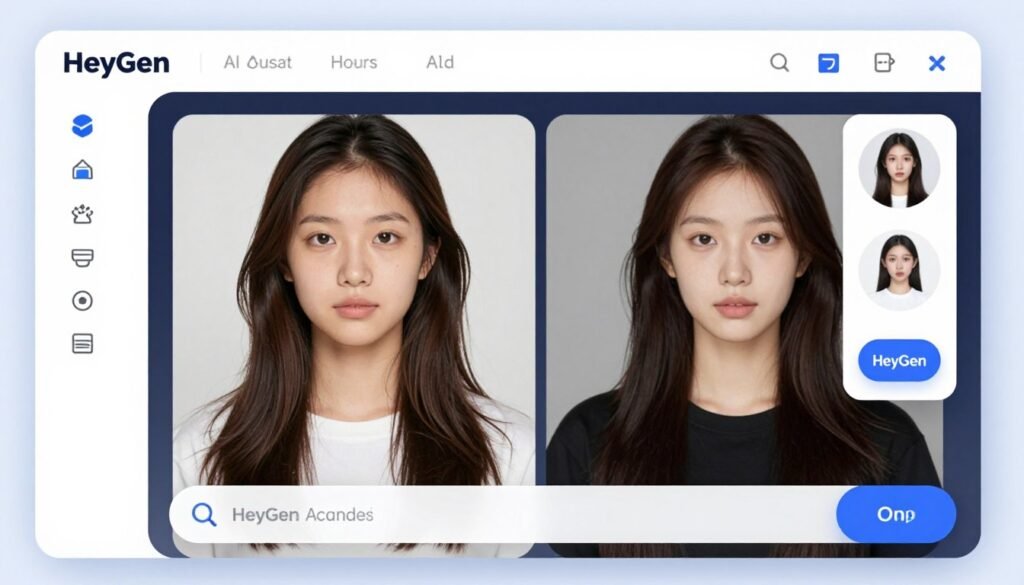
2. HeyGen – Best For Realistic Custom Digital Twins
HeyGen stands out for its exceptional ability to create personalized digital twins that capture your likeness and mannerisms. If you’re looking to scale your personal brand without constantly being on camera, this platform offers the most convincing solution I’ve tested.
Key Pain Points Solved:
- Personal Bandwidth: Creating personalized videos at scale is impossible when you have to appear on camera for each one. HeyGen’s digital twins let you create unlimited personalized content without the time commitment.
- Consistent Brand Representation: Maintaining visual consistency across videos is challenging with traditional filming. HeyGen ensures your digital twin always looks its best, regardless of when you create content.
- Multilingual Communication: Speaking multiple languages fluently is rare. HeyGen’s avatars can deliver your message in 175+ languages with natural pronunciation and perfect lip-sync.
Standout Features:
- Digital Twin Creation: Upload a photo or video to create a custom avatar that looks and moves like you.
- Extensive Stock Library: 700+ ready-made avatars spanning business, education, and marketing niches.
- Voice Cloning: Clone your voice or choose from 1,000+ realistic options for authentic delivery.
- Look Customization: Switch between polished, playful, or quirky styles with different outfits and backgrounds.
- High-Quality Rendering: Generate videos in HD/4K with realistic facial movements and hand gestures.
- Photo Avatar Feature: Turn a single photo into a talking avatar with dynamic expressions.
- Template Library: 100+ pre-made templates for quick video creation.
“We’ve been able to create personalized videos for over 10,000 customers using my digital twin. What would have taken months of filming now happens with a few clicks, and the engagement rates have increased by 64%.”
— Roger Hirst, Co-Founder at Vision Creative Labs
My Testing Experience:
Creating my digital twin took about 10 minutes of setup and processing time. I was genuinely surprised by how accurately it captured my facial expressions and speaking style. The voice cloning feature was particularly impressive—after providing a 2-minute audio sample, the system reproduced my speech patterns with remarkable accuracy. I created personalized product demos for different customer segments in minutes, something that would have taken days with traditional video.
Pros
- Most realistic digital twin technology available
- Exceptional voice cloning accuracy
- Extensive avatar customization options
- Supports 175+ languages with natural delivery
- Intuitive text editor for quick video creation
Cons
- Digital twin creation limited on lower-tier plans
- Processing time can vary based on server load
- Limited background customization compared to competitors
Integrations & Support:
HeyGen offers a robust API for custom workflows and integrates with HubSpot, Canva, Adobe, ChatGPT, n8n, Make, and Zapier. Their support team is responsive, and they provide comprehensive documentation for developers. The platform also supports LMS/SCORM export for training applications.
Pricing:
- Free Plan: Up to 3 videos/month with basic avatars
- Creator Plan: $29/month or $24/month (annual) – Unlimited videos (up to 3 min each), 500+ avatars
- Business Plan: $149/month – Unlimited videos, 700+ avatars, 5 custom twins, 4K rendering
- Enterprise Plan: Custom pricing – Unlimited everything with priority processing
4.6
Overall Rating
Digital Twin Quality
4.9/5
Ease of Use
4.6/5
Features
4.7/5
Value
4.4/5
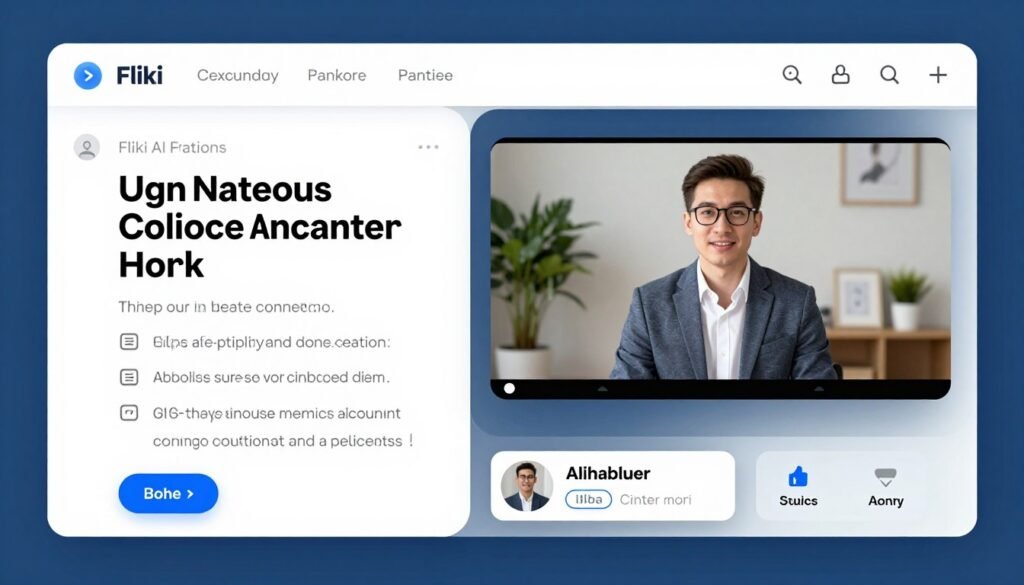
3. Fliki AI – Best For Blog-to-Video Content Conversion
Fliki AI excels at transforming written content into engaging video presentations. If you’re a blogger, content marketer, or educator looking to repurpose text-based material into video format, Fliki offers the most streamlined solution I’ve encountered.
Key Pain Points Solved:
- Content Repurposing: Converting blogs to videos traditionally requires scriptwriting, filming, and editing. Fliki automates this entire process, turning articles into ready-to-publish videos in minutes.
- Presentation Consistency: Creating multiple videos with consistent quality is difficult. Fliki’s avatars deliver your content with the same professional quality every time.
- Voice Authenticity: Generic AI voices can sound robotic. Fliki’s voice cloning creates natural-sounding narration that maintains your unique speaking style across all content.
Standout Features:
- Talking AI Avatars: 70+ diverse avatars for engaging talking-head videos.
- Self-Cloning Avatars: Create your own digital twin with personal face and voice cloning.
- Text-to-Video Workflow: Convert blogs, documents, and presentations into videos with one click.
- Ultra-Realistic Voices: 2,500+ lifelike voices across 80+ languages and 100+ dialects.
- Voice Cloning: Clone your voice for consistent personal branding.
- One-Click Translation: Instantly translate videos while maintaining natural delivery.
- AI Media Suggestions: Automatic visual content recommendations based on your script.
“We’ve increased our content output by 300% since implementing Fliki. Our blog posts now automatically become YouTube videos, dramatically expanding our reach while maintaining consistent messaging across platforms.”
— Michael Torres, Content Director at TechInsights
My Testing Experience:
I tested Fliki by converting a 1,500-word technical article into a video presentation. The process was remarkably simple—I pasted the URL, and Fliki automatically extracted the content, suggested appropriate visuals, and generated a draft video. The AI did an impressive job of maintaining the article’s structure while adapting it for video format. I particularly appreciated how the platform automatically suggested visual breaks and transitions to maintain viewer engagement.
Pros
- Fastest blog-to-video conversion among tested tools
- Excellent voice quality with natural intonation
- Intelligent media suggestion algorithm
- Simple, intuitive interface requires minimal training
- Strong multilingual support
Cons
- Fewer avatar options than some competitors
- Limited advanced video editing capabilities
- Custom avatar creation needs refinement
Integrations & Support:
Fliki offers integration with Make and Zapier for workflow automation. Their support team provides email and live chat assistance, with priority support for Premium users. The platform excels at content imports, supporting direct URL scraping, document uploads, and API connections for content management systems.
Pricing:
- Free Tier: 5 minutes/month, 300 voices, watermarked videos
- Standard Plan: $28/month or $21/month (annual) – 180 minutes/month, 1,000 voices, 1080p quality
- Premium Plan: $88/month or $66/month (annual) – 600 minutes/month, 2,000+ voices, photo avatars
- Enterprise Plan: Custom pricing – Higher quotas, API access, team collaboration
4.5
Overall Rating
Content Conversion
4.8/5
Voice Quality
4.7/5
Ease of Use
4.5/5
Avatar Quality
4.3/5
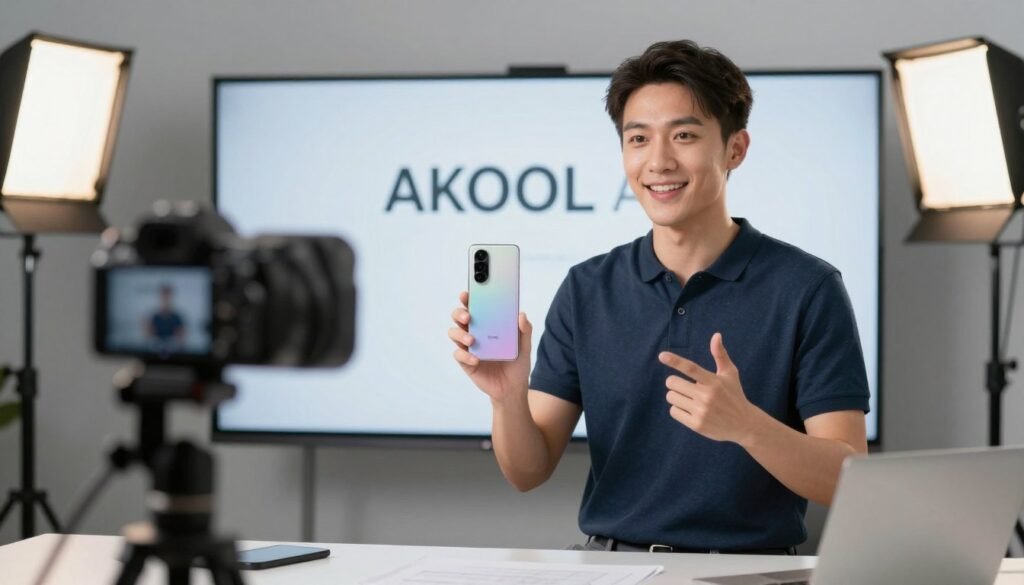
4. Akool – Best For Hyper-Realistic Product Showcase Ads
Akool has carved out a niche as the go-to platform for creating product demonstration videos that rival professional studio productions. Their hyper-realistic avatars excel at showcasing physical products with natural movements and expressions that build consumer trust.
Key Pain Points Solved:
- Product Demonstration Costs: Professional product videos typically require studios, models, and extensive editing. Akool creates studio-quality demonstrations at a fraction of the cost.
- Scaling Product Content: Creating consistent product videos across large catalogs is prohibitively expensive traditionally. Akool makes it possible to generate hundreds of product videos with consistent quality.
- Multilingual Market Reach: Localizing product videos for global markets is complex and costly. Akool’s avatars speak 150+ languages with perfect lip-sync, making global product launches more accessible.
Standout Features:
- Hyper-Realistic Avatars: Exceptionally lifelike digital humans with natural gestures and expressions.
- Custom Avatar Creation: Upload your image or choose from a diverse library for personalized talking avatars.
- Perfect Lip Synchronization: Advanced model matches every word to mouth movements flawlessly.
- Voice Customization: Clone voices or select from 500+ options to match your brand tone.
- Text-to-Video Conversion: Turn scripts into professional videos in minutes.
- 4K Output Quality: Download high-resolution videos ready for professional use.
- Batch Video Creation: Generate multiple product videos simultaneously for large catalogs.
“We needed to create demonstration videos for our 200+ product catalog in three languages. Akool delivered all 600+ videos in one week—something that would have taken months and cost tens of thousands with traditional production.”
— Jennifer Liu, E-commerce Director at BeautyTech
My Testing Experience:
I created a product demonstration for a smartphone, and the results were impressive. The avatar’s hand movements when holding and demonstrating the product looked natural and convincing. The platform’s ability to generate multiple variations with different selling points and calls-to-action made A/B testing effortless. The 4K output quality was indistinguishable from professional studio footage, and the quick processing time (under 10 minutes for a 2-minute video) was remarkable.
Pros
- Most realistic product handling animations
- Superior 4K video quality
- Efficient batch processing for multiple videos
- Excellent lip-sync accuracy
- Intuitive editor for post-generation adjustments
Cons
- Higher pricing than some competitors
- Limited template library
- Fewer integration options
Integrations & Support:
Akool offers workspace collaboration features on higher-tier plans and API access for enterprise customers. Their platform focuses on standalone video creation with fast processing rather than extensive third-party integrations. Support is primarily email-based, with good response times for technical issues.
Pricing:
- Basic Plan: Free – Limited 720p/5 min videos with watermark
- Pro Plan: $21/seat/month (annual) – 600-2,400 credits, 4K/30 min videos
- Pro Max Plan: $79/seat/month (annual) – 2,400-9,600 credits, 8K/45 min videos, API access
- Business/Enterprise: $350+/custom – Massive credit allowances, 16K/60 min videos
4.4
Overall Rating
Video Quality
4.8/5
Product Demonstration
4.7/5
Ease of Use
4.4/5
Value
4.1/5
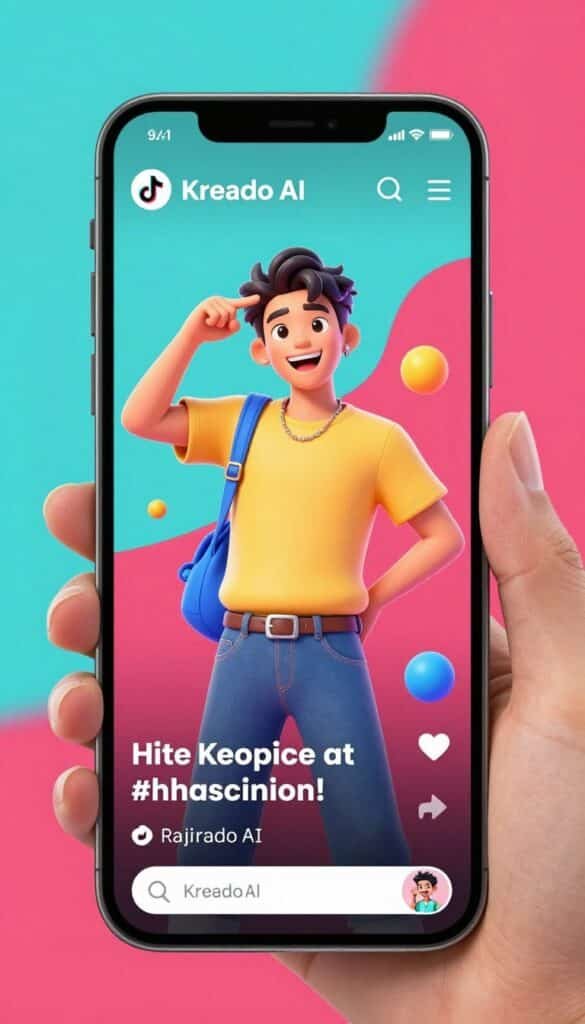
5. Kreado AI – Best For TikTok-Style Viral Short Videos
Kreado AI has positioned itself as the specialist for creating short-form, highly engaging social media content. If you’re targeting platforms like TikTok, Instagram Reels, or YouTube Shorts, Kreado offers the most effective tools for generating scroll-stopping avatar videos.
Key Pain Points Solved:
- Social Media Content Volume: Short-form platforms demand constant content, which is exhausting to create manually. Kreado enables you to generate multiple variations quickly to maintain posting frequency.
- Trend Adaptation: Social trends change rapidly, making it hard to stay relevant. Kreado’s templates are regularly updated to match current platform trends and aesthetics.
- Performance Testing: Finding winning content requires extensive testing. Kreado makes it easy to create multiple versions with different hooks, avatars, and styles to identify top performers.
Standout Features:
- Diverse Avatar Library: 1,000+ lifelike avatars with natural lip-sync and trendy aesthetics.
- Custom Avatar Creation: Use your webcam to create a personal avatar that speaks and moves like you.
- Extensive Voice Options: 40,000+ AI voices across 140+ languages for authentic delivery.
- Voice Cloning Technology: Clone your voice with 99% accuracy to maintain your unique style.
- Text-to-Video Conversion: Turn scripts into engaging short videos with auto-added effects.
- Image Animation: Transform static photos into talking, expressive characters.
- TikTok-Optimized Templates: Pre-designed formats specifically for vertical short-form content.
“We’ve increased our TikTok engagement by 215% since switching to Kreado for our content creation. The avatars connect with our Gen Z audience in a way that traditional marketing never could, and we can test new concepts daily.”
— Alex Rivera, Social Media Manager at FashionNow
My Testing Experience:
I created several TikTok-style videos promoting a fictional product, and the results were surprisingly engaging. The platform’s strength lies in its understanding of social media aesthetics—the avatars use contemporary gestures and expressions that feel native to platforms like TikTok. The emotion control feature was particularly useful, allowing me to specify exactly how enthusiastic or casual I wanted the delivery to be. Videos processed quickly (under 5 minutes each), and the export options were perfectly formatted for different social platforms.
Pros
- Best platform for short-form social content
- Trendy, contemporary avatar styles
- Excellent emotion control for authentic delivery
- Fast processing for quick content iteration
- Strong vertical video optimization
Cons
- Less suitable for formal business content
- Limited advanced editing capabilities
- Credit-based system can be confusing
Integrations & Support:
Kreado offers 24/7 support on Premium+ plans and a dedicated manager for Enterprise customers. They provide API integration for developers and focus on standalone social media creation tools. While they don’t have extensive third-party integrations, their export options are optimized for direct posting to TikTok, Instagram, and other social platforms.
Pricing:
- Free Plan: 180 K-coins (~3 minutes video), 5 avatars, watermarked
- Premium Plan: $24/month or $19/month (annual) – 1,800 K-coins (~30 min), 700+ avatars
- Pro Plan: $50/month or $40/month (annual) – 3,000 K-coins (~50 min), 1,000+ avatars
- Enterprise Plan: Custom pricing – Tailored solutions with priority features
4.3
Overall Rating
Social Media Optimization
4.8/5
Trendy Avatar Styles
4.6/5
Ease of Use
4.4/5
Value
4.2/5
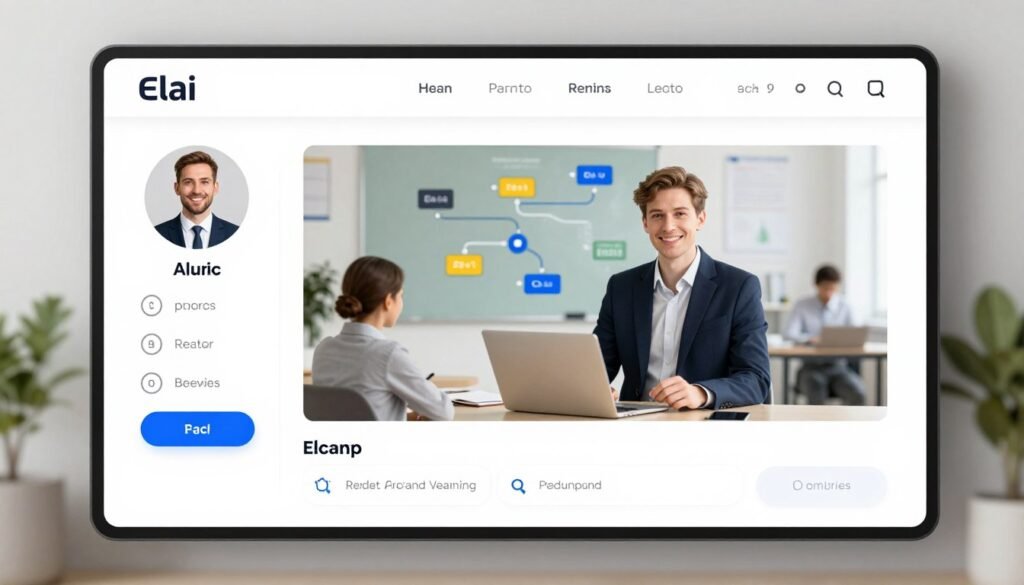
6. Elai – Best For Interactive E-Learning & Sales Training
Elai specializes in creating interactive learning experiences that go beyond simple talking-head videos. If you’re developing training materials, sales enablement content, or educational courses, Elai’s interactive capabilities make it the standout choice.
Key Pain Points Solved:
- Learner Engagement: Traditional video training often fails to engage learners. Elai’s interactive elements like quizzes and branching scenarios significantly increase completion rates and knowledge retention.
- Training Personalization: One-size-fits-all training is ineffective. Elai enables adaptive learning paths based on user responses, creating more relevant experiences.
- Content Updates: Updating traditional training videos is time-consuming and expensive. Elai makes it easy to modify content, add new scenarios, or translate materials without starting from scratch.
Standout Features:
- Interactive Elements: Add quizzes, decision points, and branching scenarios for engaging learning.
- Diverse Avatar Options: 80+ professional presenters, including selfie, studio, and mascot types.
- Multilingual Support: Create content in 75+ languages with natural lip-sync.
- Voice Cloning: Clone voices across 28+ languages for consistent delivery.
- AI Storyboard Generator: Get AI assistance in structuring effective learning content.
- Document Conversion: Transform PPT/PDF materials into interactive video lessons.
- Multi-Avatar Dialogues: Create realistic role-plays and scenario-based training.
“Our sales training completion rates jumped from 34% to 89% after implementing Elai’s interactive modules. The branching scenarios let reps practice different customer objections, and the assessment data helps us identify skill gaps across teams.”
— David Chen, Sales Enablement Director at SaaSTech
My Testing Experience:
I created a sample sales training module with decision points that branched to different scenarios based on the learner’s choices. The process was surprisingly intuitive, with the platform guiding me through creating an effective learning structure. The multi-avatar dialogue feature was particularly impressive, allowing me to create realistic customer conversation simulations. The built-in analytics provided valuable insights into which parts of the training were most effective and where learners struggled.
Pros
- Best interactive learning capabilities
- Excellent scenario-based training tools
- Strong analytics for measuring effectiveness
- Seamless LMS integration
- Intuitive instructional design guidance
Cons
- Fewer avatar options than some competitors
- Steeper learning curve for advanced features
- Limited creative styling options
Integrations & Support:
Elai offers strong integration with learning management systems like Thinkific and other educational platforms. They provide comprehensive documentation, demos, and sales support to help users maximize the platform’s capabilities. API access is available on higher-tier plans for custom learning workflows.
Pricing:
- Free Plan: Basic access with limited features and watermarked output
- Basic Plan: $23-29/month – 15-40 minutes/month, full avatar library
- Advanced Plan: ~$59/user/month (annual) – More minutes, interactive features, custom avatars
4.2
Overall Rating
Interactive Features
4.8/5
Learning Effectiveness
4.6/5
Ease of Use
4.0/5
Avatar Quality
4.1/5
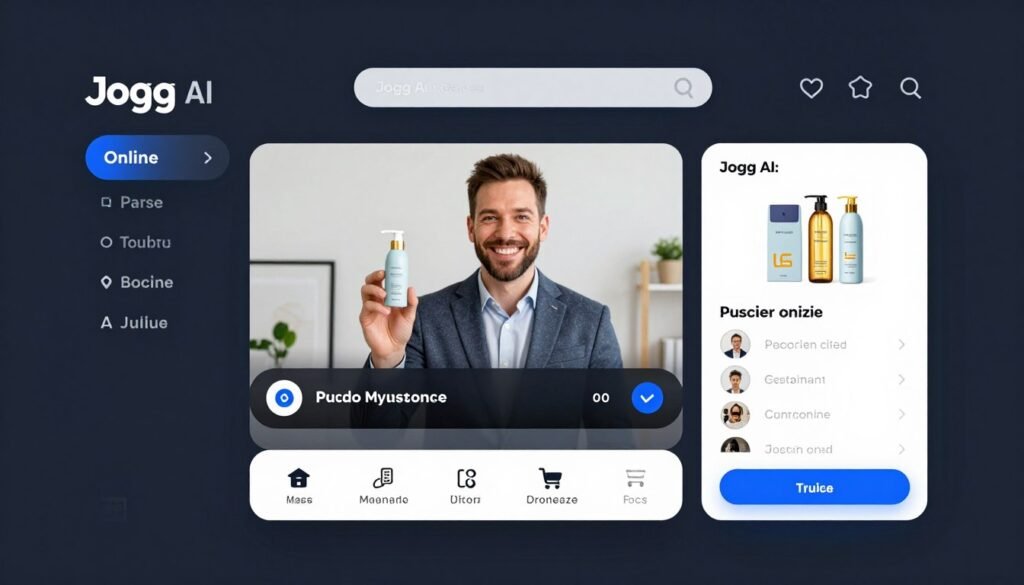
7. Jogg AI – Best For Fast E-Commerce Product Video Ads
Jogg AI has optimized its platform specifically for e-commerce businesses needing to create product videos at scale. If you’re managing an online store and need to quickly generate engaging product content, Jogg offers the most streamlined solution.
Key Pain Points Solved:
- Product Catalog Scale: Creating videos for large product catalogs is prohibitively expensive with traditional methods. Jogg’s URL-to-video feature automatically generates product videos from your store listings.
- Conversion Optimization: Static product images don’t convert as well as videos. Jogg creates engaging product demonstrations that significantly improve conversion rates.
- Content Freshness: Keeping product content updated is challenging. Jogg makes it easy to regenerate videos when products, pricing, or offers change.
Standout Features:
- URL-to-Video Tool: Paste product links to automatically create video ads with avatars.
- Diverse Avatar Library: 450+ realistic avatars optimized for product presentations.
- Custom Avatar Creation: Create branded presenters from photos or descriptions.
- Talking Photo Animation: Turn product images into speaking videos with movement.
- Batch Creation: Generate multiple product videos simultaneously for large catalogs.
- Brand Kit Integration: Save styles, logos, and colors for consistent branding.
- Video Translation: Localize product videos for international markets.
“We implemented Jogg AI for our 200+ product catalog and saw a 37% increase in conversion rates across the board. The ability to quickly create and test different video approaches for each product category has transformed our marketing strategy.”
— Maria Sanchez, E-commerce Director at HomeStyle
My Testing Experience:
I tested Jogg by creating videos for several product types, and the URL-to-video feature was impressively efficient. After pasting a product URL, the system automatically extracted key selling points, images, and pricing to create a structured video script. The avatar delivery was natural and persuasive, with appropriate emphasis on product benefits. The batch creation feature allowed me to generate variations for A/B testing, and the processing speed (about 3-4 minutes per video) made it practical for large catalogs.
Pros
- Fastest URL-to-video conversion for products
- Excellent e-commerce integration
- Efficient batch processing for large catalogs
- Strong product benefit highlighting
- Good A/B testing capabilities
Cons
- Limited advanced editing options
- Fewer creative avatar styles
- Credit system can be restrictive
Integrations & Support:
Jogg offers email support and a comprehensive knowledge base. They provide API access for developers and have particularly strong e-commerce integrations. The platform excels at URL-to-video and batch creation features, making it ideal for online stores and product marketers.
Pricing:
- Free Plan: 3 credits (short videos), 1 custom avatar, watermarked
- Starter Plan: $29/month or $24/month (annual) – 200 credits/year, 3 custom avatars
- Creator Plan: $69/month or $36/month (annual) – 480 credits/year, 10 avatars, brand kit
- Team/Enterprise: $89+/custom – Multi-user, longer videos, custom functions
4.1
Overall Rating
E-commerce Integration
4.7/5
Processing Speed
4.5/5
Ease of Use
4.3/5
Avatar Quality
4.0/5
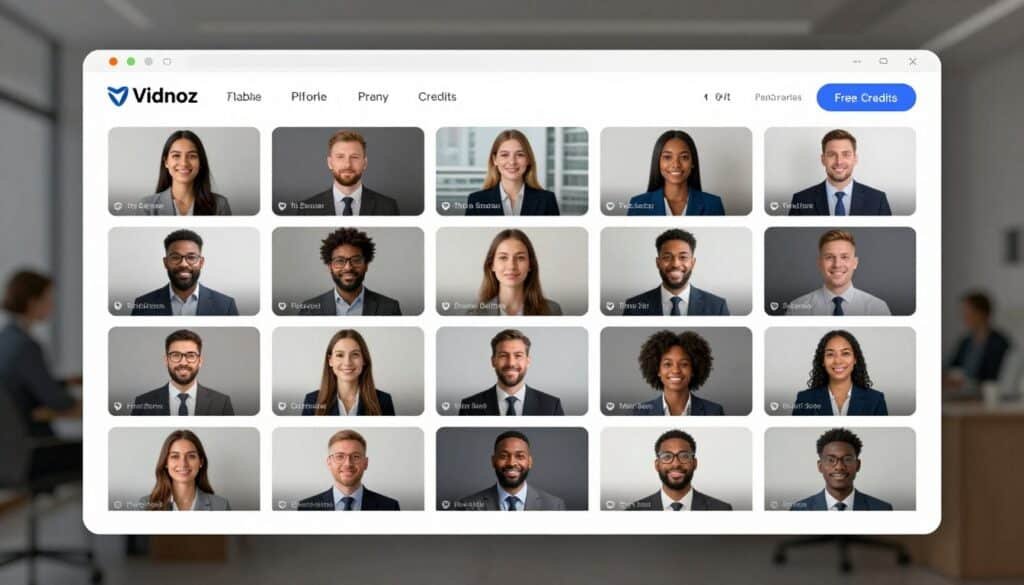
8. Vidnoz AI – Best For Free Daily Avatar Usage
Vidnoz AI stands out for its generous free tier, making it the ideal entry point for individuals and small businesses wanting to explore AI avatars without financial commitment. Their massive avatar library and daily free credits make it perfect for regular content creation on a budget.
Key Pain Points Solved:
- Budget Constraints: Professional video production is expensive. Vidnoz’s free daily credits allow you to create quality content without financial investment.
- Avatar Diversity: Finding diverse presenters for inclusive content is challenging. Vidnoz’s 1900+ avatar library offers unprecedented representation across demographics.
- Consistent Content Schedule: Maintaining regular video content is difficult. Vidnoz’s daily credits enable consistent posting without subscription costs.
Standout Features:
- Massive Avatar Library: 1900+ AI avatars covering diverse demographics and styles.
- Daily Free Credits: 60 credits (~2 minutes of video) refreshed daily without subscription.
- Custom Digital Twins: Create personal avatars from photos or video clips.
- Extensive Voice Options: 2000+ AI voices across accents and languages.
- Multilingual Support: Create content in 140+ languages with accurate lip-sync.
- Template Library: 2800+ editable templates for quick video creation.
- Full/Half-Body Options: Choose avatar framing based on content needs.
“As a solo content creator, Vidnoz’s free daily credits have been a game-changer. I create short educational videos every day without spending a cent, and my YouTube channel has grown from 500 to 15,000 subscribers in just six months.”
— Marcus Johnson, Educational Content Creator
My Testing Experience:
I tested Vidnoz’s free tier extensively, creating short videos over several days. The daily credit refresh was reliable, and the quality of the free avatars was surprisingly good. The platform’s strength lies in its accessibility—I was able to create a professional-looking video within minutes of signing up, with no learning curve. While the free videos include a watermark, the quality and variety of avatars available without payment make this an exceptional value for beginners or those with limited budgets.
Pros
- Most generous free tier available
- Largest avatar library (1900+)
- Daily credit refresh without subscription
- Simple, intuitive interface
- Extensive template library
Cons
- Free videos include watermark
- Limited advanced editing features
- Avatar quality varies across the library
Integrations & Support:
Vidnoz offers 24/7 support and provides SCORM export for learning management systems. Their platform includes brand kit features, embed options, and call-to-action pages. API access is available on Enterprise plans for custom workflows and integrations.
Pricing:
- Free Plan: 60 credits/day (~2 min), 1900+ avatars, watermarked 720p
- Starter Plan: $26.99/month or $19.99/month (annual) – 450+ credits/month, 1080p, no watermark
- Business Plan: $74.99/month or $56.99/month (annual) – 900+ credits, unlimited features
- Enterprise Plan: Custom pricing – Unlimited usage, dedicated support, API access
4.0
Overall Rating
Free Tier Value
4.9/5
Avatar Variety
4.7/5
Ease of Use
4.5/5
Output Quality
3.8/5
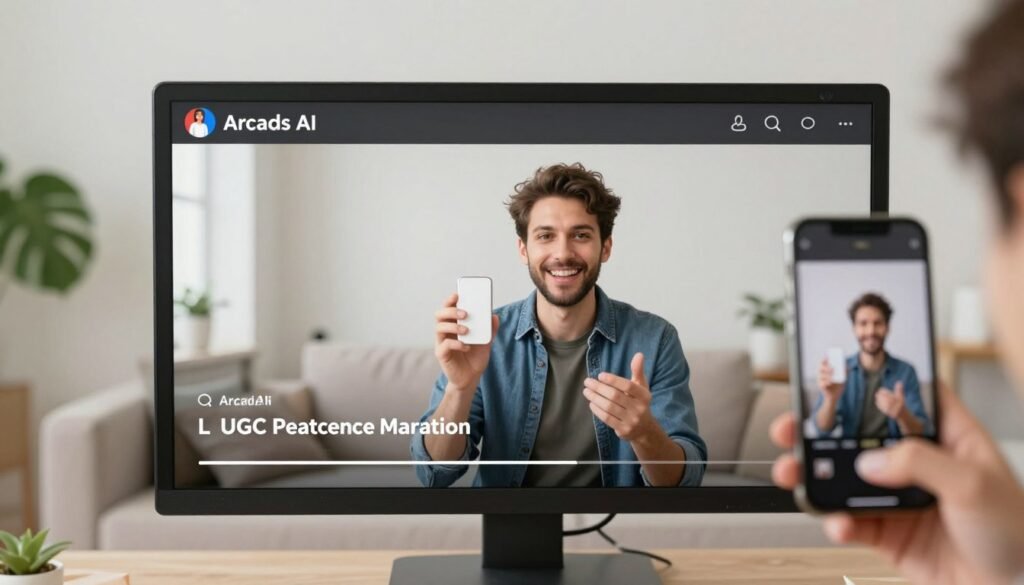
9. Arcads AI – Best For High-Engagement UGC-Style Marketing
Arcads AI specializes in creating user-generated content (UGC) style videos that mimic the authentic, relatable feel of creator content. If you’re looking to create ads that don’t feel like ads, Arcads offers the most convincing solution.
Key Pain Points Solved:
- Ad Fatigue: Traditional advertising is increasingly ignored. Arcads creates UGC-style content that feels authentic and drives higher engagement.
- Creator Management: Working with influencers is unpredictable and expensive. Arcads provides consistent, controllable UGC-style content without the management headaches.
- Ad Testing Limitations: Testing multiple creative approaches with real creators is cost-prohibitive. Arcads makes it affordable to test dozens of variations to find winning formulas.
Standout Features:
- UGC-Style Avatars: 1000+ AI actors designed to mimic authentic creator content.
- Product Interaction: Avatars can physically hold and demonstrate products naturally.
- Emotion Control: Specify exactly what feeling you want (excited, casual, serious) for authentic delivery.
- Multilingual Localization: Create UGC-style videos in 30+ languages for global campaigns.
- High Engagement Focus: Templates and formats optimized for social media performance.
- Bulk Ad Generation: Create multiple variations for testing hooks and approaches.
- Natural Body Language: Realistic movements that avoid the “AI feel” of other platforms.
“Our Facebook ad costs dropped by 42% after switching to Arcads AI for our creative. The UGC-style videos perform dramatically better than our traditional product ads, and we can test new approaches weekly instead of monthly.”
— Chris Morgan, Digital Marketing Director at WellnessPlus
My Testing Experience:
I created several UGC-style product recommendations, and the results were remarkably authentic. The platform’s strength is how natural the avatars look while holding and demonstrating products—something many competitors struggle with. The casual, conversational delivery options felt genuinely like creator content rather than scripted ads. The emotion control was particularly effective, allowing fine-tuning of enthusiasm levels to match different product categories and target audiences.
Pros
- Most authentic UGC-style videos
- Superior product interaction capabilities
- Excellent emotion and enthusiasm control
- Natural, conversational delivery
- Strong performance in ad testing
Cons
- Higher pricing than many competitors
- Limited formal/corporate avatar styles
- Fewer integration options
Integrations & Support:
Arcads offers “founder-level” support from marketers who understand performance advertising. The platform is primarily standalone but provides strong social media export options. API access is available on Pro plans for workflow integration with advertising platforms.
Pricing:
- Starter Plan: ~$110/month – 10 video credits/month, 300+ actors
- Creator Plan: ~$220/month – 20 video credits/month, up to 1000+ actors
- Pro/Custom Plan: $300+ or negotiated – Unlimited volume, API access, team features
3.9
Overall Rating
UGC Authenticity
4.8/5
Product Interaction
4.7/5
Ad Performance
4.4/5
Value
3.5/5
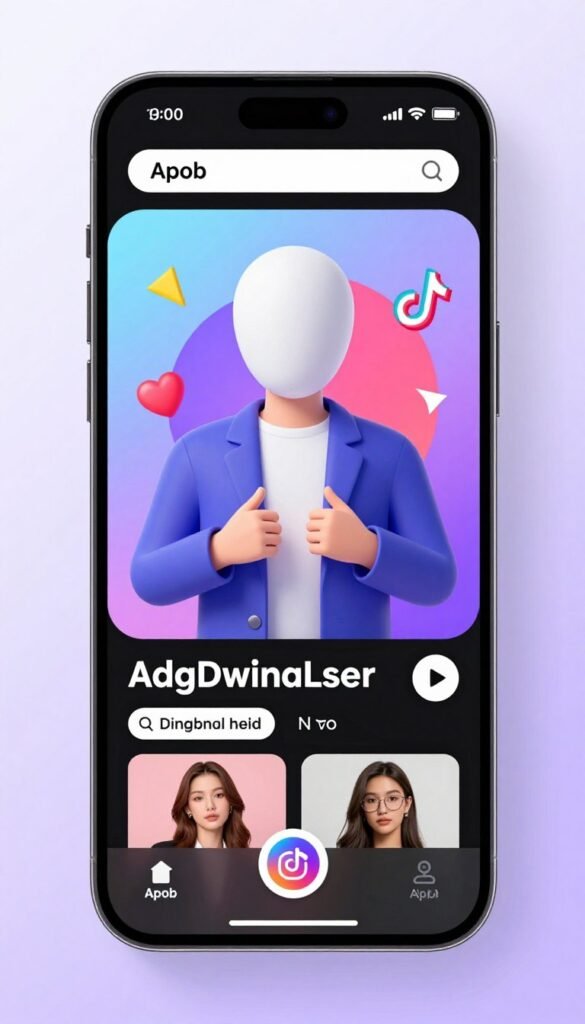
10. Apob AI – Best For Faceless Influencer & Viral Shorts
Apob AI has carved out a unique niche for content creators who want to build an online presence without showing their face. If you’re looking to create viral-style content while maintaining privacy, Apob offers the most specialized solution.
Key Pain Points Solved:
- Creator Privacy: Many people want to create content without revealing their identity. Apob enables building an audience while maintaining complete privacy.
- Production Consistency: Maintaining consistent video quality when filming yourself is challenging. Apob delivers professional-looking content every time without the variables of self-filming.
- Creative Flexibility: Being limited to your own appearance restricts creative options. Apob allows you to create diverse characters and styles that wouldn’t be possible otherwise.
Standout Features:
- Photo-to-Video Animation: Turn static images into dynamic, speaking avatars with natural movements.
- Full Customization: Control gender, age, nationality, appearance, and environment details.
- Text-to-Video Generation: Create full videos from text prompts with dynamic camera movements.
- Face Lock Technology: Maintain consistent appearance across multiple videos for brand continuity.
- Video Editing Tools: Add subtitles, extend clips, and make quick adjustments after generation.
- High-Resolution Output: Generate 4K videos for professional use across platforms.
- Viral-Ready Templates: Pre-designed formats optimized for short-form social content.
“I built a TikTok account to 500K followers in six months using Apob AI without ever showing my face. The consistency and quality of the content allowed me to focus entirely on the value I was providing rather than worrying about how I looked on camera.”
— Anonymous Finance Creator
My Testing Experience:
I tested Apob by creating several faceless educational shorts, and the results were impressive for social media use. The platform’s strength is its animation quality—the movements feel natural and engaging rather than robotic. The face lock feature ensured my character remained consistent across multiple videos, which is essential for building a recognizable brand. The text-to-video generation was particularly useful for quickly testing different content approaches without extensive planning.
Pros
- Best solution for privacy-conscious creators
- Excellent animation quality
- Strong character consistency across videos
- Affordable pricing structure
- Good free tier for testing
Cons
- Limited to certain content styles
- Less suitable for formal business use
- Fewer integration options
Integrations & Support:
Apob offers email support and web-based uploads. The platform is primarily standalone for social media content creation, with a focus on TikTok and Instagram Reels. While they don’t offer extensive third-party integrations, their face lock technology ensures consistency across content published to different platforms.
Pricing:
- Free/Nano Plan: 80 daily credits, watermarked outputs, one custom model
- Micro Plan: $10-15/month ($5-6 annual) – 4,000-5,000 credits/month, no watermark
- Macro/Mega Plans: $30-80/month ($15-40 annual) – 40,000-120,000 credits, advanced features
3.8
Overall Rating
Privacy Solution
4.8/5
Animation Quality
4.4/5
Ease of Use
4.2/5
Feature Range
3.7/5
11. Argil AI – Best For Personal AI Clone Branding
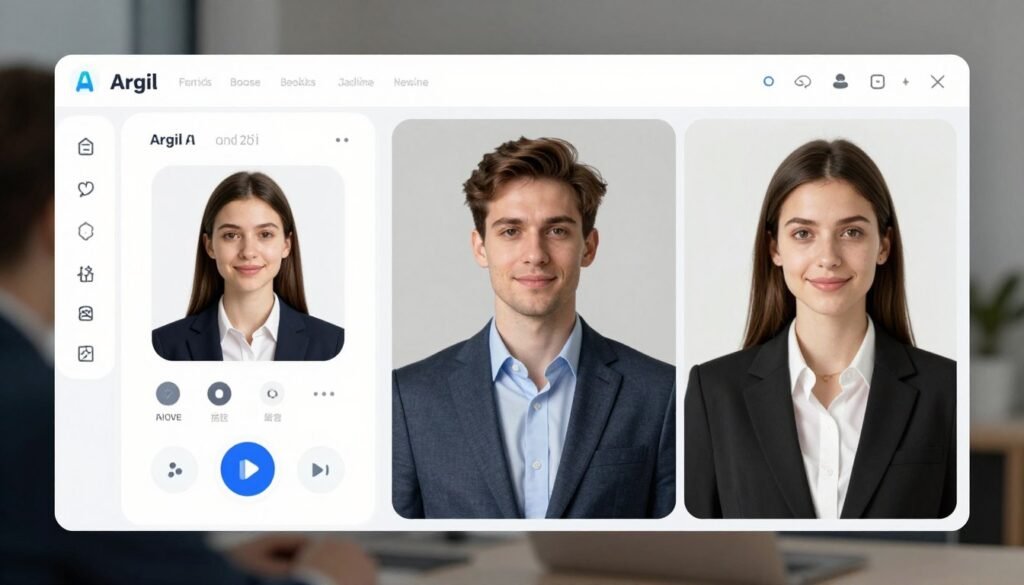
Argil AI focuses on creating highly personalized AI clones for individuals building their personal brand. If you’re a coach, consultant, or thought leader looking to scale your personal presence, Argil offers the most specialized personal cloning solution.
Key Pain Points Solved:
- Personal Scaling: There’s only one of you, limiting your reach. Argil’s personal AI clones let you create personalized content at scale without being physically present.
- Consistent Presentation: Your energy and delivery can vary day to day. Argil ensures your digital twin always presents your best self consistently.
- Content Production Bottlenecks: Creating personalized videos is time-consuming. Argil allows you to focus on strategy and content while your digital twin handles delivery.
Standout Features:
- Personal AI Clone: Create your digital twin from a short video and voice sample.
- Voice Cloning Accuracy: Clone your voice with high fidelity from just a 1-minute sample.
- Magic AI Editing: Automatically add captions, B-rolls, and transitions for professional results.
- Multilingual Support: Have your digital twin speak multiple languages naturally.
- Direct Platform Publishing: Export optimized videos for different social platforms.
- Scalable Clone Variants: Create multiple versions of your avatar for different content types.
- Ethical Training Process: Secure, consent-based system for responsible AI use.
“My Argil AI clone has allowed me to create personalized welcome videos for each new client—something I could never do manually with hundreds of clients per month. Client satisfaction scores have increased by 28% since implementation.”
— Dr. Rebecca Chen, Executive Coach
My Testing Experience:
Creating my personal AI clone with Argil was straightforward, requiring about 5 minutes of video recording following their guided process. The resulting avatar captured my speaking style and mannerisms with surprising accuracy. The voice cloning was particularly impressive, maintaining my intonation patterns and accent. I created several personalized outreach videos, and the platform’s strength lies in how natural the final result feels—recipients commented that they couldn’t tell it wasn’t me recording personally for them.
Pros
- Excellent personal mannerism capture
- Superior voice cloning accuracy
- Strong personal branding focus
- Good automatic editing features
- Ethical AI approach
Cons
- Higher price point than some competitors
- Limited to personal clone use cases
- Fewer creative styling options
Integrations & Support:
Argil offers responsive support and account managers on higher-tier plans. They provide API access for scaling and integrate with ElevenLabs for voice technology. The platform supports direct publishing to social media platforms and focuses on personal branding with ethical training practices.
Pricing:
- Free Trial: 5 days or limited usage (2 minutes video)
- Classic Plan: $39/month – 1,500-1,600 credits (~25 minutes), one custom clone
- Pro Plan: $149/month ($104 annual) – 6,000 credits (~100 minutes), unlimited styles
- Scale/Enterprise: $499+/month – 18,000+ credits, team seats, unlimited features
3.7
Overall Rating
Personal Clone Quality
4.5/5
Voice Cloning
4.4/5
Ease of Use
4.0/5
Value
3.6/5
Key Features to Look For in an AI Avatar Generator
- Realistic Facial Expressions – Poor facial animations create an uncanny valley effect that turns viewers away. Look for platforms with natural eye movements, appropriate blinking, and subtle expressions that match the emotional tone of the content.
- Accurate Lip Synchronization – Misaligned lip movements instantly break immersion and credibility. The best tools offer frame-perfect lip-sync across multiple languages, maintaining believability even in close-up shots.
- Customization Options – Generic avatars limit your brand expression. Choose platforms that allow you to customize clothing, backgrounds, and brand elements to create a consistent visual identity across all content.
- Voice Quality and Variety – Robotic voices undermine even the best visuals. Prioritize platforms with natural-sounding voices and ideally voice cloning capabilities to maintain a consistent audio identity.
- Multilingual Support – Language barriers limit your reach. Select tools that offer accurate translation and lip-sync in your target markets’ languages to scale globally without recreating content.
- Integration Capabilities – Isolated tools create workflow bottlenecks. Look for platforms that connect with your existing systems (CMS, LMS, CRM) to streamline content creation and distribution.
- Output Quality and Format Options – Poor resolution or limited export options restrict usage. Choose generators that offer HD/4K output and multiple aspect ratios for different platforms and purposes.
- Processing Speed – Slow rendering kills productivity. The best platforms generate videos in minutes rather than hours, allowing for rapid iteration and timely content delivery.
Best Practices & Pro Tips
Choosing the Right Tool
Match the tool to your specific use case rather than going with the highest-ranked option. For corporate training, Synthesia excels; for personal branding, HeyGen or Argil might be better fits. I’ve found that the “best” tool is highly contextual—when I needed to create product demonstrations, Akool’s natural product handling made it the clear winner despite being fourth in overall rankings.
Optimizing Scripts
Write for spoken delivery rather than reading. Keep sentences shorter than you would in written content, use contractions, and include natural pauses. I’ve discovered that adding stage directions like [pause], [smile], or [enthusiastic] significantly improves avatar delivery in most platforms.
Testing Different Avatars
Don’t settle for the first avatar that seems appropriate. Test the same script with 3-5 different avatars and gather feedback. In my experience, viewer preferences often surprise me—avatars I thought would perform best sometimes connect less effectively than unexpected alternatives.
Maximizing Free Tiers
Most platforms offer limited free access. Use these strategically to test concepts before committing to paid plans. I regularly use Vidnoz’s free daily credits for quick social media content while reserving paid platforms for more critical projects.
Staying Current
AI avatar technology is evolving rapidly. What was cutting-edge six months ago may now be standard. I make a point of testing new features and platforms quarterly to ensure I’m leveraging the latest capabilities. This 2026 review reflects the current state of these tools, but expect continued advancement throughout the year.
Personal Experience
When I first created my digital twin with HeyGen last year, the results were good but slightly uncanny. Six months later, the technology had improved so dramatically that colleagues couldn’t distinguish between my real videos and AI-generated ones. Don’t write off a platform based on older experiences—the rate of improvement is remarkable.

Key Takeaways
- AI avatar generators have matured significantly, now offering realistic digital humans that can dramatically reduce video production costs and time.
- Different platforms excel in specific niches – from corporate training (Synthesia) to personal digital twins (HeyGen) to UGC-style marketing (Arcads).
- Free and affordable options exist for beginners and small businesses, with Vidnoz offering generous daily credits and Fliki providing excellent blog-to-video conversion.
- The technology continues to improve rapidly, with increasingly natural expressions, movements, and voice synchronization across all platforms.
- Integration capabilities vary widely, so consider your existing workflow and tools when selecting a platform.
- Testing different approaches is now affordable and quick, allowing for data-driven content optimization rather than guesswork.
Conclusion
After extensive testing, Synthesia emerges as the overall best AI avatar generator for 2026, combining exceptional realism, ease of use, and professional features that make it suitable for a wide range of applications. However, the “right” choice ultimately depends on your specific needs and budget.
The democratization of video production through AI avatars represents one of the most significant shifts in content creation in decades. What once required expensive equipment, technical expertise, and on-camera talent is now accessible to anyone with a script and an internet connection. As these tools continue to evolve, the gap between AI-generated and human-created content will narrow further, opening new possibilities for personalized, scalable video communication.
Ready to transform your content strategy with AI avatars? Start with the free tier of your chosen platform and experiment with a simple project. You might be surprised at how quickly you can create professional-quality videos that genuinely connect with your audience.
Ready to create your first AI avatar video?
Get started with Synthesia’s free trial and see the power of AI avatars for yourself.