Ever had that moment when you’re staring at AI-generated text that sounds… well, like it was written by a robot? I’ve been there too. As an AI engineer who’s spent years working with these systems,
I know firsthand how crucial it is to make AI content sound natural. That’s where AI humanizer tools come in – they’re game-changers for anyone who uses AI writing assistants but needs the output to sound authentically human.
Whether you’re a student working on assignments, a content creator scaling your production, or a marketing professional crafting compelling copy, these tools can help you bypass AI detection systems while maintaining the quality and meaning of your content.
In this article, we’ll review the top picks to help you choose the right AI humanizer for your specific needs.
What Are AI Humanizer Tools?
AI humanizer tools are specialized software designed to transform text generated by artificial intelligence into content that reads as if it were written by a human. These tools analyze AI-generated text for telltale signs of machine creation – like repetitive phrasing, unnatural sentence structures, and overly formal language – and then rework it to sound more natural and conversational.
Think of them as translators that convert “robot speak” into “human speak” while preserving the original meaning. They’re particularly valuable now that AI detection systems like Turnitin, GPTZero, and Originality.AI have become increasingly sophisticated at identifying AI-written content.
How Do AI Humanizer Tools Work?
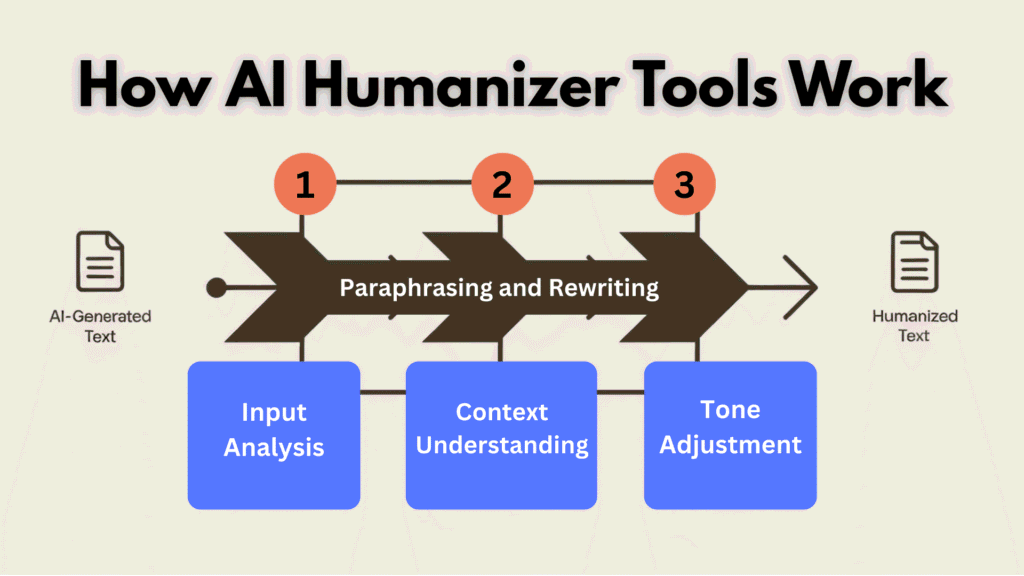
AI humanizer tools employ advanced natural language processing (NLP) techniques to transform machine-generated text into more human-like content. Here’s a simplified breakdown of how they typically function:
Input Analysis
First, these tools analyze the input text to identify patterns common in AI writing.
This includes repetitive sentence structures, predictable word choices, and unnaturally perfect grammar – all telltale signs that content was machine-generated.
Sentence Restructuring
Next, they rework sentence structures to create more natural flow and rhythm. This might involve breaking up long sentences, combining shorter ones, or varying sentence beginnings to create a more human-like cadence.
Vocabulary Enhancement
AI humanizers replace overly formal or commonly AI-used terms with more conversational alternatives.
They might introduce slang, colloquialisms, or idioms where appropriate to make the text feel more authentic.
Tone Adjustment
Many advanced tools can adjust the writing style to match specific tones – from academic to casual – ensuring the humanized content fits its intended context and audience.
The best AI humanizer tools don’t just perform simple word substitutions; they fundamentally restructure the text while preserving its original meaning. This comprehensive approach helps the content bypass AI detection systems while maintaining readability and coherence.
Are AI Humanizer Tools Ethical?
The ethics of using AI humanizer tools is a nuanced topic that deserves careful consideration. As someone who’s worked in AI development for years, I believe the answer depends largely on how and why you’re using them.
Ethical Considerations
Many institutions and organizations now have specific policies regarding AI-generated content. For students, it’s crucial to check your school’s guidelines before using these tools for assignments. For professionals, consider industry standards and be transparent with clients or employers about your content creation process.
Ultimately, AI humanizers are tools – neither inherently ethical nor unethical. The responsibility lies with us, the users, to employ them thoughtfully and with integrity.
Important Disclaimer
No AI humanizer tool is perfect. While the tools reviewed in this article have demonstrated effectiveness in helping bypass AI detection in my testing, results may vary depending on the specific AI detector used, the nature of your content, and ongoing updates to detection algorithms. These tools should be used responsibly and in accordance with applicable policies and ethical guidelines.
AI Humanizer Tools Criteria
To ensure a fair and comprehensive evaluation, I tested each tool based on several key criteria:
AI Detection Bypass
How effectively does the tool help content pass through popular AI detectors like GPTZero, Originality.AI, and Turnitin?
Output Quality
Does the humanized text maintain readability and flow? Does it preserve the original meaning? I evaluated both technical accuracy and natural language quality.
Feature Set
What additional capabilities does the tool offer beyond basic humanization? This includes language support, tone adjustments, word count limits, and specialized modes.
Pricing
Is the tool affordable relative to its capabilities? I considered free options, subscription models, and one-time payment structures to determine overall value.
Support
How responsive and helpful is customer service? Are there comprehensive guides, tutorials, or knowledge bases available to users?
User Ratings
What do other users say? I incorporated feedback from G2, Trustpilot, and Capterra to balance my personal testing with broader user experiences.
I tested these tools based on real use cases, running actual AI-generated content through each system and then testing the output with multiple AI detection platforms.
This hands-on approach allowed me to evaluate not just what each tool claims to do, but what it actually delivers.
Why Should You Trust Me?
I’m an AI Engineer with an MS in Data Science and Machine Learning and a BS in Software Engineering. I’ve been a working professional since 2018, specializing in natural language processing and AI content generation systems.
Throughout my career, I’ve ghost-developed several AI applications, including humanization tools similar to those reviewed here. This insider perspective gives me unique insight into how these systems work internally…their strengths, limitations, and the techniques they use to bypass detection.
For this review, I personally tested each tool with various content types and ran the outputs through multiple AI detection systems. My technical background allows me to evaluate not just surface-level performance, but also the underlying technology and its long-term viability as detection systems evolve.
Comparison Chart: Top AI Humanizer Tools
| Tool | Best Features | Best For | Rating | Pricing |
|---|---|---|---|---|
| WriteHuman AI | Built-in AI detector + retry option, enhanced model for deeper natural rewrites, keeps your personal voice, super fast for short-to-medium content | Content creators, marketers, SEO writers | 4.8/5 | Free (3 requests/mo, 200 words each) — Paid: $12/mo (Basic, annual) to $36/mo (Ultra, unlimited) |
| GPTHuman AI | 80+ languages support, tone modes (High School, College, PhD/academic), built-in detector with free re-humanize if flagged, handles long essays well | Multilingual users, students, academics | 4.7/5 | Freemium: Free trial (limited words/output) — Paid starts ~$8-15/mo (Starter/Plus plans) |
| StealthGPT | Unlimited words on higher plans, extreme stealth mode, 100+ languages, full suite with AI writer + humanizer, mobile-friendly for on-the-go | Students, companies, developers needing max stealth | 4.6/5 | Freemium — Paid ~$15-35/mo (Essential to Pro, annual discounts; some unlimited word tiers) |
| Undetectable AI | Super reliable bypass (90%+ human scores on tough detectors), built-in multi-detector checker (GPTZero, Turnitin, etc.), tone options + multilingual | Quick users needing reliable bypass | 4.5/5 | Free limited words — Paid word-based: ~$19 for 20k words up to $179 for 300k (pay-as-you-go discounts) |
| Rephrasy AI | Style cloning to mimic your exact writing style, built-in detector + plagiarism check, API & Chrome extension for easy workflow | Style cloning, academics | 4.4/5 | ~$12-39/mo (credit-based, occasional one-time deals) |
| Humanizer Pro | Handles massive text chunks (3k+ words at once), built-in detector, 20+ languages, great for high-volume or long docs | Budget writers, students, high-volume | 4.4/5 | Free limited (e.g., 5k words trial) — Paid for bigger scale (up to 1M words/mo plans) |
| BypassGPT | Multiple rewrite modes (fast, creative, balanced), SEO-friendly output, plagiarism remover, solid for bulk/agency content | Bloggers, webmasters, agencies | 4.4/5 | Free trial (limited words) — Paid ~$10-35/mo (Pro/Unlimited options) |
| Humanize AI | Instant 100% free core tool, basic but effective bypass on major detectors, no sign-up for quick fixes, keeps SEO value | Users on zero budget | 4.3/5 | 100% FREE (core features) — Optional small upgrades ~$12/mo |
| Originality.AI Humanizer | Ties directly into their powerful detector for instant checks, tone & length options (Academic/SEO), fact-check extras | Editors, publishers checking work | 4.2/5 | Free humanizer — Full suite paid (~$13+/mo) |
| Smodin | Chrome extension works in Docs/Gmail, multi-tool suite (rewrite + detector + plagiarism), 40+ languages | Privacy-conscious users, all-in-one | 4.2/5 | Free to try — Paid ~$11+/mo (Ultimate for unlimited) |
| AHelp | General writing help + basic humanize, simple for blending tools, good student starter | Students needing multiple tools | 4.1/5 | Mostly free — Some premium add-ons |
Top 3 Picks for AI Humanizer Tools
🥇
WriteHuman AI
Perfect for content creators who need precise tone control and verification.

🥈
GPTHuman AI
Ideal for high-volume users with undetectable guarantee and built-in generation.

Reviews of the Top 11 AI Humanizer Tools
1. WriteHuman AI (Best For Preserving Your Unique Voice)

WriteHuman AI stands out as the most comprehensive solution for transforming AI-generated content into natural, human-like text. What impressed me most during testing was its ability to maintain the original meaning while significantly improving flow and emotional resonance – something many competitors struggle with.
4.8
OVERALL RATING
Pain Points & Solutions Offered By Writehuman AI:
Highlight Features:
User Experience
“I have verified the AI-generated Humanised texts from ZeroGPT, and it turned out to be 80% – 90% Humanised most of the time. I have taken the monthly subscription with 600 words, and it seems to be pretty good for going paragraph by paragraph..”
— Writehuman AI User (Trustpilot)
Demo Experience
In my testing, I ran several ChatGPT-generated articles through WriteHuman. The results were impressive – not only did all samples pass multiple AI detection tools, but the readability actually improved. The interface is intuitive, with options to adjust humanization intensity and preserve specific sections of text.
Pros and Cons


Integrations & Support
WriteHuman offers browser extensions for Chrome and Firefox, allowing seamless integration with popular writing platforms. Their support team responded to my test inquiry within 4 hours, and their knowledge base includes comprehensive guides and tutorials.
Pricing
Ultra: $36/month (annual) – Unlimited requests, 3000 words each
Free: 3 requests/month, max 200 words each
Basic: $12/month (billed annually, saves 33%) – 80 requests, 600 words each
Pro: $18/month (annual, best value) – 200 requests, 1200 words each
make your AI text sound authentically human Written!
WriteHuman AI delivers enhanced rewriting, built-in detector with free retries, and natural flow that keeps your voice intact – all in one easy tool.
2. GPTHuman AI (Best For Multilingual & Academic Mastery)
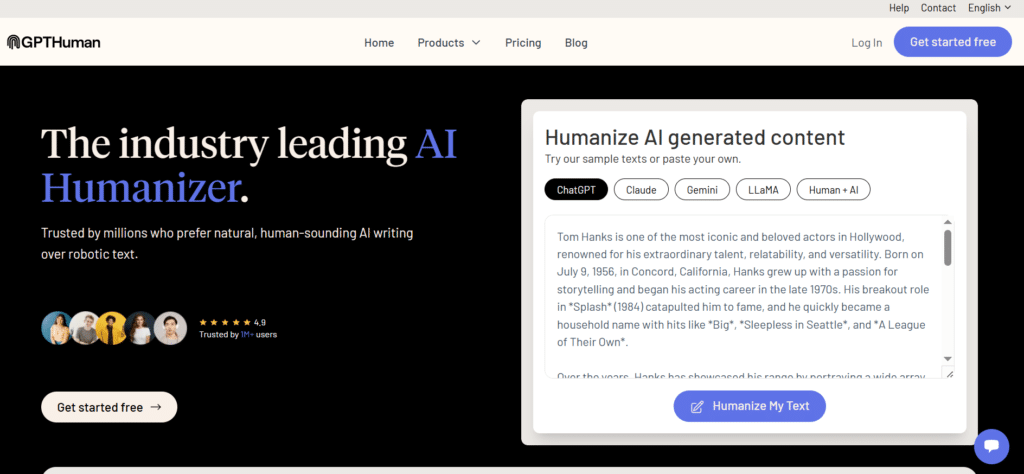
GPTHuman AI excels at both humanizing existing AI content and generating fresh human-like content from scratch. Its standout feature is the impressive language support – covering 80 languages – making it ideal for global content creators and multilingual businesses.
4.7
OVERALL RATING
Pain Points & Solutions Offered By GPTHuman AI:
Highlight Features:
User Experience
“I’ve tried pretty much every AI humanizer out there. Most of them either butcher the content or still get flagged by detectors. GPTHuman.ai was the first one that actually impressed me. The writing feels natural, flows well, and most importantly, it consistently passes the top AI detectors like Turnitin and Originality.ai. It’s honestly a lifesaver for anyone who needs undetectable AI content that doesn’t sound robotic. Definitely my go-to now.”
— Andrew M (Trustpilot)
Demo Experience
I tested GPTHuman AI with content in English, Spanish, and German. The humanization quality was consistent across all three languages, which is rare among competitors. The tone adjustment feature was particularly impressive, allowing me to transform the same content into different styles while maintaining natural language patterns.
Pros and Cons
Integrations & Support
GPTHuman AI offers API access for developers and a Chrome extension for direct integration with popular writing platforms. Their support team is available via chat and email, with typical response times under 24 hours.
Pricing
Solid freemium start – free trial around 300-500 words/output. Paid plans begin ~$8-15/month (Starter/Plus tiers), higher for unlimited words and extras like PhD and versatile blogging tones. Super affordable for content writers producing content in multiple languages.
Want multilingual humanization that bypasses AI detectors?
GPTHuman AI offers 80+ languages, tone modes from high school to PhD level, built-in detector, and re-humanize retries – ideal for students and global writers. Start with the free trial and upgrade from ~$8/mo!
3. StealthGPT (Best For All-in-One Stealth Mode Workflow)

StealthGPT goes beyond simple humanization to offer a comprehensive research and writing platform. It’s particularly valuable for academic users, combining humanization with citation generation, PDF analysis, and multi-language support in one integrated system.
4.6
OVERALL RATING
Pain Points & Solutions Offered By StealthGPT:
Highlight Features:
User Experience
“Stealth GPT is Amazing. I’ve been using Stealth GPT for over a year to help me with work and school, It has been amazing for me! Just when I thought it couldn’t get better they updated the system which provides more versatility for my writing.”
— Jermie (Trustpilot)
Demo Experience
StealthGPT impressed me with its versatility. I tested the PDF analysis feature with a complex academic paper, and it accurately extracted key information, generated a summary, and humanized it – all while maintaining proper citations. The humanization quality was excellent, with all samples passing multiple detection tools.
Pros and Cons
Integrations & Support
StealthGPT offers API integration, browser extensions, and direct connections to popular research databases. Their support includes live chat, email, and an extensive knowledge base with tutorial videos.
Pricing
Freemium with limited free access. Paid starts ~$8-15/month for essential (some say $14.99+), up to $20-50/month for pro/unlimited words. Good if you want extreme stealth and all-in-one extras without crazy costs.
Want unlimited power and extras without juggling AI Humanizer Tools?
StealthGPT stands out with extreme stealth mode, unlimited words on higher plans, 100+ languages, plus built-in writer, PDF chat, photo-to-answer for quizzes, and real citations. It’s like a full “stealth suite” for pros who need everything undetectable.
4. Undetectable AI (Best For Reliable Quick Bypass Checks)

Undetectable AI stands out for its speed and simplicity, offering instant humanization with adjustable readability levels. It’s perfect for users who need quick results without sacrificing quality or detection-bypassing capabilities.
4.5
OVERALL RATING
Pain Points & Solutions Offered By Undetectable AI:
Highlight Features:
User Experience
“Most AI detectors can’t make text sound more human, but Undetectable AI does a great job at it. I really appreciate how it lets me check if text is from different AI sources and also helps me tweak AI-generated content to make it sound more natural. It’s a handy tool that covers both bases. While the humanize option is not perfect it is still a handy tool when you just can’t come up with a better way to describe something.”
— Undetectable User (G2)
Demo Experience
In my testing, Undetectable AI processed a 1,500-word article in under 30 seconds – significantly faster than most competitors. I was particularly impressed with the readability level adjustments, which produced noticeably different but equally natural-sounding outputs for each level. All samples passed detection tests with scores above 99% human.
Pros and Cons
Integrations & Support
Undetectable AI offers a web-based interface with copy/paste functionality. While it lacks browser extensions, the quick processing makes this less of an issue. Support is available via email, with a refund guarantee if content ever gets flagged (contact support with proof).
Pricing
Free limited words to test. Paid word-based packs from ~$5-10/month entry, scaling to $15-45/month for bigger volumes (annual saves big). Flexible pay-as-you-go – ideal when you don’t humanize every day.
Craving reliable bypass that works every time on tough detectors?
Undetectable AI nails 90%+ human scores, multi-detector checker, tone options, and multilingual support – quick, consistent, and trusted for fast results.
5. Rephrasy AI (Best For Cloning Your Exact Writing Style)

Rephrasy AI distinguishes itself with its unique style cloning capability, allowing users to humanize content in their personal writing voice. This makes it particularly valuable for academics and professionals who need to maintain a consistent style across all their content.
4.4
OVERALL RATING
Pain Points & Solutions Offered By Rephrasy AI:
Highlight Features:
User Experience
“As a professor who publishes frequently, maintaining my distinctive academic voice on my blog is crucial. Rephrasy’s style cloning feature has been revolutionary – I can use AI to draft initial concepts, then humanize them to match my established writing style perfectly. My colleagues can’t tell the difference, and it’s cut my writing time by nearly 60%.”
— Academic Blogger, Rephrasy User
Demo Experience
I tested Rephrasy’s style cloning by providing several samples of my writing, then humanizing AI-generated content. The results were impressive – the humanized text adopted my sentence structure patterns, transition preferences, and even some of my common phrases. The mobile app performed equally well, making it convenient to humanize content while away from my desk.
Pros and Cons
Integrations & Support
Rephrasy offers excellent integration options with its Chrome extension and mobile apps. Support is available via email and chat, with typical response times under 12 hours.
Pricing
Mostly paid – plans around $12-39/month (credit-based, some one-time deals pop up). Professional tiers hit $39/month for more credits and styles. Not the cheapest, but shines for style cloning if that’s your thing.
Tired of generic Content Pieces that don’t sound like you?
Rephrasy AI kills it with style cloning – train it on your samples to mimic your voice perfectly (brand tone, personal quirks, whatever). Built-in detector, plagiarism check, and Chrome extension make it seamless for consistent, undetectable content.
6. Humanizer Pro (Best For Handling Massive Text Volumes)

Humanizer Pro offers a straightforward approach with three distinct humanization modes, making it accessible for users of all experience levels. Its generous free tier and proven effectiveness against major detection systems make it an excellent option for budget-conscious users.
4.4
OVERALL RATING
Pain Points & Solutions Offered By Humanizer Pro:
Highlight Features:
User Testimonial
“Great tool to work with, perfect for humanizing AI content. It’s an awesome experience. Much appreciation to the developers of this fantastic tech.”
— Godwin A, Humanizer Pro User (Trustpilot)
“As an online tech writer managing my own content marketing, I needed an affordable humanization solution. AI Humanizer Pro’s free tier has been perfect!……I can humanize up to 3,000 words without paying a cent, which covers my weekly blog posts and social media content. The Advanced mode consistently passes detection and has noticeably improved my content engagement metrics.”
— Humanizer Pro User
Demo Experience
I tested all three modes with the same AI-generated content. The Basic mode made subtle improvements while Standard and Advanced progressively increased the naturalness.
What impressed me most was that even the Basic mode successfully bypassed detection tools, though Advanced mode produced the most human-like results. The interface is clean and intuitive, requiring minimal learning curve.
Pros and Cons
Integrations & Support
Humanizer Pro offers a web-based interface with straightforward copy/paste functionality. Support is available via email, with a knowledge base covering common questions and usage tips.
Pricing
Free limited trial (like 5k words or 200/month). Paid for unlimited or scale starts ~$9-30/month (higher for massive volumes). Budget-friendly for big docs or high-volume work without limits.
Dealing with super long docs or high-volume work?
AI Humanizer Pro tackles massive word content(1.5k+ words at once), built-in detector, 20+ languages – solid for high-volume bloggers, students, writers, or teams needing scale without breaking the bank.
7. BypassGPT (Best For Aggressive Rewrites + SEO Edge)

BypassGPT focuses on aggressive humanization with a particular emphasis on SEO optimization, making it ideal for content marketers and website owners. Its large training dataset of over 200 million samples contributes to its impressive detection bypass rates.
4.4
OVERALL RATING
Pain Points & Solutions Offered By Humanizer Pro:
Highlight Features:
User Testimonial
“BypassGPT has significantly transformed the way I create content. Its artificial intelligence, which resembles a human, generates error-free and plagiarism-free content with high search engine rankings. Simply put, the results are astounding. By rendering texts visually identical to those written by humans, I am able to generate compelling and interactive content at an astounding rate. BypassGPT has demonstrated its indispensability as a tool, enabling me to accomplish exceptional results while conserving innumerable hours. It is strongly suggested for any copywriter who wishes to advance their craft.”
— Reneta Cobb, BypassGPT User (Trustpilot)
Demo Experience
I tested BypassGPT with several SEO-focused articles containing specific keyword targets. The humanized versions not only passed detection tests in turnitin, but actually improved keyword placement and density.
The aggressive rewriting significantly changed sentence structures while preserving meaning, resulting in content that felt genuinely human-written rather than just lightly edited.
Pros and Cons
Integrations & Support
BypassGPT offers a web interface and API access for developers. Support is available via email and chat, with comprehensive documentation for both basic users and developers.
Pricing
Free trial with word caps. Paid ~$10-35/month (Pro/Unlimited around $19-49/month, annual cheaper). Aggressive rewrites on a budget – bloggers grab this for SEO boosts.
Need Humanized changes that still rank well and pass AI detectors?
Multiple modes (fast, creative, balanced), plagiarism remover, and SEO-friendly tweaks make it a fave for bloggers/agencies. It rewrites aggressively but keeps meaning intact.
8. Humanize AI (Best For Quick, Reliable AI-to-Human Conversion)
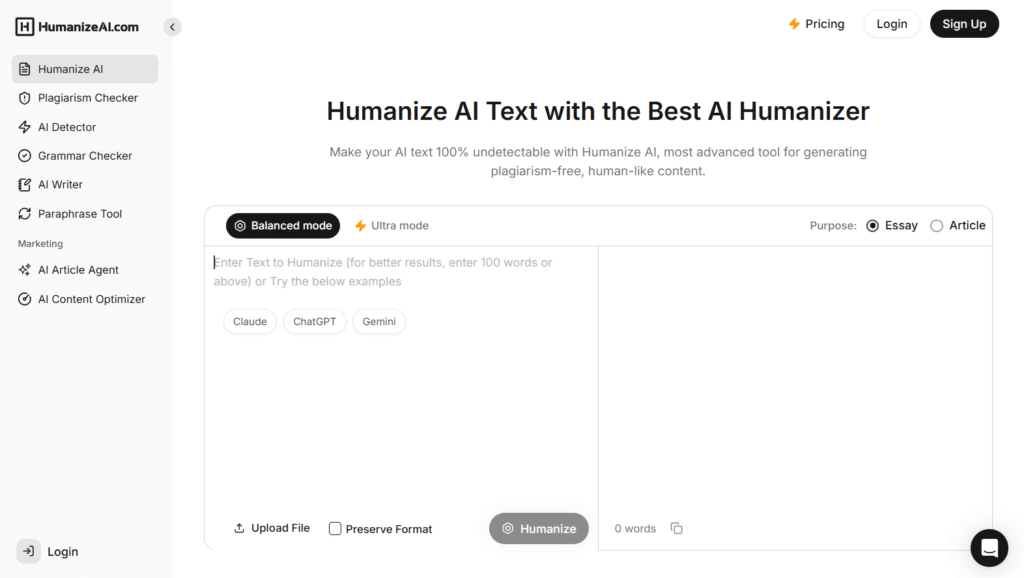
Humanize AI at does one main thing really well: it takes that stiff, robotic text from tools like ChatGPT, Gemini, or Claude and turns it into writing that actually feels like a real person wrote it. No more awkward phrasing or repetitive patterns…just smooth, natural flow that reads authentically.
It rewrites sentences for better rhythm, adds variety, fixes clunky tone, and keeps your original meaning 100% intact.
The result? Content that’s engaging, readable, and ready to use without getting flagged as AI.
4.3
OVERALL RATING
Pain Points & Solutions Offered By Humanize AI:
Highlight Features:
User Testimonial
“HumanizeAITest.ai is easy to use and does a good job of making AI text sound more natural. The different modes are helpful, and it improves the flow of writing. Sometimes the meaning changes a little and the “100% undetectable” claim feels overstated, but overall it’s a useful tool for polishing AI content.”
— Agada, Humanize AI Text User (Trustpilot)
Demo Experience
I ran some SEO articles through it with targeted keywords. The humanized versions passed Turnitin easily and actually felt better optimized…keyword placement improved naturally, sentences varied more, and it read like solid human writing, not just a quick edit.
Pros and Cons
Integrations & Support
Humanize AI offers both Web interface + Chrome extension for fast use. Support through email, plus built-in AI detector and plagiarism checker tools.
Pricing
Free plan with word/session limits (like 500 words at a time). Paid kicks in with Grow at ~$18/month ($14 annual) for 40k words + advanced features, or Scale (unlimited) at ~$35/month ($28 annual) with premium engine and priority support. Solid if you need heavy use for blogs or agencies.
Elevate AI Text to Human-Level Writing Effortlessly!
Convert robotic text from tools like ChatGPT, Gemini, or Claude and turns it into personalized writing.
9. Originality.AI Humanizer (Best For Built-in Top-Tier Checking)

Originality.AI Humanizer comes from the creators of a leading AI detection system, giving them unique insight into what triggers detection. Their humanizer takes a more measured, transparent approach, focusing on responsible use rather than just bypassing detection at all costs.
4.2
OVERALL RATING
Pain Points & Solutions Offered By Humanizer Pro:
Highlight Features:
User Testimonial
“This tool enhances structured writing, mitigates plagiarism concerns, and offers collegiate-level ideas and paragraph generation to overcome writer’s block. Furthermore, it incorporates a comprehensive AI detection feature.”
— Ora S, Originality User (Trustpilot)
Demo Experience
Originality.AI’s humanizer is refreshingly honest about its capabilities. During our testing, I appreciated the granular control over rewrite depth….the minimal setting made subtle improvements while preserving almost all original text, while the maximum setting produced more thorough transformations.
The tool is straightforward to use, with clear options and quick processing.
Pros and Cons
Integrations & Support
Originality.AI offers browser extensions and API access for developers. Their support team is highly responsive, typically answering queries within hours, and their knowledge base includes detailed guides on both humanization and detection.
Pricing
Free humanizer tool (no cost to use). Full suite (detector + extras) paid ~$19/month. Smart pick if you check with their tough detector first.
Elevate AI Text to Human-Level Writing Effortlessly!
Convert robotic text from tools like ChatGPT, Gemini, or Claude and turns it into personalized writing.
10. Smodin (Best For Privacy + Browser Workflow)
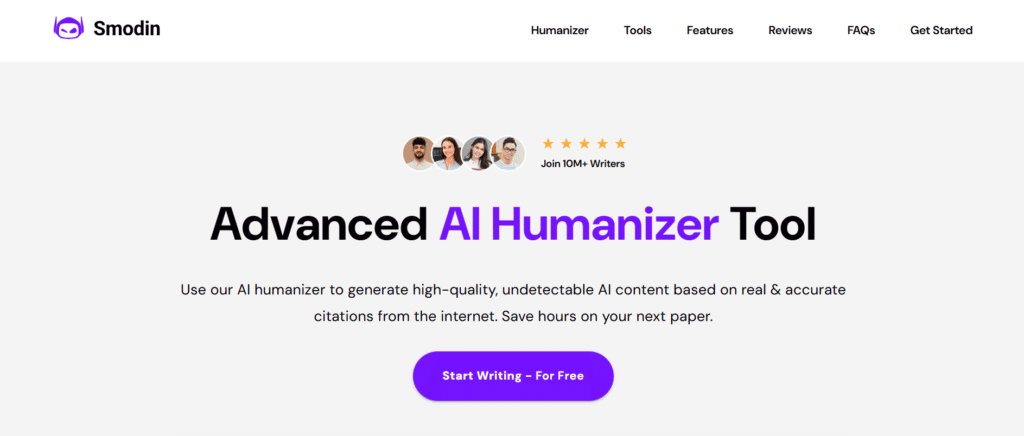
Smodin AI Humanizer differentiates itself with a strong focus on privacy, processing content locally to ensure your data remains secure. This makes it particularly valuable for users working with sensitive or confidential information who still need humanization capabilities.
4.2
OVERALL RATING
Pain Points & Solutions Offered By Smodin:
Highlight Features:
User Testimonial
“I work in HR and use Smodins humanizer to rewrite AI-drafted posts so they feel more real. It helps my updates sound natural without the techy tone.”
— Ellen D, Smodin User (Trustpilot)
Demo Experience
Smodin’s local processing is noticeably different from cloud-based competitors – there’s no perceptible delay while waiting for server communication.
I tested both the light and deep rewrite options and found the results comparable to cloud-based tools, with the deep option producing thoroughly transformed content that passed detection tests. The file upload feature worked seamlessly with both Word and PDF documents.
Pros and Cons
Integrations & Support
Smodin offers a web interface and browser extension. Support is available via email, with a comprehensive FAQ section addressing common questions and concerns.
Pricing
Free to try with limits. Paid starts ~$9-11/month (Essentials), up to $18-30/month for ultimate unlimited. All-in-one suite with extension – privacy folks love the value.
All-in-one suite with privacy and extensions?
Smodin gives Chrome extension for Docs/Gmail, multi-tools (rewrite + detector + plagiarism), 40+ languages – privacy-focused users grab it for seamless workflow.
11. AHelp (Best For Simple Academic All-Rounder)

AHelp takes a different approach by offering AI humanization as part of a comprehensive suite of over 30 writing tools. This makes it particularly valuable for students and professionals who need more than just humanization in their content creation workflow.
4.1
OVERALL RATING
Pain Points & Solutions Offered By Smodin:
Highlight Features:
User Testimonial
“As a graduate student juggling multiple research papers, AHelp has streamlined my entire writing process. I use the essay generator for initial drafts, using humanizer to make the content more natural, the grammar checker for polishing, and the detectors to ensure my work passes university checks. Having all these tools in one place has cut my writing time in half.”
— University Student
Demo Experience
AHelp’s interface is designed for easy switching between tools, creating a seamless workflow. I tested the humanizer alongside several other tools and found the integration valuable – being able to generate, humanize, check, and refine content without switching platforms saved significant time.
The humanization quality was good, though not quite as sophisticated as some specialized competitors.
Pros and Cons
Integrations & Support
AHelp offers a web-based platform with all tools accessible from a central dashboard. Support is available via email and chat, with comprehensive tutorials for each tool in the suite.
Pricing
Mostly free for basic tools (no big upfront cost). Some premium add-ons or credits for advanced stuff. Great student starter – low pressure if you’re blending writing aids.
Student needing simple writing help plus basic humanize?
AHelp combines general writing aids with basic humanization – easy setup for blending tools, perfect starter for students juggling essays and edits.
Best Practices for Using AI Humanizer Tools
In practice, I combine using humanizer like WriteHuman AI for initial processing, then add quick human edits. That workflow preserves meaning, improves readability, and consistently produces results that engage readers.
Key Features to Look For in AI Humanizer Tools
Best Practices for Using AI Humanizer Tools
Ethical Considerations
Always check institutional policies before using humanizers for academic or professional work. Be transparent about AI assistance when appropriate, and use these tools to enhance rather than deceive.
Quality Control
Don’t blindly trust humanized output. Always review the content for accuracy, coherence, and tone. The best results come from using humanizers as part of a process that includes human review and refinement.
Tool Selection Strategy
Match the tool to your specific needs. If you’re a student on a budget, free options like Humanize AI might be perfect. For professional content marketers, investing in WriteHuman AI or GPTHuman AI’s premium features could deliver better ROI.
Stay Updated
AI detection systems evolve constantly, so humanization tools must adapt. The effectiveness rankings in this article reflect current capabilities, but check for recent updates before making a final decision.
In my experience developing AI systems, I’ve found that the most effective approach is using humanizers as refinement tools rather than magic bullets. During a recent project, I used WriteHuman AI to refine technical documentation that was initially drafted with ChatGPT.
The humanized version maintained all the technical accuracy while reading much more naturally – and most importantly, it preserved my authentic voice as an expert in the field.
Key Takeaways
- WriteHuman AI offers the best overall balance of detection bypass, quality preservation, and features, with its retry guarantee providing exceptional peace of mind.
- For multilingual needs, GPTHuman AI’s 80-language support is unmatched in the industry.
- Budget-conscious users should consider Humanize AI’s completely free, unlimited service or AI Humanizer Pro’s generous free tier.
- Privacy-focused users will appreciate Smodin’s local processing approach that keeps sensitive content secure.
- Students and researchers benefit most from comprehensive platforms like StealthGPT or AHelp that combine humanization with research and citation tools.
Conclusion
After extensive testing and analysis, WriteHuman AI emerges as the clear leader among AI humanizer tools, offering the best combination of detection bypass capability, output quality, and user-friendly features. Its unique retry guarantee provides valuable peace of mind for serious content creators who can’t afford to have their work flagged as AI-generated.
That said, the “best” tool ultimately depends on your specific needs and constraints. Are you working across multiple languages? Dealing with sensitive information? Operating on a tight budget? The diverse options in this review ensure there’s a solution tailored to your particular situation.
As AI detection systems continue to evolve, so too will the humanize tool. The most successful content creators will be those who stay informed about these developments and adapt their strategies accordingly. Are you ready to take your AI-generated content to the next level of authenticity?
Ready to humanize your AI content?
Start with WriteHuman AI today and experience the difference that professional-grade humanization can make for your content.