Ever spent hours sifting through research papers, struggling with citations, or staring at a blank document wondering how to start your literature review?
I’ve been there too. As an AI engineer who’s written academic papers and worked on my own thesis dissertation, I know the research process can be overwhelming. The good news?
AI research assistants are changing the game, helping scholars work smarter, not harder. These intelligent tools can search millions of papers, generate literature reviews, manage citations, and even help draft your writing—all while maintaining academic integrity.
In this article, I’ll walk you through the 11 best AI research assistants that can transform your academic workflow.
What Are AI Research Assistants?
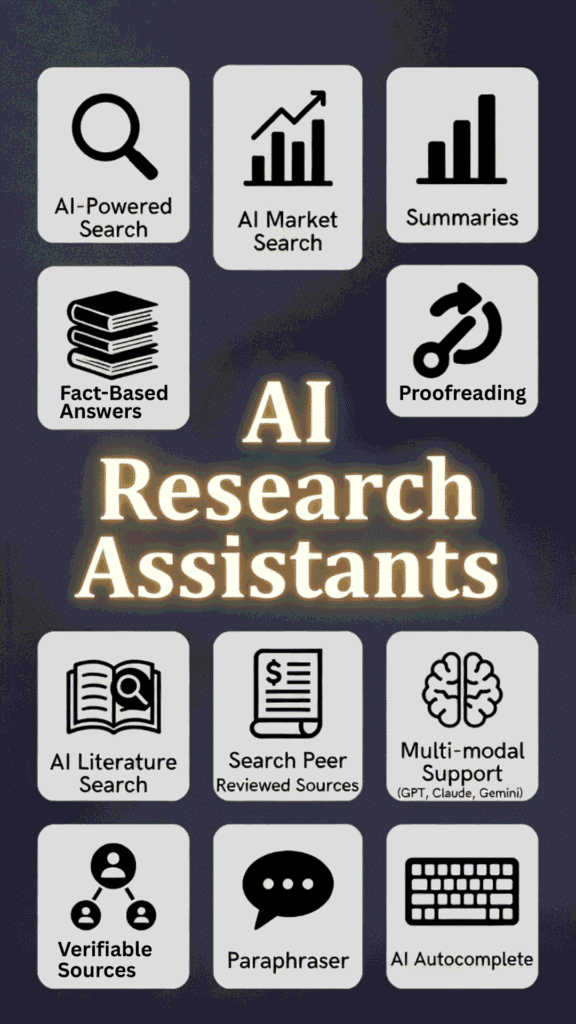
Think of an AI research assistant as your personal academic sidekick—a Swiss Army knife for research that combines the power of artificial intelligence with specialized knowledge of academic workflows. These tools leverage natural language processing, machine learning, and large language models to help with everything from finding relevant papers to drafting and polishing your writing.
Unlike general AI tools, research assistants are specifically designed for academic work. They understand citation formats, recognize scientific terminology, and can search specialized databases. Some focus on specific tasks like literature reviews or citation management, while others offer comprehensive platforms that support your entire research journey.
The best part? They’re constantly learning and improving. Today’s AI research assistants can understand context, follow complex instructions, and produce increasingly high-quality outputs that align with academic standards.
Can AI Help In Your Research?
Yeah, absolutely – and in current AI landscape, modern AI research assistants like SciSpace, Paperpal, or Jenni AI are way smarter than basic chatbots.
We all know general ones like ChatGPT, Claude, Grok, or DeepSeek – they’re great for quick chats or ideas, but they mostly pull from old training data. They can hallucinate facts or fake citations because they don’t search live sources every time.
Specialized AI research assistants work differently. They use retrieval-augmented generation (RAG) tech – basically, they search huge real-time databases of millions of peer-reviewed papers (PubMed, Semantic Scholar, etc.), grab actual snippets, and cite them properly with DOIs or links.
For example, say you’re writing about climate impacts in Pakistan. A basic chatbot might guess or make up a stat. But SciSpace or Paperpal chats with your PDF, finds matching studies, pulls exact evidence, and drops in-line citations automatically – traceable and accurate.
We researchers (and students like you grinding in Karachi) save hours avoiding bad sources or endless Google hunts.
These tools detect gaps, summarize batches of papers, paraphrase in academic tone, and even check for plagiarism. They’re built for trust – low hallucinations, verified info – so your work feels solid and pro
AI Research assistants can help uses in various use cases:
Students
- Undergraduate students writing term papers
- Master’s students developing theses
- PhD candidates conducting literature reviews
Academic Researchers
- Professors preparing grant proposals
- Postdocs analyzing research trends
- Lab teams collaborating on papers
Industry Professionals
- Market researchers analyzing trends
- R&D teams reviewing technical literature
- Policy researchers examining evidence
Independent Researchers
- Freelance writers creating evidence-based content
- Consultants preparing research reports
- Self-directed learners exploring topics
How I Evaluated These AI Research Assistants
Before diving into the reviews, I want to share my evaluation approach. As an AI engineer with an MS in Data Science and experience developing AI applications, I understand both the technical capabilities and practical applications of these tools. I tested each assistant while working on my own research projects, focusing on six key criteria:


Why Trust My Reviews?
I bring a unique perspective as both a developer and user of AI tools. With an MS in Data Science, a BS in Software Engineering, and professional experience since 2018, I understand how these systems work under the hood. I’ve ghost-developed several AI applications and regularly use these tools for my own academic writing.
My technical background helps me evaluate not just the user experience, but also the underlying technology that powers these assistants. This allows me to spot the difference between genuine innovation and marketing hype, giving you honest assessments of what each tool can really do.
AI Research Assistant Comparison Chart
| Rank | Tool | Key Features | Best For | Rating | Pricing |
|---|---|---|---|---|---|
| 1 | SciSpace | AI literature search across millions of papers, SciSpace Agent for parallel summaries/analysis, unlimited chats/PDFs on paid, paraphraser, citation exporter (RIS/CSV/BIB), notebooks, podcast summaries, AI detection, Deep Review for systematic reviews, topic explorer. | Literature Reviews & Deep Analysis | 4.8/5 | Free; Premium $12/mo (annual, was $20); Advanced $70/mo (annual, was $90); Teams ~$8/user/mo |
| 2 | Paperpal | Academic grammar/consistency edits, unlimited paraphrasing/rewrite, Research Q&A with 250M+ articles, predictive writing, Chat PDF, plagiarism checker (10k words/mo paid), AI detector, 30+ submission checks, works in Word/Google Docs/Overleaf, translations. | Academic Editing & Polishing | 4.7/5 | Free (limited uses); Prime ~$8.1/mo (annual $97.3, or lower multi-year) |
| 3 | Jenni AI | AI autocomplete to beat blocks, in-text citations (2600+ styles), PDF uploads/chats, library for articles, outline/thesis generator, smart paste with auto-cites, export .docx/.tex, multilingual prompts, unlimited on paid, traceable sources. | Writing & Citations | 4.7/5 | Free (limited daily); Unlimited $12/mo (annual) |
| 4 | Paperguide AI | AI-powered search/lit review, deep research reports, AI writer for drafts, reference manager, data extraction, 1000+ citation styles, summarization, premium models (GPT/Gemini/Grok), unlimited storage/generations on higher plans, systematic review support. | End-to-End Research & Writing | 4.6/5 | Free; Plus $12/mo (annual); Pro $24/mo (annual) |
| 5 | ScholarAI | Searches 200M+ peer-reviewed sources (PubMed/Arxiv/etc.), natural language PDF reading, literature mapping, multi-modal analysis, Zotero/Mendeley import, traceable citations (2600+ styles), Copilot for synthesis, team/enterprise options. | Verified Sources & Mapping | 4.5/5 | Free; Basic ~$9.99/mo; Credit packs ($4.99–$99.99 one-time) |
| 6 | ResearchPal | Generates lit reviews/essays with citations, PDF chat/analysis, citation generator from titles/PDFs, tone/rewrite/translate tools, project folders, PaperKraft for figures/tables, premium models on Pro, unlimited on higher plans. | Literature Reviews & Drafting | 4.5/5 | Free; Standard ~$9–12/mo; Pro ~$39.99/mo |
| 7 | AnswerThis | Citation-backed answers from 300M+ papers, drafts lit reviews/case studies, research gap spotting, bibliometric/concept mapping, shared libraries/projects, line-by-line cites, plagiarism checks, team workspaces. | Citation-Backed Answers & Gaps | 4.4/5 | Free (limited credits); Premium ~$35/mo (or lower annual ~$12 in some reports); Enterprise custom |
| 8 | Otio AI | Auto-summarizes PDFs/YouTube/videos, chat with sources, essay outlines/drafts, side-by-side comparison, AI editor/paraphrase, multi-model support (GPT/Claude/etc.), automations, multi-language, folder/tagging organization. | Multi-Source Research (incl. video) | 4.4/5 | Free tier; Paid plans (typically $10–30/mo range, check site for exact) |
| 9 | JotBot AI | AI autocomplete/idea gen, full section/paper drafts, citation integration, paraphrasing/tone adjust, outline builder, academic feedback, export options, chat refinement, plagiarism-aware, multi-language. | Academic Writing & Brainstorming | 4.3/5 | Free (limited); Paid ~$10–20/mo (unlimited generations) |
| 10 | WordVice AI | Proofreading/grammar for academics, AI paraphraser modes, style editing, translations, summarizer, AI/plagiarism detection, punctuation/word counter, clarity/flow feedback, multi-language (Chinese/Korean/etc.), extra resources. | Grammar & Style Polishing | 4.3/5 | Free trial (limited); Paid ~$19.95/mo (or quarterly/annual discounts) |
| 11 | AI-Writer | Fact-based answers from 100M+ open science papers, every claim cited with paras/links/BibTeX, topic explorer, structured review generation, verifiable sources/bib, one-click access, high accuracy focus. | Fact-Based & Verifiable Content | 4.2/5 | Subscription-based (~$20–50/mo range, yearly saves; free trial/limited) |
Top 3 AI Research Assistant Picks


🥈
Paperpal
Unlimited academic editing, perfect citations, submission-ready polish every time.

Best AI Research Assistant Ranked
1. SciSpace – Best Overall AI Research Assistant
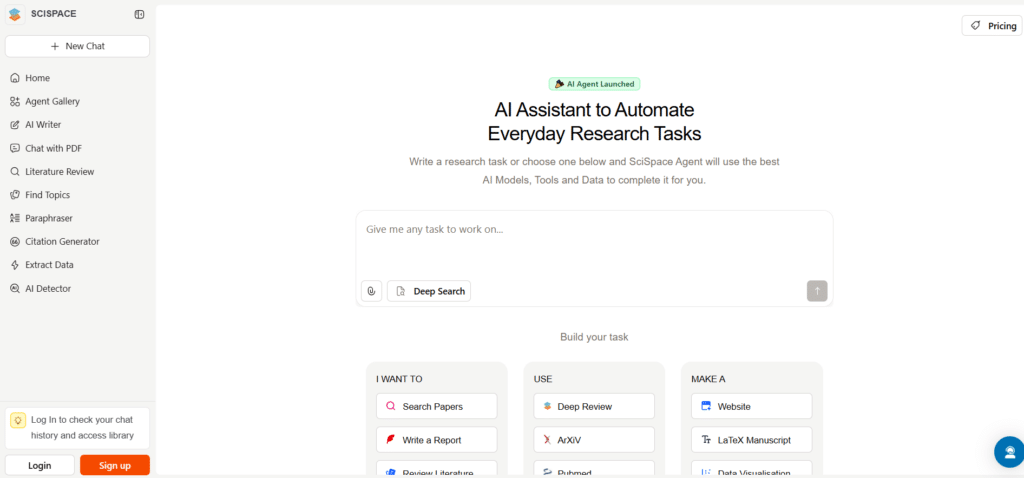
SciSpace (formerly Typeset) stands out as the most comprehensive AI research assistant I’ve tested. It’s designed to handle the heavy lifting of academic research, from initial literature searches to in-depth analysis of multiple papers simultaneously.
4.8
OVERALL RATING
Key Solutions SciSpace Provides
Highlighted Features
What impressed me most about SciSpace is its AI Agent capability. Unlike basic chatbots, this agent can run multiple research tasks in parallel…summarizing papers, extracting methodologies, and identifying research gaps simultaneously. The Deep Review model is particularly valuable for systematic reviews, handling the heavy computational work while you focus on analysis.
The platform’s notebook feature serves as a central hub for organizing your research notes, making it easy to connect ideas across different papers. I also found the podcast player surprisingly useful—it converts paper summaries to audio, letting you absorb research while commuting or exercising.
Real-World Impact
“SciSpace helped me to quickly summarize papers, organize key points, and draft clear explanations when I’m stuck. Having such an AI assistant saves me a lot of time and helps me stay focused. Overall, it’s beneficial and powerful, and it has already become a reliable part of my research process.“
-Emadaldin (TrustPilot)
User Experience
SciSpace’s interface strikes the right balance between power and simplicity. The dashboard clearly organizes your projects, and the AI agent interface uses a conversational approach that feels natural.
I particularly appreciated the transparency features…SciSpace always shows which papers it’s drawing information from, allowing you to verify its outputs.
Pros and Cons


Pricing Plans
- Basic (Free): No cost at all, perfect to start. You get 100 credits/month for the AI Agent, 1 parallel task, limited literature review (like 5 columns), basic model access, and some chats/summaries.
- Premium (Most Popular, around $12/month billed annually or $20 monthly): Steps up with 1200 credits/month, 2 parallel tasks, unlimited literature review (up to 50 columns), high-quality models, unlimited chats/AI actions, full exports, paraphraser, notebooks, citations, topic searches, podcast plays, and AI detections.
- Advanced (around $70/month billed annually or $90 monthly): All Premium stuff plus the Deep Review model for deeper analysis, systematic reviews, meta-analysis workflows, and 5500 credits/month.
- Teams: Starts around $8/user/month with role management, collaboration, and discounted bulk pricing.
Ready to transform your research workflow?
SciSpace’s powerful AI agent can save you hours on literature reviews and paper analysis.
2. Paperpal – Best for Academic Editing & Language Refinement
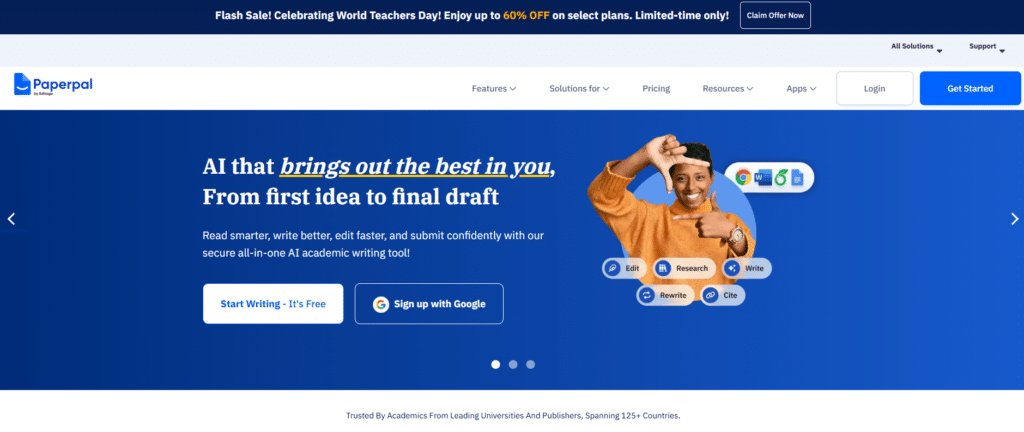
Paperpal excels where many AI tools fall short—understanding and improving academic writing. Developed by a team with publishing expertise, it’s designed specifically to help researchers polish their manuscripts for submission to journals.
4.7
OVERALL RATING
Key Solutions Paperpal Provides
Highlighted Features
What sets Paperpal apart is its deep understanding of academic writing conventions. The AI paraphraser doesn’t just change words…it enhances vocabulary and improves academic tone while preserving your meaning. I found this invaluable for sections where I struggled to express complex ideas clearly.
The platform’s integration with Microsoft Word, Google Docs, and Overleaf is seamless, allowing you to edit within your preferred environment.
The AI content detector is another valuable tool, helping ensure your work passes increasingly common AI detection checks used by journals.
Real-World Impact
“As a researcher, I’m not one to jump on the AI bandwagon blindly when it comes to academic writing. So naturally, I had my reservations about trying Paperpal for my research papers—I was worried it wouldn’t grasp the research context.
I really liked how Paperpal understood my research area so well. The Outlines feature turned out to be an incredible starting point. The level of customization Paperpal offers for research topic outlines is seriously impressive. The Chat with PDF and Research features are pretty handy for hunting down research papers and getting quick summaries.
I primarily use Paperpal through MS Word, and I’ve got to say, the integration is seamless. There’s zero lag when loading results, and it saves me tons of time since I don’t have to jump between different apps for my research tasks.”
-Brains (TrustPilot)
User Experience
Paperpal offers one of the most intuitive interfaces I’ve used. The web editor is clean and distraction-free, while the MS Word plugin integrates directly into your existing workflow.
Suggestions appear inline and can be accepted with a single click. The submission readiness report provides a comprehensive overview of potential issues, from language quality to reference formatting.
Support is excellent, with quick email responses and comprehensive guides for academic writing.
Pros and Cons
Pricing Plans
- Free: Totally free to try. Limited to about 5 daily AI uses, predictive writing, basic research/cite, rewrite/paraphrase/trim, translations, unlimited citations, and some checks.
- Prime (around $25/month, or $55/quarter, $139/year – Discount 30% off annual): Unlimited everything – language editing, consistency suggestions, Copilot writing, plagiarism checks (e.g., 7,000 words/mo), academic translations, citation generation, submission reports, and more.
Ready for publication-quality academic writing?
Paperpal can help you polish your manuscript and avoid common rejection reasons.
3. Jenni AI – Best for Writing with Integrated Citations
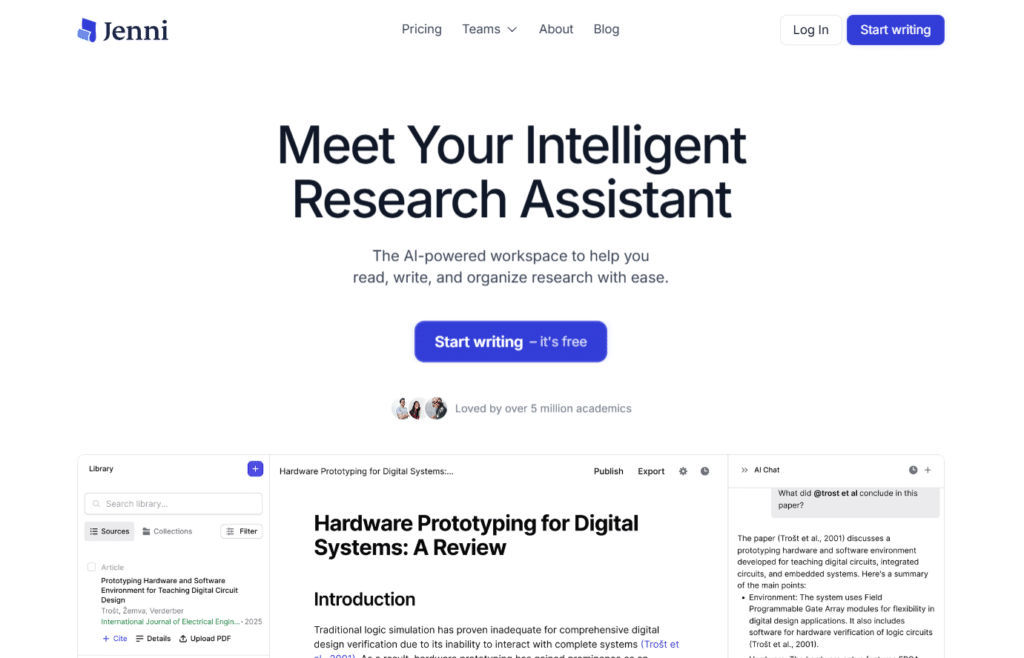
Jenni AI feels like having a writing partner who’s read all your research papers. It combines AI writing assistance with powerful citation capabilities, creating a seamless environment for drafting academic content.
4.7
OVERALL RATING
Key Solutions Jenni AI Provides
Highlighted Features
Jenni’s traceable citations feature is a game-changer. When you cite a source, you can click directly to the relevant passage in the original PDF. This saved me countless hours during the revision process when I needed to double-check my sources.
The agentic AI chat is another standout feature, allowing you to ask questions about your research papers and get answers with direct references to sources.
The platform’s ability to generate content from your uploaded files ensures that AI-generated text is grounded in your specific research materials.
Real-World Impact
“I used Jenni AI to construct my thesis, as the literature review is a central part of it. I wanted to make this part crisp, concise and insightful. Jenni AI helped me construct my thought step by step. One thing I want to convey here, that I did not subscribe to it to make my brain inactive and AI to allow to write my thesis.
I, on the other hand, tried to arrange my literature review in a way that a person from any broader area of research would be able to find it as an interesting read, paving the path towards reaching the core of my research, in a way of storytelling. I recommend Jenni AI to build and re-shape your thesis and other scientific writings.“
-Subhecchha Baidya (TrustPilot)
User Experience
Jenni’s interface is clean and intuitive, with a focus on the writing experience. The editor feels similar to Google Docs but with AI superpowers.
The library management system makes it easy to organize your research papers, with automatic extraction of metadata like impact factors and citation counts. The AI suggestions appear naturally as you write, feeling more like a helpful collaborator than an intrusive tool.
Support is available via email and chat, with comprehensive tutorials on the website.
Pros and Cons
Pricing Plans
- Free: $0/month to start. Limited to 10 AI autocompletes/day, 10 PDF uploads, 5 AI edits, 5 chat messages, plus basic editing commands, 2,600 citation styles, unlimited citations, and exports.
- Unlimited (around $12/month billed annually, or higher monthly like $20-30): Everything unlimited – autocomplete, PDF uploads, AI edits, chats, full library features, and more. No daily caps, so it’s great for heavy academic writing or multiple papers.
Write faster with integrated citations!
Jenni AI helps you draft academic content with automatic citation suggestions from your research library.
4. Paperguide AI – Best All-in-One Research Platform
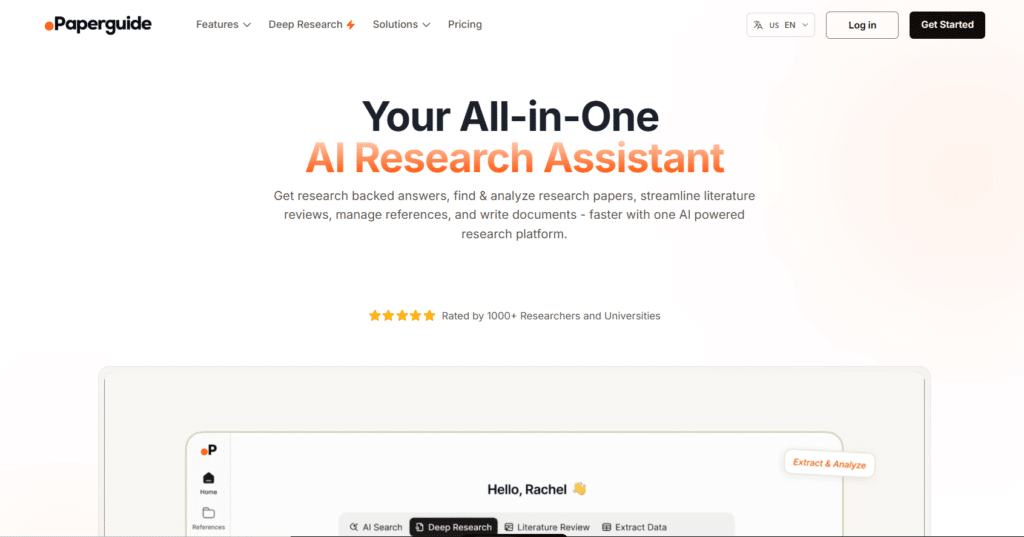
Paperguide AI offers a true end-to-end research experience, covering everything from initial paper discovery to final document generation. It’s designed to be your single platform for the entire research process.
4.6
OVERALL RATING
Key Solutions Paperguide AI Provides
Highlighted Features
Paperguide’s literature review assistant impressed me with its ability to create customizable, structured comparisons across papers. You can specify exactly what information you want to extract (methodologies, sample sizes, key findings) and see it presented in an easy-to-analyze format.
The deep research reports feature generates comprehensive analyses of research areas, identifying trends, contradictions, and consensus in the field.
This helped me quickly understand the landscape of unfamiliar research areas without spending days reading individual papers.
Real-World Impact
“Paperguide search, literature review and writer tools have made my research so much easier.
Initially, I was not sure that Paperguide can give such results. But after couple of weeks I’m addicted to it. I can complete my whole research in Paperguide, without even switching to google scholar and Chatgpt.
It’s simple, easy to use, and saves me so much time. I don’t know how I managed without it before!“-Gibbs H (TrustPilot)
User Experience
Paperguide’s interface is well-organized, with a logical flow from search to analysis to writing. The AI search is particularly impressive, understanding complex queries and finding relevant papers even when your keywords don’t exactly match the paper’s terminology.
The reference manager integrates seamlessly with the writing tools, making it easy to cite sources as you draft.
Support is available via email and chat, with detailed documentation and tutorials.
Pros and Cons
Pricing Plans
- Free: $0/month. 5 AI generations/day, 2 deep research reports/month, access to premium models, 500MB storage, basic reference manager, literature review, data extract, AI writer, and citations. Perfect for students testing or light projects.
- Plus (around $12/month billed annually): Unlimited AI generations, 10 deep research reports/month, premium models, unlimited storage, up to 50 columns in reviews, full writing/reference tools. Balances cost and power for most users doing regular research.
- Pro (around $24/month): Unlimited everything, 50+ deep reports, max storage, advanced features for heavy users or teams.
Streamline your entire research workflow!
Paperguide AI brings search, analysis, writing, and reference management together in one powerful platform.
5. Scholar AI – Best for Verified Source-Based Research
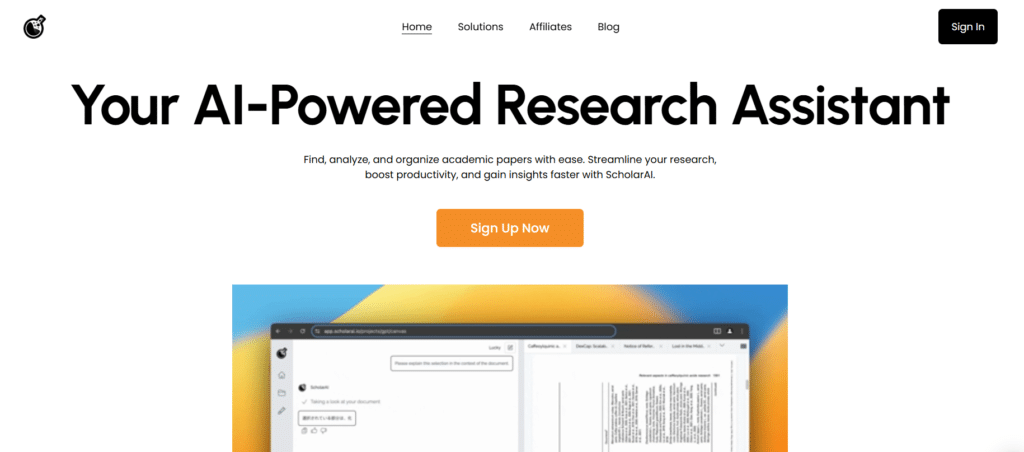
Scholar AI stands out for its direct integration with reputable academic databases like PubMed and Semantic Scholar. This focus on verified sources makes it particularly valuable for researchers who need high confidence in their information.
4.5
OVERALL RATING
Key Solutions Scholar AI Provides
Highlighted Features
Scholar AI’s multi-modal LLM capability impressed me with its ability to analyze figures, tables, and graphs within papers—not just text. This helped me extract insights from data visualizations that I might have missed or misinterpreted on my own.
The platform’s in-text citations in over 2,600 styles are traceable to sources, making it easy to verify information and maintain academic integrity. The literature mapping feature creates visual representations of research areas, helping identify gaps and connections.
Real-World Impact
A medical researcher at Mayo Clinic used Scholar AI to investigate contradictory findings in cancer immunotherapy studies.
The platform’s ability to search across multiple databases simultaneously helped him identify a key methodological difference across studies that explained the contradictory results. This insight informed the design of his team’s next clinical trial.
User Experience
Scholar AI’s interface is clean and academic-focused, with an emphasis on search quality and source verification. The natural language search works well for complex queries, and the ability to chat with your uploaded PDFs makes it easy to extract specific information from papers.
The integration with reference managers is particularly smooth, importing complete libraries with just a few clicks.
Pros and Cons
Pricing Plans
- Free: $0 per month to get started. You get basic searches across 200M+ resources, natural language PDF reading, simple synthesis, and limited credits for trying things out. Perfect for occasional use or seeing if it fits your workflow without paying.
- Basic / Credit Packs (starts ~$9.99/month or one-time credit buys like $4.99 for 25 credits, $9.99 for 50, up to $99.99 for 500): Unlocks literature mapping, in-depth multi-modal analysis, more credits for chats/searches, and full Copilot features. Great middle ground for regular users who need reliable citations without unlimited everything.
- Team/Enterprise: Custom pricing (contact them). Adds collaboration tools, dedicated support, bulk features for labs or groups. Worth it if you’re working with others and need shared workspaces or higher volume.
Research with confidence in your sources!
Scholar AI connects directly to academic databases for verified, credible research.
6. ResearchPal – Best for Quick Literature Reviews
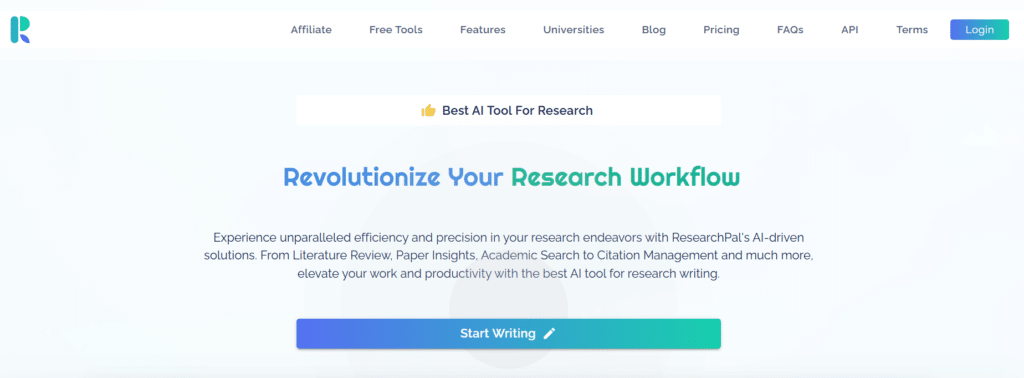
ResearchPal excels at generating comprehensive literature reviews and essays with authentic citations in seconds. It’s the go-to tool when you need to quickly understand a research area or draft a well-cited document.
4.5
OVERALL RATING
Key Solutions ResearchPal Provides
Highlighted Features
ResearchPal’s ability to generate customized essays of any type and length impressed me. You can specify the structure, tone, and focus, and the platform creates a well-organized document with appropriate headings and credible sources. This feature is particularly valuable for early drafts that you can then refine.
The platform’s citation generator can create citations from titles or uploaded PDFs in any format, eliminating the tedious work of manual formatting.
The chat with PDFs feature allows you to ask specific questions about papers and save the conversations for future reference.
Real-World Impact
A graduate student in psychology used ResearchPal to prepare for her dissertation proposal. With a deadline looming, she needed to review over 50 papers on cognitive development.
ResearchPal generated a comprehensive literature review in hours rather than weeks, helping her identify key methodological approaches and research gaps. Her proposal was approved with minimal revisions, saving her months of preparation time.
User Experience
ResearchPal’s interface is straightforward and task-oriented. The literature review and essay generation tools are easy to use, with clear options for customization.
The project folder organization helps keep your research organized by topic, with automatic citation and paper details. The AI tools for paraphrasing, translating, and tuning tone are well-integrated into the workflow.
Pros and Cons
Pricing Plans
- Free ($0 forever): Solid for testing – 1 project, 3 uploaded papers, limited generations (like 2 lit reviews, 2 essays, 2 citations, etc.), basic asks and tones. No premium models (no GPT-5 or o1). Ideal if you’re just dipping in or have light needs without spending. (Around 70 words)
- Standard (~$9-12/month, monthly or yearly options): Unlimited projects, 150 papers, way more generations (50 lit reviews, 50 citations, 100 text tuners, etc.), access to better models (GPT-5 mini, Gemini, etc.), PaperKraft for figures/tables, and real-time sharing. Perfect balance for most students or solo researchers who want more power without going pro. (Over 80 words)
- Pro (~$39.99/month, monthly/yearly): Unlimited everything, 450 papers, 150+ generations across tools, full premium models (GPT-5, o1, Claude, etc.), long reviews, and all Standard perks. Best for heavy users, pros, or anyone cranking out tons of papers – the extra models and limits make complex work smoother. (Over 80 words)
Generate literature reviews in seconds!
ResearchPal helps you create comprehensive, properly cited literature reviews and essays with minimal effort.
7. AnswerThis – Best for Citation-Backed Answers
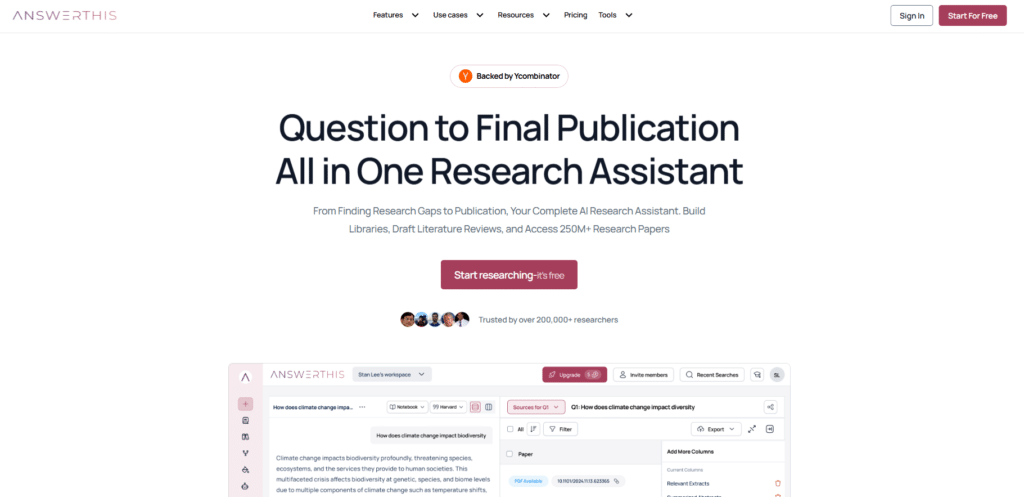
AnswerThis specializes in providing evidence-based answers from a massive database of over 300 million papers. It’s particularly valuable for researchers who need to quickly find evidence for specific claims or identify research gaps.
4.4
OVERALL RATING
Key Solutions AnwserThis Provides
Highlighted Features
AnswerThis’s line-by-line citations impressed me with their precision. Every statement in generated content links directly to the original paper, making it easy to verify information and explore sources in more depth. This level of transparency builds confidence in the platform’s outputs.
The interactive canvas feature creates a dynamic workspace where you can explore bibliometric analysis, paper search, chat with PDFs, and citation maps all in one view.
This helps identify connections between papers and concepts that might not be obvious from reading alone.
Real-World Impact
A pharmaceutical researcher used AnswerThis to investigate potential drug interactions for a new compound. The platform’s ability to search across 300M+ papers helped him identify three previously unreported interaction risks that weren’t mentioned in standard databases.
This discovery led to additional safety testing before clinical trials, potentially preventing adverse events.
User Experience
AnswerThis offers a clean, intuitive interface focused on research discovery and analysis. The search functionality is powerful, with filters for journal quality and publication date.
The literature review generation is particularly impressive, creating comprehensive reviews with proper citations in minutes. The library management and team collaboration features make it easy to share findings with colleagues.
Support is available via email and chat, with comprehensive guides for different research workflows.
Pros and Cons
Pricing Plans
- AnswerThis – Free Plan ($0/month)
5 credits per month. You get basic paper searches across 250M+ sources, simple summaries, bibliometric analysis, citation formatting in 2000+ styles, and limited AI writer + smart library use. No sharing or unlimited access. - AnswerThis – Premium Plan ($35/month)
Unlimited searches and references, line-by-line citations to exact papers, export data/tables, Mendeley/Zotero integration, full AI writer (add citations, edit, proposals), shared libraries/projects/teams, diagrams, citation maps, plagiarism checker. - AnswerThis – Enterprise Plan (Custom pricing – contact them)
Everything in Premium plus organization-wide access, shared analysis libraries, grant/trial-ready evidence tables, deeper integrations (LIMS, institutional systems), dedicated onboarding/support, progress tracking, synthetic literature reviews.
Get evidence-backed research answers!
AnswerThis searches 300M+ papers to provide citation-backed answers to your research questions.
8. Otio AI – Best for Multi-Source Research
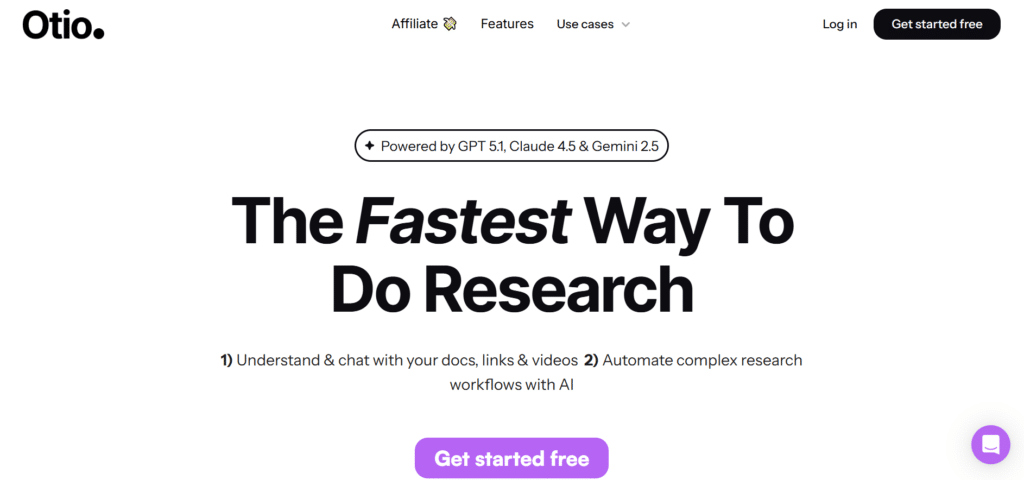
Otio AI stands out for its ability to handle diverse research sources beyond academic papers. It can analyze PDFs, YouTube videos, and other content types, making it ideal for researchers who work with multimedia sources.
4.4
OVERALL RATING
Key Solutions Otio AI Provides
Highlighted Features
Otio’s ability to summarize YouTube videos impressed me as a unique feature. For researchers who use video lectures, interviews, or presentations as sources, this tool extracts key points and creates searchable summaries—something most research assistants can’t do.
The platform’s support for multiple AI models (GPT, Claude, Grok, Gemini, etc.) gives you flexibility to choose the best model for different tasks.
The automations feature helps create repeatable workflows for common research tasks, saving time on routine activities.
Real-World Impact
A media studies researcher used Otio AI to analyze 50+ hours of interview footage alongside traditional academic papers. The platform’s ability to summarize video content and integrate it with text analysis helped her identify patterns in how experts discussed emerging technologies.
This mixed-media approach led to insights that wouldn’t have been possible with text-only research tools.
User Experience
Otio’s interface is modern and intuitive, with a focus on document organization and analysis. The import process is smooth, supporting links, documents, and videos up to large file sizes.
The chat interface for document interaction is conversational and effective, while the text editor provides helpful paraphrasing and editing tools. Support is available via email, with comprehensive documentation and tutorials.
Pros and Cons
Pricing Plans
- Otio AI – Free Plan ($0 to start + usually 7-day premium trial)
Basic summaries, chats with sources, limited uploads (PDFs, videos, etc.). Lets you play around with multi-source research before paying. Good entry point if you want to see how it handles YouTube + papers without committing cash right away. - Otio AI – Paid Plans (Typically ~$10–30/month, often around $20 for Pro)
Unlimited sources/storage/uploads, premium AI models (GPT, Claude, Gemini, etc.), essay outlines/drafts, side-by-side comparisons, automations, multi-language support, tagging/folders. Worth it for heavy users who mix videos, articles, and notes – saves tons of organizing time. Check site for exact current price.
Analyze diverse research sources!
Otio AI helps you extract insights from PDFs, videos, and more in one unified platform.
9. JotBot AI – Best for Academic Writing Assistance
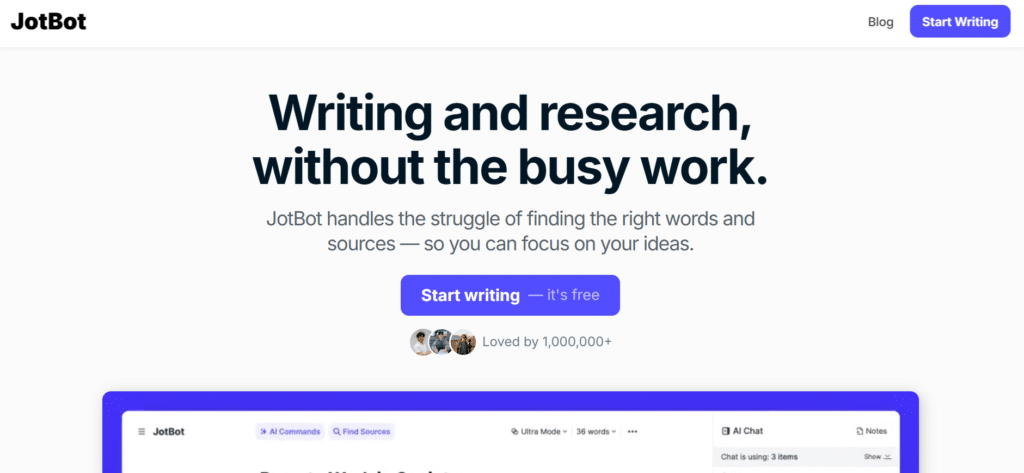
JotBot AI functions as an always-on writing partner, helping you draft academic content and overcome writer’s block. It’s particularly useful for researchers who struggle with the writing phase of their work.
4.3
OVERALL RATING
Key Solutions JotBot AI Provides
Highlighted Features
JotBot’s outline builder impressed me with its ability to create logical, well-structured frameworks for academic papers. You can specify your research question and key points, and the platform generates a comprehensive outline that follows academic conventions for your field.
The platform’s paraphrasing and tone adjustment tools help refine your writing while maintaining academic integrity.
The plagiarism-aware rewrites ensure that generated content is original and properly attributed, reducing concerns about academic misconduct.
Real-World Impact
An international graduate student struggling with academic English used JotBot AI to help draft her first journal submission.
The platform helped her structure her ideas logically and express complex concepts clearly. Her paper was accepted with minor revisions, a significant achievement for a non-native English writer publishing in a competitive field.
User Experience
JotBot AI offers a clean, distraction-free writing interface that focuses on the content creation process. The AI suggestions appear naturally as you write, and the chat feature provides helpful feedback on your drafts.
The outline builder creates well-structured frameworks for different academic document types, and the export options make it easy to move your work to other platforms. Support is available via email, with tutorials and writing guides available on the website.
Pros and Cons
Pricing Plans
- JotBot AI – Free Plan ($0/month)
10 credits per day, up to 3 sources, basic autocomplete and features. Enough for light drafting, brainstorming, or small essays when you don’t want to pay yet. Handy for occasional use or just testing the writing flow. - JotBot AI – Unlimited Plan ($14/month billed yearly)
Unlimited credits, unlimited autocomplete/sources/video uploads, upgraded AI models, priority new features. No daily caps – feels like having a writing buddy that never sleeps. Super cheap for anyone who writes papers or sections often.
Overcome writer’s block and draft faster!
JotBot AI helps you create well-structured academic content with less effort.
10. WordVice AI – Best for Grammar and Style Improvement
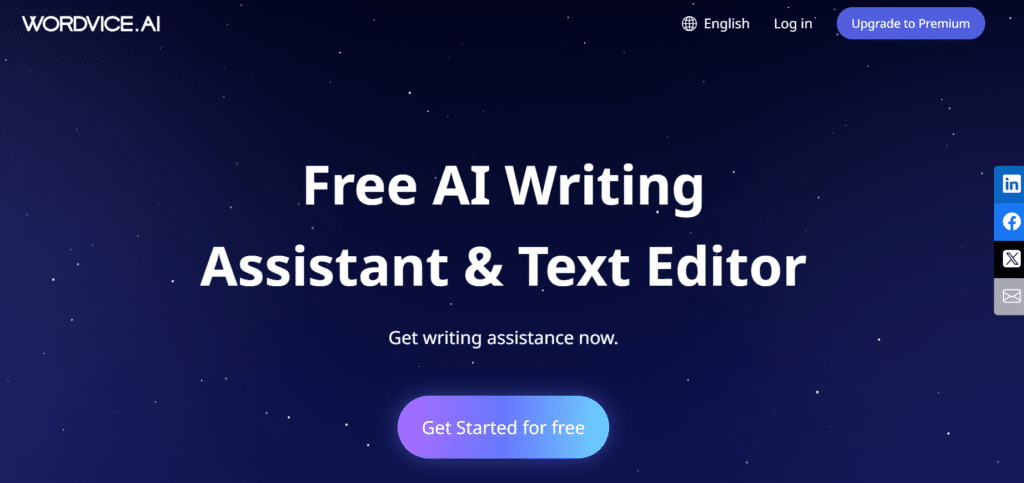
WordVice AI specializes in polishing academic writing, with a strong focus on grammar, style, and academic tone. It’s particularly valuable for non-native English speakers and researchers preparing manuscripts for submission.
4.3
OVERALL RATING
Key Solutions WordVice AI Provides
Highlighted Features
WordVice’s AI paraphraser impressed me with its multiple modes for different needs—academic formality, simplification, or condensation. This flexibility helps you tailor your writing to different audiences and publication requirements.
The platform’s strong support for multiple languages (including Chinese, Korean, and others) makes it particularly valuable for international researchers.
The AI detection and plagiarism checks help ensure your work meets academic integrity standards before submission.
Real-World Impact
A team of researchers from China used WordVice AI to prepare a manuscript for a high-impact medical journal. After previous rejections due to language issues, the platform helped them improve clarity, fix grammatical errors, and adopt appropriate academic phrasing.
Their paper was accepted with minimal language-related revisions, opening doors to international publication.
User Experience
WordVice AI offers a clean, focused interface that highlights issues in your text and suggests improvements. The proofreading tool identifies not just grammar errors but also style issues and awkward phrasing.
The paraphraser provides multiple options for rewording, and the summarizer effectively condenses longer texts while preserving key information. Support is available via email, with comprehensive writing guides and resources on the website.
Pros and Cons
Pricing Plans
- WordVice AI – Basic/Free Tier (Limited free access)
5,000 words/month total, 500 words per submission max, 2 modes each for proofreader/paraphraser, 5,000 chars AI detector, 100 pages ChatPDF (basic model). Solid to try grammar fixes, light paraphrasing, and detector without paying. - WordVice AI – Premium Plan (~$19–25/month with discounts on quarterly/annual)
1 million words/month, up to 20k words/submission, 4–5 modes proofreader/paraphraser, plagiarism checker (20 pages/5k words/mo), 30k chars detector, 1,000 pages advanced ChatPDF, summarizer/translator, priority support. Best for regular editing and polishing before submission. - WordVice AI – Premium PRO / Team Plans (Higher tiers, varies)
1M words/month base + more plagiarism pages (40/10k words), 60k chars detector, unlimited ChatPDF, monthly extra credits, team roles/central billing (Team plan). Made for pros or groups who need maximum checks, control, and shared use.
Polish your academic writing!
WordVice AI helps you improve grammar, style, and clarity for publication-ready manuscripts.
11. AI-Writer – Best for Fact-Based Content
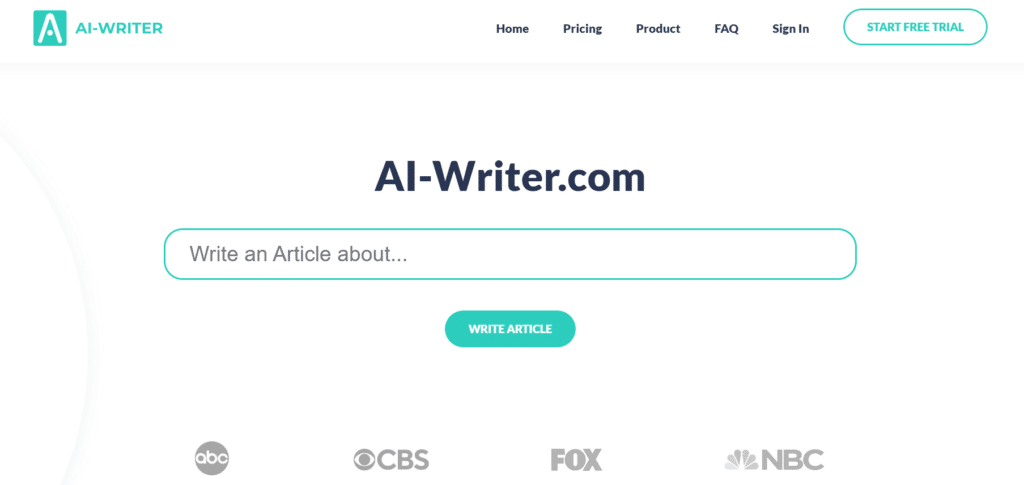
AI-Writer focuses on creating science-backed content with verifiable sources. It’s designed for researchers who prioritize accuracy and source credibility over speed or feature variety.
4.2
OVERALL RATING
Key Solutions AI-Writer Provides
Highlighted Features
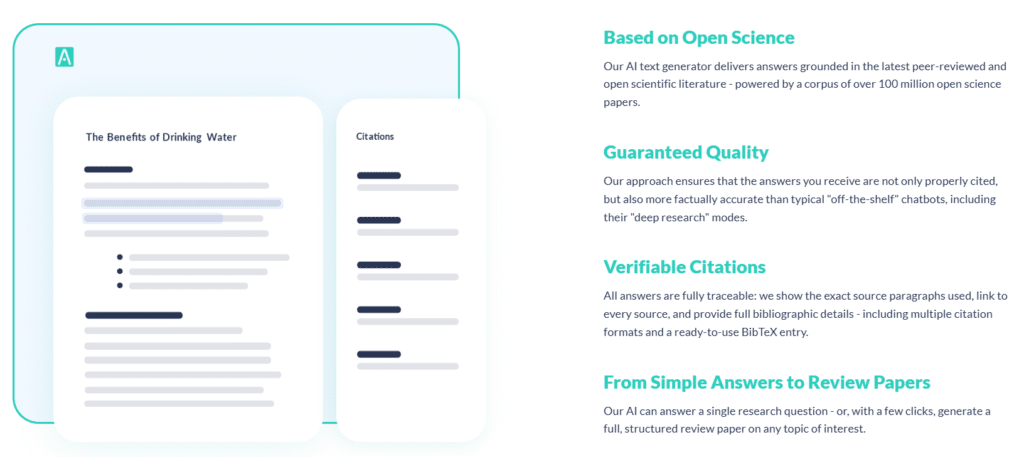
AI-Writer’s commitment to verifiable sources impressed me most. Every claim is cited with paragraphs, links, and BibTeX formatting, making it easy to check the accuracy of information. This transparency builds confidence in the generated content.
The platform’s topic explorer helps identify key questions and subtopics within a research area, providing a structured approach to exploration.
The ability to download as HTML or create shareable links makes it easy to distribute your findings.
Real-World Impact
A science journalist used AI-Writer to research emerging treatments for Alzheimer’s disease. The platform’s fact-focused approach helped her identify the most promising clinical trials and understand the mechanisms behind different treatment approaches.
Her resulting article was praised for its accuracy and depth, with editors noting the quality of the scientific foundation.
User Experience
AI-Writer offers a straightforward, no-frills interface focused on content generation rather than flashy features. The topic exploration process is logical and helps refine your research focus.
The generated content is well-structured with clear sections and comprehensive source attribution. The one-click source access makes it easy to verify information and explore topics in more depth.
Support is available via email, with documentation on the website.
Pros and Cons
Pricing Plans
- Basic Plan (Monthly: $29/month, Annual: $24/month ($290 billed yearly – saves 16%))
Up to 40 questions answered per month, 1 user, unlimited Topic Explorer, all core features included. Perfect starter if you’re writing essays or checking facts occasionally – cheap entry to trustworthy AI without overpaying. Start free trial to test it first. - Standard Plan (Monthly: $49/month, Annual: $41/month ($490 billed yearly – saves 16%))
Up to 120 questions answered per month, 3 users, unlimited Topic Explorer, full features. Sweet spot for grad students or pros who need more volume and team sharing – many say this tier pays for itself in saved research hours. - Power Plan (Monthly: $375/month, Annual: $312/month ($3750 billed yearly – saves 16%))
Up to 1000 questions answered per month, 10 users, unlimited Topic Explorer, every feature unlocked. Built for non-stop use where accuracy and big limits matter most – huge value if you’re cranking out grants, reports, or deep projects daily.
Create fact-based content with verified sources!
AI-Writer helps you generate accurate, well-cited content based on peer-reviewed research.
Key Features to Look for in AI Research Assistants
After testing these tools extensively, I’ve identified the most important features that make a difference in your research workflow:
- Source Verification: The best tools provide transparent attribution to original sources. Look for features that link claims directly to papers and allow you to verify information easily.
- Citation Management: Comprehensive citation tools should support multiple formats (APA, MLA, Chicago, etc.) and integrate smoothly with your writing process.
- Multi-Modal Analysis: Advanced assistants can analyze not just text but also figures, tables, and data visualizations, giving you more complete insights.
- Literature Review Capabilities: Look for tools that can compare multiple papers, extract key information, and identify patterns across studies.
- Integration Options: The ability to connect with reference managers (Zotero, Mendeley) and writing tools (Word, Google Docs) creates a smoother workflow.
Best Practices for Using AI Research Assistants
To get the most out of these tools while maintaining academic integrity, follow these tips:
Key Takeaways
Conclusion
AI research assistants are transforming academic work, making it possible to process more information, find relevant sources faster, and produce higher-quality writing with less effort. After extensive testing, SciSpace emerges as the top overall choice for its comprehensive feature set, powerful AI agent capabilities, and excellent literature review tools.
That said, the “best” tool ultimately depends on your specific needs. Paperpal excels at editing, Jenni at writing with citations, and ScholarAI at verified source-based research. I recommend starting with the free tier of your chosen platform to test its fit with your workflow before upgrading.
Ready to revolutionize your research process?
The tools in this list can help you work smarter, not harder—allowing you to focus on generating insights rather than managing administrative tasks.
Transform your research workflow today!
SciSpace’s powerful AI agent can help you analyze hundreds of papers and generate insights in minutes.