Paying real creators $150 to $500 for a single UGC video? That adds up fast when you need dozens of ad variations to test.
I’ve been there. As an AI engineer working with performance marketing teams, I’ve watched brands burn through budgets waiting weeks for creator content, only to find half the videos don’t convert.
AI UGC platforms changed everything. These tools let you generate authentic-looking creator-style videos in minutes, not weeks. You pick an AI avatar, add your script, and boom…you’ve got a testimonial-style ad ready for TikTok or Instagram Reels.
The best part? You can create 20 variations in the time it used to take to brief one creator.
In this article, we’ll review the top picks to help you choose. I tested each platform personally, comparing avatar realism, customization options, pricing, and actual conversion performance.
Whether you’re running a Shopify store, managing client campaigns, or testing dropshipping products, you’ll find the right AI UGC platform here.
What Are AI UGC Platforms?
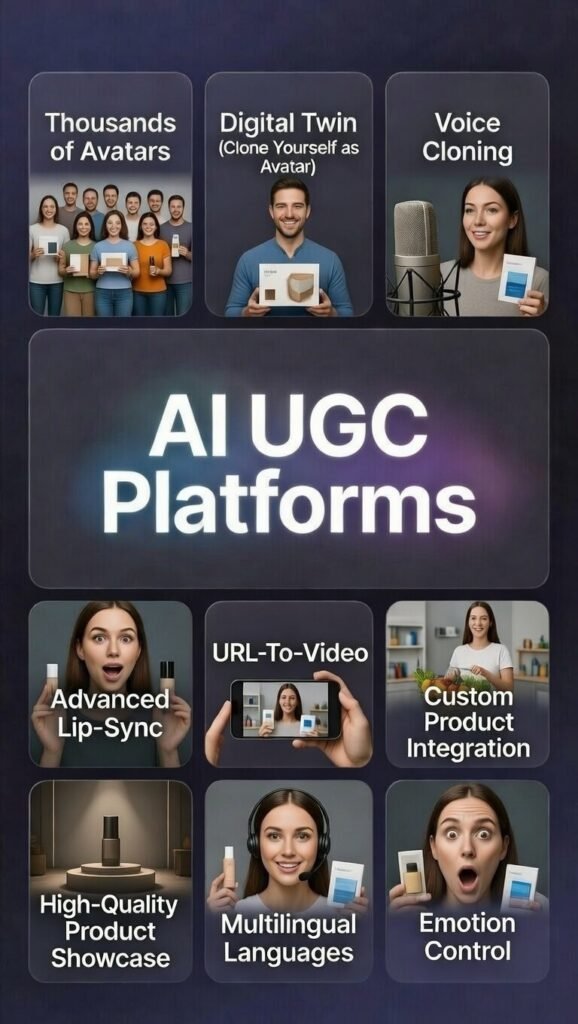
Think of AI UGC platforms as your virtual creator studio. Instead of hiring influencers to film testimonials, you use artificial intelligence to generate videos that look and feel like real user-generated content.
When I first heard about MakeUGC, I thought… okay, another overhyped AI tool.
But after actually using it? I realized they’re completely different from normal video editors.
In simple terms, AI UGC platforms are tools that create user-generated style ad videos using artificial intelligence. You don’t need a real creator. You don’t need a camera. You don’t need editing skills.
Here’s how it usually works.
You upload any product link or paste in a script. Then choose an AI avatar…basically a digital creator who looks and talks like a real person. The platform takes care of the rest.
Within minutes, it generates a testimonial-style or review-style video. Voiceover, lip-sync, captions…all done automatically.
Now, you might be wondering…isn’t this just a video editor? Not really.
Traditional editors require footage. You still have to film content or hire someone. AI UGC platforms simulate authentic creator-style videos from scratch. They focus on casual, talking-to-camera ads that look native on TikTok, Reels, or YouTube Shorts…not polished cinematic brand commercials.
Most platforms include:
The real benefit comes down to two things: speed and scale.
That bulk testing feature? Huge. It saved me hours when experimenting with different hooks.
Instead of paying $300 for one creator video and waiting days for delivery, you can generate multiple ad variations in one afternoon. You test faster. You iterate faster. You scale winners faster.
If you run paid ads, that changes everything.
And once you see how quickly you can produce high-converting ad creatives, it’s hard to go back to the old way.
The technology behind these platforms relies on advanced AI models trained on thousands of hours of real creator videos. They’ve learned the subtle movements, speech patterns, and authenticity markers that make UGC feel genuine….even though it’s entirely AI-generated.
I find this particularly valuable for social media campaigns where freshness matters. You can launch a product Monday morning and have 15 different video ads testing by Monday afternoon.
Who Can Benefit From AI UGC Platforms?

Not every brands creators needs AI-generated user-generated content. But if you fall into these categories, these tools will probably change your social proof workflow completely.
The common thread? Anyone who needs authentic customer-style video ads at scale without the traditional creator hiring process. These AI UGC platforms democratize access to professional-looking content that used to require significant budgets and production timelines.
If you’re spending more than 10 hours per month coordinating with creators, or if your content creation budget exceeds $500 monthly, you’ll likely see immediate ROI from switching to AI-generated alternatives.
How I Evaluated These AI UGC Platforms
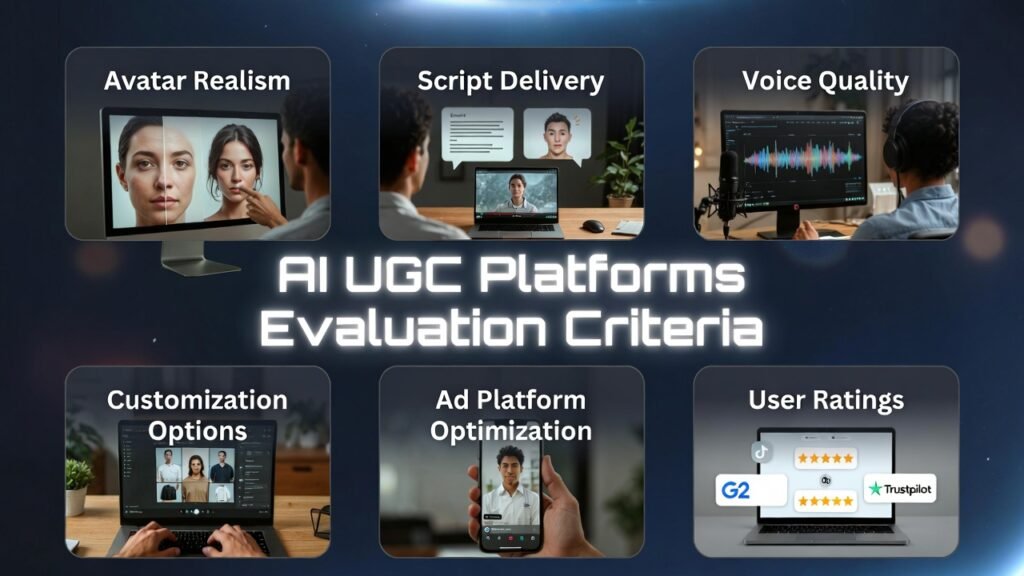
When picking the best AI UGC platforms for high-converting ad videos, I focused on the things that actually move the needle for real ads & content marketing.
No hype, just clear criteria that separate tools that work from ones that look okay in demos but flop in feeds.
Here are the main evaluation points I used to rank these AI UGC platforms:
I also considered extras like pricing transparency (no surprise fees), support response time, useful integrations (Shopify pulls, direct social publishing), and learning curve (easy enough for busy marketers, not just devs).
One big thing that stood out? Higher price tags didn’t always mean top quality. Some mid-range tools scored better on realism and test conversions than pricier ones. Surprising, but it happens.
These criteria shaped the final rankings – focused on what delivers usable, converting videos for businesses that need results, not just fancy previews.
Quick Comparison: AI UGC Platforms at a Glance
Before diving into detailed reviews, here’s how these seven platforms stack up side-by-side. This comparison table helps you quickly identify which tools match your specific needs and budget.
| Rank | Tool | Best For | Key Features | Overall Rating | Starting Price |
| 1 | MakeUGC AI | eCommerce brands scaling ad testing | 300+ avatars, Video Agent, multilingual (50+ languages), custom avatar training | 4.8/5 | $39/month |
| 2 | Arcads AI | Performance marketers tracking ROI | 1000+ actors, product integration, emotion control, performance metrics | 4.7/5 | $110/month |
| 3 | Tagshop | Direct social publishing workflow | URL to video, 1000+ avatars, AI Twin, direct TikTok/Instagram publishing | 4.6/5 | $11/month |
| 4 | Predis AI | Shopify stores needing bulk creation | Product URL import, bulk generation, Shopify integration, 19+ languages | 4.5/5 | $19/month |
| 5 | HeyGen | Premium avatar quality and localization | Voice cloning, advanced lip-sync, 4K export, interactive avatars | 4.5/5 | $24/month |
| 6 | Jogg AI | Fast product-focused video creation | 450+ avatars, photo to avatar, batch mode (10 videos), AI script writer | 4.5/5 | $24/month |
| 7 | Argil AI | Personal brand AI clone creation | AI clone (1 photo + voice), product holding, full commercial rights, API access | 4.4/5 | $39/month |
| 8 | Quso.AI | Creators wanting quick UGC inside a social media suite | 80+ avatars, custom scripts + backgrounds, fast generation, direct posting to Instagram/TikTok | 4.5/5 | $15/month |
| 9 | MagicUGC | Brands wanting emotionally smart UGC with predictive wins | 200+ lifelike personas, predictive performance scoring, emotional delivery, multilingual adaptation, real-time analytics | 4.3/5 | $149/month |
Top 3 AI UGC Platforms Picks

🥇
MakeUGC AI
MakeUGC AI specializes in fast e-commerce UGC ads with 300+ avatars, batch creation, Video Agent copying styles, and product-in-hand realism.

🥈
Arcads AI
Arcads AI specializes in performance-driven UGC for Meta/TikTok with 1000+ actors, emotion control, product integration, and ROI tracking metrics.

🥉
Tagshop
Tagshop specializes in turning any product URL into ready-to-use UGC videos fast, with AI Twins, 1000+ avatars, and one-click publishing straight to TikTok and Instagram.
Best 9 AI UGC Platforms Ranked
Now let’s get into the specifics. I tested each of these platforms extensively, creating real ads and analyzing their performance. Here’s what you need to know about each tool.
1. MakeUGC AI – Best Overall for eCommerce Ad Scaling
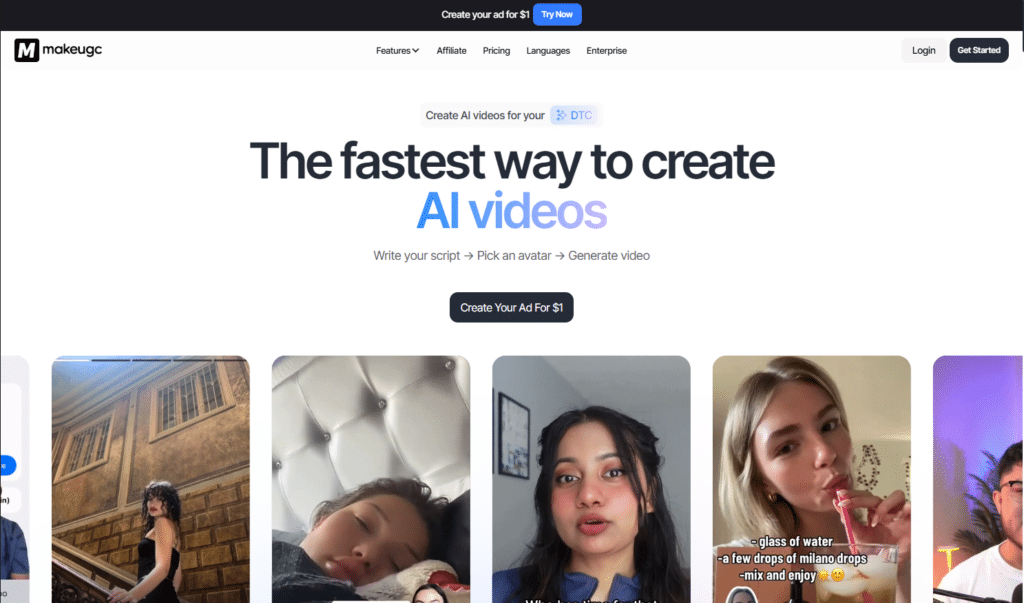
MakeUGC AI sits at the top of my list for good reason. This platform focuses entirely on creating authentic-looking creator-style ads specifically for eCommerce brands. After generating over 40 test videos here, I found it delivers the most consistent quality for product-focused content.
What impressed me most? The Video Agent feature. You upload a reference ad you like, and the AI analyzes its structure, pacing, and style—then recreates that approach using your product. This saved me hours of testing different formats.
4.8
OVERALL RATING
Key Pain Points MakeUGC AI Solves
Key Features
Real User Experience
“ Such an amazing tool to make or save money
Every day I continue to be shocked by how realistic the AI avatars are. Our company is already starting to save a ton of money using Make UGC AI. I also found that the entire team there is so responsive and supportive, taking any feedback and updating the product.”
— Donny Dvoring, Trustpilot, MakeUGC AI User
How the MakeUGC AI Works
MakeUGC AI’s interface is refreshingly straightforward. You start by typing or generating a script, then browse the avatar library filtered by demographics.
Select your creator, choose voice style, and hit generate. While it processes, you can add B-roll clips or adjust background settings. The preview shows in about 2 minutes, then you tweak captions, add music, and export.
What I appreciated most was the Video Agent feature. I uploaded three competitor ads I liked, and MakeUGC analyzed their hook patterns. It then generated 5 variations using my product with similar energy and pacing. This essentially gives you a template library based on proven ads.
Pros and Cons


Integrations & Support
MakeUGC offers support comes via email (help@makeugc.ai) and in-app chat for quick help. No big e-commerce integrations listed, but Enterprise unlocks API access and ElevenLabs voices for custom workflows—solid for direct ad platform handoff.
Pricing
Turn scripts into high-converting UGC ads in minutes with 300+ avatars!
MakeUGC specializes in fast e-commerce video testing with batch mode and product-in-hand realism. Start free with 5 test videos on the Startup plan.
2. Arcads AI – Best for Performance Marketers Tracking ROI
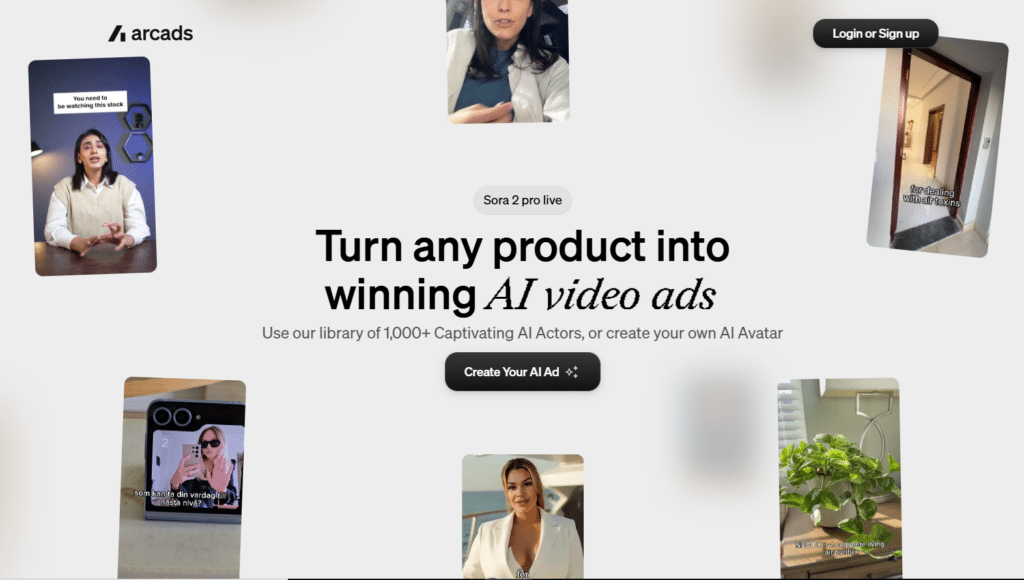
Arcads AI takes a different approach…it’s built specifically for performance marketers who need to justify every dollar spent. The built-in performance tracking shows actual revenue generated by each AI-generated ad, which transformed how one agency optimized client campaigns.
The emotion control feature impressed me technically. You specify the feeling—excited, trustworthy, urgent—and the AI adjusts facial expressions and vocal delivery accordingly. This level of nuance matters when testing different emotional appeals across audience segments.
4.7
OVERALL RATING
Key Pain Points Arcads AI Solves
Key Features
Real User Experience
” Arcads help us to make our best ad
Feedback after 6 months of use: The service is waaay better than HeyGen.
We can generate UGC with up to 1,500 characters unlike other platforms lets us create full UGC videos extremely fast, which has saved us a huge amount of time in our creative strategy.
It also allowed us to produce a large volume of UGC at a much lower cost, including one video that became our biggest winning ad since our launch. being able to add emotions to the actors is outstanding and feels incredibly realistic. “— Lina Harchi, Trustpilot, Arcads AI User
How the Arcads AI Works
Just login to Arcads AI, Start by connecting your Meta or TikTok ad account for performance tracking. Create a new campaign by entering your product details and script. Browse the 1,000+ actor library filtered by demographics, style, and previous performance data.
Select your actor, then adjust emotion controls, trustworthy, excited, urgent, or custom combinations. The product integration feature lets you upload product images that the actor will hold or showcase. Preview generates in 2-3 minutes.
The editing tools add B-roll, captions, and music quickly. When published, Arcads tracks that specific creative’s performance in your dashboard. You see views, click-through rates, conversions, and revenue…letting you identify winners and kill losers based on data, not guesses.
Pros and Cons
Integrations & Support
Arcads AI has founder-level support via Intercom chat and tickets, with performance marketers on the team helping optimize ad creative strategy. This hands-on approach differentiates Arcads—you’re not just getting software, you’re getting strategic guidance.
Strong integration focus on paid social platforms: Meta (Facebook/Instagram) ads, TikTok ads, and standard exports for other channels. The performance tracking syncs directly with ad managers to pull conversion data. Custom agents can integrate via API for advanced automation workflows.
Pricing
Make performance UGC that shows real ROI metrics for Meta & TikTok!
Arcads specializes in 1000+ actors, emotion control and product integration with tracking. Try a demo or trial credit (contact support).
3. Tagshop – Best for Direct Social Media Publishing
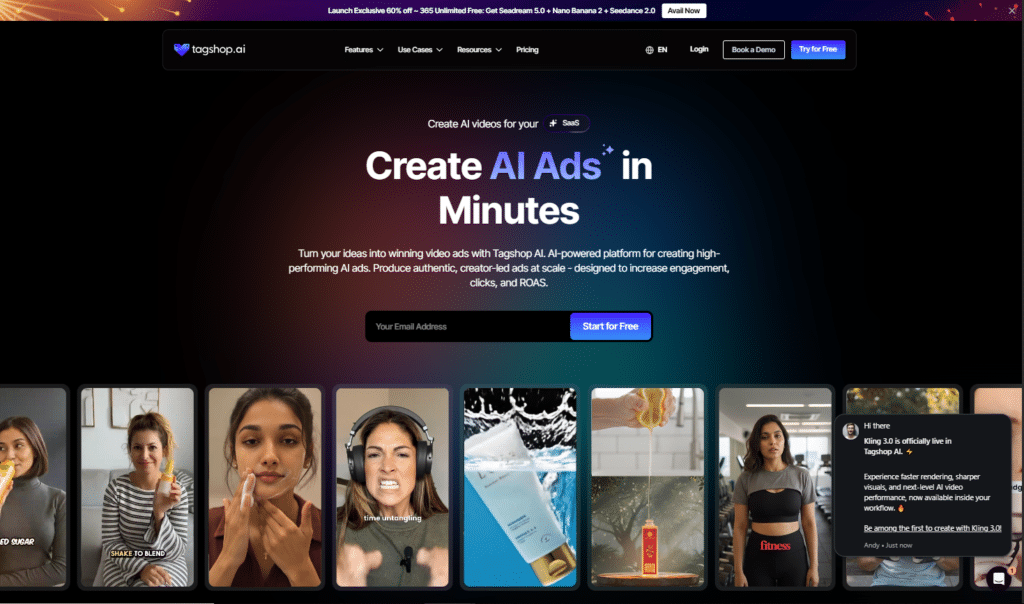
Tagshop stands out for one killer feature: it publishes directly to TikTok, Instagram, Facebook, and YouTube from within the platform. If you’re managing social media campaigns and hate juggling multiple tools, this streamlines your workflow significantly.
I particularly love the URL-to-video conversion. Paste a product link, and Tagshop pulls details, images, and prices automatically—then generates a complete UGC videos ad in seconds. This eliminates the manual script writing step entirely for simple product showcases.
4.6
OVERALL RATING
Key Pain Points Tagshop Solves
Key Features
Real User Experience
“ Fast and easy digital twin creation
Tagshop AI makes product marketing faster by turning me into a realistic digital twin for demos, UGC videos, and social media ads. It delivers consistent, high quality product visuals and AI ads in minutes, and it can cut our production time by 60%. with quicker creative testing and reliable performance. The toll’s quality is clear, the lighting looks consistent and the output is ready for Insta and facebook without heavy editing.”
— Mia Jackson, Trustpilot, Tagshop User
How the Tagshop Works
Start by pasting your product URL or uploading images. Tagshop instantly analyzes the page and suggests a script based on product details. Choose from 1000+ avatars or create an AI Twin by uploading a photo and recording 1-2 minutes of voice.
The editor lets you adjust gestures through simple text commands like “[smile]” or “[point]” in your script. Preview shows in about 45 seconds. Add captions, background music, and tweak timing if needed. Finally, connect your social accounts and publish directly…or download for manual upload.
The campaign management dashboard tracks all your published content across platforms, showing performance metrics in one place. This was surprisingly useful for A/B testing different avatars across identical scripts.
Pros and Cons
Integrations & Support
Tagshop AI offers email and chat for Free/Starter; call + chat for paid plans, dedicated manager on Scale. Direct publishing to TikTok, Instagram, Facebook, YouTube—no deep Shopify ties mentioned, but great for social ad workflows.
Pricing
Paste a product URL and get ready-to-post UGC videos instantly!
Tagshop specializes in URL-to-video creation with AI Twins and direct publishing to TikTok & Instagram. Start free with 15 credits and one short video.
4. Predis AI – Best for Shopify Stores with Bulk Needs
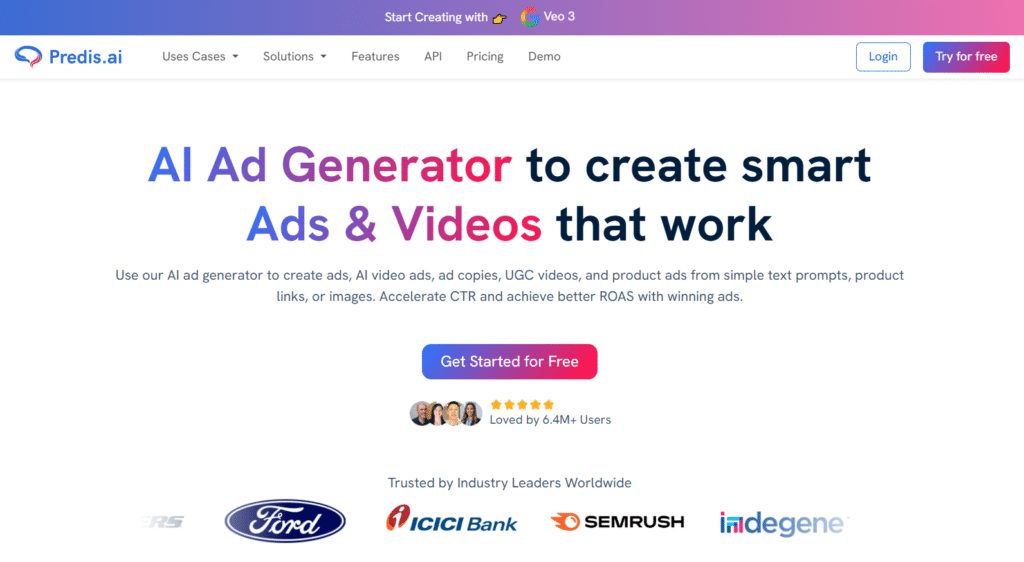
Predis AI excels at one thing above all: creating massive quantities of video ads quickly. If you’re running a Shopify store with 50+ products or testing tons of variations, the bulk creation feature saves ridiculous amounts of time.
The Shopify integration is seamless, it pulls product data directly from your store, so you’re not manually entering details. I tested this with a client’s 80-product catalog and generated unique ads for each item in about 3 hours. That would’ve taken weeks with traditional creators.
4.5
OVERALL RATING
Key Pain Points Predis AI Solves
Key Features
Real User Experience
” Arcads help us to make our best ad
Feedback after 6 months of use: The service is waaay better than HeyGen.
We can generate UGC with up to 1,500 characters unlike other platforms lets us create full UGC videos extremely fast, which has saved us a huge amount of time in our creative strategy.
It also allowed us to produce a large volume of UGC at a much lower cost, including one video that became our biggest winning ad since our launch. being able to add emotions to the actors is outstanding and feels incredibly realistic. “— Lina Harchi, Trustpilot, Predis AI User
How the Predis AI Works
To getting started with Predis AI, connect your Shopify store through the integrations panel…it takes about 90 seconds. Your entire product catalog appears in Predis. Select products you want ads for (individual or bulk selection), then choose a template style.
The AI generates scripts automatically based on product details. You can edit these or let them run. Pick avatars that match your target demographic, then hit generate. For bulk orders, Predis queues everything and processes in the background while you work on other tasks.
The drag-and-drop editor lets you customize fonts, colors, add your logo, or swap templates entirely. When satisfied, schedule publishing across your connected social accounts. The whole process from product selection to scheduled post takes under 10 minutes per month product.
Pros and Cons
Integrations & Support
Predis AI’s support via in-app help and email, with user reviews praising quick response times (usually under 6 hours). Higher plans likely get faster support, though specifics aren’t published.
Strong integrations are Predis’s superpower: Shopify for product pulls, plus direct publishing to Facebook, Instagram, TikTok, YouTube, and LinkedIn. Channel limits scale by plan (10 channels on Core, 30 on Rise, 60 on Enterprise+). This makes it perfect for businesses managing multiple brands or clients.
Pricing
Drop your Shopify product link and generate dozens of UGC ads automatically!
Predis specializes in bulk Shopify UGC with auto scripts and one-click multi-platform posting. Sign up free and get 100 credits to test bulk creation.
5. HeyGen – Best for Premium Avatar Quality
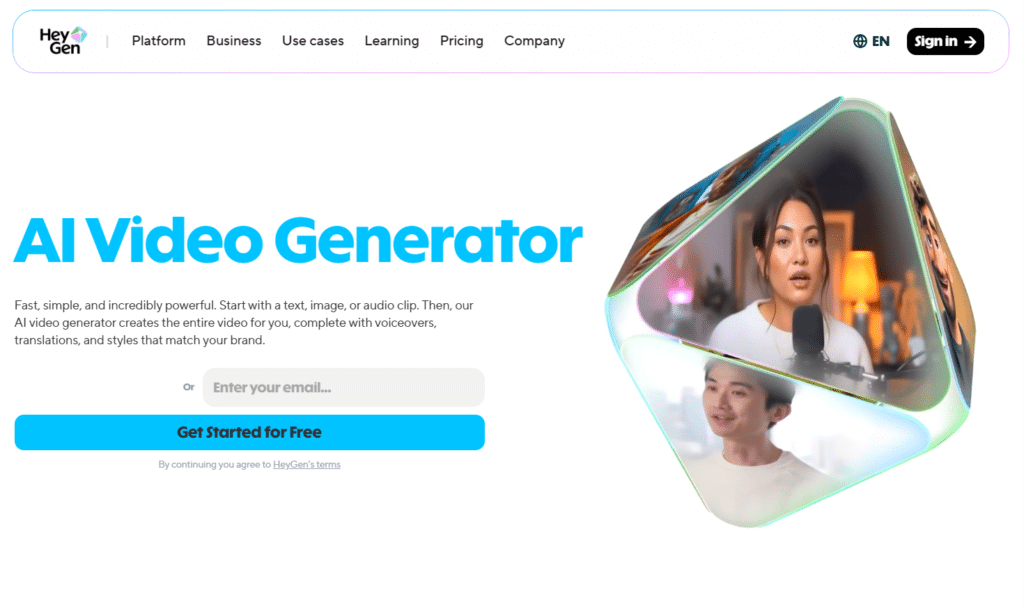
HeyGen produces the most realistic avatars I’ve tested. If visual quality matters more than speed or bulk production, this platform delivers polished, professional-looking talking heads that genuinely pass for real people in most contexts.
The voice cloning feature blew me away. I uploaded 2 minutes of my voice, and the AI clone was nearly indistinguishable from my actual recordings. For brands wanting consistency across all content, this maintains your unique vocal signature without recording every single video.
4.5
OVERALL RATING
Key Pain Points HeyGen Solves
Key Features
Real User Experience
” I tested almost 50 ai application and Heygen is the best among the avatar. It is better than synthesia which I have too but the second it takes one day to create ai twin avatar , Heygen it takes few second to create twin avatar. Definitely Heygen is the best avatar ai application I tested so far. “
— Vittorio Quattrone, Trustpilot, HeyGen User
How the HeyGen Works
Start by selecting an avatar from HeyGen’s library or uploading footage to create a custom one (requires Pro or higher). Write or paste your script, then choose a voice—either from their library or your cloned voice.
The preview generates in about 3-4 minutes for standard videos. Quality is immediately noticeable: facial expressions shift naturally with emotional content, eye contact feels genuine, and lip-sync is basically flawless. You can adjust pacing, add background music, and tweak transitions in the built-in editor.
For localization, upload an existing video and select target languages. HeyGen handles translation and re-syncs the avatar’s mouth movements to match new languages perfectly. The output quality rivals professionally dubbed content at a fraction of the cost.
Pros and Cons
Integrations & Support
HeyGen’s help Center with extensive documentation, community forums for peer support, and standard ticket system. Paid plans get priority support with faster response times. The knowledge base is comprehensive for self-troubleshooting.
API access on Business/Enterprise plans allows custom workflow integrations. While there’s no direct Shopify or TikTok publishing, videos export cleanly to all formats. The API enables technical teams to automate video generation at scale—useful for agencies or large brands.
Pricing
Build premium talking-head videos with perfect lip-sync and voice cloning!
HeyGen specializes in ultra-realistic avatars, 4K export and advanced localization. Create 3 free videos per month to test quality.
6. Jogg AI – Best for Product-Focused Speed
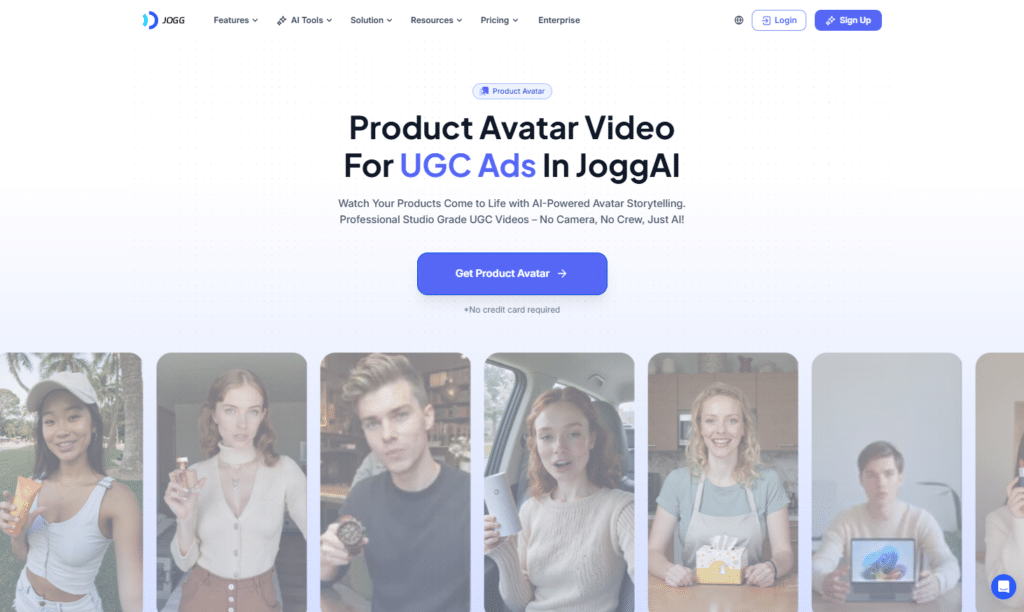
Jogg AI prioritizes speed without sacrificing quality. If you’re launching products rapidly or need same-day ad creative for testing, this platform delivers finished videos faster than almost any competitor I tested.
The photo-to-avatar feature caught me off guard. Upload a product shot, and Jogg animates it into a talking video. I used this for a supplement brand that wanted their product bottles to “speak” benefits directly—quirky but surprisingly effective for stopping scrolls.
4.5
OVERALL RATING
Key Pain Points Jogg AI Solves
Key Features
Real User Experience
” A tool we DON’T want our competitors to know about 😉
JoggAI is a high-quality suite of AI tools for video creation (it replaced several AI video tools that we previously used). Primarily, it competes with HeyGen and Synthesia but with a twist of URL to video ad creation.
The key features are avatars (digital representation of a person, real or fictitious), URL to video creator and a large library of avatars and video templates.”
— JC, ProductHunt, Jogg AI User
How the Jogg AI Works
Jogg AI’s interface emphasizes speed. Paste a product URL, and Jogg immediately pulls images, descriptions, and specs. The AI script writer suggests 3-5 hook options. Pick one (or write your own), then select avatars from the library filtered by age, gender, ethnicity.
For batch mode, select multiple avatars and voice styles. Jogg queues them all and processes simultaneously. Preview the first video in about 45 seconds, others follow shortly after. The built-in editor lets you tweak captions, add B-roll from their stock library, or adjust timing.
The photo-to-avatar feature works similarly: upload a product image, add voiceover text, and Jogg animates the photo to “speak.” It’s surprisingly natural for static objects—works great for supplement bottles, tech gadgets, or beauty products explaining benefits.
Pros and Cons
Integrations & Support
Jogg AI’s email support at support@jogg.ai with reportedly quick response times (under 12 hours based on user reviews). Higher-tier plans likely get prioritized, though specifics aren’t detailed.
API access enables custom workflow automation. The platform pulls product data from Shopify and WooCommerce stores, streamlining eCommerce ad creation. Easy export and publishing to TikTok, Instagram, and other platforms through standard file downloads—no direct publishing like Tagshop, but handoff is straightforward.
Pricing
Turn photos or URLs into product UGC videos with batch creation!
Jogg specializes in quick avatar videos, photo-to-talking-head and AI script writing. Start free with 3 credits for short videos.
7. Argil AI – Best for Personal Brand AI Clones
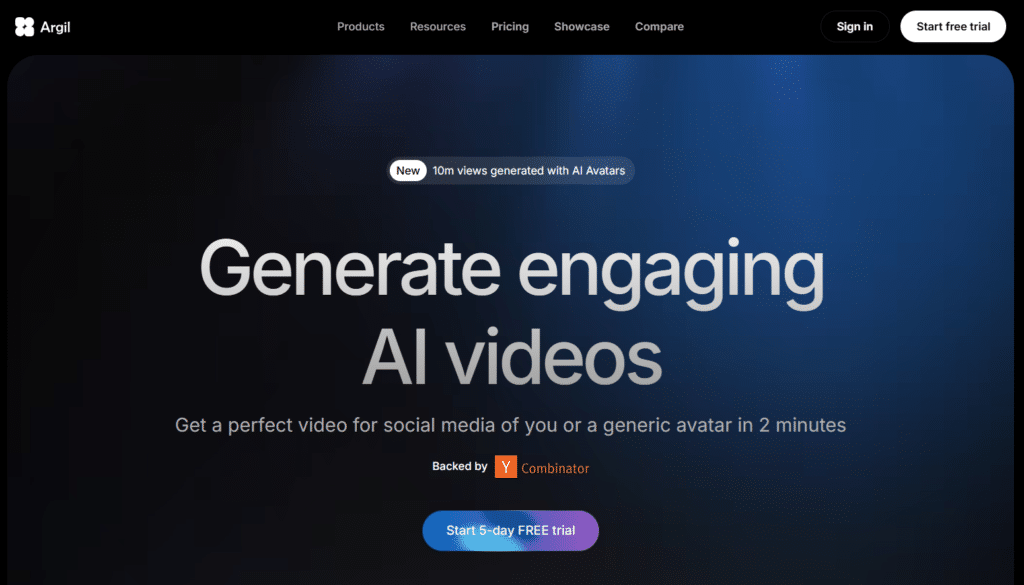
Argil AI specializes in creating your personal digital twin. If you’re a coach, consultant, or personal brand who needs to scale content production without appearing on camera constantly, this platform delivers surprisingly accurate clones.
What fascinated me most? You only need one photo and 1-2 minutes of voice recording. That minimal input creates a clone capable of delivering your message in your style. I tested this for a friend’s coaching business—the clone was so accurate, her clients didn’t realize they were watching AI until she told them.
4.4
OVERALL RATING
Key Pain Points Argil AI Solves
Key Features
Real User Experience
” We’ve been using Argil to create customized, AI-generated icebreaking videos for our cold messages, and it’s been an absolute game-changer. The service is top-tier, delivering high-quality, personalized content that significantly enhances our outreach efforts. Highly recommend! “
— Geoffrey CAMBEFORT, ProductHunt, Argil AI User
How the Argil AI Works
Creating your clone with Argil AI takes about 10 minutes. Upload a clear, well-lit photo showing your face front-on. Record 1-2 minutes of voice reading provided scripts naturally—this trains the AI on your vocal characteristics and speech patterns.
Processing takes 2-4 hours. Once ready, your clone appears in the avatar library. Type any script, select your clone, and generate. The AI delivers your message in your voice with facial expressions matching your natural style. The editor lets you adjust backgrounds, add B-roll, or overlay product images.
The product holding feature works by uploading product photos. Your clone will realistically hold and gesture toward the item while delivering your script. This creates authentic demo videos without physical shoots.
Pros and Cons
Integrations & Support
Argil AI has FAQ section for quick self-help plus anytime outreach for personalized assistance. User reviews mention responsive support, though formal SLA details aren’t published.
API access available on Classic plan (beta) with full capabilities on Pro and higher. This enables workflow automation and bulk production. No direct Shopify or TikTok publishing mentioned, but exports work seamlessly for manual upload. The API makes Argil attractive for developers building custom content generation pipelines.
Pricing
Clone yourself with one photo + voice and make branded UGC forever!
Argil specializes in personal AI clones with product holding and full commercial rights. Test with a free demo clone creation.
8. Quso.ai – Best for Quick UGC Inside a Full Social Media Workflow
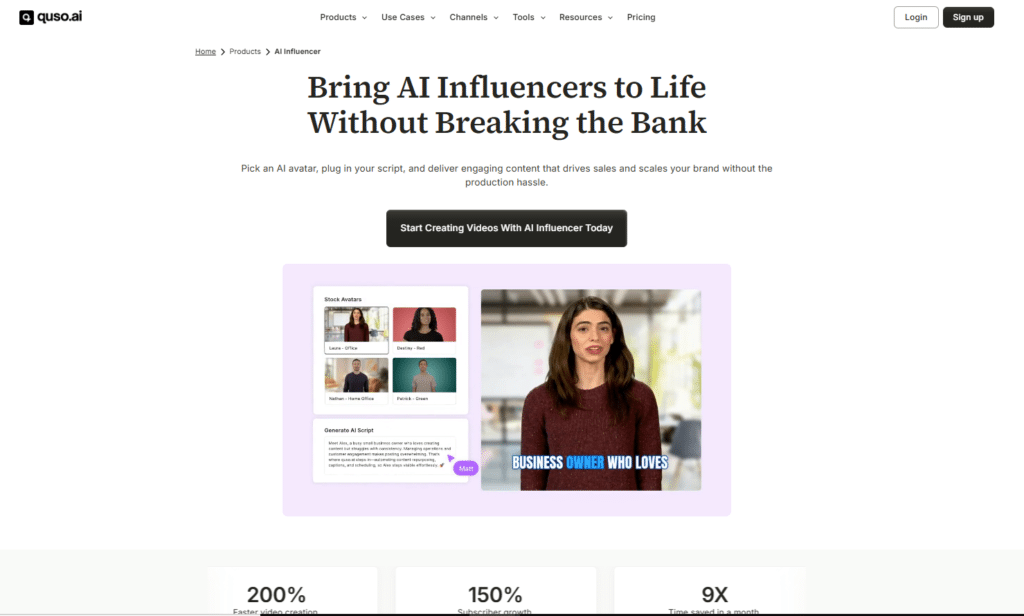
Quso.ai earns a spot on my list because it’s not just a UGC tool…it’s part of a bigger social media suite (formerly Vidyo.ai) that lets you repurpose content and create quick avatar-based UGC in one place. I tested around 25 videos here, and it’s super handy if you’re already making shorts or scheduling posts.
What impressed me about Quso? The seamless way it fits into your existing workflow. You can generate UGC avatars fast, then post or schedule directly to social channels without switching apps.
4.4
OVERALL RATING
Key Pain Points Quso.ai Solves
Key Features
Real User Experience
” This is an amazing innovation for the content creation community! As a content creator myself, I find the idea of automating the repurposing of video content incredibly useful. The features like customizable AI subtitles, B-roll footage integration, and scene change detection are exactly what I need to streamline my workflow and focus more on creativity rather than the mundane tasks.
The addition of a virality predictor and a comprehensive post scheduler also seems like it could really enhance the reach and impact of my content. I’m excited to see how Vidyo.ai can save me time and elevate the quality of my work. Great job on this tool! “
— Mingfei Guo, ProductHunt, Quso.AI User
How the Argil AI Works
To get started with Quso.ai, You log in, go to the AI UGC Creator tool, pick an avatar from the 80+ options, paste your script or prompt, upload a background or product image if you want, and hit generate.
It takes 2-4 minutes. Preview shows the talking head with lip-sync, then you add captions (auto-generated), resize for Reels/TikTok, and either download or schedule/post directly. Super simple dashboard.
What I liked most was how it felt like an extension of their clip tool…I repurposed a long video into shorts, then created a quick UGC testimonial in the same session. No app-hopping.
Pros and Cons
Integrations & Support
Quso ties into numerous platforms such as Instagram, TikTok, Facebook, YouTube, LinkedIn for direct posting and scheduling. Export MP4 for other platforms. Part of the full suite, so it connects to their AI clip generator, captions, scheduler, and analytics.
Support via chat/email — usually quick replies. No deep Shopify integration, but perfect for social-first creators or small brands handling everything in one place.
Pricing
Add quick AI UGC avatars inside your social media workflow!
Quso specializes in fast avatar videos with custom scripts and direct posting.
9. MagicUGC – Best for Emotionally Smart & Predictive UGC Ads
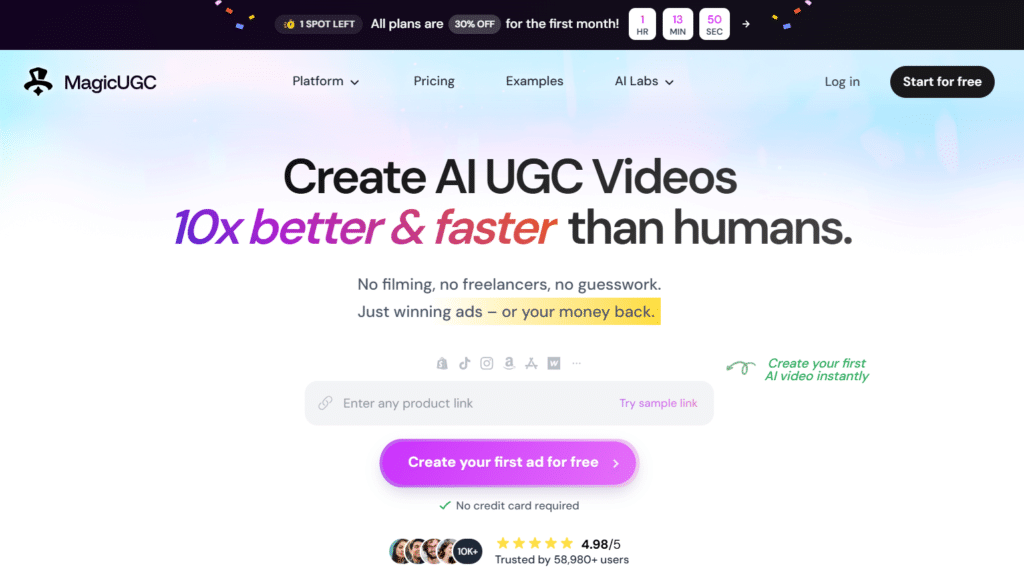
MagicUGC sits high on my list because it’s built for brands that want UGC ads to feel human and actually predict winners before you burn ad dollars. I ran about 35 test videos here, and the emotional depth plus performance scoring really stood out for conversion-focused campaigns.
What impressed me most? The predictive performance scoring. It analyzes your video before you spend a cent and gives it a conversion likelihood score based on proven patterns. That alone saved me from launching a few duds.
4.3
OVERALL RATING
Key Pain Points MagicUGC Solves
Key Features
Real User Experience
“ Wish I could give 6 stars As a musician, it’s tough to stand out.
MagicUGC’s AI videos helped me create eye-catching, personality-driven snippets that fans actually watch. Gaining 10k new fans in a few months felt unreal.”
— Ivy Jennifer Granada, MagicUGC User
How the Demo Works
With MagicUGC, You start with a prompt or script, pick a persona (filtered by vibe or demo), add product images or B-roll, and hit generate.
Processing takes 3–5 minutes. The preview shows emotional delivery and micro-expressions clearly. You can tweak tone or sentiment sliders, then get the predictive score. If it’s high, export and run; if low, regenerate with one click. Super clean dashboard.
What I loved was seeing the predictive score jump from 62% to 89% after adding more excited micro-expressions. That kind of feedback loop is gold for scaling.
Pros and Cons
Integrations & Support
MagicUGC offers support is via live chat and email (quick replies in my tests—usually under 2 hours). Enterprise gets dedicated manager and API access for automation. No native Shopify pull, but exports MP4 cleanly for Meta, TikTok, Instagram, YouTube. Works great in agency workflows with team sharing and brand kits. They also offer onboarding calls for new users.
Pricing
Turn scripts into high-converting UGC ads in minutes with 300+ avatars!
MakeUGC specializes in fast e-commerce video testing with batch mode and product-in-hand realism. Start free with 5 test videos on the Startup plan.
Key Features to Look For in AI UGC Platforms
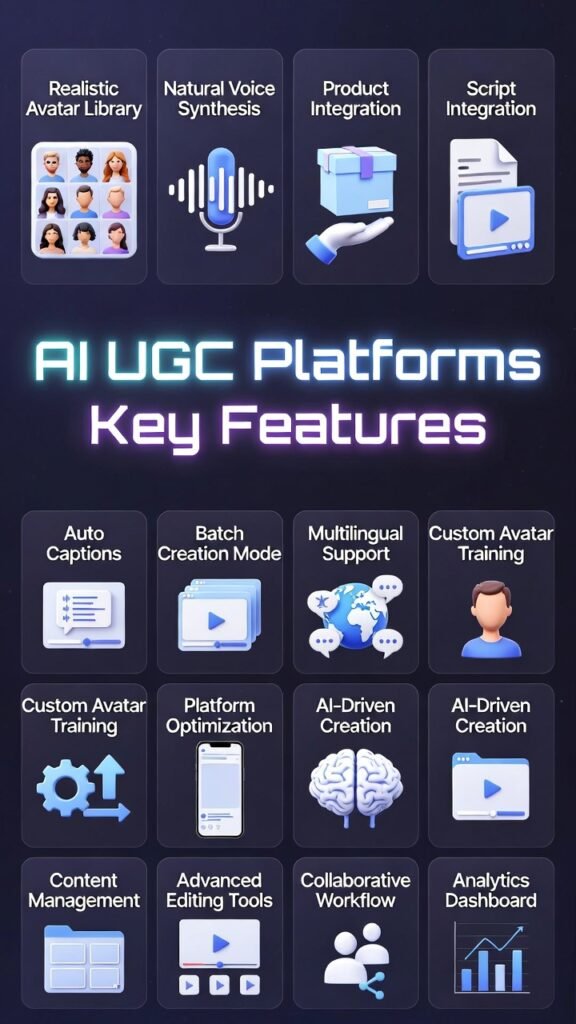
Not all AI UGC platforms offer the same capabilities. When evaluating which tool fits your needs, prioritize these essential features based on your specific ugc strategy.
Must-Have Core Features
- Realistic Avatar Library: Look for at least 100+ diverse avatars covering different ages, ethnicities, and styles so you can match your target demographic precisely. The best platforms let you filter by these characteristics.
- Natural Voice Synthesis: AI voices should sound human, not robotic. Test samples before committing. Voice cloning capabilities let you maintain consistent brand voice across all videos without recording each time.
- Product Integration: Avatars should realistically hold, use, or showcase your products. This feature transforms generic testimonials into authentic product-focused ads that drive conversions.
- Script Generation: AI-powered script writing saves hours of copywriting. The best tools generate hooks, benefits, and calls-to-action tailored to your product and audience automatically.
- Auto Captions: Since 85% of social media videos are watched without sound, automatic captioning is non-negotiable. Look for customizable caption styles that match your brand.
Advanced Features Worth Paying For
- Batch Creation Mode: Generate multiple variations simultaneously for efficient A/B testing. This feature alone can 10x your creative testing velocity compared to one-at-a-time production.
- Multilingual Support: If you target international markets, look for platforms offering 30+ languages with accurate lip-sync. This opens global expansion without hiring translators or native creators.
- Custom Avatar Training: Upload your own footage to create branded avatars that look exactly like team members. This maintains authenticity while scaling production beyond individual availability.
- Platform Optimization: Built-in formatting for TikTok (9:16), Instagram Reels, YouTube Shorts, and Facebook. Manual resizing wastes time—good platforms handle this automatically.
- Performance Analytics: Integration with ad platforms to track which AI-generated ugc campaigns actually convert. Data-driven optimization beats guesswork every time.
- eCommerce Integrations: Direct Shopify or WooCommerce connections that pull product data automatically. This eliminates manual entry and keeps content synced with your catalog.
- API Access: For advanced users, API capabilities enable workflow automation and custom integrations with existing marketing stacks.
The feature you think you need most often isn’t the one that delivers results. I’ve seen brands obsess over avatar count when script quality mattered more for their conversions.
Prioritize features based on your biggest bottleneck. If you’re drowning in product SKUs, bulk creation and eCommerce integrations matter most. If you’re testing international markets, multilingual capabilities become essential. If your brand voice is critical, invest in voice cloning and custom avatars.
Most platforms offer free trials or freemium tiers. Test the specific features you need most before committing to annual plans. The best AI UGC platform is the one that solves *your* specific workflow problems—not necessarily the one with the longest feature list.
Best Practices for Using AI UGC Platforms
Creating AI-generated videos is easy. Creating ones that actually convert requires strategy. Here’s what I’ve learned from generating hundreds of test ads.
1.) Choosing the Right AI UGC Platforms
Match the tool to your primary use case, not just the lowest price. If you’re running a Shopify store with 50+ products, pay extra for Predis AI’s bulk creation and direct integration—the time saved justifies higher costs.
Start with a free trial or lowest-tier plan. Generate 5-10 videos and actually run them as ads before committing to annual subscriptions. I’ve seen brands lock into expensive plans only to realize the avatar style doesn’t match their audience.
Prioritize one killer feature over mediocre everything. A platform with perfect voice cloning but limited avatars often outperforms one with 1000 avatars but robotic voices. Focus on what drives your customer trust most.
2.) Creating Effective AI UGC Videos
Keep it short. Aim for 15-30 seconds for social ads. Attention spans are brutal…get to your hook within 3 seconds or lose viewers immediately.
Test multiple avatars. I’ve seen identical scripts perform 40% better simply by switching from a male avatar to female, or young to middle-aged. Demographic matching matters more than you’d expect.
Use authentic language. AI-generated scripts often sound overly polished. Edit them to include contractions, filler words (“like,” “actually”), and casual phrasing. Authenticity beats perfection in UGC-style content.
Add captions always. This isn’t optional—it’s mandatory. Most viewers scroll with sound off, so captions determine whether they keep watching.
Include clear product shots. AI avatars work great for testimonials, but add B-roll of your actual product in use. This grounds abstract benefits in concrete visuals.
3.) Testing and Optimization
Create at least 5 variations per campaign. Test different hooks, avatars, and emotional tones. What works for one audience segment often bombs for another.
Track performance obsessively. Connect your ads manager to see which AI-generated videos actually convert, not just which look impressive. Kill underperformers fast and scale winners aggressively.
Refresh creative every 2-3 weeks. Ad fatigue hits AI-generated content just like traditional ads. Having a platform that produces new variations quickly prevents performance decay.
4.) Maintaining Authenticity
Don’t try hiding that it’s AI. Transparency builds trust. Some brands explicitly mention AI creation in captions—audiences appreciate honesty over deception.
Mix AI and human content. Use AI for high-volume testing, then hire real creators to remake your top-performing AI ads. This combines AI efficiency with human authenticity for final campaigns.
Keep updating avatars and styles. If every ad uses the same avatar, audiences notice the pattern. Rotate avatars regularly to maintain freshness.
Personal Anecdote
Last month, I helped a client launch a new supplement. We created 12 AI-generated ads testing different angles—energy boost, workout performance, recovery time.
The winner? An ad with a tired-looking middle-aged woman talking about finally having energy for evening workouts. It outperformed our “polished” ads by 3x.
The insight: we initially targeted 20-30 year-old fitness enthusiasts with energetic young avatars. But the actual buyers were 40-50 year-olds struggling with energy. Matching avatar demographic to actual customer base transformed results.
That’s the power of these platforms—cheap testing revealed our targeting assumptions were completely wrong. Traditional creator content wouldn’t have let us test enough variations to discover that insight.
Key Takeaways
Conclusion
MakeUGC AI earned the top spot in my testing for good reason. The combination of 300+ realistic avatars, Video Agent for copying winning ad structures, and batch mode for rapid A/B testing makes it the most versatile platform for eCommerce brands serious about scaling ad creative production.
But here’s the truth: the best AI UGC platform depends entirely on your specific needs. If direct social publishing streamlines your workflow most, Tagshop wins. If you’re managing a massive product catalog, Predis AI’s bulk creation saves more time. If you’re building a personal brand, Argil AI’s clone feature is unmatched.
The common thread? Successful creators brands I’ve worked with tests relentlessly. They create 10-20 variations weekly, kill underperformers fast, and scale winners aggressively. AI UGC platforms make that volume testing economically viable for the first time.
Are you still paying hundreds per video and waiting weeks for creator delivery while your competitors test 50 variations in the same time frame?
Stop letting creative production bottleneck your ad performance. Pick the platform that matches your biggest constraint, start with their trial or lowest tier, and generate your first 5 test videos today. Your first winning ad could be 20 minutes away.
Start Creating High-Converting UGC Ads Today!
Test MakeUGC AI risk-free and see why it’s the #1 choice for scaling UGC videos ad production.