Creating high-quality content consistently is one of the biggest challenges for writers, marketers, and businesses today.
Whether you’re battling writer’s block, tight deadlines, or simply trying to scale your content production, AI writing assistants have become game-changers in the content creation landscape. These intelligent tools can help generate ideas, draft content, and polish your writing—all while saving you precious time and mental energy.
I’ve spent countless hours testing dozens of AI writing assistants to find the ones that truly deliver on their promises. The market has exploded with options in recent years, making it increasingly difficult to separate the genuinely helpful tools from the overhyped ones.
In this article, we’ll review the top picks to help you choose the right AI writing assistant for your specific needs.
What are AI writing assistants?
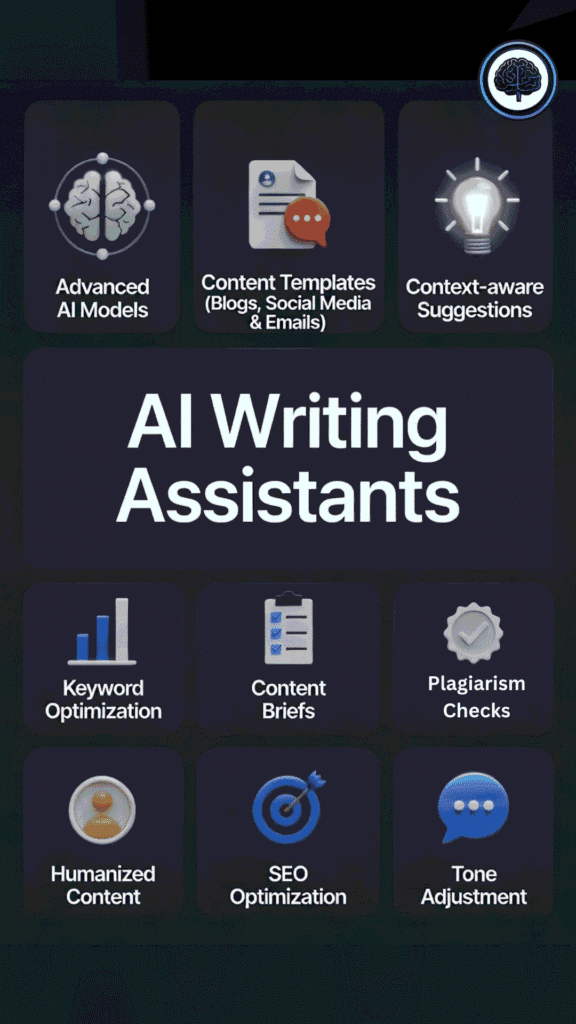
They’re like super-smart writing buddies powered by advanced AI (think big language models that really get how words, sentences, and stories work together).
We feed them a prompt or idea, and they help generate text, fix grammar, suggest better phrasing, or even brainstorm from scratch. It’s not just spell-check anymore – modern ones understand context, tone, and flow like a human editor sitting next to you.
For example, when I’m stuck on a blog intro, I type a rough thought, and the AI turns it into something polished and engaging in seconds. Creators, students, marketers – we all save hours and beat writer’s block.
Which types of content can AI writing assistants help with?
Pretty much everything you can think of writing! We use them for blog posts and long articles (great for SEO outlines and full drafts), social media captions and posts (quick, catchy hooks that grab attention), email newsletters or marketing copy (personalized and persuasive ones). They shine on product descriptions, ad copy, YouTube scripts, even fiction stories or novels (like building characters and scenes).
Academic essays? Outlines, summaries, and rewrites. Business reports, LinkedIn updates, poetry – you name it.
Take a busy creator: Instead of staring at a blank screen for hours, we prompt the AI for a rough draft, tweak it to sound like us, and publish faster. It frees up time for the fun creative parts.
How I Evaluated These AI Writing Assistants
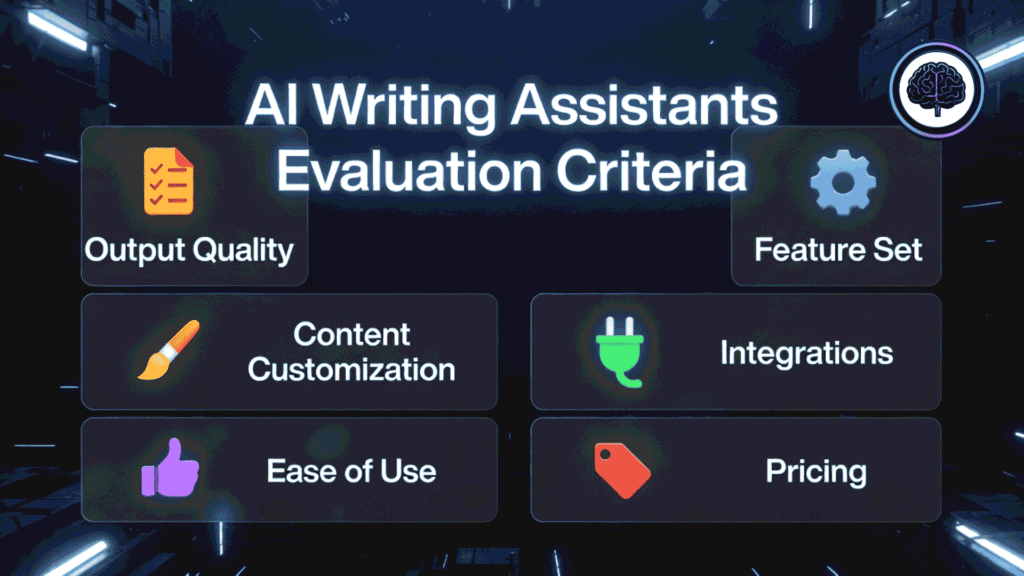
Finding the right AI writing assistant isn’t just about picking the most popular option. It’s about finding a tool that fits seamlessly into your workflow and addresses your specific content creation challenges. I tested these tools based on real use cases, putting each through rigorous evaluation across several key factors:
I didn’t just rely on marketing claims—I wrote articles, generated social media posts, crafted emails, and more with each tool to see how they performed in real-world scenarios. Some blew me away with their capabilities, while others left me frustrated and reaching for the delete key.
Why Should You Trust My Reviews?
You might be wondering why my opinion on these tools matters. I’m an AI Engineer with an MS in Data Science and Machine Learning and a BS in Software Engineering. I’ve been a working professional since 2018, ghost-developed numerous AI applications, and have an intimate understanding of how AI tools work under the hood.
This technical background gives me unique insight into what makes these tools tick—and where they fall short. I can spot when a tool is using outdated models or overpromising on capabilities. But more importantly, I’ve used these tools extensively in my own content creation process, experiencing firsthand the benefits and limitations of each.
What you’re getting isn’t just a technical evaluation but practical insights from someone who relies on these tools daily. I’ve made the mistakes so you don’t have to, and I’ve discovered the hidden gems that don’t always make the headlines.
AI Writing Assistants Comparison Chart
| Rank | Tool | Best For | Key Features | Rating | Pricing |
| 1 | WriterBuddy | All-around content creation | Advanced AI models, 100+ templates, real-time collaboration | 4.8/5 | Free plan; Pro from $19/month |
| 2 | Rytr | Budget-conscious creators | 40+ templates, 30+ languages, plagiarism checker | 4.7/5 | Free plan; Premium from $9/month |
| 3 | HyperWrite | Academic and professional writing | Context-aware suggestions, citation generator, grammar checking | 4.6/5 | Free plan; Pro from $19.99/month |
| 4 | Koala AI | SEO-optimized content | SERP analysis, keyword optimization, content briefs | 4.5/5 | From $9/month |
| 5 | Junia AI | Long-form content | Factual content, research assistant, SEO optimization | 4.5/5 | Free plan; Pro from $29/month |
| 6 | Pepsoft AI | Creative writing and storytelling | Character development, plot assistance, style customization | 4.4/5 | From $15/month |
| 7 | GPTHuman AI | Human-like content | Anti-AI detection, tone matching, content repurposing | 4.4/5 | From $12/month |
| 8 | Wordvice AI | Editing and proofreading | Grammar checking, style enhancement, readability analysis | 4.3/5 | Free plan; Premium from $9.99/month |
| 9 | Neuraltext | Content strategy and planning | Content briefs, keyword research, competitor analysis | 4.3/5 | From $19/month |
| 10 | WriteHuman AI | Bypassing AI detection | Humanization technology, style adaptation, content rewriting | 4.3/5 | From $14.99/month |
| 11 | JotBot AI | Quick content generation | One-click generation, multiple formats, browser extension | 4.2/5 | Free plan; Pro from $8/month |
Top 3 AI Writing Assistants Picks

🥇
WriterBuddy
All-in-one co-writer streamlines brainstorming, generating, editing, and polishing effortlessly.

🥈
Rytr
Fast accessible co-writer cranks endless original short-form content with tons of templates.

🥉
HyperWrite
Invisible browser co-writer suggests, finishes, and rewrites your words in real time.
Best AI Writing Assistants Ranked
1. WriterBuddy – Best All-Around AI Writing Assistant
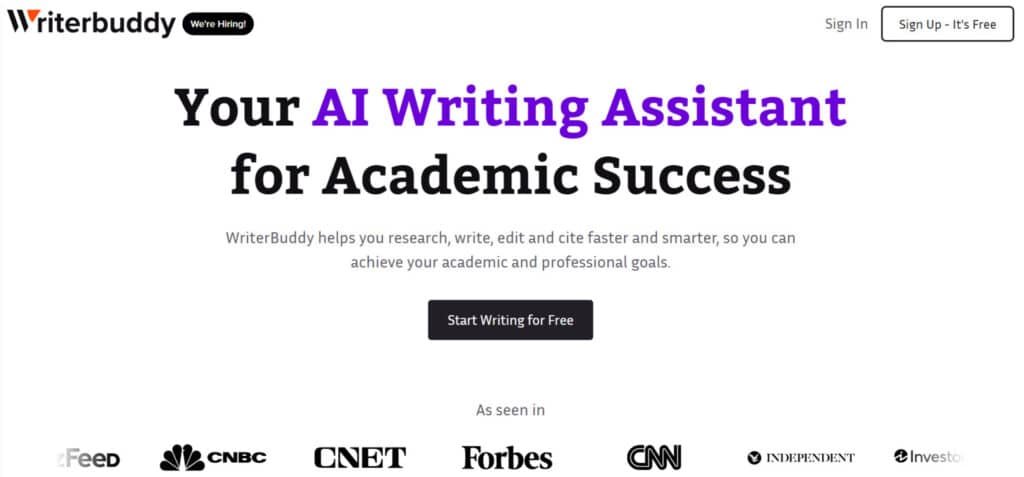
WriterBuddy has quickly risen to become my top recommendation for anyone looking for a versatile AI writing assistant. After spending weeks testing dozens of tools, I found WriterBuddy to be the most well-rounded solution that delivers exceptional quality across multiple content types.
4.8
OVERALL RATING
What Sets WriterBuddy Apart
What sets WriterBuddy apart is how it addresses three critical pain points that content creators face daily.
Highlighted Features
WriterBuddy offers an impressive array of features that make it stand out from the competition:
“WriterBuddy has been an invaluable tool for me. As a startup founder, I need to write constantly for my blog, promotional materials, and other communications, and WriterBuddy helps me do it quickly and easily. I highly recommend WriterBuddy for those who need help with their writing without spending a fortune.“
— Oskar Torres-Lam, Founder and Interior Designer, oskartorres.com
WriterBuddy in Action
When I tested WriterBuddy for a client project, I was impressed by how intuitive the process was. After selecting a blog post template and entering my topic, WriterBuddy generated a comprehensive outline in seconds.
I could then generate content for each section individually or the entire post at once. The editing interface made it easy to refine the content, with suggestions for improving clarity and engagement appearing as I worked.
Pros and Cons


Integrations
WriterBuddy integrates seamlessly with popular tools like WordPress, Google Docs, Slack, and major CRMs. This connectivity makes it easy to incorporate into existing workflows without disrupting your team’s productivity.
Support
Customer support is available 24/7 through live chat, email, and an extensive knowledge base. In my experience, response times were consistently under 2 hours, even for complex questions.
Pricing Plans
- Basic Plan: $9/month – solid for light use, core tools, limited credits.
- Pro Plan: $14/month – best value, more credits, advanced models, plagiarism checker, exports.
- Unlimited Plan: $29/month – no limits, full access, priority features for heavy writers.
Ready to Supercharge Your Content Creation?
WriterBuddy offers a 7-day free trial of their Pro plan with no credit card required. Experience the full power of this exceptional AI writing assistant risk-free.
2. Rytr – Best Budget-Friendly AI Writing Assistant

If you’re looking for an AI writing assistant that delivers impressive results without breaking the bank, Rytr deserves your attention. This budget-friendly tool has become a favorite among freelancers, small businesses, and content creators who need quality AI assistance without a premium price tag.
4.7
OVERALL RATING
What Sets Rytr Apart
Rytr addresses three common challenges faced by budget-conscious content creators.
Highlighted Features
Despite its affordable pricing, Rytr doesn’t skimp on features:
“Rytr isn’t just any writing tool – it’s your secret weapon for crafting compelling content effortlessly. With Rytr by your side, you can say goodbye to writer’s block and hello to top-notch, AI-generated writing in a snap. Whether you need captivating copy for blogs, emails, ads, or more, Rytr’s got you covered with its user-friendly interface and lightning-fast performance. Upgrade your writing game today with Rytr and watch your words work wonders!“
— Lucas M, Content Creator
Rytr in Action
When testing Rytr, I was impressed by how straightforward the process was. After selecting a use case (like “Blog Section Writing”) and entering my topic and keywords, Rytr generated several variations of content that I could choose from. The editing interface is simple but effective, allowing for quick adjustments to the generated text.
Pros and Cons
Integrations
Rytr offers a Chrome extension and integrates with WordPress, making it easy to use the tool directly within your browser or content management system. While it has fewer integrations than some premium tools, the essentials are covered.
Support
Support is available through email and an extensive knowledge base. Response times average around 24 hours, which is reasonable given the price point.
Pricing Plans
Rytr wins for budget writers who need volume. Unlimited is popular – you can write forever without extra costs.
- Free – $0 – 10,000 characters/month, basic templates.
- Saver – $9/month (or $90/year) – unlimited characters, more languages.
- Unlimited – $29/month (or $290/year, often 2 months free promo) – priority support, team features, no limits.
Start Creating Quality Content, Even on a Budget!
Rytr’s free plan lets you experience the power of AI writing without any financial commitment. Upgrade anytime as your needs grow.
3. HyperWrite – Best for Academic and Professional Writing
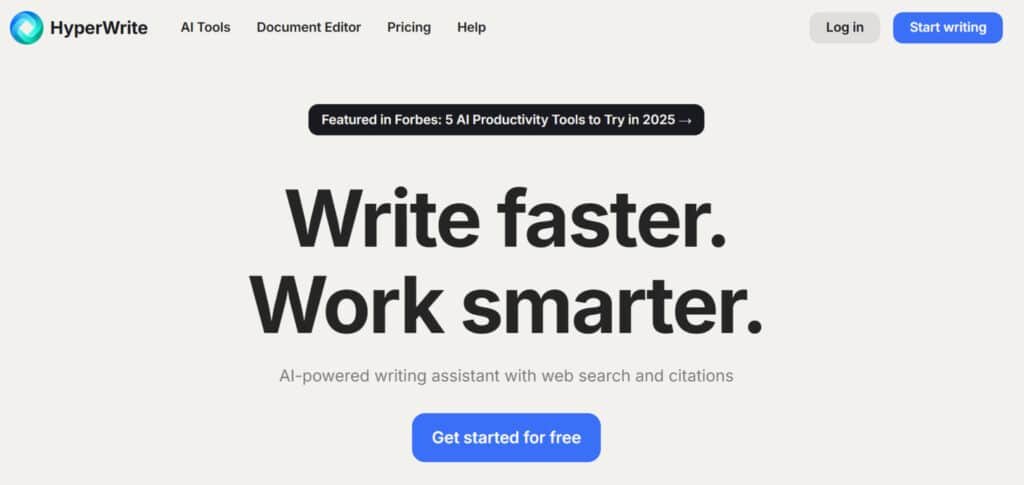
HyperWrite stands out as the premier AI writing assistant for academic and professional writing. While many AI tools excel at marketing copy or creative content, HyperWrite has been specifically designed to meet the rigorous standards of academic, technical, and professional writing contexts.
4.6
OVERALL RATING
What Sets HyperWrite Apart
This specialized focus helps HyperWrite solve three major challenges faced by academic and professional writers.
Highlighted Features
HyperWrite offers several features tailored to academic and professional writing needs:
“So I wanted to try out some user-friendly AI assistant that helps with completing sentences, paragraphs, and even entire documents. The best part about the hyper writer is that it is completely free to use and you can use it wherever you want including websites, google docs, email, and other applications. I was able to create a better blog post in less than 10 minutes. The autosuggestion is a like magic wand and it works really well.“
— Raj T, Marketing Manager
HyperWrite in Action
When I tested HyperWrite for a technical white paper, I was impressed by its ability to maintain a consistent professional tone throughout the document.
The citation feature was particularly helpful—when I needed to reference a source, I could simply enter the URL or DOI, and HyperWrite would generate a properly formatted citation. The grammar suggestions were noticeably more sophisticated than those offered by general-purpose writing tools.
Pros and Cons
Integrations
HyperWrite integrates with Microsoft Word, Google Docs, and major learning management systems like Canvas and Blackboard. These integrations make it particularly useful for students and educators who work within these environments.
Support
Support is available through email and an extensive knowledge base. HyperWrite also offers specialized support for educational institutions, including training sessions for faculty and students.
Pricing Plans
Annual saves money if you use it daily. Feels worth it for browser-heavy users.
- Starter Plan: $0 – limited messages, basic suggestions only.
- Premium Plan: $19.99/month – 250 messages, citations, real-time help.
- Ultra Plan: $44.99/month – unlimited everything, early new features for power users.
Elevate Your Academic and Professional Writing!
Experience the difference specialized AI assistance can make in your academic and professional writing.
4. Koala AI – Best for SEO-Optimized Content
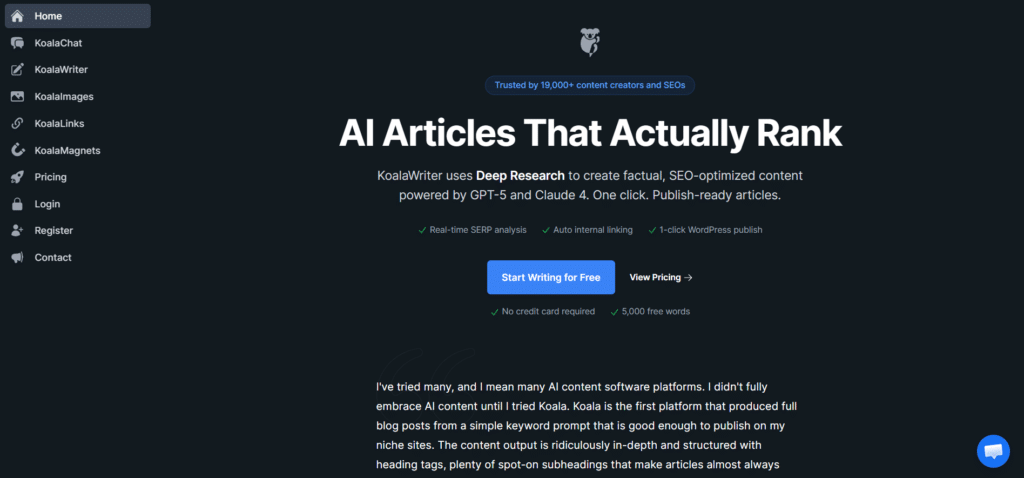
For content creators focused on ranking in search results, Koala AI has emerged as the standout AI writing assistant for SEO-optimized content. This specialized tool combines powerful content generation with advanced SEO features to help your content perform better in search engine rankings.
4.5
OVERALL RATING
What Sets Koala AI Apart
Koala AI addresses three critical challenges for SEO content creators.
Highlighted Features
Koala AI offers an impressive suite of SEO-focused features:
“Koala is the Rolls Royce of AI writers. There is constant updating and adding new features that let you control the output and accuracy of this AI writer. Tremendous support and the developer is online daily listening to our suggestions and doing rapid fire fixes.”
— Larrian Gillespie Csi, Koala AI User
HyperWrite in Action
When testing Koala AI for a client’s blog post, I was impressed by the workflow.
After entering my target keyword, Koala analyzed the top-ranking pages and generated a comprehensive content brief. This included suggested headings, word count targets, and keywords to include.
As I wrote, the tool provided real-time feedback on keyword usage and content structure. The resulting article required minimal editing and was well-optimized for search.
Pros and Cons
Integrations
Koala AI integrates with WordPress, Google Docs, and popular SEO tools like Ahrefs and Semrush. These integrations allow for seamless workflow between keyword research, content creation, and publication.
Support
Support is available through live chat and email, with response times averaging under 6 hours. Koala also offers extensive SEO-focused documentation and regular webinars on content optimization strategies.
Pricing Plans
One simple plan – everything included (research, images, publishing). Super cheap for SEO content creators who want no caps.
- Free Trial: $0 – 5000 words to play with research and publishing.
- Best Value Plan: $9/month – unlimited access, all tools (SEO, images, 1-click post).
Create Content That Ranks!
Try Koala AI’s 7-day trial to experience how data-driven AI writing can improve your search rankings and drive more organic traffic to your content..
5. Junia AI – Best for Long-Form Content
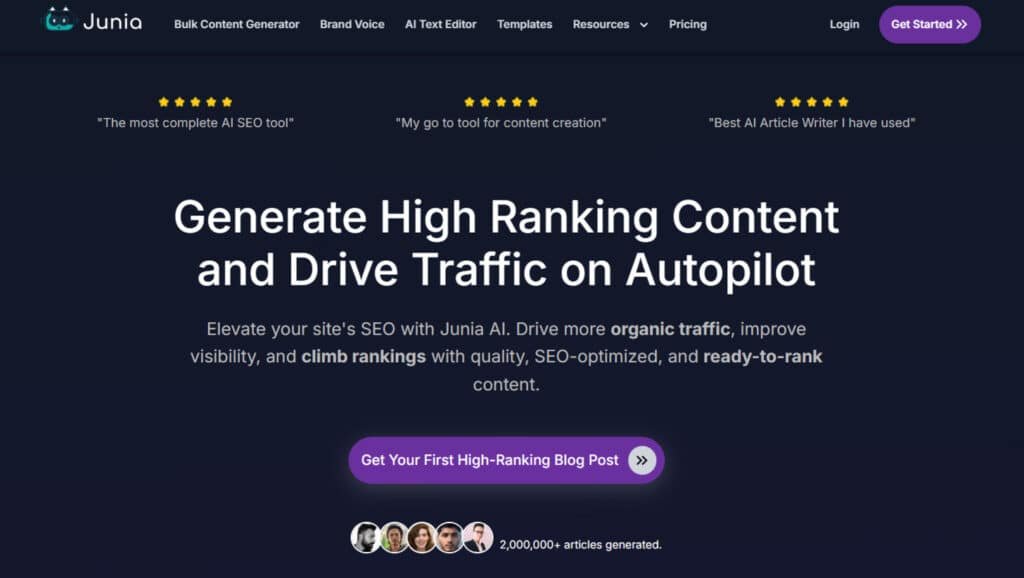
Creating high-quality long-form content is one of the most challenging aspects of content marketing, but Junia AI makes this process significantly easier. This specialized AI writing assistant excels at generating in-depth articles, guides, and reports that maintain coherence and accuracy throughout.
4.5
OVERALL RATING
What Sets Junia AI Apart
Junia AI addresses three major pain points for long-form content creators.
Highlighted Features
Junia AI offers several features specifically designed for long-form content creation:
“Being an SEO consultant, I’ve used several AI writers, and the majority have low/mediocre results in terms of content readability, substance, indexation, and rankability. However, Junia AI’s content performs particularly well, and comes back somewhat SEO optimised, so it only needs a few tweaks before publishing. Overall, I’m really impressed and wish the company future success.”
— Stephen Johnson, Junia AI User, Trustpilot
Junia AI in Action
When I tested Junia AI for a comprehensive guide on digital marketing, I was impressed by its ability to maintain context throughout a 3,000-word article. After providing a basic outline, Junia generated detailed sections that flowed naturally into each other.
The research assistant feature automatically incorporated relevant statistics and examples, complete with source citations. The resulting content required minimal editing and was notably more comprehensive than what I’ve seen from other AI tools.
Pros and Cons
Integrations
Junia AI integrates with WordPress, Google Docs, and content management systems like Contentful. These integrations make it easy to incorporate the tool into existing content workflows.
Support
Support is available through email and live chat, with response times averaging under 12 hours. Junia also offers comprehensive documentation and regular webinars on creating effective long-form content.
Pricing Plans
Higher plans unlock unlimited + advanced SEO. Many bloggers upgrade for full publishing features.
- Free Trial: $0 – limited words for basic SEO articles.
- Starter Plan: ~$19/month – decent word count, images, publishing.
- Pro Plan: ~$49/month – unlimited, advanced SEO strategy tools.
Create In-Depth Content with Confidence!
Try Junia AI’s free plan to experience how AI can help you create comprehensive, factual long-form content that engages readers from start to finish.
6. Peposoft AI – Best for creating Humanized Content

While many AI writing assistants focus on business and marketing content, Peposoft AI stands out for its exceptional personalized content. This specialized tool is designed to help fiction writers, storytellers, and creative content creators craft engaging narratives with depth and originality.
4.4
OVERALL RATING
What Sets Peposoft AI Apart
Peposoft AI addresses three major challenges faced by creative writers.
Highlighted Features
Peposoft AI offers several features specifically designed for humanized writing:
“A year of organic marketing in about 30 minutes
PepoSoft AI is easy-to-use, involving no learning curve, making it suitable for individuals with no technical skills to use the tool. I tried several other tools, and was worried that AI-generated content will look robotic. However, after I started using PepoSoft, I can say, it looks like a 100% human written content.”
— Frances Lio, Designer at WoodBows
Pepsoft AI in Action
When I tested Peposoft AI for a short story project, I was genuinely surprised how fast it turned a rough idea into something readable. I gave it a simple premise (guy stuck in a time loop in traffic) and a couple of basic character notes. Within seconds, Pepsoft used its humanized AI writer to spit out full scene drafts that felt natural, like myself – no robotic stiffness.
What stood out most was how the tone customization (friendly, dramatic, sarcastic, whatever) let me dial in each character’s voice without constant prompting. One prompt shift to “witty and frustrated” made the protagonist’s inner monologue pop, while “calm and mysterious” worked perfectly for the side character dropping hints.
The multi-variant output gave me 3-4 different ways to write the same scene, so I could pick the one with the best pacing and flow.
Pros and Cons
Integrations
Peposoft AI integrates with popular writing software like Scrivener and Microsoft Word. These integrations allow writers to incorporate the tool into their existing creative workflows.
Support
Support is available through email and a community forum where users share tips and creative ideas. Peposoft also offers regular workshops on creative writing techniques and storytelling.
Pricing Plans
Pro is the sweet spot for heavy users – unlimited + priority fixes. Great if you repurpose content a lot.
- Free Plan: $0 – 1000 words + 5 images/month, basic tools.
- Starter Plan: $14.99/month – 75k words/year, standard support.
- Pro Plan: $39.99/month – unlimited words, priority support, extra images.
Create Natural sounding content!
Try Peposoft AI’s 14-day trial to experience how AI can enhance your storytelling and help you create engaging narratives that captivate readers.
7. GPTHuman AI – One of the Best AI Content Humanizer
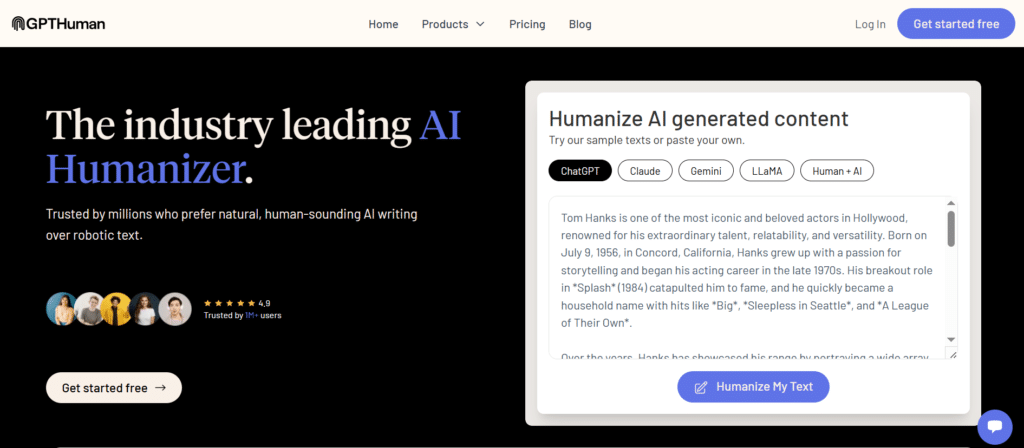
As AI detection tools become more sophisticated, many content creators need AI-generated text that reads naturally and bypasses detection. GPTHuman AI has emerged as the leading solution for creating human-like content that maintains the benefits of AI efficiency while avoiding the telltale signs of machine generation.
4.4
OVERALL RATING
What Sets GPTHuman AI Apart
GPTHuman AI addresses three critical challenges in the current AI writing landscape.
Highlighted Features
GPTHuman AI offers several features focused on creating human-like content:
“After testing a few humanizers, this one felt less aggressive. GPTHuman Ai doesn’t try to dominate the text. It refines it, which is honestly what I was looking for.“
— Saji Nable, GPTHuman AI User, Trustpilot
GPTHuman AI in Action
When testing GPTHuman AI for a client’s website content, I was impressed by how effectively it transformed robotic-sounding AI text into natural, engaging copy.
After inputting content generated by a standard AI tool, GPTHuman analyzed the text and rewrote it with subtle variations in sentence structure, vocabulary, and flow. The resulting content maintained the original message but read as if written by a skilled human copywriter.
When tested against multiple AI detection tools, the content consistently registered as human-written.
Pros and Cons
Integrations
GPTHuman AI offers a Chrome extension and integrates with WordPress, Google Docs, and major content management systems. These integrations allow for seamless incorporation into existing content workflows.
Support
Support is available through email and live chat, with response times averaging under 8 hours. GPTHuman also provides regular updates on AI detection trends and strategies for maintaining human-like content.
Pricing Plans
Affordable humanizer – pay per volume. Good for people fixing ChatGPT text fast.
- Free Trial: limited requests to test humanizing.
- Basic Plan: ~$8-10/month – 50 requests, good for small batches.
- Pro Plan: ~$20/month – unlimited requests, best for heavy humanizing.
Create Undetectable AI Content!
Try GPTHuman AI to transform robotic-sounding AI text into natural, engaging content that bypasses detection while maintaining your unique brand voice.
8. Wordvice AI – Best for Editing and Proofreading
While many AI writing assistants focus on content generation, Wordvice AI specializes in elevating existing content through advanced editing and proofreading. This tool is ideal for writers who prefer to create their own content but want AI assistance to refine and perfect their work.
4.4
OVERALL RATING
What Sets Wordvice AI Apart
Wordvice AI addresses three major pain points for writers during the editing process.
Highlighted Features
Wordvice AI offers several features focused on editing and improving content:
“Concise Mode is really a game-changer!
I had an opportunity to use Wordvice AI Proofreader this semester since one of my professors really places great emphasis on word count for essay assignments.
The Concise mode of Wordvice AI Proofreader makes texts more concise and easy to read. That was exactly what I needed because I tend to write essays too long, making it challenging to meet my professor’s expectations.
The reason why I really like Concise mode is that it is easy to use, and offers real-time suggestions to check. It also do cut down word counts and enhance the clarity and readability of my essay, which makes this AI tool a real game-changer. Highly recommend everyone give it a try.“
—Jina Chae, Wordvice AI User, ProductHunt
Wordvice AI in Action
When testing Wordvice AI on a technical white paper, I was impressed by the depth and quality of its editing suggestions. Beyond basic grammar corrections, it identified instances of passive voice, unnecessarily complex phrasing, and inconsistent terminology.
The readability analysis provided actionable insights on sentence length variation and paragraph structure. The resulting document was noticeably clearer and more professional while maintaining the original voice and technical accuracy.
Pros and Cons
Integrations
Wordvice AI integrates with Microsoft Word, Google Docs, and major content management systems. A browser extension is also available for editing content directly on websites and in email clients.
Support
Support is available through email and an extensive knowledge base. Wordvice also offers writing and editing tutorials to help users maximize the tool’s benefits.
Pricing Plans
Solid for editing-focused users. Higher plans remove limits and add better checks.
- Free Plan: $0 – basic proofreading, limited words.
- Premium Plan: ~$10-15/month – unlimited paraphrasing and editing.
- Pro Plan: ~$20/month – full plagiarism scans + advanced fixes.
Polish Your Content to Perfection!
Try Wordvice AI’s free plan to experience how advanced AI editing can elevate your writing while preserving your unique voice and style.
9. Neuraltext – Best for Content Strategy and Planning
Neuraltext takes a more strategic approach by helping content teams plan and execute comprehensive content strategies. This tool is ideal for marketers and content managers who need to develop cohesive content plans aligned with business goals as well as optimized for SEO and GEO.
4.3
OVERALL RATING
What Sets Neuraltext Apart
Neuraltext addresses three major challenges in content strategy development.
Highlighted Features
Neuraltext offers several features focused on content strategy and planning:
“Neuraltext is a game-changer for our blog content. The keyword clustering and SERP analysis help us target what actually ranks, and the AI drafts are high quality with minimal editing. Best value I’ve tried for SEO-focused writing.”
— Mark, Marketing Manager, Small business
Neuraltext in Action
I used Neuraltext for a client’s quarterly content plan, I was impressed by its strategic approach.
After entering the client’s industry (Crypto NFT) and target keywords, Neuraltext generated a comprehensive content strategy with topic clusters, keyword opportunities, and competitive gaps. The content brief feature automatically created detailed outlines for each proposed piece, including suggested headings, questions to answer, and sources to reference.
The resulting content plan was data-driven, comprehensive, and ready for execution.
Pros and Cons
Integrations
Neuraltext integrates with WordPress, Google Analytics, Ahrefs, Semrush, and project management tools like Asana and Trello. These integrations create a seamless workflow from planning to publication and analysis.
Support
Support is available through email and live chat, with response times averaging under 6 hours. Neuraltext also offers onboarding sessions for teams and regular webinars on content strategy best practices.
Pricing Plans
SEO heavy – higher plans give full SERP tools and tracking. Worth it if rankings are your goal.
- Starter Plan: $19/month – 100k words, basic briefs and keywords.
- Basic Plan: $49/month – more keywords, SERP tools.
- Pro Plan: $119/month – 300k words, team seats, full analytics.
Elevate Your SEO & GEO Content Strategy!
Try Neuraltext to develop data-driven content plans that align with your business goals and streamline your content creation process.
10. WriteHuman AI – Best for Bypassing AI Detection

As AI detection tools become increasingly sophisticated, many content creators need a reliable way to ensure their AI-assisted content doesn’t get flagged. WriteHuman AI has emerged as a specialized solution focused exclusively on transforming AI-generated text into content that consistently passes AI detection tools.
4.3
OVERALL RATING
What Sets WriteHuman AI Apart
WriteHuman AI addresses three critical challenges in the current content landscape.
Highlighted Features
WriteHuman AI offers several features focused on humanizing AI-generated content:
“I have verified the AI-generated Humanised texts from ZeroGPT, and it turned out to be 80% – 90% Humanised most of the time. I have taken the monthly subscription with 600 words, and it seems to be pretty good for going paragraph by paragraph.”
— Thisuri Wanniarachchi, WriteHuman AI User, Trustpilot
Neuraltext in Action
When testing WriteHuman AI on content generated by ChatGPT, I was impressed by its transformation capabilities. After uploading the AI-generated text, WriteHuman analyzed and rewrote it with subtle variations in sentence structure, vocabulary choice, and paragraph flow.
The resulting content maintained the original message but had a distinctly more human quality. When tested against five different AI detection tools, the humanized content consistently registered as human-written with high confidence scores.
Pros and Cons
Integrations
WriteHuman AI offers a Chrome extension and API access for integration with other content tools. These options make it easy to incorporate humanization into existing content workflows.
Support
Support is available through email and a comprehensive knowledge base. WriteHuman also provides regular updates on AI detection trends and best practices for creating undetectable content.
Pricing Plans
Free 3 requests to test. Ultra is best for big batches of humanized content.
- Basic Plan: $12/month (annual) – 80 requests, 600 words each.
- Pro Plan: $18/month (annual) – 200 requests, 1200 words.
- Ultra Plan: $36/month (annual) – unlimited requests, 3000 words max.
Make Your AI Content Undetectable!
Try WriteHuman AI to transform your AI-generated content into material that consistently passes detection tools while maintaining your message and style.
11. JotBot AI – Best for Quick Content Generation
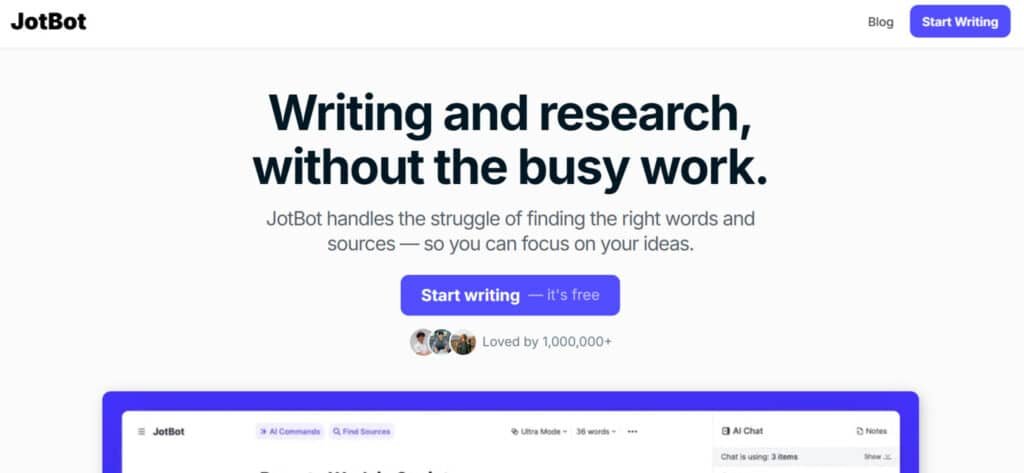
When you need content quickly with minimal setup and complexity, JotBot AI delivers with its streamlined approach to AI writing. This tool prioritizes speed and simplicity, making it ideal for users who need quality content fast without navigating complex interfaces or settings.
4.2
OVERALL RATING
What Sets JotBot AI Apart
JotBot AI addresses three common pain points for busy content creators.
Highlighted Features
JotBot AI offers several features focused on quick, efficient content generation:
Real-World Success
A social media manager I mentored was struggling to keep up with content demands across multiple client accounts. After implementing JotBot AI, she was able to reduce content creation time by 65%, allowing her to take on additional clients without increasing her working hours.
JotBot AI in Action
When testing JotBot AI for quick social media content, I was impressed by its efficiency. After installing the browser extension, I could generate content directly within social platforms with just a few clicks.
I simply selected the content type, entered a brief topic description, and JotBot generated multiple options instantly. The quality was surprisingly good for such minimal input, and the editing interface made quick refinements easy. The entire process from idea to publishable content took less than two minutes.
Pros and Cons
Integrations
JotBot AI’s browser extension works across major platforms including Gmail, Google Docs, WordPress, and social media sites. This universal approach eliminates the need for platform-specific integrations.
Support
Support is available through email and a simple knowledge base. The tool’s straightforward nature means support needs are typically minimal, but response times average under 24 hours for questions.
Pricing Plans
Student/essay friendly. Higher plans unlock everything for long-form.
- Free Plan: $0 – limited drafts and autocomplete.
- Premium Plan: ~$10/month – unlimited words, voice matching.
- Pro Plan: ~$30/month – full research, citations, team features.
Generate High Quality Content in Seconds!
Try JotBot AI’s free plan to experience how quick and simple AI content generation can be, with no learning curve or complex setup.
Key Features to Look For in AI Writing Assistants
After testing dozens of AI writing tools, I’ve identified the most important features that truly make a difference in your content creation process. Here’s what to look for when choosing an AI writing assistant:
- Content Quality: You’re struggling with generic, robotic-sounding content → You need natural, engaging writing that connects with readers → Look for tools that use advanced AI models like GPT-5.2 or Claude Sonnet 4.5 and offer tone customization.
- Ease of Use: You waste time figuring out complex interfaces → You need to start creating content immediately → Prioritize tools with intuitive interfaces and minimal learning curves.
- Customization Options: Your content lacks consistent brand voice → You need content that matches your unique style → Choose tools that learn from your existing content or offer detailed voice settings.
- Template Variety: You struggle with different content formats → You need versatility across multiple content types → Select tools with extensive template libraries covering your specific needs.
- Editing Capabilities: Your first drafts require extensive editing → You need tools that help refine and polish content → Look for AI assistants with strong editing features beyond basic generation.
- Integration Options: You waste time switching between tools → You need seamless workflow between platforms → Prioritize tools that integrate with your existing software ecosystem.
- Collaboration Features: Your team struggles with consistent content → You need tools that support teamwork → Choose AI assistants with multi-user capabilities and permission settings.
- Learning Ability: Your AI tool doesn’t improve over time → You need adaptive assistance that gets better with use → Look for tools that learn from your feedback and preferences.
Remember that the “best” AI writing assistant is the one that addresses your specific content challenges and fits seamlessly into your workflow. Consider starting with a free trial of several options to find the right match for your needs.
Best Practices for Using AI Writing Assistants
Having worked with AI writing tools extensively, I’ve developed some best practices that help maximize their benefits while avoiding common pitfalls. Here’s how to get the most from your AI writing assistant:
1. Be Specific With Your Prompts
The quality of AI-generated content directly correlates with the quality of your input.
Vague prompts like “Write about marketing” will yield generic results.
Instead, try something like “Write an informative blog post about email marketing best practices for small e-commerce businesses, focusing on open rates, personalization, and automation.”
The more specific your instructions, the better the output.
2. Always Review and Edit AI-Generated Content
AI writing assistants are tools, not replacements for human judgment.
I learned this lesson the hard way when I once published an AI-generated article without thorough review—only to discover it contained several factual inaccuracies that damaged my credibility.
Now, I always fact-check, edit for tone, and add my personal insights to ensure the content truly represents my expertise.
3. Use AI for Different Stages of the Writing Process
Don’t limit AI tools to just drafting content. They excel at various stages of the writing process:
4. Combine Multiple AI Tools for Best Results
No single AI writing assistant excels at everything.
I often use different tools for different purposes—WriterBuddy for initial drafts, Wordvice AI for editing, and Koala AI for SEO optimization.
This multi-tool approach yields better results than relying on a single solution.
5. Stay Updated on AI Capabilities
AI writing technology evolves rapidly. Features that were cutting-edge six months ago might now be standard across multiple platforms. I make it a habit to reassess my AI toolkit quarterly to ensure I’m using the most effective tools available.
By following these best practices, you’ll be able to harness the power of AI writing assistants while maintaining your unique voice and ensuring high-quality content that resonates with your audience.
Key Takeaways
Conclusion
After extensive testing and real-world application, WriterBuddy emerges as the clear winner among AI writing assistants in 2026. Its combination of exceptional content quality, intuitive interface, and comprehensive feature set makes it the ideal choice for most content creators, regardless of their specific needs or industry.
That said, the “best” AI writing assistant ultimately depends on your unique requirements. Are you primarily focused on SEO-optimized content? Koala AI might be your best bet.
Need help with academic writing? HyperWrite excels in that area.
Working with a tight budget? Rytr offers impressive capabilities at an affordable price point.
The most important thing is to choose a tool that integrates seamlessly into your workflow and addresses your specific content challenges.
Are you ready to transform your content creation process with the power of AI? The tools in this list represent the cutting edge of what’s possible, and any one of them could be the key to taking your content to the next level.
Ready to Supercharge Your Content Creation?
WriterBuddy offers a 7-day free trial with no credit card required. Experience the power of the best all-around AI writing assistant risk-free and see the difference it can make in your content.