Ever feel like you’re drowning in coursework? Research papers, assignments, and deadlines pile up faster than you can manage. The pressure to perform well while balancing everything else can be overwhelming for any student.
That constant search for reliable help is exhausting. You waste hours sifting through information, second-guessing your sources, and wondering if there’s a better way. The traditional study methods just don’t cut it when you’re facing modern academic demands.
This is where intelligent support systems come in. I’ve spent weeks testing this platform from Triangle Labs, Inc. – available as both a mobile app and website. It’s designed specifically to tackle the challenges students face daily.
In this Atlas School AI Assistant Review, I’ll show you whether this solution delivers real value or just adds to the noise. You’ll get my hands-on experience with pricing, features, and practical benefits. Let’s dive into what makes this tool stand out.
Key Takeaways: Atlas School AI Assistant Review
- Comprehensive evaluation of a popular academic support platform
- Real-world testing results from hands-on experience
- Analysis of mobile and web platform functionality
- Pricing structure and value assessment
- Comparison against traditional study methods
- Practical benefits for modern academic challenges
- Honest recommendations based on actual usage
Atlas School AI Assistant Review: An Overview
Raamish’s Take
Atlas is a transformative AI tool designed to elevate academic performance with precision and efficiency. Its step-by-step problem solving stands out, delivering accurate answers to complex questions, such as thread interference scenarios, with clear explanations.
I’m particularly impressed by the A+ essay generation, which crafts well-structured, insightful essays tailored to course requirements, ideal for tackling topics like social panopticons.
The automatic lecture note recording simplifies studying by extracting key points from lectures, such as those on civic engagement, while flashcard generation enhances retention for subjects like biology.
Additionally, practice quiz creation reinforces learning through targeted questions, and the file-based note generation pulls critical details from course materials, ensuring comprehensive midterm prep.
Atlas combines intuitive tools with academic rigor, making it a vital asset for students aiming to reduce stress and achieve top grades effortlessly.
Introduction to Atlas School AI Assistant Review
The market for AI-powered study aids has become incredibly crowded, almost noisy, in the last couple of years. You’ve probably seen dozens of new tools pop up, each claiming to revolutionize education. I’ve noticed that many are just simple chatbots with a fresh coat of paint.
How it fits in the current AI landscape
This platform enters the scene with a clear, practical promise. It turns your uploaded notes and documents into instant study guides. A key feature is seamless syncing across your phone and computer. It sounds basic, but you’d be surprised how many rivals struggle with this.
It was built by Triangle Labs, Inc. to tackle a specific frustration. The goal was to provide students with accurate, citation-backed assistance. This is a direct response to the unreliable answers from generic AI chatbots.
Background on the company and its purpose
Unlike all-purpose AI tools, this tool focuses purely on academic support. Think of it as a specialist designed for learning environments. The company hasn’t announced big-name school partnerships yet.
However, user feedback shows it’s gaining popularity with college students who need dependable assistance. It positions itself as a stronger option compared to apps like Gauth and Quizard. The core purpose is simple: let the AI handle the boring organization work so you can focus on understanding the material.
What is Atlas School AI Assistant?
The core concept is surprisingly simple: you feed it your learning content, and it gives you back structured study aids. It’s designed to handle the heavy lifting of organizing your materials.
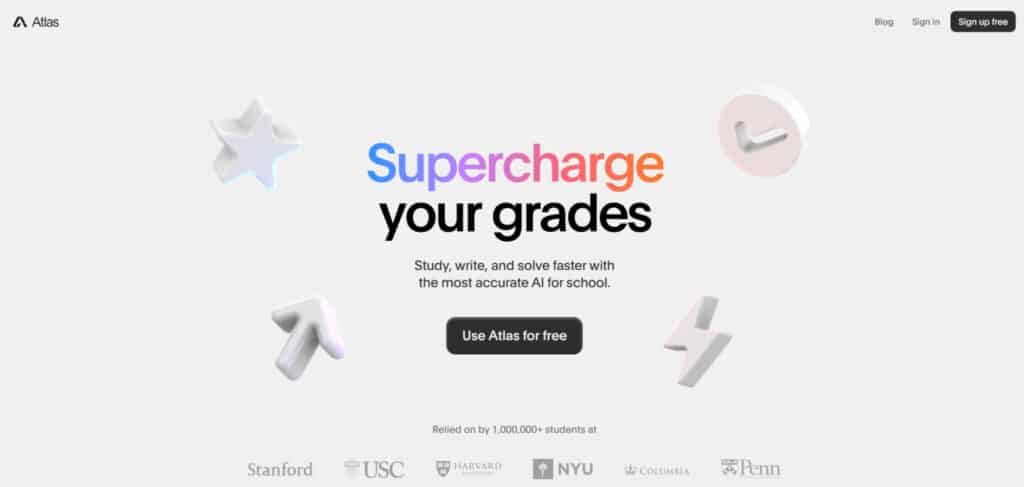
Inner workings of the tool
Under the hood, the system analyzes your uploaded data. It doesn’t just copy text. The AI extracts key information and intelligently repackages it.
I found the multi-upload feature a game-changer. You can work with several documents at once. This is vital for complex topics that span multiple sources.
The chat function lets you ask questions directly about your uploads. You get insights with citations, which builds trust in the assistance provided.
| What You Upload | What It Creates | Key Benefit |
|---|---|---|
| PDFs, PowerPoints | Concise Notes & Study Guides | Saves hours of manual summarization |
| Videos, Audio | Flashcards & Quizzes | Transforms passive watching into active learning |
| Websites, Word Docs | Essays with Citations | Helps structure and support your writing |
How it benefits students and educators
For students, the main advantage is time. Instead of manually making study materials, the tool generates them in seconds from your lecture slides.
Educators can also benefit. They can quickly create assessment materials or quiz questions from their teaching resources. It offers a window into what concepts students find tricky.
Best Features of Atlas School AI Assistant
After weeks of hands-on testing, I’ve identified three core features that make this platform genuinely useful for students. The tool packs several standout capabilities that address real academic pain points. I tested each feature across different course types to see what actually works.
1. Solve
The Solve feature in Atlas provides step-by-step solutions to complex academic problems, making it an essential tool for education in subjects like math and science.
It identifies correct answers in multiple-choice questions, such as explaining how thread interference leads to unpredictable behavior, and breaks down reasoning clearly.
For homework tasks, this generates detailed pathways that save time and enhance comprehension. Students tackling a range of problems benefit from this assistance, as it focuses on understanding core concepts rather than rote memorization.
By automating solutions for intricate course materials, Solve helps users master challenging tasks efficiently, leading to better performance in tests and overall academic progress.
This feature supports targeted training in problem-solving skills, ensuring users can apply methods independently in future course assignments.
2. Write
Atlas’s Write feature excels in generating high-quality essays and structured content, streamlining writing tasks for various topics like social panopticons.
It produces coherent drafts with introductions and arguments, allowing iterative refinements after sign-in. This writing assistance proves invaluable for students needing to produce A+ papers quickly.
By handling the initial drafting process, it frees time for editing and research, improving output quality in education settings.
Users gain from tailored content that aligns with assignment requirements, making it easier to meet deadlines and elevate grades through polished submissions.
3. Record
With the Record feature, Atlas automatically transcribes lectures into organized notes, capturing key elements like natural rights from historical discussions.
This turns raw audio into bullet-point summaries, ideal for quick reviews during study sessions. It supports course preparation by extracting essential points without manual effort, reducing note-taking tasks.
Students can revisit lectures accurately, ensuring no details are missed in fast-paced classes.
This functionality aids in building comprehensive study aids from live sessions, enhancing retention and readiness for upcoming tests.
4. Memorize
The Memorize tool creates customizable flashcards from concepts, such as defining chloroplasts in photosynthesis for bite-sized learning.
It derives cards from uploaded materials, facilitating efficient reviews and retention. This feature simplifies memorization tasks across disciplines, helping users reinforce knowledge through spaced repetition.
By generating definition-based cards, it supports deeper understanding in studies, making it a go-to for exam prep.
Students benefit from portable, targeted tools that turn complex data into manageable chunks, boosting confidence in recalling information during assessments.
5. Automated Note and Study Material Generation
Automated Note and Study Material Generation transforms uploads into concise summaries and flashcards, organizing lengthy documents for effective use.
It automates the creation of study resources, saving hours on manual compilation. This streamlines preparation for course content, allowing focus on comprehension over organization.
Users receive structured outputs that highlight key insights, supporting a wide range of education needs. By producing ready-to-use materials, it minimizes tasks related to note-taking and enables faster progression through studies.
6. Practice
Practice in Atlas generates interactive quizzes from materials, offering multiple-choice questions with feedback, like identifying creative writing styles.
It creates personalized tests to pinpoint knowledge gaps, complete with detailed explanations. This customizable quiz-making targets specific areas, perfect for exam readiness across courses.
Students use it to simulate real tests, identifying weaknesses and strengthening them through repeated practice.
The feature enhances self-assessment tasks, leading to improved scores by addressing misunderstandings promptly.
7. Chat
The Chat feature enables dynamic Q&A on uploads, providing cited answers like midterm details on functions and quadratics.
It processes queries thoughtfully, taking time for accuracy over speed. This interactive assistance builds trust with source-backed responses from documents.
Users query files for instant summaries or clarifications, simplifying research tasks. It supports course navigation by pulling relevant data, making it easier to grasp lecture or textbook content without rereading everything.
8. Comprehensive Course Material Analysis
Comprehensive Course Material Analysis aggregates user-provided files, such as PDFs from Canvas, for in-depth, context-aware responses.
It draws from trusted sources to avoid errors, covering syllabi and diagrams accurately. This ensures responses align with full course contexts, aiding in holistic understanding.
Students benefit from precise insights across materials, reducing guesswork in tasks and promoting reliable education outcomes.
9. Mobile App Integration
Mobile App Integration offers full access via a free iOS app, enabling real-time recording, quizzing, and uploads on the go.
This portability supports studies anywhere, integrating seamlessly with daily routines. Users handle tasks like chatting with files during commutes, maintaining productivity.
It extends assistance to mobile users, ensuring consistent support for course demands.
10. User Interface Simplicity
User Interface Simplicity features an intuitive design for quick tool navigation, with sign-in for personalized sessions.
This ease minimizes learning curves, allowing immediate engagement with features. Students access functions without frustration, focusing on education goals.
It streamlines tasks by prioritizing usability, enhancing overall efficiency in academic workflows.
11. Accuracy and Reliability
Accuracy and Reliability deliver verified responses superior to generic AI, minimizing inaccuracies through source verification.
This builds confidence in outputs for critical tasks. Users rely on it for dependable assistance in writing, solving, and more, ensuring high-quality results in education.
12. Global Student Adoption
Global Student Adoption sees over 1,000,000 users worldwide using Atlas for grade improvement and stress reduction.
This widespread reliance highlights its effectiveness in diverse education environments. It supports international students with universal tasks, fostering better academic habits.
13. Free Core Functionality
Free Core Functionality grants unrestricted access to all tools upon download, without costs.
This democratizes advanced assistance, making premium-level help available to everyone. Users tackle course tasks freely, leveling the playing field in studies and tests.
Pricing Plans of Atlas School AI Assistant
Let’s talk dollars and cents – the pricing structure reveals a lot about who this platform is really designed for. I found the approach interesting, if not entirely transparent for individual learners.
Flexable Pricing Plans and Cost Breakdown
You can test the core features with a free version before committing financially. This is honestly the right approach given the platform is still working out some bugs.
The paid upgrade exists but uses a “Contact for Pricing” model. This typically means pricing varies or targets institutional licenses rather than individual students.
From my research, one person specifically complained about the price feeling high relative to the product’s current state. They mentioned it felt like “an unfinished product at a finished product’s price.”
| Feature Access | Free Version | Paid Upgrade |
|---|---|---|
| Upload Volume | Limited | Extended |
| Processing Speed | Standard | Priority |
| Advanced Features | Basic | Full |
| Customer Support | Email Only | Priority Response |
If you’re considering this tool, I’d recommend starting with the free version to evaluate if it fits your workflow. The support email (support@atlas.org) is your contact point for specific pricing questions.
For students on tight budgets, the lack of transparent pricing creates unnecessary friction. You want to know upfront what you’re committing to financially.
Pros & Cons of Atlas School AI Assistant
No tool is perfect, and this one has its clear highs and lows. Based on my testing and user reports, here’s a balanced look at what works and what doesn’t.
Advantages – Enhancing Study Efficiency
The platform shines in saving you time. Users love how it makes finding information in their own notes effortless. One happy user shared,
“This app is so helpful. Love that you can upload resources from class… makes it so the information is trustworthy.”
This trust comes from its thoughtful processing. Unlike some chatbots that rush answers, this tool takes a moment to analyze. This leads to better accuracy and more reliable learning support.
It directly boosts academic performance by streamlining study tasks.
Drawbacks – Limitations and Reported Bugs
However, some problems are hard to ignore. The main issue is the cost-value mismatch. One user felt it was “an unfinished product at a finished product’s price point.” This is a significant hurdle for students on a budget.
Organization is another weak spot. The ability to structure your coursework materials is limited. You can’t easily rearrange or recover deleted items. The quiz feature also lacks customization, offering only multiple-choice formats.
Finally, technical bugs pop up. Users report errors like ‘unable to create space’ even after paying. These limitations make it crucial to explore other options for your learning tasks.
Alternatives of Atlas School AI Assistant
The digital study aid landscape offers plenty of alternatives if the main contender doesn’t meet your specific requirements. I’ve explored several competing platforms that approach academic support from different angles.
Competing AI Study Tools in the Market
Atlas School AI Assistant gives you that personal edge for schoolwork. Upload class materials like lectures or textbooks, and it handles homework help, summaries, and quizzes.
It’s free for core features, with Pro at $5.83/month for unlimited uploads and support. But if you need video flashcards or essay grading, these five tools step up with their own strengths.
MindGrasp
MindGrasp turns docs, videos, or audio into notes, flashcards, and quizzes—plus an AI math tutor on Scholar plan. Students juggling classes get the 5-hour live recording limit. Free 4-day trial, then $5.99/month Basic (unlimited uploads) – Read Full Review
Scholar AI
Scholar AI searches 200M+ papers, builds citation graphs, and chats with PDFs for lit reviews. Integrates with Zotero for seamless refs. Free tier with 5 credits, $9.99/month Basic for 50 credits – Read Full Review
A*Help
A*Help grades essays like a prof, fixes citations, and tutors subjects with feedback. Non-natives get tone tweaks. Free limited checks, $14.99/month for unlimited essays – Read Full Review
Flot AI
Flot AI acts as a copilot for writing and reading—grammar fixes, summaries, and memory aids across apps. Pro tier unlocks GPT-5 access. Free with 3 credits/day, $15.99/month Pro – Read Full Review
Jenni AI
Jenni AI co-writes essays with autocomplete, outlines, and 1,700 citation styles. Great for theses—free with 200 words/day, $12/month Unlimited – Read Full Review
Atlas leads with class-specific uploads, but MindGrasp edges on video tools while A*Help shines in grading. Pick based on your study needs.
| Tool | Key Strengths | Starting Price | Best For |
|---|---|---|---|
| Atlas School AI | Class material uploads, homework help | $5.83/month | Personalized study copilot |
| MindGrasp | Video notes, flashcards, math tutor | $5.99/month | Lecture reviews & quizzes |
| Scholar AI | Paper search, citation graphs | $9.99/month | Lit reviews & research |
| A*Help | Essay grading, citation tutoring | $14.99/month | Writing feedback |
| Flot AI | Writing/reading copilot, grammar fixes | $15.99/month | Daily app-based studying |
| Jenni AI | Autocomplete, outlines, citations | $12/month | Essay drafting & theses |
Case Study / Personal Experience with Atlas School AI Assistant
The true test of any study tool comes when you’re facing actual coursework deadlines. I wanted to see how this platform performed beyond controlled testing scenarios. Real academic pressure reveals what truly works.
User’s Journey and Real-World Results
One user shared their experience with me:
“This app is so helpful. Love that you can upload resources from class. Makes it so much easier to find information in notes. Also makes it so the information is trustworthy.”
Another student reported immediate success with difficult homework. They mentioned the platform “did a very good job at explaining my algebra two homework.” The workflow was straightforward – upload class materials, ask questions, get reliable answers.
Students found the tool particularly valuable for organizing lecture notes and study materials. The trustworthiness of information stood out as a key benefit across different subjects.
My Personal Experience with the Tool
I tested the platform during a busy week with multiple assignments due. Uploading my course materials was simple – PDFs from lectures, PowerPoint slides, and reading notes. The system processed everything quickly.
When I struggled with a complex writing assignment, the chat function provided clear explanations. It saved me significant time researching course topics. The answers included citations from my uploaded materials, which built confidence in the assistance.
The tool transformed my study approach from passive reading to active engagement. It helped me identify gaps in my understanding of difficult subjects before exams.
Product Updates and Developer Insights
The ongoing evolution of a study platform reveals much about its long-term potential and commitment to user success. I’ve been tracking how the developers respond to feedback and implement improvements.
Latest Bug Fixes and Feature Updates
The current version 0.1.14 (May 28, 2025) focuses primarily on stability improvements. While the release notes simply state “Bug fixes,” this suggests the team is addressing technical issues reported in user reviews.
Based on my observations, these updates enhance the platform’s core capabilities for handling various content types. The development approach seems methodical rather than rushed.
Developer Feedback and Roadmap
The development team demonstrates genuine engagement with user concerns. Their response to critical feedback shows their commitment:
“Thank you so much for the thoughtful feedback. We put a lot of time and effort into making our study tools as useful as possible, but of course, there is always work to be done to make the experience even better.”
This transparency provides valuable insights into their development philosophy. The team acknowledges there’s “always work to be done,” indicating ongoing refinement of features across different academic fields.
For technical support or to learn about future updates, users can visit the official website or contact support@atlas.org. The privacy policy and terms remain available at atlas.org.
Conclusion
Raamish’s Take
Atlas is a transformative AI tool designed to elevate academic performance with precision and efficiency. Its step-by-step problem solving stands out, delivering accurate answers to complex questions, such as thread interference scenarios, with clear explanations.
I’m particularly impressed by the A+ essay generation, which crafts well-structured, insightful essays tailored to course requirements, ideal for tackling topics like social panopticons.
The automatic lecture note recording simplifies studying by extracting key points from lectures, such as those on civic engagement, while flashcard generation enhances retention for subjects like biology.
Additionally, practice quiz creation reinforces learning through targeted questions, and the file-based note generation pulls critical details from course materials, ensuring comprehensive midterm prep.
Atlas combines intuitive tools with academic rigor, making it a vital asset for students aiming to reduce stress and achieve top grades effortlessly.
Wrapping up my comprehensive evaluation, I can now give you my honest take on whether this platform deserves a spot in your academic toolkit. Should you buy it? For most students, I’d say start with the free version first. The paid upgrade’s unclear pricing makes it a tough sell for budget-conscious learners.
The platform shines at saving time on study preparation and organizing coursework. Its thoughtful processing delivers solid accuracy you can trust. However, the current bugs and organizational limitations are real concerns that need addressing.
Based on my hands-on experience, this tool offers genuine value for learning and education support when it works smoothly. Try the free tier to see if it fits your workflow before committing. It’s a promising tool that could become essential with future improvements.
Frequently Asked Questions
How does this tool actually help with my homework and coursework?
It provides direct support by answering questions from your uploaded materials. You can get detailed explanations for complex problems, generate study guides, and create custom quizzes to test your knowledge. This saves you time and helps improve your academic performance.
Is the information and content it generates accurate for academic use?
The accuracy is generally high, especially when you use your own lecture notes and study materials as the source. I’ve found it reliable for summarizing information and explaining topics. However, always double-check critical data for important tests or assignments.
What subjects and fields of study does it support?
A> It covers a wide range of subjects, from humanities to STEM fields. Its ability to process various materials makes it versatile for different courses. Whether you’re studying history or computer science, the tool can assist with your academic tasks.
Can it really save me time on my studies and improve my learning?
Absolutely. By automating the creation of notes and study guides, it frees up your time for deeper understanding. The quick Q&A feature helps you get unstuck on problems fast, which enhances your overall learning experience and academic performance.
What are the main limitations or drawbacks I should know about?
A> Some users report occasional bugs, and its capabilities depend heavily on the quality of materials you upload. It’s a powerful copilot, but it won’t replace fundamental study skills. You still need to engage with the content to build true knowledge.
How does it compare to other AI study tools and assistants available?
A> Its standout feature is the “Chat With Your Uploads” function, which offers a more dynamic and personalized experience than many competitors. For students needing tailored support for their specific course materials, it’s often a more effective tool.