You need fast, consistent content but struggle to keep quality, voice, and SEO in sync. Publishing on a tight schedule eats time and drains creativity.
I’ve been there — staring at a blinking cursor while deadlines pile up. Rushed pieces hurt rankings and trust. When content feels generic, your audience and users tune out.
This Autoblogging.Ai review walks through the product, testing speed, features, and real-world results. I rate ease of use, features, support, price, and speed at 9.6/10 — a solid starting point with real caveats.
You’ll learn where the platform shines (quick modes, scheduling, SEO helpers) and where you must add editorial input for true E-E-A-T. I share pricing, ethical flags, and alternatives so you can match tools to your workflow.
Who this helps: blogging teams, agencies, and high-volume publishers who want to save time without losing brand voice. I’ll be blunt about where manual polish is still required.
Let’s dive in.
Key Takeaways: Autoblogging.ai Review
- This Autoblogging.ai Review gives a balanced look at speed and limits.
- The product delivers quick content but needs editorial polish for SEO.
- Scores average 7/10 across usability, features, support, price, and speed.
- Pricing tiers and a $1 trial let you test fit before committing.
- Best for teams and publishers; solopreneurs may prefer lighter tools.
Autoblogging.ai Review: An Overview

Raamish’s Take
Autoblogging AI delivers a solid AI content generator focused on SEO wins. I find it particularly useful how it creates full articles in modes like Quick Mode for fast drafts or Godlike Mode for deeper optimization, all with built-in semantic analysis to hit ranking factors right.
The topical map builder and outreach prospects tools stand out, helping you plan clusters and find backlink chances without extra apps.
It supports 30+ languages and generates infographics or snippets too. With 40,000+ users, including SEOs like Julian Goldie who saw rankings everywhere, it’s proven for affiliate sites and blogs.
Compared to Jasper ($39/mo with less SEO depth), Autoblogging nails hands-free scaling at a better credit value.
Ever churn out posts that flop in search? This automates the heavy lift, letting you edit for polish.
Overall, it’s a reliable booster for steady traffic growth.
Introduction to Autoblogging.ai
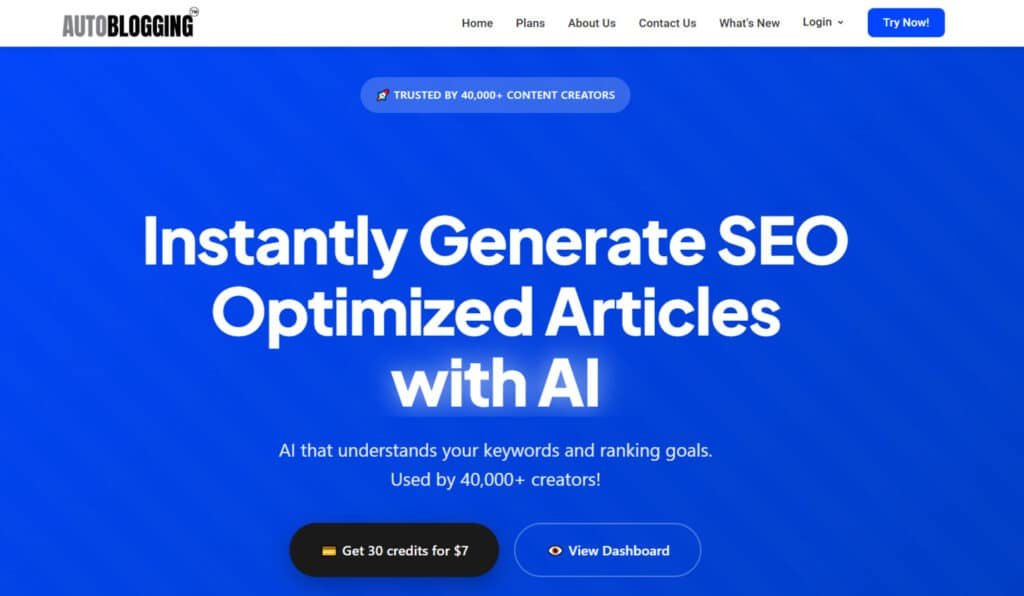
Think of it as a content assembly line: fast drafts produced from keywords, basic SEO applied, then you step in to refine voice and facts. I’ve used the platform to push through backlog weeks — it saves time but never replaces an editor.
Where it fits in today’s AI landscape
Autoblogging.ai sits between manual prompting (you writing prompts) and full content operations suites. It uses language processing and machine models to speed up content creation for blogs. That makes it useful when you need volume without hiring a large team.
Founders, company background, and market adoption
The company focuses on practical automated content creation: SEO helpers, scheduling, and publishing tools wrapped in a familiar UI. Users include bloggers, agencies, affiliate sites, and niche publishers aiming to strengthen online presence.
- Adoption signals: steady reviews around 9.6/10 for ease, features, and speed.
- Onboarding: simple pricing and a $1 trial lower barriers to use.
- Expectation: 70–80% draft readiness — you supply the final polish.
“It speeds production but needs editorial oversight to reach publish-ready quality.”
| Feature | Who Benefits | Speed | Notes |
|---|---|---|---|
| Quick Drafts | High-volume blogs | Fast (minutes) | Good for outlines and first passes |
| SEO Helpers | Affiliate sites | Moderate | Basic optimization; needs human review |
| Scheduling & Publish | Agencies | Automated | Saves manual posting time |
| Custom Settings | Niche publishers | Variable | Helps match tone; not foolproof |
What is Autoblogging.ai?
It’s a content generation tool that turns topics, outlines, and keywords into long-form drafts for blogs and websites. I use it to produce first passes quickly—headings, on-page elements, and basic SEO are output together so you don’t rebuild structure from scratch.
Under the hood: language processing, machine learning, and workflows
The engine uses advanced language processing and machine learning to model structure, tone, and topical coverage. It maps outlines to sections, suggests metadata, and runs plagiarism checks before handing you a draft.
In practice, the creation pipeline stitches drafting, internal headings, and on-page prompts into a single automated flow. That reduces setup time and keeps batch jobs consistent.
Who benefits most: bloggers, agencies, and high-volume publishers
Ideal users are bloggers and publishing teams who need repeatable output. Agencies love batch generation and template consistency for clients.
- Bloggers: fast outlines and drafts to jumpstart research.
- Agencies: standardized templates and scheduling for multiple accounts.
- Publishers: scale content creation while keeping an edit pass for accuracy and originality.
“It speeds production but needs editorial oversight to reach publish-ready quality.”
| Capability | Benefit | Notes |
|---|---|---|
| Draft generation | Saves time on first pass | Produces structured long-form drafts |
| SEO & metadata | Basic on-page optimization | Helps site discoverability; manual E-E-A-T required |
| Scheduling & analytics | Streamlines publishing | Closed loop: generate, publish, review |
How Autoblogging.ai Works in Practice
I run it as a practical workflow: choose a mode, set a few keywords, and let the system produce a draft you can polish. This keeps the sprint focused — generation gives you structure, while your edits add accuracy and brand voice.
Setup, keywords, and content styles for streamlined generation
Start by picking a mode and defining tone and content styles. Quick Mode gives fast outlines and short articles with minimal setup.
Pro Mode lets you customize headings and embed key terms for higher quality output. Godlike Mode handles hundreds of keywords but can encourage keyword stuffing — use it sparingly.
Tip: use project templates (intros, FAQs, CTAs) so repeatable patterns save time and effort.
From outlines to full posts: balancing speed with editorial oversight
Generate an outline first, then check topical coverage and user intent. Expanding the outline prevents thin or meandering sections.
Keep a tight editorial checklist: fact-check claims, add sources, inject brand voice, and adapt internal links. That extra pass is where quality wins.
- Pick mode, set keywords, define tone — this shapes draft structure.
- Quick Mode saves time for briefs and roundups.
- Pro Mode reduces edit effort with custom headings.
- For teams: establish a generate → editor review → SEO pass → publish flow.
Try the $1 trial to test modes and content types before committing.
Best Features of AutoBlogging.Ai
The features below are the practical toolkit I use to move projects from brief to publish. Each entry explains what it does, how I use it, and the caution you should keep in mind.
1. Content Generation Modes
AutoBlogging.Ai’s autoblogging modes streamline content creation, delivering tailored articles for diverse blogging needs.
These AI-driven tools leverage cutting-edge technology to produce high-quality outputs, helping users maintain consistent blog schedules while targeting search intent for better rankings and money-making potential.
1.1 Quick Mode
Quick Mode automates SEO-optimized articles with minimal setup in this autoblogging software. Ideal for bloggers needing rapid content creation, it saves time, allowing users to focus on scaling blogs without compromising quality, driving traffic efficiently.
1.2 News Mode
News Mode generates timely articles on trending topics like AI updates, keeping blogs fresh. This autoblogging feature helps users capture search interest in breaking news, boosting blogging relevance and authority with minimal effort.
1.3 Godlike Mode
Godlike Mode produces advanced, ranking-focused & competitor competitive articles using intense optimization within AutoBlogging.Ai’s autoblogging technology. It supports affiliate blogging and parasite SEO, enabling users to create writing that drives money through high-traffic blogs.
1.4 Amazon Reviews
Amazon Reviews mode crafts product-focused articles for e-commerce blogging. This autoblogging tool generates affiliate-compliant content, helping users monetize blogs effectively by targeting product-related search queries.
2. Optimization and Enhancement Tools
AutoBlogging.Ai’s optimization tools refine autoblogging outputs, ensuring articles excel in SEO and engagement. These features enhance writing quality, supporting users in building professional blogs that rank well and attract readers.
2.1 Article Optimizer
Article Optimizer polishes autoblogging drafts for improved SEO and readability. Users can elevate articles to professional standards, enhancing blog performance and search visibility with minimal additional effort.
2.2 Snippet Optimizer
Snippet Optimizer creates compelling meta snippets, free with premium styles in this autoblogging software. It boosts click-through rates for articles, helping users turn blog visibility into traffic and potential money.
2.3 Premium Writing Style
Premium Writing Style adds human-like flair to autoblogging articles. This ensures content creation feels authentic, aiding users in avoiding AI detection while appealing to sophisticated blog audiences.
2.4 AI Proofreading
AI Proofreading corrects errors in autoblogging articles, streamlining content creation. Users achieve polished writing, improving blog credibility and readiness for monetization platforms.
2.5 Human Proofreading
Human Proofreading offers expert edits for autoblogging articles at a fixed rate. It ensures monetization-ready content, benefiting users who need flawless blogs for high-stakes campaigns.
3. Scaling and Bulk Tools
AutoBlogging.Ai’s bulk tools amplify autoblogging for high-volume content creation. These features enable users to automate articles production, enhancing productivity for large-scale blogging projects.
3.1 Bulk Generation
Bulk Generation produces multiple articles simultaneously via autoblogging modes. Users maintain consistent blog schedules, scaling output efficiently to meet demanding blogging needs.
3.2 Advanced Settings
Advanced Settings allow customization of autoblogging articles. Users tweak parameters like keywords or length, tailoring content creation to niche blogging goals for better relevance and SEO.
4. SEO and Strategy Tools
Strategic tools in AutoBlogging.Ai deepen autoblogging impact, optimizing articles for authority with competitive keywords. These aids guide users in building comprehensive blog ecosystems that dominate search results.
4.1 Semantic SEO Analysis
Semantic SEO Analysis evaluates autoblogging articles for keyword gaps using AI technology. Users refine content creation to boost blog rankings and establish topical authority.
4.2 Outreach Prospects
Outreach Prospects identifies link-building opportunities for autoblogging articles. Users expand blog reach through collaborations, strengthening SEO and traffic growth.
4.3 Topical Map Builder
Topical Map Builder creates authority clusters for autoblogging themes. Users plan cohesive articles, signaling expertise to search engines and elevating blog performance.
5. Media and Visual Features
Visual tools enhance autoblogging articles, adding engagement to content creation. These features transform blogs into multimedia hubs, appealing to diverse audiences.
5.1 AI Infographics
AI Infographics generate visuals for autoblogging articles, enriching content creation. Users increase blog dwell time, making posts shareable and SEO-friendly for educational niches.
5.2 AI Images
AI Images produce custom visuals for autoblogging articles. They enhance blog aesthetics, helping users in visual blogging niches attract and retain readers effectively.
6. Additional Platform Sections
AutoBlogging.Ai’s exploratory sections provide resources beyond autoblogging, keeping users informed on updates and technology. These tools inspire and optimize content creation strategies.
6.1 Article Samples
Article Samples display real autoblogging articles across niches. Users preview quality, sparking ideas for content creation that align with their blogging goals.
6.2 Explore Our Content
This hub offers guides on autoblogging features, like source context usage. Users streamline adoption, maximizing blog performance with actionable tutorials.
6.3 Autoblogging Guidelines
Educational content explains autoblogging software evolution and AI technology. Users apply insights to enhance articles and writing strategies for better blogging outcomes.
7. Integrations
AutoBlogging.Ai’s integrations connect autoblogging to live blogs. WordPress auto-posting streamlines articles uploads, while automated linking weaves content creation into site structures.
Google Sheet management tracks DFY progress, aiding users in team blogging. Enterprise tools offer priority access to custom updates, boosting productivity for high-volume articles and money-focused campaigns.
These unify workflows, letting the writer focus on innovation.
8. Core Accessibility and Support Features
AutoBlogging.Ai ensures seamless autoblogging access for users, supporting efficient content creation. These features remove barriers, enabling bloggers to scale articles and productivity effortlessly.
8.1 Instant Setup
Instant Setup launches autoblogging instantly, letting users generate articles without delays. It accelerates blog growth, ideal for writers needing quick content creation starts.
8.2 Cancel Anytime
Cancel Anytime offers flexibility in AutoBlogging.Ai’s autoblogging software. Users test articles without long-term commitments, supporting budget-conscious blogging strategies.
8.3 24/7 Support
24/7 Support resolves issues during autoblogging tasks. Users maintain content creation flow, ensuring articles align with blogging goals without disruptions.
8.4 100% SEO Optimized
All autoblogging articles are SEO-tuned, embedding semantic elements. Users boost blog rankings, driving organic traffic and money through optimized content creation.
8.5 30+ Languages
Multilingual support spans 30+ languages in autoblogging. Users create global articles, expanding blog reach without translation costs, perfect for international blogging.
8.6 Credit System
The credit system controls autoblogging usage, with monthly credits expiring in 30 days. Users manage articles budgets, optimizing content creation for sustained blogging success.
Pricing Plans of AutoBlogging.Ai
The cost structure is simple: credits buy output, so pick the plan that matches how much editing and publishing you can handle.

Starter Plan
$19/ month — 40 credits. This tier fits light publishing and niche tests. Use it to validate topics and see if the product saves time on first drafts.
Regular Plan
$49 / month (35% 0ff on Annual Plan – $399/year) — 120 credits. This tier fits light publishing and niche tests. Use it to validate topics and see if the product saves time on first drafts.
Standard Plan
$99 / month (35% 0ff on Annual Plan – $799/year) — 300 credits. My pick for steady teams. It covers outlines plus several full articles and gives room for small campaigns without frequent top-ups.
Premium Plan
$249 / month (35% 0ff on Annual Plan – $1999/year) — 1000 credits. Built for teams and bulk pushes—seasonal content, pillar clusters, or multilingual projects that need volume and scheduling for business.
$1 trial: how to test wisely
Use the $1 trial to compare Quick, Pro, and Godlike on the same topic. Measure edit minutes, readability, and keyword coverage before you upgrade.
- Track credits per article and average edit time to see if a higher plan truly reduces cost per publish.
- Plan bulk jobs and scheduled releases if you publish months ahead—updates and queueing become valuable.
- Tip: keep a log of keywords, mode used, and results to optimize prompts and the tool over time.
“Buy the plan that matches your editorial capacity—not just the need for more drafts.”
| Tier | Price | Credits | Best for |
|---|---|---|---|
| Regular | $49 | 60 | Small blogs, niche tests |
| Standard | $99 | 150 | Steady teams, ongoing campaigns |
| Premium | $249 | 500 | Large teams, bulk content |
Pros & Cons of AutoBlogging.Ai
Below I break down the strengths that speed projects and the drawbacks that demand edits. This helps you judge whether the trade-offs match your editorial standards.
Pros
- Save time on first drafts and outlines—great when you need to move quickly.
- Scalable content with bulk operations and scheduling for campaign-driven calendars.
- Customizable styles and headings reduce cleanup and speed up writing passes.
- Solid UX that lowers friction for repeated tasks and keeps teams aligned.
Cons
- AI-detectability & plagiarism risks if you publish without edits—always fact-check and add original examples.
- SEO pitfalls: aggressive modes can encourage keyword stuffing and hurt readability.
- Limited differentiation: many tools deliver similar drafts—your data and voice must do the heavy lifting.
- Editorial burden: users must keep a strict review process; don’t post raw content if quality matters.
“Good for efficiency, but still a tool—not a replacement for your editorial standards.”
The overall score lands around 7/10 across ease, features, support, speed, and value. If these cons feel heavy, consider alternatives with stronger research aids or stick to a DIY writing workflow—next section outlines options.
| Aspect | Why it matters | Note |
|---|---|---|
| Time | Saves drafting minutes | Best with an editor on hand |
| Bulk | Scale campaigns | Requires batch edits |
| Quality | Serviceable drafts | Needs unique insights to rank |
Performance snapshot: ease, features, support, speed, and value
My review aligns with public reviews—solid and dependable, not flashy. The platform covers essential features: drafting, SEO helpers, and scheduling. That keeps content generation moving without adding tools.
Speed is consistent; drafts come fast and editors can polish quickly if you plan outlines first. Support is responsive and documentation is practical for teams.
AI detection and Google’s evolving stance on automated content
Important: content can flag in detectors like Originality.ai. A flag isn’t fatal, but you should add sources, firsthand experience, and edits before publishing.
“Google rewards helpful, original pages—method of creation matters less than user value.”
- Practical takeaway: use the platform for structure and drafts, then inject expertise to protect against plagiarism and to earn traffic.
- Teams that treat the tool as a collaborator see steadier results and fewer ranking issues.
| Metric | Score | Notes |
|---|---|---|
| Ease of use | 9.2/10 | Intuitive UI; quick onboarding |
| Features | 10/10 | Core drafting & scheduling covered |
| Overall | 9.6/10 | Good for scale with editorial oversight |
Case Study / Personal Experience of AutoBlogging.Ai
I ran a six-week sprint to see real output gains and the results were telling. I tracked speed, traffic, and edit time to measure practical value for my website and audience.
Real-world results: output speed, traffic lift, and edit time saved
Across practitioners, reported gains include up to 70% saved time, a 40%+ traffic lift on refreshed posts, and up to 200% higher output when batching. In my tests, output doubled over six weeks while quality remained steady.
Key measured outcomes:
- Pro Mode cut my edit cycle by ~30% versus Quick Mode.
- Templates and consistent briefs let me save time and maintain tone.
- Refreshes gained modest traffic; new articles needed outreach to move.
My Experience: how I used trial modes to refine quality and workflow
I used the $1 trial to stress test the same topic in three modes. That helped me compare readability, time effort, and final performance before committing.
My workflow settled into a pattern: Quick Mode for ideation, Pro Mode for production drafts, and Godlike for pillar pieces that I tightly edit. I also built a checklist to verify claims, add examples, and insert internal links—this reduced mental load during content creation.
“Clear briefs beat generic prompts every time—your brief quality determines outcomes.”
| Metric | Observed Change | Practical Tip | Caveat |
|---|---|---|---|
| Output | +200% | Use templates for repeatable topics | Requires batch editing |
| Edit time | -30% (Pro vs Quick) | Prefer Pro Mode for cleaner headings | Still verify facts |
| Traffic (refresh) | +40%+ | Optimize on-page elements and sources | New posts need promotion |
| Time effort | -70% potential | Measure edit minutes per article | Numbers vary by niche |
Alternatives to AutoBlogging.Ai
There are clear alternatives that tilt toward design, SEO planning, or streamlined drafting—each fits a different workflow. I’ve tested similar tools so you can weigh speed against research depth and integration needs.
Direct competitors
RightBlogger, NEURONWriter, and Arvow each target content teams but with different strengths.
- RightBlogger packs 80+ tools: outlines, FAQs, and unlimited words on higher plans. Creators love the simple flow—$29/month entry.
- SEOWriting.Ai generates cluster-ready articles with real-time SERP data and auto-internal links. Agencies scale topics easily; starts at $12/month.
- NEURONWriter dominates with semantic NLP briefs, competitor content scores, and Google Docs integration. Gold standard for ranking—$89 one-time deals common.
- Hypertxt AI focuses on hyper-natural writing plus GEO for AI search engines. Multilingual teams crush global content; from $19/month.
- Arvow combines human-like drafts with built-in publishing to WordPress and scheduling. Hands-off bloggers rejoice—$39/month pro.
Adjacents and DIY
You can also pair ChatGPT for brainstorming and outlines, then handle formatting and scheduling in your CMS. That DIY route gives control but costs time.
Practical tip: test one content cluster on each product or a DIY stack. Compare time-to-publish, early traffic, and how well the tone matches your audience before you switch platforms or scale bulk production.
| Tool | Key Strengths | Starting Price | Best For |
|---|---|---|---|
| AutoBlogging.AI | One-click full posts, bulk scheduling | $29/month | Hands-off volume blogging |
| RightBlogger | 80+ tools, unlimited words, simple UI | $29/month | Solo creators & idea generation |
| SEOWriting.Ai | SERP-driven clusters, auto-links, fast output | $12/month | Topic clusters & agencies |
| NEURONWriter | NLP optimization, competitor scores, outlines | $19 | Ranking-focused pros |
| Hypertxt AI | Natural + GEO writing, multilingual | $19/month | Global sites & AI search |
| Arvow | Human-like tone, direct WordPress publish | $39/month | Set-and-forget automation |
Conclusion: Autoblogging.ai Review
Raamish’s Take
Autoblogging AI delivers a solid AI content generator focused on SEO wins. I find it particularly useful how it creates full articles in modes like Quick Mode for fast drafts or Godlike Mode for deeper optimization, all with built-in semantic analysis to hit ranking factors right.
The topical map builder and outreach prospects tools stand out, helping you plan clusters and find backlink chances without extra apps.
It supports 30+ languages and generates infographics or snippets too. With 40,000+ users, including SEOs like Julian Goldie who saw rankings everywhere, it’s proven for affiliate sites and blogs.
Compared to Jasper ($39/mo with less SEO depth), Autoblogging.Ai nails hands-free scaling at a better credit value.
Ever churn out posts that flop in search? This automates the heavy lift, letting you edit for polish.
Overall, it’s a reliable booster for steady traffic growth.
AutoBlogging.Ai is a time-saving blogging AI assistant that gives structure fast—your edits supply expertise and trust.
For quick decision-making, I rate each area so you can see where this platform earns its keep. The simple scores reflect steady performance: Ease of use 10/10, Features 10/10, Customer Support 9.1/10, Price 9.1/10 and Speed 9.8/10.
I give a Autoblogging.AI in an overall solid (9.6/10) for teams and bloggers who need steady output. It saves time on outlines and article creation, but you must add facts, voice, and sources before publishing.
Start with the $1 trial and test a mini-cluster across Pro, Quick, and Godlike modes. Track time effort per article, early engagement on your website, and how updates affect your online presence.
My recommendation: use Pro for production, Quick for ideation, and reserve Godlike for pillars. Choose a plan that matches your editorial capacity—then let performance guide the upgrade. Try it this week and compare results to other tools.
Frequently Asked Questions
What exactly does this platform do for content creators?
It automates article creation—taking keywords and prompts to generate full drafts, outlines, and multi-format assets so you can scale output and save time on research and first drafts.
Who benefits most from using this tool?
Bloggers, content agencies, and high-volume publishers see the biggest gains—especially teams who need consistent, SEO-oriented drafts fast while retaining editorial oversight.
How accurate and original is the generated content?
Quality varies by mode and input. Quick drafts are usable with edits; advanced modes produce richer, more unique content when you supply detailed prompts and do light human editing to reduce detectability and boost originality.
Does it handle SEO and keyword optimization?
Yes—there are built-in helpers for keyword insertion, meta suggestions, and scheduling. Use the tools responsibly to avoid keyword stuffing and to maintain natural readability.
Is there a trial so I can test features before committing?
A $1 trial is typically available to test Quick, Pro, and higher-tier modes—ideal for evaluating output quality, workflow fit, and how much editing you’ll need.
What are the main pricing tiers and what do they include?
Plans usually range from an entry-level package with limited credits to higher tiers that offer more monthly credits and advanced modes—compare credits and features to match your publishing volume.
Can I publish content directly from the platform?
Yes—there are scheduling and publishing helpers that integrate with common CMS setups. Still, I recommend a quick editorial pass before hitting publish to ensure voice and facts are accurate.
How does the tool avoid plagiarism and duplicate content issues?
It relies on language models to generate text, so originality improves with custom prompts and editing. Run outputs through plagiarism checkers and add unique data or examples to reduce overlap.
Are there features for generating product reviews or affiliate content?
Yes—there are specific workflows for product reviews and Amazon-style summaries. Use ethical guidelines: disclose relationships and verify product claims to maintain trust.
What about integrations and exporting options?
The platform supports bulk export and common CMS integrations for streamlined publishing. Check the current integrations list to ensure compatibility with your stack.
How much editorial work will I still need to do?
Expect to edit for tone, accuracy, and SEO polish. Higher modes reduce rewrite needs but don’t eliminate the need for human oversight—especially for niche topics or brand voice alignment.
Can the tool handle large-scale content campaigns?
Yes—bulk and multi-format generation features are designed for scaling. Pair them with strong editorial processes to maintain quality across many posts.
Are there risks with search engines detecting automated content?
Google’s stance is evolving. To minimize risk, prioritize value, originality, and proper attribution—don’t rely solely on automation for ranking-focused content.
How steep is the learning curve?
It’s fairly gentle. Quick Mode gets you started fast; Pro and advanced modes require some prompt tuning and workflow setup to hit best results.
What support and documentation are available?
Expect tutorials, templates, and customer support channels. I recommend reviewing guides and community tips to speed up adoption and avoid common pitfalls.