Building an app no longer requires long timelines or expensive engineering teams. In 2026, AI-powered no code app builders let you describe an idea in plain English and generate production-ready web and mobile app in minutes.
I’m an AI engineer working with generative tools since 2018, and I’ve watched these platforms evolve from rough prototypes to capable app builders that handle UI, backend, and deployment.
Vibe coding is the newest pattern here: You describe the vibe or behavior you want, and the AI assembles the UI, data model, and workflows for you. Basically, Anyone can build their own web/mobile apps. Anyone can be programmers.
In this guide, You will get a hands-on review of the 7 leading AI no-code app builders in 2026, quick recommendations (top picks) for different needs, and practical tips to pick the right platform so you can build app ideas faster and with less risk.
What Are AI No-Code App Builders?
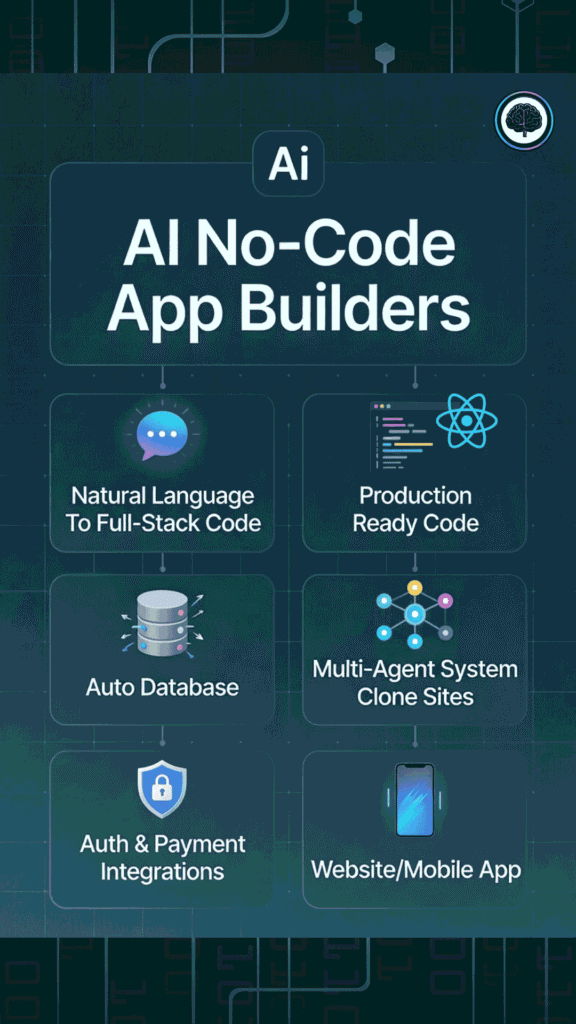
These are tools that let anyone build real apps — web ones, mobile ones, whatever, without writing even one line of code.
You just type what you want in normal English, like chatting with a super smart friend. The AI reads your words, figures out the design, the buttons, the data storage, the login stuff… and boom, it builds the whole thing for you. Often in minutes.
No need to learn programming languages, set up servers, or fix bugs yourself. The AI does the hard work behind the scenes.
For example:
Tools like Blink.new, Lovable.dev, or Mocha do this right now. You chat, tweak with more messages (“Make the colors calmer”), and publish. It’s like having an instant developer team for free (or cheap).
The big win? The old barrier…”I don’t know how to code”…is basically gone. Anyone with an idea can turn it into something real and shareable fast.
What Is Vibe Coding?
Vibe coding is a modern way of building software by describing what you want in plain English instead of writing every line of code. Rather than manually coding in languages like Python or JavaScript, you explain the idea, behavior, and feel of an app, and AI generates the code for you.
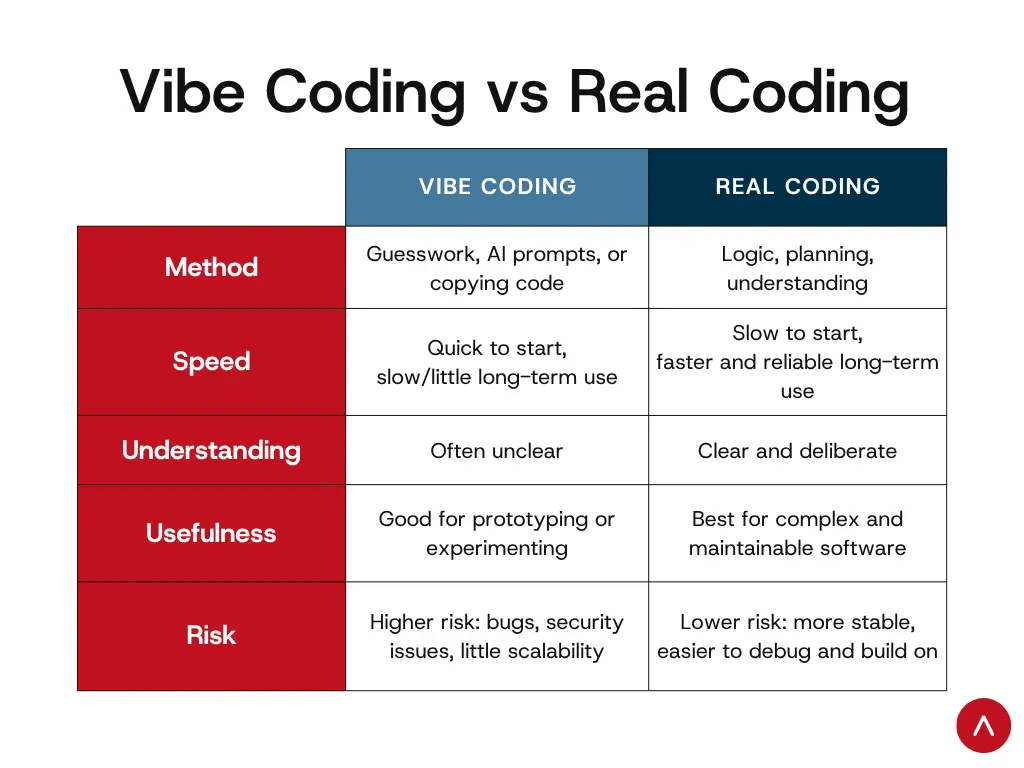
Technically, it’s a natural-language-first programming style where tools like Lovable.dev or similarAI code assistants translate intent into working software. Humans still guide and review the output, but the focus shifts from syntax to clear communication.
For example, you might ask the AI to:
In vibe coding, you act like the boss with the vision, and the AI is your super-fast builder who gets your style. No getting stuck on “how does this button technically work?” — You just say what feels right, iterate by chatting more (“Make it even simpler”), and end up with software that matches your gut.
In short, anyone with a clear idea and good instructions can start building apps — they don’t have to be traditional “coders” anymore.
How I Evaluated These AI No Code App Builders
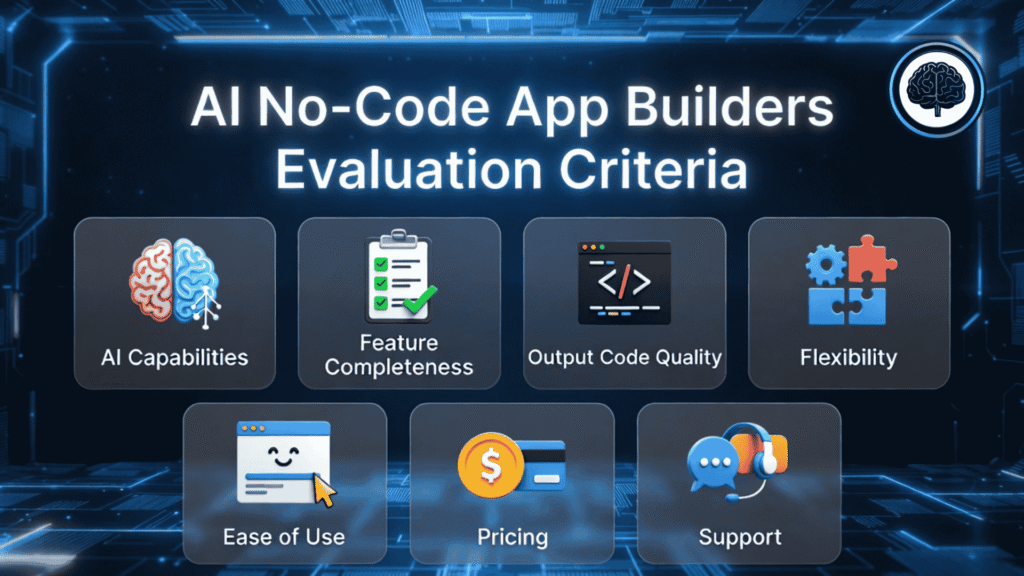
Before the reviews, transparency: I spent over 120 hours hands-on with these platforms — building and deploying real apps so my ratings reflect practical experience, not marketing copy. Test projects included a payment-enabled marketplace and an admin analytics dashboard so I could evaluate both frontend UX and backend correctness.
Use this quick checklist to understand the scoring and to help you get started when you try a new no-code app builder:
Why You Can Trust My Take on These AI No-Code App Builders
I’m not some random blogger skimming landing pages. I actually build stuff with these tools — and I judge them from two sides: The engineering side (is the code clean? does it scale?) and the product side (does it solve real founder problems fast?).
Quick background so you know I’m not guessing:
Every single review here comes from hands-on testing. I didn’t just sign up and poke around. I built real, deployable projects on each platform — dashboards, marketplaces, trackers, booking systems, you name it. Then I scored them using the same fair rubric (you can see the criteria I used earlier).
When I say a tool “blew me away” or “fell short,” that’s not hype or hate — it’s what actually happened when I tried to ship something useful. No fluff, no copied marketing lines.
You deserve opinions from someone who’s been in the trenches, not just reading about them. That’s me.
AI No Code App Builder Comparison Chart
Quick take: Lovable.dev is best when you want exportable React code and polished dashboards; Blink.new is the reliability choice for production-ready apps; Mocha is the speed king for zero-config launches.
| Rank | Tool | Best For | Best Features | Rating | Pricing |
|---|---|---|---|---|---|
| 1 | Lovable.dev | Beginners & non-technical founders (exportable React) | Production-ready TypeScript/React code, Supabase integration, real code ownership/export, private projects, custom domains, Git version control | 4.8/5 | Free to start, Pro from $25/month (100+ credits) |
| 2 | Blink.new | Production-ready apps (reliability) | Auto database/auth/storage/hosting, edge functions, AI model integration (GPT/Gemini), self-fixing bugs, remixable community apps, custom domains, 100% code ownership | 4.7/5 | Free tier (limited credits), Starter ~$25/month, Pro $50/month |
| 3 | Mocha | Zero-config launches (fast prototypes) | Fully built-in storage/login/auth/database (no external setup), custom designs from words/pics, one-click publish, no templates needed | 4.6/5 | Free to start, Bronze $20/month (1,500 credits), higher tiers $50–$200 |
| 4 | Capacity.so | Startups needing precision (spec-first) | Natural language to full-stack code, agentic AI for bug fixing/refactoring, multi-file changes, Next.js/TypeScript/Tailwind output, no vendor lock-in | 4.5/5 | Credit-based, Starter ~$25/month, Growth $69/month |
| 5 | HeyBoss.AI | Small business owners (all-in-one) | Full website/app + SEO/CRM/emails/payments/logos/content gen, clone sites, managed hosting/updates, GEO/local SEO, quick 10-30 min launches | 4.4/5 | $25–$99/month (includes hosting/marketing), credit packs available |
| 6 | Emergent | Scalable web/mobile app (multi-agent) | Multi-agent system for reliable builds, full-stack with integrations/auth/payments, code export, huge user base (1.5M+ apps) | 4.4/5 | Tiered credit system (details after login) |
| 7 | Anything AI | Cross-platform apps (one codebase) | iOS/Android/web from one prompt, auto Postgres DB/Stripe payments/multi-auth, image gen, one-click deploy (App Store/web), beautiful default UX | 4.3/5 | Free tier available, paid upgrades (usage-based) |
About the ratings: Scores are my subjective evaluations across AI capabilities, output quality, features (database, auth, payments), flexibility, and pricing. Check each full review for details and current pricing — these numbers can change quickly.
Top 3 AI No Code App Builders at a Glance

🥇
Lovable.dev
The gold standard for non-technical founders who need beautiful, exportable React apps and data-heavy dashboards without the engineering overhead.
Best for: Web apps, dashboards, and teams that want code export
Platforms: Web (React/TypeScript)

🥈
Blink.new
The reliability champion — ideal when you need production-ready apps with automatic bug fixes and robust backend generation.
Best for: Production SaaS, marketplaces, and high-availability apps
Platforms: Web apps with strong backend and CDN deployment

🥉
Mocha
The zero-configuration wonder for founders who want to go from idea to deployed app faster than anyone — great for prototypes and internal tools.
Best for: Rapid prototypes, internal tools, MVPs
Platforms: Web and mobile-optimized responsive apps
Best AI No Code App Builders Ranked
1. Lovable.dev – Best for Beginners and Non-Technical Founders
Quick specs
- Best for: Web apps, dashboards, and teams that want exportable React/TypeScript code
- Platforms: Web (React + TypeScript) — not native mobile
- Code export: Yes — full codebase download / GitHub sync
- Pricing (as tested): Free tier; Pro from ~$25/month; Enterprise custom
I was skeptical when I first tried Lovable.dev’s claim of “beautiful React apps from English prompts.” After building three client projects and several prototypes, it’s clear Lovable is one of the strongest AI no-code app builders for non-technical founders who need production-quality web apps and the option to own the code.
4.8
OVERALL RATING
Key Pain Points Lovable.dev Solves
Highlighted Features
Real-World Success Story
“We launched our fintech dashboard in 3 weeks instead of 3 months using Lovable. The AI understood our complex requirements for visualizing transaction data and user permissions. Investors were impressed we built it without hiring a dev team at first.“
— Sarah C, Founder of FinTrack
FinTrack’s case is typical: Lovable shines on data-heavy web apps (dashboards, admin panels) where UI polish and clean code matter. The team estimated an initial development cost savings north of $50k by using Lovable for the MVP.
The Lovable.dev Experience
Work begins by describing your product (or starting from a template). The AI generates an initial project — UI, routes, and basic backend wiring…which you iterate on with follow-up prompts.
Example: “Add a filterable table for transactions showing date, amount, status, and a CSV export” produced a working table with sorting, filtering, and export in my test without manual wiring.
On mobile layouts Lovable.dev added responsive patterns automatically (collapsible nav, touch targets). One caveat: since the primary output is React web, native mobile apps require additional tooling or wrappers if you need app store builds.
Pros and Cons


Deployment notes & common pitfalls
Lovable makes it easy to prototype and export code, but teams occasionally hit a “technical cliff” when configuring custom infrastructure (CI/CD, advanced server-side functions, or proprietary DBs). Mitigations:
Integrations & Support
Lovable.dev integrates natively with Supabase for backend tasks and supports Stripe and SendGrid for payments and emails. It can connect to Auth0 for advanced authentication flows and syncs code to GitHub for a development-friendly workflow.
My experience with support was positive — rapid responses and helpful onboarding…though response SLAs can vary; Treat any specific “under 3 hours” claim as situational and check current support terms.
Pricing
If you need exportable React code, start here!
Lovable.dev is my top pick for teams that want beautiful web apps and the ability to take the code off-platform.
2. Blink.new – Best for Production-Ready Apps
Quick specs
Blink.new has become one of the most reliable AI no-code app builders I’ve tested. Unlike many tools that produce pretty prototypes, Blink focuses on apps that actually run in production — with sensible backend design, error handling, and deployment built into the workflow.
4.7
OVERALL RATING
Key Pain Points Blink.new Solves
Highlighted Features
Real-World Success Story
“Wow, Kai, this product is unbelievable! I built a full-featured GPT 4.0 clone, wrote a legal brief, and even analyzed an X-ray image – all in less than 25 minutes. This would have taken a team weeks.”
— Haroon H MD, MBA, JD Candidate
The Blink.new Experience
Start by describing your app; Blink asks clarifying questions when requirements are ambiguous (similar to a senior engineer). The platform generates frontend and backend together, and you get an interactive preview immediately.
The debugging experience stands out — Blink frequently identifies issues and either fixes them or gives a clear remediation suggestion (e.g., “Fixed: form submission error when email field is empty”).
Pros and Cons
Deployment checklist — how I got a marketplace production-ready
Integrations & Support
Blink.new includes native connectors for Stripe, Firebase, and AWS S3, and supports common auth providers. It is API-first, so connecting external services is straightforward.
Community docs and forums are the primary support channels; paid plans include priority email support (response times reported around ~6 hours, though SLA varies by plan).
Pricing
Reliable & Fast Path To Your App Deployment!
Choose Blink.new if you need a reliable backend, strong error handling, and fast path to production. It’s especially good for marketplaces and SaaS where uptime and data integrity matter.
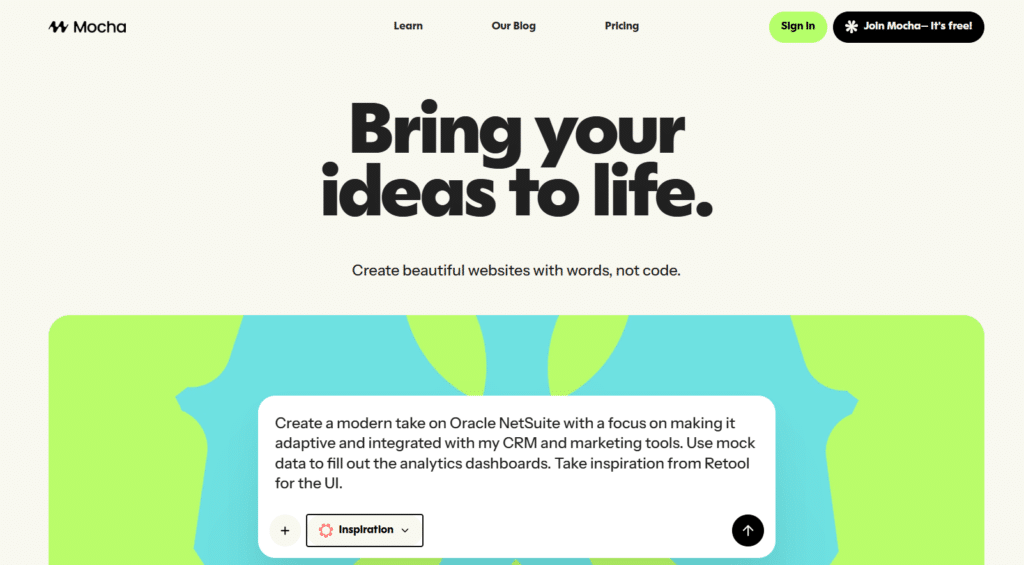
3. Mocha – Best for Zero-Configuration Launches
Quick specs
If you want the fastest path from idea to a working product, Mocha embodies the “describe and deploy” promise of modern AI no-code app builders. It strips away configuration: Describe your app, and Mocha generates a fully functional application with auth, storage, and hosting preconfigured..
4.6
OVERALL RATING
Key Pain Points Mocha Solves
Highlighted Features
Real-World Success Story
“I used Mocha to prototype a full stack app and launch it the same day. No templates, no bloated UI. Just direct, focused building with AI. It felt like having a developer who understands exactly what I want. Highly recommend it for makers who want speed without sacrificing quality.”
— Jordan, Designer
The Mocha Experience
Mocha’s UI centers on a single prompt box: describe what you need, and the platform generates the app. Iteration is conversational — say “add dark mode” or “show monthly totals” and Mocha applies changes live. It’s close to pair-programming with an AI that knows the entire stack.
Sample prompt that produced my budget tracker: “Build a personal budget tracker with transactions (date, category, amount), monthly summary, and CSV export; require sign-up to save data.” — Mocha generated the UI, storage, auth, and export in one pass.
Pros and Cons
When to pick Mocha — quick decision rule
Integrations & Support
Mocha favors built-in functionality over broad third-party connectors. It currently offers basic links to services like Google Drive, Dropbox, and Slack, with more integrations on the roadmap.
Support is primarily through an in-product AI assistant and community resources; paid plans (if any) may include priority options — check Mocha’s docs for the latest.
Pricing
Zero Config No-Code App Builder!
Use Mocha to validate ideas, build MVPs, and launch internal tools without hiring developers.
4. Capacity.so – Best for Startups Needing Precision
Quick specs
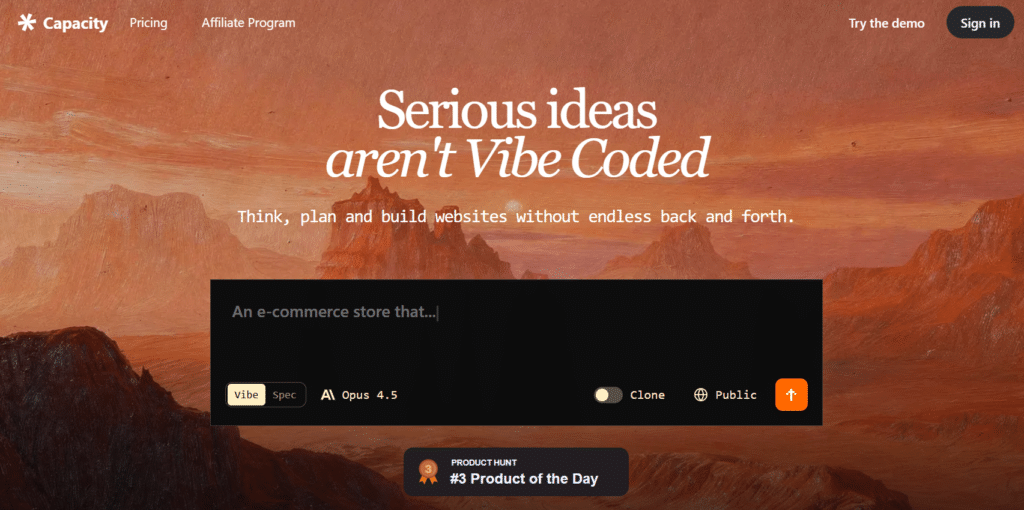
Capacity.so takes a specification-first approach to AI app building. Instead of casual prompts, you complete structured briefs (user stories, data models, workflows) so the AI produces precise, reliable implementations that match your requirements.
4.5
OVERALL RATING
Key Pain Points Capacity Solves
Highlighted Features
Real-World Success Story
“ “A product with a supportive team & high innovation!”
The Capacity team is continually working to understand the needs of their customers, optimize the product, and innovate new solutions! The team we work with is so helpful in providing recommendations and actively taking in our questions or feedback. As we continue to utilize Capacity for our teams, I’m confident we’ll continue to see more and more value in the product!”
— Mary Kate W., Small Business Owner (G2)
Ideal use cases
Quick-start tips for new users
Pros and Cons
Prompt templates — how to write a good structured brief
Use these as a starting point when you create a brief with Capacity:
These templates help Capacity generate accurate data models and UI flows on the first pass.
Integrations & Support
Capacity integrates with deployment and developer platforms (GitHub, GitLab, Vercel, Netlify) and common databases (MongoDB, PostgreSQL, MySQL).
Paid plans include Slack support channels; response times vary by tier — reported under an hour for paid customers during business hours, but confirm current SLAs directly.
Pricing
Start Generating Apps with Precise Details!
Capacity is ideal when you need accurate, maintainable apps that follow detailed specs. Use the structured brief templates above to speed your first successful generation.
5. HeyBoss.AI – Best for Small Business Owners
Quick specs
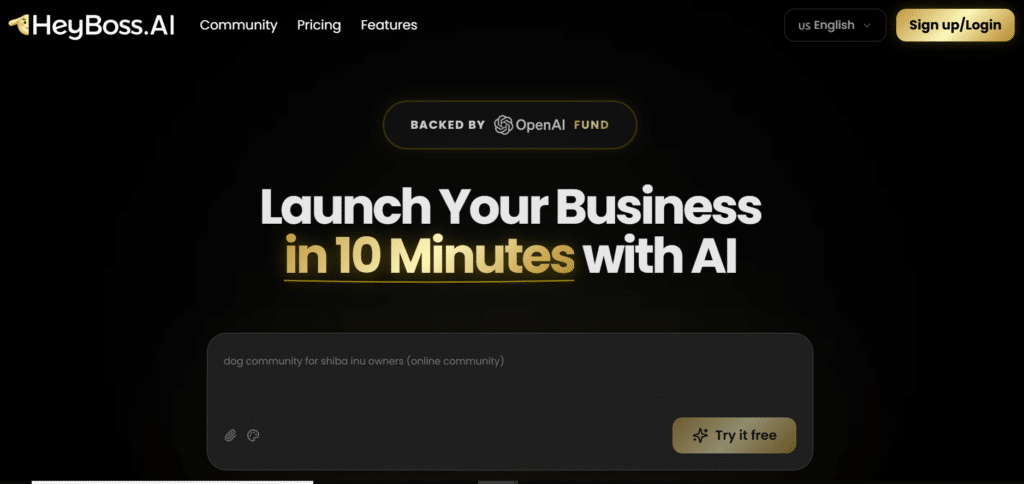
HeyBoss.AI targets small business owners who need more than create app: they need a complete business system. Instead of forcing users to stitch together multiple tools, HeyBoss generates a website, booking system, payments, CRM, and basic marketing automation in one place — designed to replace agencies and multiple subscriptions.
4.4
OVERALL RATING
Key Pain Points HeyBoss.AI Solves
Highlighted Features
Real-World Success Story
“ I’ve been testing out HeyBoss AI over the past week. The idea is simple but kind of bold: instead of dragging elements around like you would with Wix or Squarespace, you describe what you want in plain text and an AI “team” sets it up for you.
That includes the website itself, hosting, SEO baked in, payments, and even some lightweight analytics. What stood out for me was speed. I described a service business site and had something usable in under 20 minutes. It wasn’t flashy, but it worked and was already SEO-friendly. Compared to the hours I’ve lost fiddling with DIY builders, that was refreshing.“
— Evelyn, Product Hunt
The HeyBoss.AI Experience
Getting started is simple: choose your business type, let the AI analyze competitor sites (optional), and the platform generates a tailored site and business workflow.
HeyBoss.AI suggests conversion improvements — for example, adding lead-qualification fields to forms and creating follow-up email sequences automatically.
Pros and Cons
Cost comparison — example first-year spend
HeyBoss can be cheaper and simpler than stitching multiple subscriptions together, depending on your needs.
Integrations & Support
HeyBoss integrates with popular small business tools like QuickBooks and Xero for accounting, Google Business Profile for listings, and major social channels for sharing.
Support is tailored to non-technical users — phone support and a concierge onboarding option are available on paid tiers to help with setup and migration.
Pricing
Create Apps with All-In-One Website and Business Builder!
Build a website, booking system, CRM, and marketing platform — all in one place with HeyBoss.AI. Book a demo to see a sample ROI for your industry.
6. Emergent – Best for Scalable Web/Mobile Apps
Quick specs
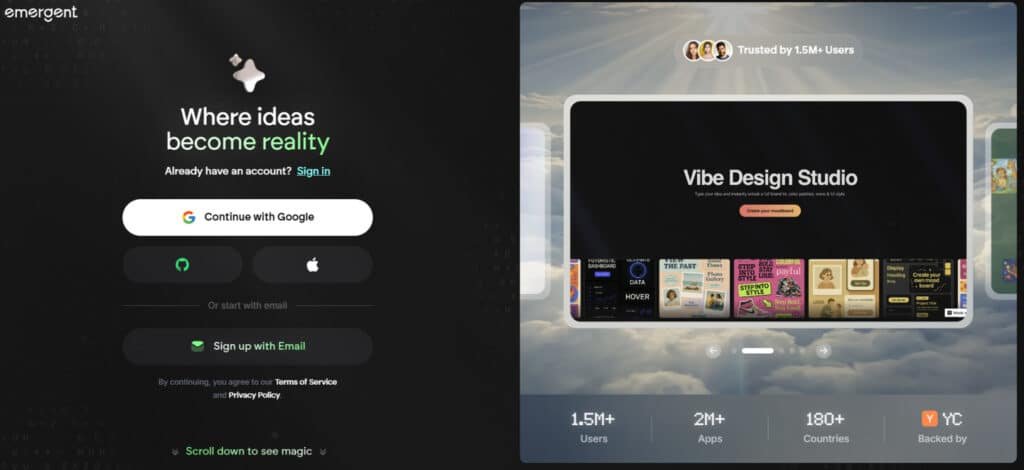
Emergent distinguishes itself with a multi-agent architecture: Specialized AI agents collaborate on UI, database design, business logic, and deployment. This reduces the “single brain” limitations of monolithic prompt systems and improves reliability for large, multi-component projects.
4.4
OVERALL RATING
Key Pain Points Emergent Solves
Highlighted Features
Real-World Success Story
“ Emergent is a VERY robust vibe coding platform. I built a rather complex business assessment tool that required a database for storing all the information, generating PDF reports, and providing backend login and admin functions. With all vibe coding apps, you need to iterate as functionality is added, but Emergent understood what I needed and produced great outputs.
I especially appreciated the automated testing before publishing functions. Publish was clean, and my app is live. I didn’t realize there was a monthly cost to keep the app live initially, but the fee is relatively small given the app’s value. I highly recommend Emergent.“
— Steve Grady, Product Hunt
The Emergent Experience
Start by describing your app at a high level; Emergent breaks requirements into agent tasks and shows progress as each agent completes its work.
You can target feedback to specific agents (e.g., “UI agent: reduce sidebar width” or “DB agent: add index on user.email”) and watch changes propagate through the system. This fine-grained control reduces regressions when iterating on complex features.
Pros and Cons
Enterprise checklist — what to ask before you buy
Integrations & Support
Emergent offers connectors for Auth0/Firebase (auth), Stripe/PayPal (payments), AWS S3/Google Cloud Storage (file storage), and analytics tools.
Community forums and docs are available; enterprise customers get priority support and dedicated onboarding. Verify current integration lists and support SLAs directly with Emergent.
Pricing
Build Production-Ready Apps Through Conversation!
Choose Emergent when you need a scalable, auditable codebase and domain-specialized AI agents for production applications.
7. Anything AI App Builder – Best for Cross-Platform Apps
Quick specs
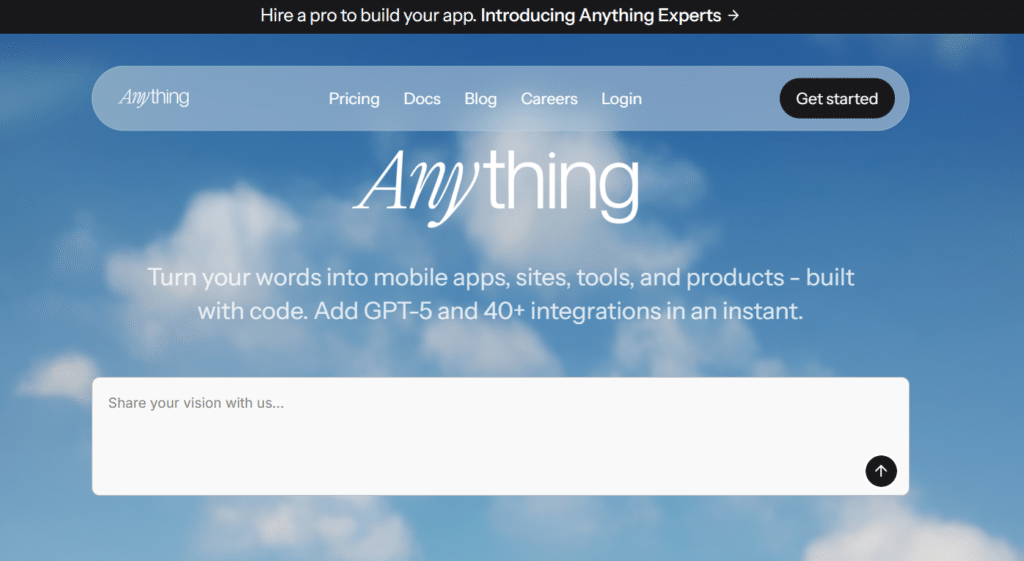
Anything AI App Builder is focused on eliminating platform fragmentation: build once, deploy across web and mobile with platform-specific optimizations.
In my testing it handled a non-trivial habit-tracking app and produced device-appropriate UI, working storage, and push/notification hooks with far less manual work than maintaining separate codebases.
4.3
OVERALL RATING
Key Pain Points Anything AI Solves
Highlighted Features
Real-World Success Story
“ We rebuilt our job marketplace with Anything AI and consolidated three codebases into one. The unified platform let us ship AI-powered job matching and increased development velocity by 300%.“
— Marcus Johnson, CTO of JobConnect
JobConnect’s consolidation example shows the productivity gains from a single codebase approach, particularly when adding advanced features like AI matching where consistency across platforms matters.
The Anything AI Experience
Begin by describing your app or selecting a template. Anything AI shows live previews across devices and lets you tweak platform-specific behaviors.
Iteration feels similar to other vibe-coding platforms: Provide a prompt (e.g., “add premium subscription with Stripe payments and server-side validation”) and the platform wires payments, webhooks, and UI flows.
Pros and Cons
App store workflow — what’s automated vs what you must do
Anything AI automates build generation and packaging for app stores, but you still need developer accounts (Apple/Google), store metadata, and any compliance steps (privacy policy, screenshots). Typical workflow:
Compare: Anything AI vs Emergent & Lovable
Integrations & Support
Anything AI integrates with Stripe, Firebase, AWS, Common auth providers and 40+ Integrations. Support is through docs and a community forum, with email and priority options for paid tiers. For app-store builds, consult Anything AI’s mobile-build docs and the platform’s checklist to ensure a smooth release.
Pricing
Build Production-Ready Apps Through Conversation!
Choose Emergent when you need a scalable, auditable codebase and domain-specialized AI agents for production applications.
Key Features to Look for in AI No Code App Builders
After testing these platforms and building real no-code apps, the difference between a hype tool and a useful no-code app builder comes down to a few practical features. Below is an actionable checklist you can use when evaluating platforms, plus quick tests to verify each capability.
| Feature | Why it matters | Quick test to verify |
| Natural language understanding | Good NL understanding reduces iteration and lets non-technical users describe complex screens and workflows. | Give a multi-step prompt (e.g., “Create a dashboard with filters, date range, and CSV export”) and confirm the generated UI + wiring works. |
| Customizable design system | Avoids templated, generic-looking apps and helps deliver branded, professional interfaces. | Ask for a brand color scheme and logo; check whether the platform applies styles site-wide and allows component tweaks (not just drag drop boxes). |
| Comprehensive components & integrations | Pre-built components (tables, charts, forms) and integrations (payments, email, storage) speed development of real-world features. | Test adding a payment flow (Stripe) and a file upload; verify server-side validation and webhook handling. |
| Database & backend robustness | Production apps need reliable DB schemas, relationships, indexing, and backend logic — not just static UI. | Inspect the generated database schema or ask the platform to show the DB model; run queries and test edge cases (empty sets, concurrency). |
| Code export / ownership | Protects you from vendor lock-in and allows developers to extend or migrate your app later. | Attempt an export or GitHub sync (Lovable, Emergent show this). If code download isn’t offered, treat it as a managed-service tradeoff. |
| Rapid iteration & multi-file changes | Fast edits and consistent multi-file updates cut iteration time and reduce regressions. | Ask the platform to “Update X across the app” and verify changes propagate across pages/components within seconds. |
| Error handling & edge-case management | Apps that only work on happy paths break in production; built-in error handling is essential for reliability. | Simulate failure scenarios (payment decline, upload network failure) and confirm the app responds gracefully. |
| Zero-configuration options | For quick prototypes or non-technical users, built-in auth, DB, and hosting remove blockers. | Set up an app from prompt and confirm auth, DB persistence, and hosting are provisioned with no manual infra steps (Mocha, HeyBoss examples). |
| Drag-and-drop & component control | Useful for visual tweaks and rapid layout adjustments, but should not replace prompt-driven precision. | Try modifying a screen via drag drop and compare results vs a prompt-based change; both should be available. |
Best Practices for Using AI No Code App Builders

After building dozens of projects with these platforms, I’ve distilled practical practices that help you get the most from any AI no-code app builder. Apply these to reduce iteration time, avoid surprises, and ship reliable apps.
Practical prompt templates
QA checklist before going to production
Mitigating vendor lock-in
If code export is important, pick a platform that allows it (e.g., Lovable, Emergent). Alternatively, keep your database in a portable service (Postgres/Supabase) and regularly export backups. Document your deployment and build steps so you can replicate the app outside the platform if needed.
These practices will help you get started faster, reduce surprises, and build apps that scale beyond prototypes. Start small, iterate quickly, and use the community and prompt library to accelerate development.
Red flags to watch for
Key Takeaways
Which to try first — quick decision shortcut
Next steps
Conclusion
The landscape of AI no-code app builders has matured rapidly by 2026. These platforms make it possible to design, generate, and ship web and mobile-friendly apps far faster than traditional development—especially for dashboards, marketplaces, internal tools, and standard business workflows.
Based on extensive hands-on testing, Lovable.dev is my top pick for most teams because it combines ease of use with professional-quality output and clean, exportable code. That said, the best platform depends on your project: Blink.new for production-grade reliability, Mocha for rapid prototypes, Capacity.so when you need specification-level precision, HeyBoss for small-business systems, Emergent for enterprise-scale apps, and Anything AI for single codebase cross-platform projects.
How to get started (micro-checklist)
- Pick 1–2 candidate platforms from this guide based on your use case.
- Choose a small test project (auth + one core feature) and run a 1-day prototype.
- Evaluate portability: can you export code or use your own database?
- Follow the Best Practices (clear spec, incremental builds, edge-case testing).
Ready to build your app?
Try one of these starters depending on your priority
Start small, iterate quickly, and keep portability in mind so your app can grow beyond any single platform