Ever feel like building a website is a secret club you can’t join?
You’re not alone. The promise of a simple, drag-and-drop website builder is incredibly appealing, especially when you just want to get your idea online, fast.
I’ve personally put this platform through its paces. My goal?
To give you a real-world, no-fluff look at what it’s like to use. Founded in 2015, this website builder markets itself as the ultimate solution for non-technical beginners.
But here’s the honest truth from my testing: the overall experience scored a 4 out of 5 in recent research. Even more telling, only 54% of users said they’d recommend it to others. That’s a pretty big green flag.
So, is it the right tool for your project?
In this SITE123 Review, I’ll break down everything. We’ll cover the ease of use, the features that actually help, and the pricing that can make or break your budget. I won’t hide the negatives, like limited design freedom, but I’ll also highlight the positives, such as their 24/7 support.
By the end, you’ll have a clear answer. Let’s get started and see if this is the website solution you’ve been searching for.
Key Takeaways: SITE123 Review
- This platform positions itself as a beginner-friendly tool for creating a website quickly.
- Independent testing resulted in a below-average score of 4.2 out of 5.
- Only about half of its users would recommend it to someone else.
- The builder offers 24/7 customer support, which is a significant advantage.
- Key drawbacks include limited customization options and potential mobile display issues.
- This evaluation is based on hands-on testing to provide practical, real-world insights.
SITE 123 Review: An Overview
Raamish’s Take
SITE123 is a highly intuitive free website builder that enables users to create professional, responsive sites in under an hour without coding, drag-and-drop, or design expertise—trusted by thousands for its simplicity and speed.
Its automated design system stands out, automatically structuring layouts from uploaded content, including mobile optimization, SEO tools (meta tags, sitemaps, Google integration), and a royalty-free image bank for polished visuals.
I am particularly impressed with the ecommerce capabilities, allowing quick setup of online stores to sell products globally with inventory management, payment processing, and no transaction fees.
Additional strengths include 24/7 live chat support, global CDN for fast loading, unlimited websites per account, and easy updates from any device.
The free plan covers hosting, subdomain, and core features, with paid upgrades solely for custom domains.
SITE123‘s no-commitment model and focus on rapid launches make it a practical choice for small businesses seeking an online presence without complexity.
Introduction to SITE 123
While competitors race to pack in complex AI, this website builder‘s philosophy is refreshingly simple. I’ve noticed a clear split in the market. Many builders are becoming AI powerhouses, which can be overwhelming.
SITE 123 takes a different path. It focuses on extreme ease and speed above all else. This approach helps users build a basic website in very little time.
Overview of the AI Landscape and Website Building Trends
In the current AI landscape, AI-assisted tools are standard for many website builders. Features like TextAI for content generation are common. These tools aim to do more for you.
However, complexity often comes with these advanced features. SITE 123 integrates AI thoughtfully. It uses it to simplify tasks, not to add layers of complication. The goal remains getting your site online quickly.
Company Background and Endorsements
This platform started in 2015. Its mission was clear: Make website creation accessible to anyone. The founders wanted to remove technical fear for complete beginners.
It primarily serves individuals and small businesses. The platform isn’t designed for large, complex ecommerce operations. Its success comes from a loyal user base built on simplicity, rather than flashy corporate endorsements.
Philosophical Approaches to Website Building
| Builder | Primary Focus | Ideal For |
|---|---|---|
| SITE 123 | Speed & Simplicity | Absolute beginners, quick launches |
| Wix/Squarespace | Design Flexibility & Features | Users wanting creative control |
| Advanced AI Builders | Automation & Power | Tech-savvy users building complex sites |
This trade-off is key. You get unparalleled ease of use but accept less design freedom. For many users, that’s a perfect deal.
What is SITE 123?
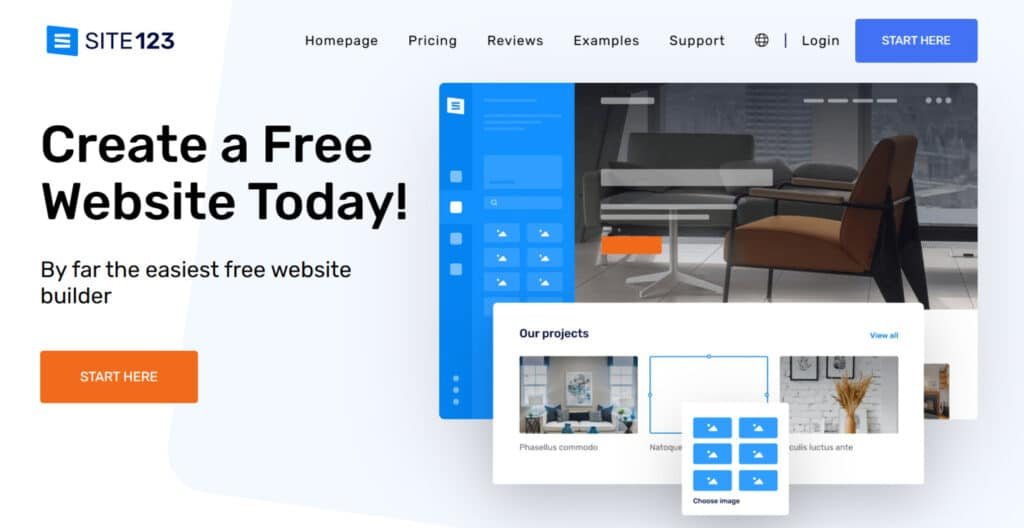
Imagine building a website by stacking Lego blocks instead of freehand painting. That’s the essence of this builder. It uses a section-based editor for a structured, mistake-proof experience.
Inner Workings of the Website Builder
You start by picking a category for your site. The platform then generates a complete website with relevant templates and sample content. The magic is in the editor.
You can add, remove, or rearrange entire sections. But you cannot drag a text box or image anywhere you want. This constraint ensures every piece automatically looks good on mobile.
Benefits for Beginners and Small Businesses
For a total novice, this is a godsend. You can have a professional-looking site live in under an hour. There’s no wrestling with complex design tools.
Small business owners love this focus. They can concentrate on their products and message, not on pixel-perfect alignment. The builder handles the technical stuff.
Website Builder Editing Styles Compared
| Builder Type | Editing Method | Best For |
|---|---|---|
| SITE 123 | Section-Based Blocks | Speed, simplicity, guaranteed mobile-friendliness |
| Drag-and-Drop (e.g., Hostinger AI Website Builder) | Freeform Canvas | Total creative control and unique layouts |
The trade-off is clear. You gain incredible ease of use but sacrifice some creative freedom. For many, that’s a worthwhile exchange.
Key Features of SITE 123
Unlike most website builders that drop you into an empty editor, this platform starts with a conversation. The interactive approach immediately sets it apart from competitors.
What sets this builder apart is its structured approach to website creation—think guided pathways rather than open fields. The features work together to create a foolproof system that prioritizes function over flashy complexity.
1. Core Building Tools: Your Guided Ramp to Launch
The core building tools of Site 123 make launching a website incredibly fast. When users start the process, Site 123 asks for the website purpose and name, turning a blank canvas into a ready structure in seconds. This guided process eliminates confusion for beginners building their first website.
Interactive Website Creation Process
Site 123 delivers an interactive website creation process where selecting categories like restaurants instantly generates complete pages with menus, contact forms, and maps.
This feature saves massive time because Site 123 pre-populates relevant content, letting users focus on personalization instead of starting from zero.
Step-by-Step Wizard
The step-by-step wizard inside Site 123 guides every choice through simple questions. Users pick website type, add content, and publish.
Most website projects on Site 123 go live in under an hour, perfect for anyone needing a professional website without technical skills.
Unlimited Sites Per Account
With Site 123, one account handles unlimited website projects. Manage multiple site 123 domains, switch between them easily, and update any website from phone or desktop without extra cost.
Content Upload Magic
Uploading content to any Site 123 page stays simple. Images, text, and videos drop directly into the website structure.
Site 123 automatically optimizes files, keeping page load time fast across every website created.
2. Design and Looks: Templates That Do the Heavy Lifting
Site 123 provides clean, professional designs through smart templates that require zero design knowledge.
Template-Driven Design Simplicity
Site 123 offers around 16 main templates with over 180 variations tailored to specific industries.
Every template in Site 123 comes with category-specific placeholder content, so replacing text and images instantly creates a polished website. This approach guarantees consistency across every page of the website.
Royalty-Free Image Bank
A built-in royalty-free image library inside Site 123 supplies hundreds of professional photos. Users enhance any page without leaving the website builder, saving time and licensing costs.
Easy Customization
Global settings in Site 123 let users change colors, fonts, and backgrounds across the entire website with one click. These settings apply instantly to every page, maintaining brand consistency without touching individual sections.
No Design Barriers
The entire design system of Site 123 removes barriers, ensuring every website looks professional even when built by complete beginners using the website builder.
3. Mobile and Performance: Built to Bounce on Any Screen
Every website created with Site 123 performs flawlessly on all devices thanks to built-in optimization.
Full Mobile Responsiveness
Site 123 makes every template and page 100% mobile-responsive automatically. Visitors enjoy perfect viewing whether on phones, tablets, or desktops, improving user experience and Google rankings for the website.
Global CDN Hosting
Free global CDN hosting powers every Site 123 website. Content loads from the nearest server, reducing page load time worldwide and keeping visitors on the website longer.
Always-On Security
SSL certificates, automatic backups, and strong security protect every Site 123 website. Users enable password protection or “coming soon” pages with simple settings, adding professional security without extra service costs.
4. Section-Based Editor and Pre-Made Layouts: Blocks That Click
The Site 123 editor uses smart sections instead of complex drag-and-drop.
Intuitive Block System
Users add pre-designed sections like galleries, testimonials, or pricing tables to any page. Site 123 offers multiple layout choice options per section, previewable before selection, keeping the website clean and mobile-friendly.
Media and Extras
Built-in image editing, file attachments, dropdown menus, and promotional popups enhance every page. Over 40 third-party plugins integrate directly into Site 123, extending functionality without breaking the website.
5. Customization Options and AI Content Generation: Tweak and Type Smart
Site 123 combines simple customization with helpful AI tools.
Core Tweaks
Change colors, fonts, favicons, and cookie banners through global settings. These settings update the entire website instantly, maintaining uniformity across every page built on Site 123.
TextAI Magic
The TextAI feature in Site 123 generates 500–1,500-word articles, FAQs, testimonials, or menu descriptions using keywords and chosen structure. Credits renew monthly based on plan, helping users fill page content quickly for better SEO on their website.
6. E-Commerce Power: Shop Setup Without the Slog
Turning a Site 123 website into an online store takes minutes.
Quick Online Store Setup
Activate e-commerce, upload unlimited products, set shipping and taxes, and connect PayPal or Stripe. Site 123 handles global payments and inventory through a single dashboard.
Product Management
Add variants, descriptions, reviews, wishlists, and abandoned-cart recovery. Higher plans unlock advanced service features that help growing stores on Site 123 scale smoothly.
Broadcast to Sell
Share products directly from the website to social channels or embed them elsewhere, driving traffic back to the Site 123 store.
7. SEO and Visibility: Climb Without the Climb
Site 123 builds SEO-ready website structures from day one.
Built-In SEO Tools
Automatic meta tags, clean code, XML sitemaps, and per-page keyword controls help every Site 123 website rank higher. Multilingual service support expands reach to international audiences.
Traffic Boosters
Connect Google Analytics and use built-in tips to grow visitors. These tools make any Site 123 website more discoverable without hiring an external service.
8. Sharing and Growth Extras
Site 123 connects website owners to wider audiences.
Social Media Integration
One-click sharing buttons and feed embeds link the website to all platforms. Zapier connections automate workflows across 5,000+ apps.
Custom Domains
Connect any domain with one-click DNS settings. Annual plans include a free domain for the first year, removing extra company registration costs.
Analytics Basics
Track visitors and build email lists up to 50,000 contacts. Send campaigns using Site 123 templates without third-party service fees.
9. Support and Reliability: Backup When You Need It
Site 123 delivers industry-leading support and uptime.
24/7 Live Chat Help
Real human support via chat answers questions instantly, any time of day. Users rate Site 123 support among the fastest in the website builder category.
No Downtime Worries
Automatic backups, high uptime guarantees, and one-click restore keep every website safe. Schedule blog posts and moderate comments through reliable Site 123 service tools.
With these nine key areas, Site 123 provides everything needed to create, customize, secure, and grow a professional website quickly and affordably.
Pricing and Value for Money
I discovered something surprising about the pricing model during my testing that potential users should know upfront. The main website shows only one paid option, but after logging in, you’ll find six different plans available.
Plan Comparisons and Subscription Options
The commitment length directly affects your monthly rate. You can choose terms from 3 months all the way to 120 months. Longer commitments mean better pricing.
For a 12-month subscription, the plan breakdown looks like this: Free ($0), Basic ($12.80), Advanced ($9.90), Professional ($14.40), Gold ($17.40), and Platinum ($37.50). The 123 free plan includes 250 MB storage and bandwidth but shows intrusive ads.
| Plan | Monthly Cost (Billed Annually) | Key Features & Limits | Who It’s For | Discounts/Perks |
| Free | $0 (forever) | 250MB storage, 250MB bandwidth, free subdomain, basic editor/SEO/mobile. Ads on your site. | Testing ideas, simple personal pages. No custom domain. | None—but indefinite, no card needed. |
| Basic | ~$12.80 (exact varies by term; 3-mo: $17/mo) | Everything free + ad-free, custom domain connect, 10GB storage, 10GB bandwidth, basic forms. No emails. | Solo creators wanting clean basics without limits. | Up to 40% off longer terms + free domain year. |
| Advanced | ~$19. (scales with term) | All Basic + 2 email accounts, 20GB storage/bandwidth, priority support, advanced forms/contacts. | Small biz needing emails and more traffic handling. | Same discounts; add emails for $5 extra if needed. |
| Professional | ~$28. (term-based) | All Advanced + unlimited emails, 50GB storage/bandwidth, e-commerce priority, custom code snippets. | Growing stores or teams—handle bigger loads. | Discounts stack; free domain sweetens annual. |
| Gold | ~$49. (top tier, term discounts) | Unlimited everything: storage/bandwidth/emails, VIP support, full e-comm toolkit, analytics deep-dive. | Power users or agencies—scale without caps. | Max savings on 36-mo; includes all bells. |
The Basic plan removes floating ads and includes a free domain for one year. Advanced removes all platform ads and adds mailing features. For ecommerce, you need at least the Professional plan with 100 monthly orders.
Gold unlocks 500 orders, store reviews, and cart recovery. Platinum offers unlimited products. While the pricing is competitive, essential features hiding behind paywalls can be frustrating for budget-conscious users.
Pros & Cons of SITE 123
After putting this builder through its paces, I’ve identified some clear winners and some frustrating limitations worth knowing about. Let me give you the honest breakdown.
Advantages: Ease of Use, Support, and Affordability
The ease of use here is genuinely impressive. Even complete beginners can have a functional website running in under an hour. The platform’s customer support is available 24/7 through live chat.
During testing, the support team responded within 5-6 minutes. The pricing starts at just $12.80 monthly, making it accessible for budget-conscious users.
SEO capabilities are solid with meta tags, custom URLs, and an SEO Adviser tool. Multilingual support and multi-currency features work well for international businesses.
Drawbacks: Limited Customization and Mobile Responsiveness
Now for the tough part. The mobile responsiveness failed my PageSpeed Insights tests. This is a significant issue in today’s mobile-first world.
Customization options are severely limited. You can’t drag elements freely or create unique layouts. The design options feel restrictive compared to competitors.
Only 16 distinct templates exist, despite claims of 100+ variations. Many useful features hide behind expensive plan upgrades. This platform works best for simple sites, not complex projects.
Competitor Alternatives to SITE123
Let’s be honest—no single website builder is perfect for every project. While SITE 123 excels at simplicity, you might need more design freedom or specialized features. I’ve tested several alternatives that could better match your specific goals.
When You Need More Creative Control
If you’re feeling a bit limited by SITE123‘s simple templates and guided setup — great for total beginners with its free plan and quick publish — but ready for more AI magic, speed, or growth tools, I totally get it.
SITE123 keeps things stress-free, but sometimes you want smarter generation, SEO boosts, or e-commerce without the basics feel. Here are solid alternatives for AI website design many folks switch to.
Butternut AI
Butternut AI builds full sites in seconds from your idea. It adds SEO, images, copy, and a lead chatbot automatically. Perfect for small shops needing instant pro vibes — Read Full Review
PineApple Builder
PineApple Builder packs AI blogs, payments, and analytics. It helps you launch and grow without extra apps. Great for busy creators wanting built-in extras — Read Full Review
Readdy AI
Readdy AI chats with you to refine stunning layouts. You get code exports and polished content fast. Ideal when you like guiding the design — Read Full Review
Dorik
Dorik mixes AI starts with drag-and-drop freedom. It supports memberships and unlimited pages. Super for blogs or communities — Read Full Review
PagePilot.Ai
PagePilot.Ai creates high-converting pages quick. It optimizes copy and images for traffic. Handy for landing pages that sell — Read Full Review
Hostinger AI Website Builder
Hostinger AI Website Builder includes hosting and e-com tools cheap. It adds heatmaps for better insights. Best for affordable all-in-one setups — Read Full Review
Mixo
Mixo launches simple pages for ideas fast. It grabs emails and tests concepts easy. Awesome for startup validation — Read Full Review
CodeDesign.Ai
CodeDesign.Ai gives SEO focus and custom tweaks. You export or host flexibly. Perfect for control lovers — Read Full Review
Lindo AI
Lindo AI offers white-label for agencies. It manages clients and branding smooth. Great if you build for others — Read Full Review
| Tool | Main Strength | Best For | Biggest Drawback |
|---|---|---|---|
| SITE123 | Guided + free plan | Total beginners | Basic templates & options |
| Butternut AI | Seconds-fast + chatbot | Quick polish | Less deep edits |
| PineApple Builder | AI content + payments | Growth tools | Newer features |
| Readdy AI | Chat refinement | Guided pro designs | E-com lighter |
| Dorik | Drag-and-drop flexibility | Blogs/memberships | Higher unlimited tiers |
| PagePilot.Ai | Optimized landing pages | Conversions | Page-focused |
| Hostinger AI Builder | Cheap hosting + extras | Budget growth | Template limits |
| Mixo | Fast leads & validation | Startups | Simple pages |
| CodeDesign.Ai | SEO + custom export | Balanced control | No agency tools |
| Lindo AI | White-label agency | Client work | Agency only |
For serious online selling, PagePilot.Ai provides comprehensive tools that most website builders can’t match. Bloggers needing advanced analytics should consider PineApple Builder.
Pricing varies significantly across these builders. While some alternatives cost more, they often include features that SITE 123 reserves for higher-tier plans. Your choice ultimately depends on whether you prioritize simplicity or capability.
Personal Experience & Case Study
Testing claims in a controlled environment is one thing. Seeing how a platform performs when you need actual results is another. This real-world experiment shows what you can genuinely expect.
My Experience: Building Emma’s Bistro
My hands-on test began with a simple goal: create a functional restaurant site in record time. I clicked “Create a website” and selected “Restaurants and Foods.” After entering “Emma’s Bistro” and completing registration, the magic happened.
Within minutes, the site 123 builder generated a complete, professional-looking website. It had menu sections, an order form, opening hours, and an embedded Google map. The auto-generated content was surprisingly relevant. I could have published it immediately.
The customization process took about 45 minutes. I replaced placeholder text and uploaded real food photos. While efficient, I quickly hit a wall. I wanted to rearrange elements on the pages, but the rigid section structure wouldn’t allow it. This was my first major frustration.
Mobile testing revealed another issue. The site loaded noticeably slower on my phone compared to desktop. This performance gap is a significant concern for a mobile-first world.
Despite these limitations, the result was undeniable. I had a live, presentable 123 website in under one hour. This speed is the platform’s greatest strength.
User feedback I gathered mirrored this duality. One tester noted, “It’s good for people with no design experience who want a website up and running quickly.”
Another countered, “Site 123 feels like it hasn’t kept up with consumers and has therefore become outdated.”
My takeaway? This builder delivers blistering speed for simple sites. But if you crave creative control, you’ll feel constrained every step of the way.
Design Flexibility and Customization Options
Design freedom versus structured simplicity—this is the fundamental trade-off you’ll face. The platform’s approach to design prioritizes speed over creative control, which becomes immediately apparent when you start building.
Template Variety and Global Design Settings
While site 123 claims over 100 template variations, they’re essentially variations of 16 core categories. The designs are clean and functional but completely generic. I found no “wow factor” in any of the templates I tested.
The global design options offer some customization. You can set site-wide colors, choose from preset schemes, or manually adjust specific areas. Font options include single fonts or pre-selected pairs for different elements.
Header and footer layouts have limited configurations. The website structure remains consistently vertical across all pages. These global settings work well for maintaining consistency but restrict individuality.
Editor Limitations and Predefined Layouts
The editor itself presents the biggest challenge. There’s no drag-and-drop functionality whatsoever. You cannot move individual elements within sections or create side-by-side layouts.
During testing, I wanted to place a testimonial section beside an image gallery. The platform simply wouldn’t allow it. All content flows in a single column from top to bottom.
What you can do includes:
- Rearrange section order vertically
- Choose from preset section layouts
- Modify background colors and images
- Change text content within fixed containers
If design flexibility matters to your project, platforms like Wix or Squarespace offer significantly more creative control. They’re more complex but deliver the customization this builder lacks.
SEO and Third-Party Integrations
I was pleasantly surprised by how comprehensive the SEO features were during my testing. The platform offers solid tools that help your website get found by search engines.
SEO Tools, Meta Settings, and SEO Adviser
For each of your pages, you can edit SEO titles, meta descriptions, and custom URLs. Adding alt text to images is simple, which helps both SEO and accessibility.
The SEO Adviser tool performs site audits and shows which tests passed or failed. It provides clear improvement suggestions. You can also set up 301 redirects to prevent 404 errors when changing URLs.
However, there are limitations. You can’t edit robots.txt files directly, which limits advanced technical control. More concerning, site 123 failed mobile PageSpeed tests during my evaluation.
Plugin Store and Custom Code Integrations
The plugin store offers over 40 third-party tools across categories like analytics, marketing, and live chat. You get access to Google Analytics, Hotjar, and various webmaster verification tools.
If your needed integration isn’t available, you can add custom HTML/JavaScript code. This flexibility allows you to extend your site‘s functionality beyond the built-in features.
Overall, the SEO capabilities are comprehensive for basic needs. But the mobile performance issues and limited technical control might concern serious marketers.
eCommerce and Blogging Capabilities
The moment you decide to add a shopping cart to your website, you’ll discover the platform’s tiered approach to ecommerce. While site 123 includes comprehensive store features, they’re strategically placed behind specific pricing tiers.
Online Store Features and Payment Options
You need at least the Professional plan ($14.40/month) to accept credit card payments. This unlocks basic ecommerce with 100 monthly orders. The Gold plan ($17.40/month) expands this to 500 orders and adds advanced tools.
During testing, I found multiple payment options available. The platform supports credit card gateways like Stripe and Square, plus PayPal and Amazon Pay. You can also offer offline methods including cash on delivery.
Product management is straightforward. You can sell both physical and digital items, organize them into categories, and create variants for sizes or colors. Useful features include coupon codes, automatic discounts, and customer reviews.
Ecommerce Plan Comparison
| Feature | Professional Plan | Gold Plan |
|---|---|---|
| Monthly Orders | 100 | 500 |
| Payment Gateways | Basic (Credit Cards, PayPal) | Advanced (+Amazon Pay, Offline) |
| Advanced Tools | Limited | Wishlist, Cart Recovery, Reviews |
| Multicurrency Support | No | Yes |
Blogging Tools with AI Content Assistance
Surprisingly, the blogging platform is quite robust. The editor offers straightforward formatting for headings, images, videos, and tables. You can manage categories, tags, comments, and schedule posts effortlessly.
The TextAI integration generates 500-1500 word articles based on your keywords. You choose structures like listicles or guides. While helpful for basic content needs, it won’t replace dedicated writing tools for serious bloggers.
My assessment? The online store works well for small businesses but lacks advanced ecommerce features. The blogging tools, however, are comprehensive and user-friendly for most customers.
Speed, Performance, and Core Web Vitals
Performance testing exposed a critical weakness that could impact your site‘s search rankings. No matter how easy a website builder is, slow pages hurt both SEO and user experience. I put this platform through rigorous speed tests to give you the real story.
GTmetrix and PageSpeed Insights Results
Google’s Core Web Vitals measure website performance through key metrics. These include Time to First Byte (TTFB), First Contentful Paint (FCP), Largest Contentful Paint (LCP), and Cumulative Layout Shift (CLS). Good scores mean faster loading time and better user satisfaction.
The GTmetrix results were impressive for desktop. TTFB clocked in at 336 ms—400 ms faster than the 800 ms benchmark. FCP and LCP both hit 857 ms, well under the 1.8s and 2.5s targets. The site loaded fully in just 1.4 seconds with perfect CLS scores.
PageSpeed Insights confirmed the desktop excellence with a 95/100 performance score. But mobile testing revealed serious problems. FCP took 3.5s (nearly double the benchmark) and LCP dragged at 6.8s. The mobile performance score dropped to 65/100.
Since 57% of web traffic comes from mobile devices, these poor scores could hurt search rankings. Competitors like Hostinger and Squarespace perform better on mobile. While desktop performance is excellent, mobile issues remain a major concern for site 123 users.
Mobile Responsiveness and Limitations
Let’s cut to the chase: the mobile performance gap I uncovered is this platform’s Achilles’ heel. During my hands-on testing, the difference between desktop and mobile experiences was staggering. This is a critical flaw for any modern website.
Desktop versus Mobile Performance Comparisons
On desktop, this builder shines. PageSpeed Insights gave my test site an excellent 95/100 score. Pages loaded in under 1.5 seconds, which is fantastic.
Mobile testing told a completely different story. The same website scored a mediocre 65/100. Pages took over 6 seconds to load fully on a smartphone. This sluggish performance creates a poor experience for mobile users.
Performance Test Results: Desktop vs. Mobile
| Metric | Desktop Score | Mobile Score |
|---|---|---|
| PageSpeed Performance | 95/100 (Excellent) | 65/100 (Needs Improvement) |
| Largest Contentful Paint (LCP) | 0.9 seconds | 6.8 seconds |
| First Contentful Paint (FCP) | 0.8 seconds | 3.5 seconds |
What does “mobile-responsive” really mean?
A website should automatically adjust its design and load quickly on any device. While site 123 claims responsive themes, the real-world speed is disappointing.
This matters immensely because 57% of all web traffic comes from mobile devices. Slow loading websites frustrate visitors, who often leave within three seconds. Google also penalizes slow mobile sites in search rankings.
If your audience primarily uses phones, this mobile limitation is a serious concern. Competitors like Wix and Hostinger deliver significantly better mobile performance for their users.
Conclusion: SITE123 Review
Raamish’s Take
SITE123 is a highly intuitive free website builder that enables users to create professional, responsive sites in under an hour without coding, drag-and-drop, or design expertise—trusted by thousands for its simplicity and speed.
Its automated design system stands out, automatically structuring layouts from uploaded content, including mobile optimization, SEO tools (meta tags, sitemaps, Google integration), and a royalty-free image bank for polished visuals.
I am particularly impressed with the ecommerce capabilities, allowing quick setup of online stores to sell products globally with inventory management, payment processing, and no transaction fees.
Additional strengths include 24/7 live chat support, global CDN for fast loading, unlimited websites per account, and easy updates from any device.
The free plan covers hosting, subdomain, and core features, with paid upgrades solely for custom domains.
SITE123‘s no-commitment model and focus on rapid launches make it a practical choice for small businesses seeking an online presence without complexity.
My comprehensive evaluation concludes with a straightforward recommendation for specific users. This website builder delivers exactly what it promises: extreme simplicity and speed. I’ve found the 24/7 support exceptional, and the affordable plan pricing makes it accessible.
However, the trade-offs are significant. The mobile performance issues and limited design features are hard to overlook in the current AI landscape. If you need advanced ecommerce or unique layouts, look elsewhere.
Should you use site 123? Absolutely—for simple personal sites or basic business information. Start with their 123 free plan to test the editor. If it fits your needs, the Advanced plan offers great value without breaking the bank.
Frequently Asked Question
Is there a truly free plan available?
Yes, SITE 123 offers a free plan that lets you build a website with a free subdomain (like yoursitename.site123.me). It includes basic features but displays SITE 123 branding. To remove ads and use a custom domain, you’ll need to upgrade to a paid plan.
How easy is SITE 123 for a complete beginner to use?
It’s one of the easiest website builders I’ve tested. The process is straightforward: you pick a template, and the editor guides you through adding content section by section. There’s no drag-and-drop complexity, making it ideal if you want a simple, fast setup. There is always active customer service to answer any of you queries.
What are the main limitations of the customization options?
The main trade-off for ease of use is design flexibility. You work with predefined sections and layouts. You can’t freely move elements around the page like with some other builders. This is perfect for standard sites but can feel restrictive if you want highly unique designs.
Can I build a functional online store with SITE 123?
Absolutely. The eCommerce features are available on the Premium and Professional plans. You can list products, manage inventory, and accept payments. While it may not have the depth of a dedicated platform like Shopify, it’s solid for small to medium-sized stores.
How good is the customer support?
The customer service support is a standout feature. They offer 24/7 live chat, and I’ve found their team to be responsive and helpful. This is a huge benefit for beginners who might need guidance during the website creation process.
Are the website templates mobile-responsive?
A> Yes, all templates are automatically optimized for mobile devices. However, the mobile editor is more limited than the desktop version. You can adjust some elements, but you have less control over the final mobile layout compared to builders like Wix.
What SEO tools are included?
You get essential on-page SEO tools. This includes editing meta titles, descriptions, and alt tags for images. There’s also an SEO Adviser that provides basic tips. For advanced SEO, you might need to rely on your own knowledge or consider a builder with more robust features.
How does the AI content generation feature work?
This is a handy tool, especially for blogging. You can input a topic, and the AI will generate draft text for your pages or blog posts. It’s a great starting point to overcome writer’s block, but you’ll still need to edit and personalize the content.