11 Best AI Social Media Scheduling Tools for Automation (2026)

Best AI Social Media Scheduling Tools Blog Cover

Managing social media platforms feels like a full-time job. You juggle Instagram posts, TikTok videos, LinkedIn updates, and Twitter threads—all while trying to hit those magical “best times to post.”

I get it. I’ve been there, scrambling to publish content across five platforms before my morning coffee gets cold.

That’s where social media scheduling tools step in. These platforms don’t just queue posts. The best ones use AI to write captions, suggest hashtags, analyze performance, and even predict what’ll go viral. In 2026, automation isn’t optional—it’s survival.

I’m an AI Engineer who has actively used AI tools for marketing, social media content creation, and automated posting, with hands-on experience of how these platforms perform in real-world campaigns. Over the past few months, I’ve tested eleven social media scheduling tools for bulk posting my own content on various channels, to see which ones truly save me time while boosting engagement.

In this article, we’ll review the top picks to help you choose. Whether you’re a solo creator, a marketing agency, or a startup scaling fast, you’ll find a scheduler that fits your workflow and budget. Let’s dive in.

What Are AI Social Media Scheduling Tools?
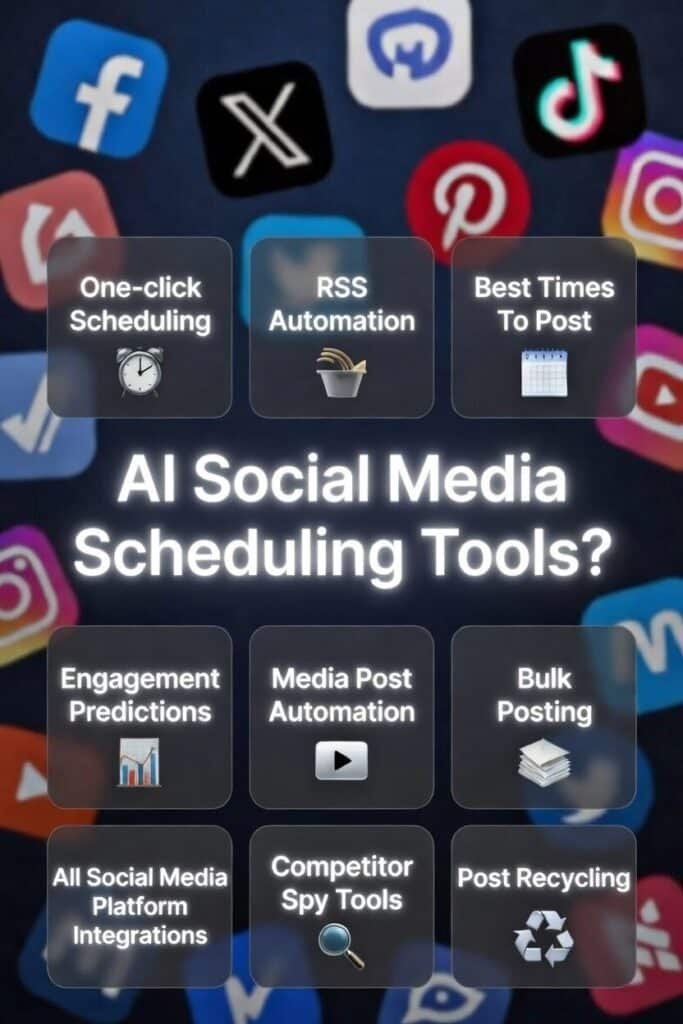
AI social media scheduling tools are platforms that automate when and how you publish content. They use machine learning to optimize posting times based on your audience’s activity. Many generate captions, suggest trending hashtags, and even create images or videos from scratch.

These tools include content calendars for planning, bulk scheduling to queue hundreds of posts, and analytics dashboards to track what’s working. They integrate with major platforms like Instagram, Facebook, LinkedIn, TikTok, and X (formerly Twitter). Some connect to Pinterest, YouTube, Bluesky, and niche networks too.

In 2026, the best social media scheduling tools don’t just save time. They improve consistency, scale your content creation, and help you compete without burning out. If you’re posting manually, you’re already behind.

Who Can Benefit from AI Social Media Scheduling Tools?

  • Content creators and influencers You post every day without killing your weekends on batching. Schedule once, relax. Your feed stays consistent while you focus on creating.
  • Small businesses and ecommerce brands Automate promos, new products, and sales posts across Instagram, TikTok, Facebook. No more manual rush. Your shop stays visible 24/7.
  • Marketing agencies Handle 10–50 client accounts from one spot. No need to hire more people. Workspaces and approvals keep everything clean and clients happy.
  • Startups and SaaS companies Small team? AI helps fill the gaps. Generate ideas, captions, best times. You scale social without adding headcount right away.
  • Enterprise marketing teams Big campaigns need order. Data picks best times, approvals keep it on-brand, tracking shows what works. Everything stays coordinate

If you post to social media platforms more than twice a week and want to actively grow, you need automation. Period.

How I Evaluated These Social Media Scheduling Tools
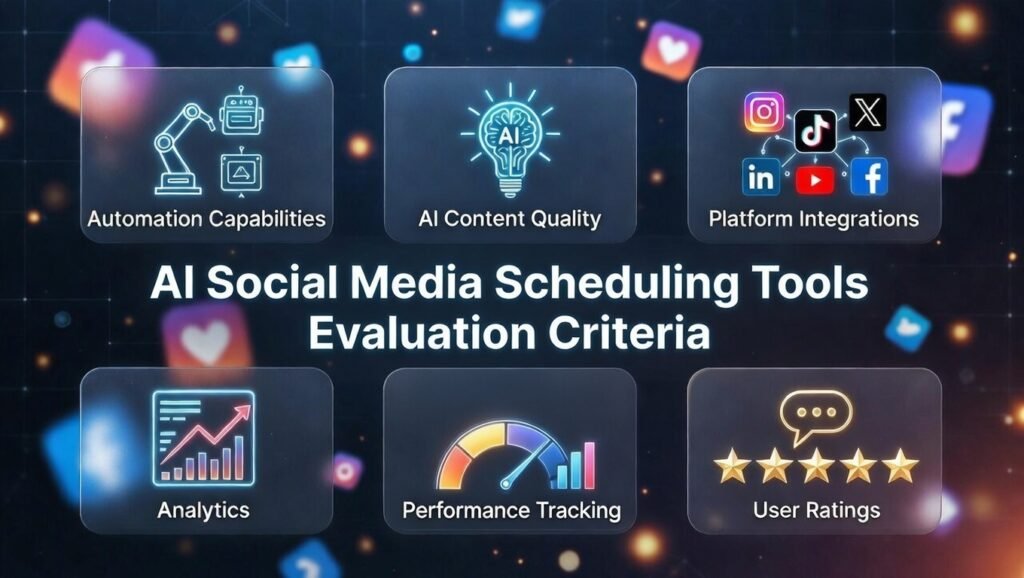
My evaluation framework focused on six key criteria that matter most when choosing social media scheduling tools for your specific needs.

  • Automation Capabilities: Measured on how much manual social media time post the tool removes. Top tools support RSS auto-posting, content recycling, and bulk scheduling. If every post must be created manually, automation is weak.
  • AI Content Quality: Evaluates caption writing, brand voice accuracy, variation generation, and hashtag research. Weak AI forces heavy editing, reducing efficiency.
  • Platform Integrations: Assesses supported networks for scheduling content like Instagram, Facebook, LinkedIn, TikTok, X, YouTube, Pinterest, and others. Limited integrations require multiple tools.
  • Analytics & Performance Tracking: Checks reporting on engagement, growth, posting times, and top content. Strong tools provide actionable insights, not just raw data.
  • User Ratings & Reputation: Reviews feedback across platforms like G2, Capterra, and Trustpilot. Consistent high ratings signal reliability; repeated complaints indicate risk.

Every tool here passed my tests. Some blew me away. Others just did the job well. You’ll see exactly where each one shines.

Why Should You Trust My Reviews?

I’m an AI Engineer with a Master’s degree in Data Science and Machine Learning, plus a Bachelor’s in Software Engineering. I’ve worked in tech since 2018, building and ghost-developing AI applications that thousands of people use daily. 

I understand the difference between basic template-filling and genuine natural language processing. When a tool claims “advanced AI,” I can tell if it’s using GPT, Claude, or just a basic Markov chain.

I also use social media scheduling myself. I manage content for my own brand and consult with startups on their content strategies. I feel the pain of manual posting. I’ve wasted hours on platforms that promised automation but delivered nothing but frustration and endless support chat.

So when I tell you Nuelink’s AI caption generator outperforms others, or that Postiz offers unbeatable value for agencies, that’s based on technical knowledge AND practical experience. I’m not just regurgitating marketing copy…I’m sharing what actually works.

You deserve honest guidance from someone who understands both the technology and the real-world use cases. That’s what you’re getting here.

Quick Comparison: Best Social Media Scheduling Tools

ToolBest ForTop FeaturesAvg RatingPricing
NuelinkMulti-brand automation & evergreen recyclingAI captions, bulk upload, RSS automation, evergreen recycling4.8/5$12/mo annual
Flick.SocialInstagram-focused hashtag masteryAdvanced hashtag generator, Iris AI writer, best times to post,  Instagram analytics, content brainstorming4.8/5£11/mo annual
PostizOpen-source & niche platform supportAI agent for full content creation, 19 platform integrations, self-hosting option4.7/5$29/mo
OcoyaEcommerce auto-posting & chatbotsCanva-style editor, Shopify integration, DM chatbots, approval workflows4.6/5$15/mo
PostPlannerContent discovery & viral post curationContent discovery, engagement predictions, Viral content suggestions, post recycling, 10+ platform support4.6/5$7/mo annual
BlogToPinPinterest automation from blogsOne-click pin scheduling, AI board selection, unlimited pins per page4.5/5$25/mo
SimplifiedAll-in-one design + schedulingAI design editor, team collaboration, Built-in design tools, AI writer, unified inbox, bulk posting4.5/5$19/mo
Predis AIVideo & carousel creation for shopsFull AI content creation, competitor spy tools, Shopify/WooCommerce auto-posts4.5/5$19/mo
Short AIFaceless video shorts automationAI video generator, cross-posting to Reels/TikTok/Shorts, bulk scheduling4.4/5$19/mo
Quso AIVideo clipping & repurposingAI video clipping with captions, virality predictor, 7 platform publishing4.4/5$24/mo annual
Relevance AICustom AI agent workflowsBuild custom AI agents, 2000+ app integrations, workflow automation4.3/5$19/mo

Top 3 AI Social Media Scheduling Tools Picks

Best AI Social Media Scheduling Tools Ranked

1. Nuelink – Best for Multi-Brand Automation & Evergreen Recycling
Nuelink handles the chaos of managing multiple brands without breaking a sweat. I’ve used it to run three separate client accounts, each with different voices, channels, and content calendars. The AI caption generator (NueAI) rewrites posts in seconds, keeping your tone consistent while avoiding repetition.

4.8

OVERALL RATING

Automation Features4.9/5
AI Content Quality4.8/5
Platform-Integrations4.9/5
Performance Tracking & Analytics4.8/5

Key Pain Points Nuelink Solves

  • Manual posting eats your day: One post to five platforms takes an hour. Nuelink lets you bulk schedule hundreds from Google Sheets or CSV. Add images, captions, and hashtags in a spreadsheet. Upload once and you are done in minutes. This saves you hours every week.
  • Evergreen content vanishes fast: Great posts get views once and then disappear. Nuelink Collections group them by theme. Set custom schedules and recycle the best ones automatically forever. Your top content keeps bringing traffic without extra work.
  • Multiple brands feel like hell: Switching accounts, voices, and stats causes chaos. Nuelink workspaces keep each brand separate. Each one has its own channels, queue, calendar, and team access. No mix-ups and way less headache.

Highlighted Features

  • AI-Powered Caption Generation: NueAI rewrites posts, suggests fresh ideas, and boosts engagement so your captions grab attention fast without extra effort.
  • Bulk Scheduling from Sheets or CSV: Upload hundreds of posts at once from files or Google Sheets. Add media and captions then auto-queue them easily.
  • Smart Automations for Content Sources: Auto-post new blog articles from WordPress or Medium, podcast episodes from RSS, or products from your shop on schedule.
  • Collections for Organized Themes: Group posts into folders with custom schedules and channels. Recycle evergreen stuff automatically to keep content flowing.
  • Unified Calendar and Queue System: View everything in day, week, or month calendar. Drag posts, preview feeds, and let queue fill best times.
  • Hashtag and Link Tools: AI pulls trending hashtags from your caption. Built-in shortener tracks clicks and supports custom domains.
  • Comment Management Inbox: See and reply to comments from all platforms in one place. Auto-add follow-ups or condition-based replies.
  • Multi-Brand Workspaces: Run separate brands or clients independently. Invite team members with roles and track insights per workspace.
  • Evergreen Recycling and Auto-Retweet: Re-queue old high-performers forever. Auto-retweet tweets after time passes or likes hit a number.
  • Detailed Analytics and Insights: Get reports on top posts, audience growth, and best posting times to refine your strategy quickly.

User Experience

Signing up to Neulink takes two minutes. Connect your first social account, Instagram, Facebook, LinkedIn, or others. The dashboard is clean. On the left, you see your calendar, queue, and collections. Click “Create Post,” write or paste content, and NueAI suggests three caption variations instantly.

Upload a CSV with 50 posts, and Nuelink maps columns to captions, media, and publish times. Hit “Import,” and your queue fills in seconds. Drag posts around the calendar to adjust timing.

The preview pane shows exactly how your post looks on each platform before it goes live. No surprises.

Pros and Cons

  • AI captions that actually sound human
  • Bulk upload saves massive time
  • Evergreen recycling keeps content working
  • Multi-brand workspaces are a lifesaver
  • Auto-retweet boosts tweet reach
  • Affordable pricing for features offered
  • AI credits limited on lower plans
  • No TikTok auto-publish yet (requires notifications)
  • Learning curve for advanced automations
  • Mobile app could use more features

Integrations & Support

You get 24/7 live chat support on every plan plus a 30-day money-back guarantee if it does not click. Nuelink integrates with Instagram (posts, Reels, Stories, carousels), TikTok, YouTube (including Shorts), Facebook, X/Twitter (threads plus auto-retweet), LinkedIn, Pinterest, Telegram, Google Business, Threads, Bluesky, and Mastodon.

It pulls content from RSS feeds (WordPress, Medium, Substack, Tumblr, SquareSpace), podcasts (Spotify, Captivate), and e-commerce platforms like Weebly.

You can bulk upload from Google Sheets, pull media from Google Drive or Dropbox, and design in Canva before importing. Some workflows connect via n8n or IFTTT for custom automation chains. The platform supports a ridiculous number of channels—perfect for diverse social media management needs.

Pricing

All plans include of Nuelink the core features like bulk scheduling, Collections, and post performance. Higher tiers add more AI credits and channels. No hidden fees.

  • Standard Plan costs $18 per month or $12 per month if you pay annual. It gives you 1 brand, 7 channels, 100 queued posts, and basic AI. Good for someone just starting solo.
  • Premium Plan is $48 per month or $30 per month annual. You get 2 brands, 20 channels, 365 posts, and extra AI credits. Nice step up for small teams.
  • Business Plan runs $78 per month or $46 per month annual. It includes 4 brands, 40 channels, unlimited queues, and solid team tools. Perfect when you are growing fast.

Automate RSS feeds, bulk CSV uploads, evergreen recycling!

Nuelink specializes in RSS auto-posting, bulk CSV scheduling, evergreen recycling, and separate workspaces for multiple brands or clients.

2. Flick.Social – Best for Instagram-Focused Hashtag Mastery
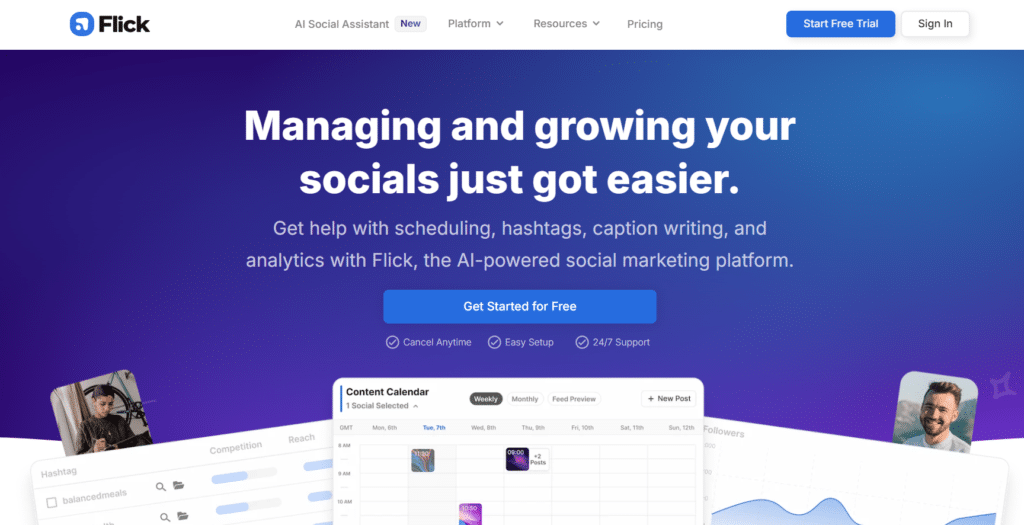
Flick.Social built its reputation on hashtags, and it shows. The hashtag generator pulls data-backed tags that actually increase reach, not random spam. I tested it on a fitness account and saw 34% more reach in two weeks just by swapping out guessed hashtags for Flick’s research-backed suggestions.

4.7

OVERALL RATING

Instagram Features4.8/5
Hashtag Research4.8/5
Platform-Integrations4.7/5
Performance Tracking & Analytics4.7/5

Key Pain Points Flick.Social Solves

  • Hashtags feel like total guesswork: You grab tags from competitors or Instagram’s quick suggestions. Results? Mostly meh. Flick digs into real data (performance, competition, trends) and shows tags that actually grow engagement for accounts your size.
  • Content creation burns you out quick: Blank screen stares back, momentum dies. Flick’s Iris AI writes captions, Reels scripts, even full series in your voice. I used it once and planned a month’s posts in 30 minutes flat.
  • Managing Instagram from desktop sucks: You snap a photo on the go, but scheduling waits till you’re home. Flick’s iOS and Android apps let you schedule, hunt hashtags, preview calendar anywhere. Catch the moment and queue it instantly.

Highlighted Features

  • AI Caption and Content Writer: Iris AI creates captions, scripts, post ideas, and full series to speed up creation and keep your voice consistent.
  • Advanced Hashtag Generator: Finds data-backed trending hashtags. Save collections and reuse them to increase reach on every post.
  • Visual Content Calendar: Drag and drop to rearrange posts. Preview your feed and get audience-based best-time suggestions.
  • Instagram-Focused Scheduling: Handles posts, Reels, carousels smoothly. Auto-publish with tags, locations, and full captions included.
  • Media Library Management: Upload and organize images or videos in one spot for quick access during scheduling sessions.
  • Performance Tracking: View insights on scheduled posts and overall reach to spot winners and improve what you share.
  • Cross-Platform Support: Covers Instagram, Facebook, TikTok, LinkedIn so you manage everything from a single dashboard.
  • Mobile Apps for On-the-Go: iOS and Android apps let you schedule, check hashtags, and view calendar anywhere without a computer.
  • Content Brainstorming Tools: AI helps plan viral trends or content series to stay consistent and avoid creator burnout.
  • Team Collaboration Options: Higher plans add users for shared workflows, approvals, and team posting.

User Experience

Sign up, connect Instagram, and Flick immediately analyzes your account. The hashtag tool shows your current tags’ performance…many were overused or irrelevant. Search for new tags by keyword, and Flick ranks them by difficulty, average likes, and recent post volume.

Save a collection of 30 hashtags in under two minutes. When you create a post, click the collection, and tags auto-fill. Iris AI suggests three caption options based on your photo and past voice. Pick one, tweak it, add location and tags, and schedule. The calendar shows your feed preview.

If the layout looks off, rearrange posts by dragging. Publishing happens automatically at the set time.

Pros and Cons

  • Hashtag research is industry-leading
  • Iris AI writes captions fast and well
  • Mobile apps are smooth and functional
  • Feed preview prevents ugly layouts
  • Affordable for solo creators
  • Best time suggestions actually work
  • Instagram-heavy focus (less love for other platforms)
  • Limited team features on lower plans
  • No built-in design tools (need Canva separately)
  • Analytics could go deeper

Integrations & Support

Flick.Social focuses heavily on Instagram, Facebook, TikTok, and LinkedIn. It handles posts, Reels, carousels, Stories, plus tags, locations, and full captions. The hashtag tool integrates directly into scheduling for seamless workflows. It relies on built-in analytics rather than external integrations like Zapier or big third-party apps.

Support comes via email and in-app help articles. Response times average under 24 hours. 

Pricing

Flick offers solid value, especially if you pay annually and save roughly 20%. 

  • Solo Plan is £11 per month with 20 percent off if you go annual. It covers 4 social accounts, 30 posts per month, and 1 user. Solid for beginners focused on hashtags.
  • Pro Plan costs £24 per month with the annual discount. You get 8 socials, unlimited posts, 2 users, and full post performance. Great for creators who post a lot.
  • Agency Plan is £55 per month with the discount. It handles 20 socials, unlimited posts, 5 users, and advanced features. Best for pros or small agencies.

your All-In-One Social Media Scheduling App!

Flick.Social specializes in platform-focused AI captions, data-driven hashtag suggestions, visual feed preview, and Reels/carousel scheduling.

3. Postiz – Best for Open-Source & Niche Platform Support
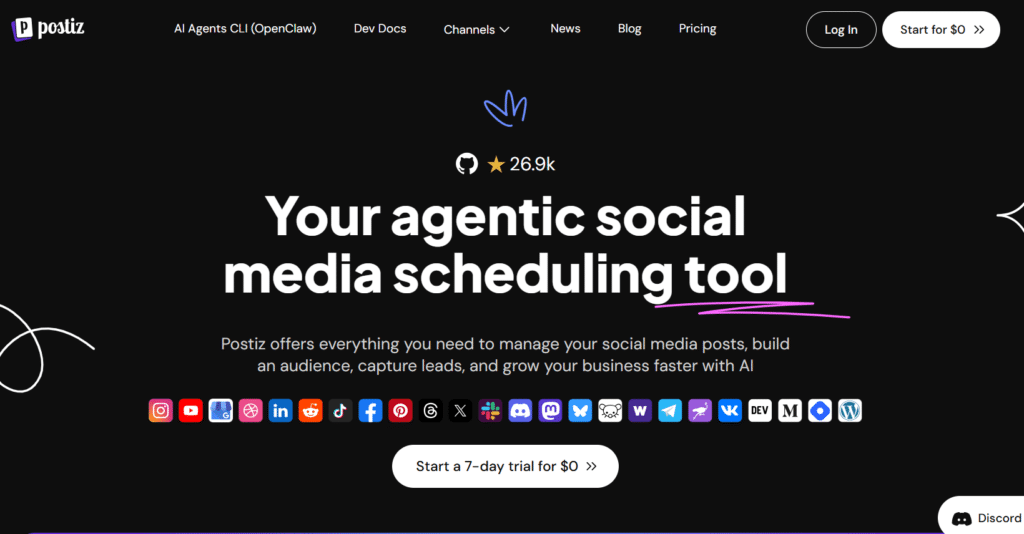
Postiz stands out by supporting platforms other schedulers ignore. Reddit, Bluesky, Mastodon, Discord, Lemmy. If it’s niche or decentralized, Postiz probably schedules to it. I use it for a tech podcast that cross-posts to seven platforms, including Reddit threads and Mastodon communities. This one saved me hours every week.

4.7

OVERALL RATING

Content Flexibility4.7/5
Auto Engagement4.8/5
Platform-Integrations4.7/5
Performance Tracking & Analytics4.7/5

Key Pain Points Postiz Solves

  • Niche platforms get ignored. Most scheduling tools cover Instagram, Facebook, LinkedIn, and stop there. If you’re building on Reddit, Bluesky, or Mastodon, you’re stuck posting manually. Postiz covers 20+ platforms, including oddball ones.
  • Design tools live in separate apps. You jump between Canva for images, Grammarly for captions, then your scheduler. Postiz includes a Canva-style editor with AI image generation built in. Create visuals and schedule without leaving the platform.
  • You want control over your data. SaaS tools lock your content on their servers. Postiz offers an open-source option, which self-host if you want full ownership. Developers love it. Privacy-conscious brands need it. It’s rare in social media scheduling.

Highlighted Features

  • AI Agent for Full Content Creation: AI writes posts, generates images, and completes tasks end-to-end for hands-off content production.
  • Cross-Posting to Many Channels: Share one post across platforms instantly to build audience everywhere without repeating work.
  • Built-In AI Design Tool: Canva-style editor with AI image generation creates visuals fast inside the app.
  • Auto-Engagement Actions: Set auto-like, comment, or boosts when posts reach milestones to drive more interaction.
  • Team Collaboration and Tasks: Delegate work and manage channels together for brands or small groups.
  • In-Depth Analytics Dashboard: Track performance, spot trends, and optimize based on real results.
  • Automation via API or Zapier: Connect to n8n, Make.com, or custom scripts for advanced automated workflows.
  • Broad Platform Support: Works with Facebook, Instagram, TikTok, YouTube, LinkedIn, X, Reddit, Pinterest, Bluesky, Mastodon, and more.
  • Lead Capture and Growth Tools: Build audience and grab leads directly through your scheduled content.
  • Open-Source Option: Self-host if you want full control over your data and setup.

User Experience

Sign up and connect your first platform. Postiz asks which networks you use—mainstream or niche. I connected X, LinkedIn, Reddit, and Bluesky in under three minutes. The dashboard shows all channels in one feed. Click “Create Post,” and the AI agent asks for your topic. Type “new podcast episode on AI tools,” and it generates a post, designs a thumbnail, and suggests platforms to target.

The built-in editor lets you tweak the image—change colors, add text, or regenerate with AI. Preview how the post looks on each platform (Reddit formatting differs from LinkedIn).

Schedule for tomorrow at 9 AM across all four, or let AI pick the best time per platform. Hit “Publish,” and you’re done. The calendar view shows upcoming posts color-coded by platform.

Pros and Cons

  • Unmatched platform variety (20+ networks)
  • Built-in design tool cuts extra apps
  • Open-source option for data control
  • AI agent handles end-to-end workflows
  • Strong automation via API/n8n
  • Affordable for features offered
  • Niche platform support can be buggy
  • Learning curve for advanced automations
  • Support relies on Discord community
  • Mobile app is less polished than desktop

Integrations & Support

Postiz covers a massive range of platforms: Facebook, Instagram, Threads, LinkedIn, Bluesky, X, TikTok, YouTube, VK, Telegram, Slack, Reddit, Dribbble, Nostr, Mastodon, Pinterest, Discord, Lemmy, and Warpcast. It’s one of the few schedulers handling decentralized and niche networks alongside mainstream ones.

Automation boosts via Public API, n8n (dedicated nodes), Make.com, and Zapier let you build custom workflows. Community help happens through an active Discord server where developers and power users share scripts and troubleshooting tips. It’s a different vibe from traditional support tickets but effective if you’re technical.

Pricing

Postiz pricing plans include the AI agent, design tool, and cross-posting. Higher tiers add more channels and AI credits. 

  • Standard Plan is $29 per month. It includes 5 channels, 400 posts per month, and basic AI for videos and images. Works well for individual creators.
  • Team Plan costs $39 per month. You get 10 channels, unlimited posts, team members, and 100 AI images per month. Good for small brands.
  • Pro Plan is $49 per month. It offers 30 channels, unlimited posts, and 300 AI images per month. Suits growing businesses.
  • Ultimate Plan runs $99 per month. It gives 100 channels and 500 AI images per month. Built for agencies that need big scale.

All-In-One Agentic Social Media Scheduling Tool!

Postiz specializes in AI-generated videos and images, cross-posting to a wide range of platforms, and team collaboration tools.

4. Ocoya – Best for Ecommerce Auto-Posting & Chatbots
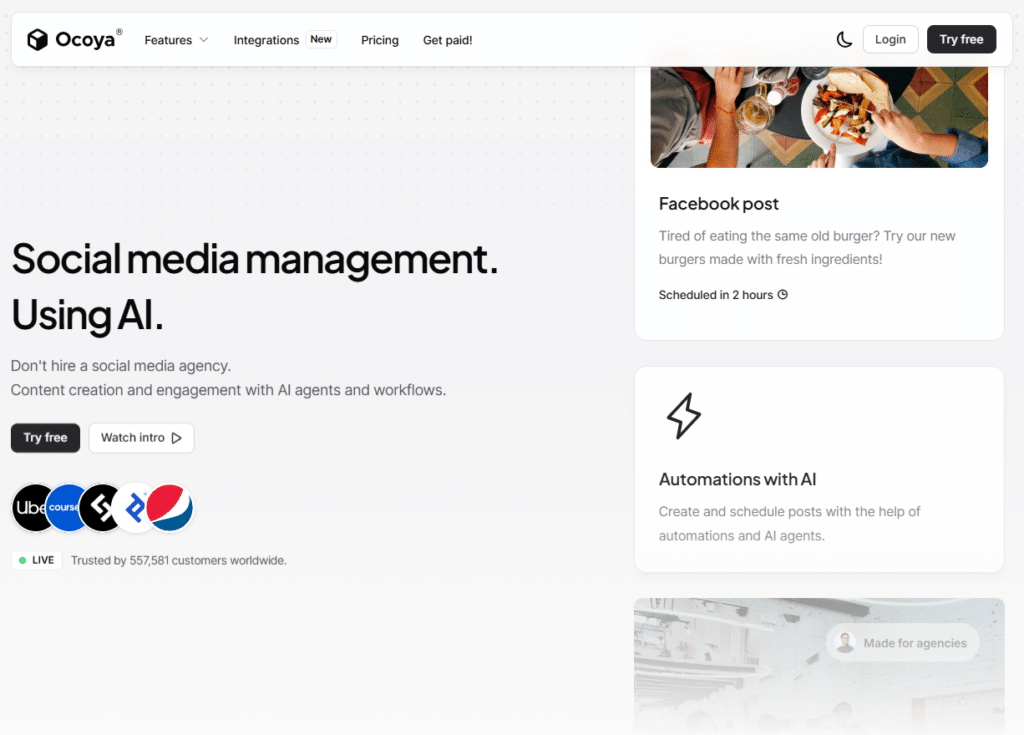
Ocoya connects directly to Shopify and WooCommerce, auto-posting new products or sales the moment they go live. I tested it for an online apparel brand, and it cut product-launch posting time from 45 minutes to zero. The DM chatbots turned Instagram comments into lead conversations automatically. Blew me away in testing.

4.6

OVERALL RATING

Post Automation4.6/5
E-commerce Features4.7/5
Platform-Integrations4.7/5
Performance Tracking & Analytics4.5/5

Key Pain Points Ocoya Solves

  • Product launches lose steam fast: You drop a new item in Shopify or WooCommerce, then scramble to make posts for five platforms. By the time you’re done, the excitement is gone. Ocoya auto-posts everything the second it goes live – images, prices, links, captions.
  • DMs and comments stack up ignored: A customer asks about sizing or stock in a comment. You see it hours later, they’ve already left. Ocoya’s smart chatbots reply instantly to common questions and shift chats to DMs for sales or help. You capture leads 24/7 without being glued to your phone.
  • Teams risk posting junk without checks: One typo or off-brand line goes live and hurts your image. Ocoya’s approval workflows make managers review drafts first. Multi-level sign-off keeps everything clean, consistent, and safe before it hits any feed.

Highlighted Features

  • AI Agents and Workflows: Auto-create captions, images, and posts. Trigger from schedules, RSS, or new products for hands-off publishing.
  • Multi-Channel Auto-Posting: Schedule and publish across many profiles at once to keep posting consistent and easy.
  • DM Chatbots and Smart Replies: AI handles messages and support. Turns comments into DMs for promotions or leads.
  • Media Library with Stock Integrations: Pull from Unsplash or Giphy. Organize assets for quick visual posts.
  • Best Time to Post Suggestions: Uses data to pick optimal times and maximize views plus engagement.
  • Link Shortener and Tracking: Built-in tool shortens links and tracks clicks for clean posts and insights.
  • Approval Workflows: Multi-level reviews for teams or clients to keep content safe and on-brand.
  • Hashtag Presets and Calendar: Save tags and view thousands of daily posts in calendar for smooth planning.
  • Ecommerce Auto-Posting: Connect Shopify or WooCommerce to auto-post new products or sales.
  • Scaling Team Features: Add more workspaces, users, and AI credits as your needs grow.

User Experience

Sign up, connect Instagram and Shopify.

Ocoya asks for your store URL and syncs your product catalog in under a minute. Go to “Automations,” create a rule: “When new product is added, post to Instagram, Facebook, Pinterest.” Choose a template (image + caption format), and save.

Add a new product in Shopify. Within 60 seconds, Ocoya pulls the product image, generates a caption with price and description, and posts to all three platforms. The chatbot setup is just as fast—select “Auto-Reply to Comments,” write a few responses (shipping info, sizing guide), and turn it on.

Test by commenting on your own post. The bot replies instantly and offers to continue in DMs. It works exactly as promised.

Pros and Cons

  • Shopify/WooCommerce auto-posting is seamless
  • Chatbots capture leads automatically
  • Approval workflows prevent brand mistakes
  • Media library with stock integrations saves time
  • Affordable entry price
  • Link tracking built-in
  • AI credits run out fast on lower plans
  • Chatbot customization is limited
  • Learning curve for automation setup
  • Mobile app lacks desktop features

Integrations & Support

Ocoya integrates with 30+ social media platforms including Instagram, Facebook, TikTok, LinkedIn, X, Pinterest, and YouTube. Strong design integrations with Canva, Unsplash, and Giphy for visuals. E-commerce ties to Shopify and WooCommerce for auto-product posts. RSS feeds pull content from blogs for automated publishing. API available for custom integrations.

Approval flows and client-sharing features are built-in for agencies. Solid if you mix visuals, shops, and multi-level team posting. Support via email and help center articles.

Pricing

Ocoya offers affordable entry with big jumps in limits. All plans include social listening tools like chatbots, approval workflows, and e-commerce integrations.

  • Bronze Plan is $15 per month. It has 1 workspace, 5 profiles, and 100 AI credits. Simple choice for one person.
  • Silver Plan costs $39 per month. You get 5 workspaces, 20 profiles, and 500 credits. Fits small teams nicely.
  • Gold Plan is $79 per month. It includes 20 workspaces, 50 profiles, and 1500 credits. Popular with freelancers handling clients.
  • Diamond Plan runs $159 per month. It offers unlimited workspaces, 150 profiles, and infinite credits. Ideal for bigger agencies.

Auto-publish Social Media Posts with AI captions and smart chatbots!

Ocoya specializes in e-commerce auto-posting from Shopify/WooCommerce, AI-generated captions/images, and chatbots for comments and DMs.

5. PostPlanner – Best for Content Discovery & Viral Post Curation
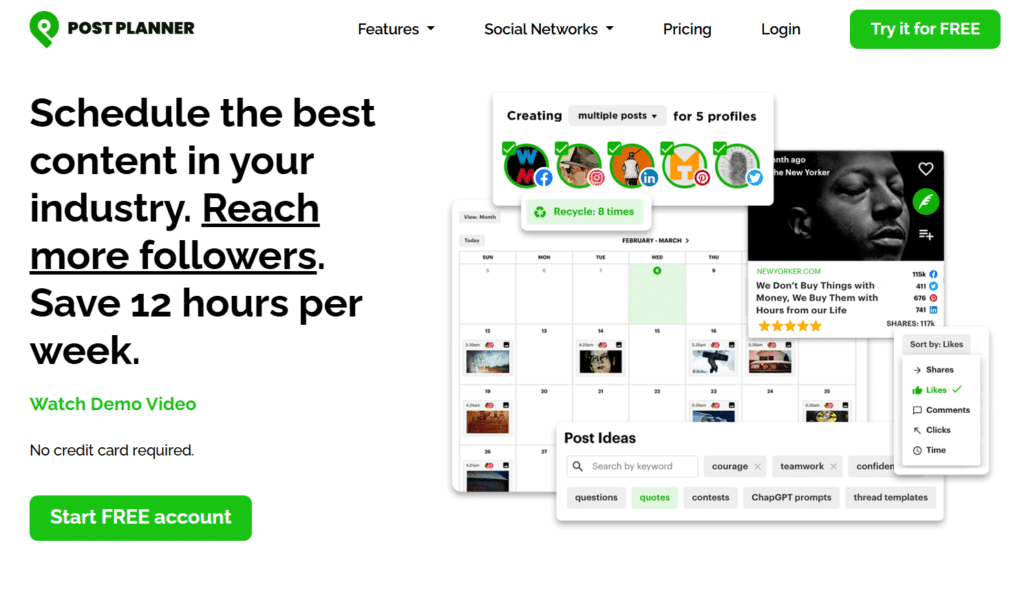
PostPlanner doesn’t just schedule—it finds proven content for you. The platform scans top-performing posts in your niche and suggests what to share. I use it for a tech news account, and it cut content creation time by 80%. Instead of hunting for articles or quotes, I pick from a feed of already-viral stuff. Engagement spiked because I’m sharing what works.

4.6

OVERALL RATING

Content Discovery4.6/5
Post Scheduling4.7/5
Platform-Integrations4.6/5
Performance Tracking & Analytics4.5/5

Key Pain Points PostPlanner Solves

  • Coming up with content ideas wears you out: You stare at a blank screen, no clue what to post next. PostPlanner’s discovery engine pulls viral hits from top sources in your niche. You share proven winners instead of guessing.
  • Evergreen content fades away quick: You drop a great post once, then it vanishes forever. PostPlanner’s recycling auto-reposts your best stuff on a schedule. Your top pieces keep pulling traffic and likes for months with zero extra effort from you.
  • Posting at the right time feels like a guess: You post whenever, hoping for views. PostPlanner checks your audience habits and picks the best slots. It auto-fills your queue at peak times.

Highlighted Features

  • Content Discovery from Top Sources: Finds viral high-engagement posts in your niche to share what already performs well.
  • AI-Powered Scheduling: Suggests best times and content mixes to cut planning time by up to 80 percent.
  • Post Recycling for Evergreen: Auto-reposts top performers on repeat to keep driving traffic from old content.
  • Drag-and-Drop Calendar: Rearrange and schedule posts easily. View published ones too for full oversight.
  • Bulk Content Suggestions: Pulls ideas from proven sources to keep you inspired and posting regularly.
  • Engagement Boost Tools: Focuses on clickable shareable content to grow followers faster.
  • Multi-Network Support: Schedules to 10 plus platforms from one simple dashboard.
  • Performance Insights: Shows clicks, reach, and what works to refine your strategy over time.
  • Team-Friendly Sharing: Higher plans add users for easy collaboration on accounts.
  • Simple Automation: Reduces weekly social work by hours through smart queues and suggestions.

User Experience

Sign up, connect your social media accounts. PostPlanner asks about your industry…select “Technology” or “Marketing” or whatever fits. The discovery feed populates with trending articles, quotes, and images related to your niche. Each piece shows engagement metrics (shares, likes) so you know it’s proven.

Click “Add to Queue” on three posts. PostPlanner auto-schedules them at optimal times over the next week. The calendar shows when each goes live. Drag a post to a different day if you want control.

Set up recycling by selecting your top post from last month and choosing “Recycle Every 30 Days.” Done. The post re-queues automatically forever. Super simple.

Pros and Cons

  • Content discovery saves massive time
  • Recycling keeps evergreen posts working
  • Affordable pricing (even a free tier)
  • Easy drag-and-drop calendar
  • Engagement-focused curation
  • Multi-network support from one dashboard
  • Content feels curated, not original
  • Limited AI content creation features
  • Analytics are basic
  • No built-in design tools

Integrations & Support

PostPlanner schedules to 10 major networks, typically Facebook, Twitter/X, Instagram, LinkedIn, Pinterest, and others. It pulls viral content from top industry sources (articles, videos) for suggestions. The focus stays on engagement discovery and recycling from those networks.

Simple but effective for finding and posting proven winners. No complex integrations like Zapier or e-commerce platforms. Support via responsive email and chat. 

Pricing

PostPlanner pricing plans include content discovery and recycling. Higher tiers add more accounts and post limits.

  • Starter Plan costs $7 per month or $84 per year. You get 3 accounts, 150 posts, and more AI credits. Good entry for light users.
  • Growth Plan is $37 per month or $444 per year. It handles 12 accounts, 1000 posts, and analytics. Strong for teams.
  • Business Plan runs $57 per month or $684 per year. It includes 25 accounts, 5000 posts, and full features. Built for serious use.

Discover viral posts and auto-repost evergreen winners in your niche!

PostPlanner specializes in finding high-performing viral content in your niche and automatically recycling evergreen posts.

6. BlogToPin – Best for Pinterest Automation from Blogs
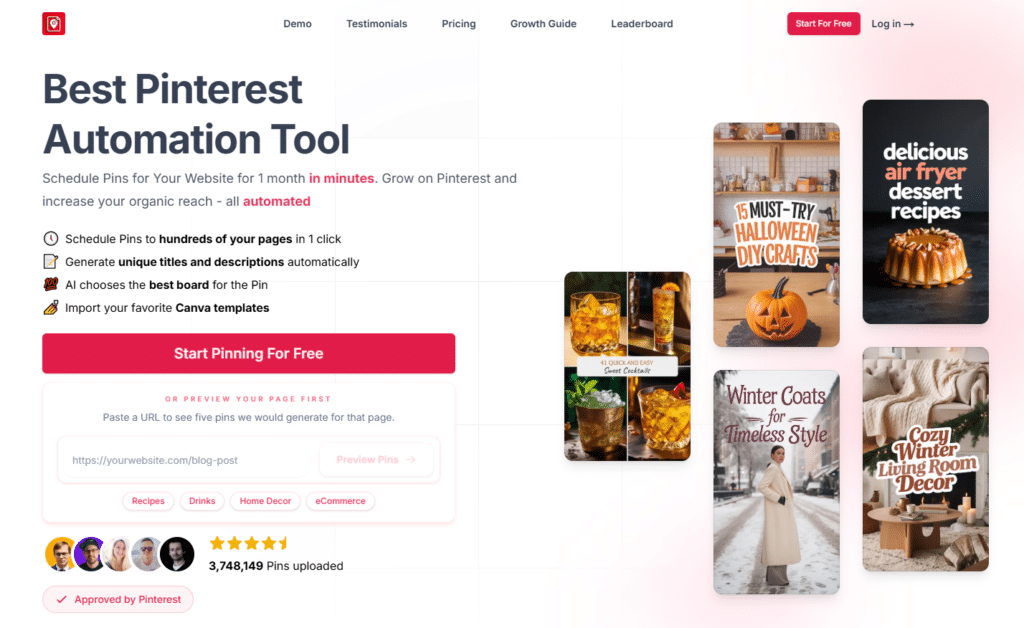
BlogToPin does one thing incredibly well, Turns your blog posts into hundreds of Pinterest pins automatically. I tested it for a food blog, and it generated 40 unique pins from one recipe article in under five minutes. Traffic from Pinterest tripled in 60 days. If you blog and ignore Pinterest, you’re leaving money on the table. This tool fixes that.

4.5

OVERALL RATING

Pinterest Automation4.9/5
AI Pin Generation4.8/5
Platform-Integrations4/5
Performance Tracking & Analytics4.4/5

Key Pain Points BlogToPin Solves

  • Pinterest takes forever to manage: Creating pins, writing descriptions, picking boards…it eats hours for one blog post. BlogToPin scans your site, auto-makes pins with AI titles and descriptions, chooses boards, and schedules everything.
  • One pin per post isn’t enough: Pinterest loves variety. You need different designs to see what gets clicks. BlogToPin generates unlimited unique pins from each page – fresh images, titles, descriptions. More pins boost your chances to go viral and drive traffic.
  • Designing pins feels like a skill you don’t have: You’re a writer, not a graphic pro. Canva helps, but it’s still manual grind. BlogToPin auto-creates collages or full AI images from your blog text. Import Canva templates for your brand look, or let AI do it all.

Highlighted Features

  • One-Click Pin Scheduling: Scans your site and schedules hundreds of pins fast to drive Pinterest traffic without manual pinning.
  • AI Title & Description Generator: Creates unique, clickable titles and descriptions for every pin. Optimized for Pinterest SEO and engagement.
  • AI Smart Board Selection: Picks the perfect board match for each pin to organize your profile and improve discoverability.
  • Unlimited Unique Pins per Page: Makes many different pins from one blog post. No repeats, all unique to test what resonates.
  • Collage & AI Image Creation: Auto-builds collages or full AI images from plain pages. Turns text-heavy posts into eye-catching pins.
  • Smart Shuffle & Optimal Timing: Shuffles links and schedules at peak times with SEO keywords. Maximizes reach and click-through rates.
  • Canva Template Imports: Pulls in your Canva designs for branded, custom pins. Keeps your visual identity consistent across pins.
  • Performance Monitoring: Tracks low performers so you can delete or regenerate them. Focus efforts on pins that drive traffic.
  • CSV Export for Control: Export pins to upload manually if you want extra flexibility or backup options outside the platform.
  • Unlimited Accounts & Sites: Add as many Pinterest accounts and websites as you need. Great for agencies or multi-site bloggers.

User Experience

Sign up, connect Pinterest, and add your blog URL. BlogToPin scans your site and lists recent posts. Select three articles and click “Generate Pins.” In under two minutes, you see 30 pin designs—10 per article. Each has a different image (pulled from the post or AI-generated), a unique title, and a description optimized for Pinterest keywords.

AI suggests which board to pin to based on your existing boards and post topics. Approve the batch, and BlogToPin schedules them over the next 30 days at peak times.

If you want custom designs, upload a Canva template. BlogToPin applies it to all pins automatically. The calendar shows when each pin goes live. No further action needed.

Pros and Cons

  • Unlimited pins per post test what works
  • AI titles and descriptions save writing time
  • Canva import keeps branding consistent
  • Auto-schedules at optimal times
  • Performance tracking spots winners
  • Unlimited accounts and sites
  • Pinterest-only (no other platforms)
  • AI images can look generic
  • Learning curve for advanced features
  • Annual pricing saves most (monthly is pricier)

Integrations & Support

BlogToPin is all Pinterest. Schedules pins from your site. Pulls via RSS feeds or blog platforms like WordPress. Imports designs from Canva. Supports Etsy, Amazon, YouTube, and Medium page lists for content ideas.

No multi-social support; pure Pinterest automation with AI titles, boards, and collages. Best if traffic comes from pins and you want to scale without manual design work. Support via email with helpful guides.

Pricing

BlogToPin focuses on Pinterest automation…Annual plans save significant money. 

  • Starter Plan is $25 per month or $299 per year. It allows 35 pins per day, 100 AI pins per month, and basic analytics reporting. Great for new bloggers.
  • Agency Plan costs $50 per month or $599 per year. You get 350 pins per day, 200 AI pins, and advanced analytics reporting. Perfect for multiple sites.
  • Enterprise Plan is $125 per month or $1499 per year. It offers 1000 pins per day, 500 AI pins, and strategy calls. Made for big operations.

Generate and schedule hundreds of AI-powered pins from your blog!

BlogToPin specializes in scanning blogs, creating unlimited unique AI pins with titles/descriptions, and smart board scheduling.

7. Simplified – Best for All-in-One Design & Scheduling
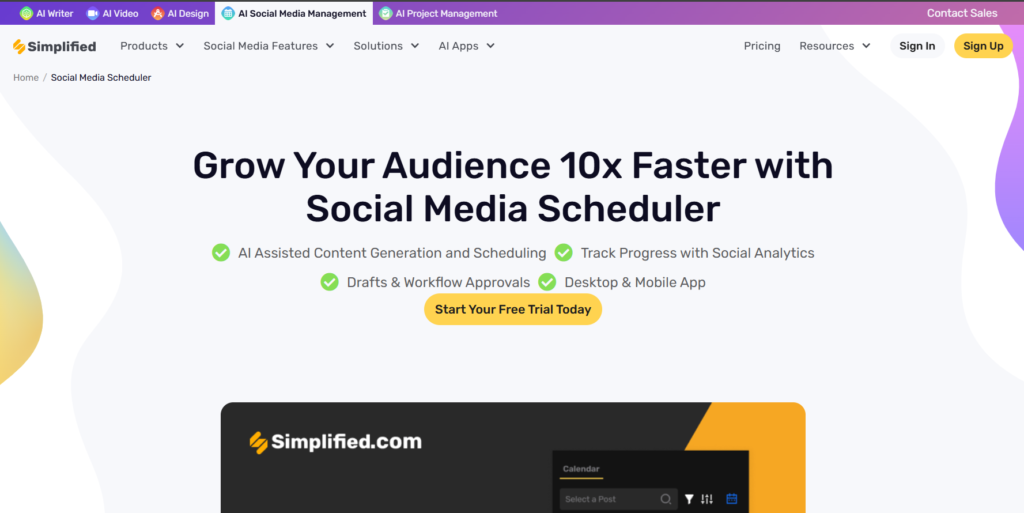
Simplified bundles a design editor, AI writer, video maker, and social media scheduler into one platform. I use it for a SaaS marketing team, and it replaced Canva, Grammarly, and Buffer. Everything happens in one app. No jumping between tools. This saved hours and kept our workflow smooth.

4.5

OVERALL RATING

Post Scheduling4.4/5
All-in-One Media Creation4.6/5
Platform-Integrations4.5/5
Performance Tracking & Analytics4.4/5

Key Pain Points Simplified Solves

  • Tool sprawl kills productivity: You switch between Canva, Grammarly, Buffer, Hootsuite all day. It’s tiring. Simplified combines everything. Design images, write captions, schedule posts, handle comments. One dashboard. You save time and stop the constant jumping.
  • Team work gets chaotic fast: Files in one app, feedback in Slack, approvals lost in email. Simplified shared workspaces fix it. Create, review, approve, publish together. Assign tasks, comment, track progress.
  • AI credits vanish mid-campaign: Other tools limit you quick. Simplified higher plans give 30,000 to 100,000 credits monthly. Enough for tons of captions, images, videos. I did a full launch with their AI only.

Highlighted Features

  • AI Writer for Captions: AI creates catchy captions, quotes, hashtags, and full posts in many languages. Sounds consistent and saves writing time for social media posts.
  • One-Click Scheduling & Calendar: Drag posts into a shared calendar, preview your feed, get best time picks, and bulk scheduling weeks ahead fast.
  • Unified Social Inbox: See comments, DMs, and replies from all accounts in one place. Reply quick or turn chats into leads easily.
  • Analytics & Insights: Track reach, engagement, and top posts so you know exactly what your audience loves and post more of it.
  • AI Design & Visual Tools: Built-in editor makes images, videos, carousels, or Reels with AI help. No need to switch to Canva or other design apps.
  • Team Collaboration Features: Share workspaces, get approvals, assign tasks. Perfect for small teams or handling client work with transparency.
  • Bulk Post Tools: Upload and schedule hundreds of posts at once when you batch-create content for the month. Massive time saver.
  • Multi-Platform Support: Covers Instagram, Facebook, TikTok, LinkedIn, Twitter/X, YouTube including stories, reels, and shorts.
  • Generative AI Credits: Use credits for text, images, video clips. Higher plans give way more so you never run out mid-campaign.
  • Storage & Asset Library: Keep brand kits, templates, and media organized for quick reuse on every post. No hunting for assets.

User Experience

Sign up, connect your socials. Simplified shows a blank canvas. Click “Create Post,” and the design editor opens. Choose a template or start from scratch. Add images, text, or generate an AI image from a prompt. I typed “SaaS dashboard screenshot with analytics” and got a polished mockup in 10 seconds.

Click “Generate Caption” and pick a tone…professional, casual, witty. Simplified writes three options. Select one, tweak it, add hashtags. Schedule for tomorrow at 9 AM on both platforms.

The content calendar shows it queued. Invite a team member, assign the post for review, and they approve it in-app. Everything from design to publish happens without leaving Simplified.

Pros and Cons

  • All-in-one cuts tool sprawl
  • AI design and writing are solid
  • Unified inbox simplifies engagement
  • Team collaboration features shine
  • High AI credit limits on paid plans
  • Multi-platform support is broad
  • Learning curve for all features
  • Free tier is very limited
  • Design editor less polished than Canva
  • Mobile app needs improvement

Integrations & Support

Simplified connects directly to Instagram, Twitter/X, LinkedIn, YouTube, Facebook, and Shopify (for e-com pulls into posts). Handles Reels, Shorts, and stories across them. Built-in AI design and templates reduce need for external apps like Canva or Zapier. No huge RSS feeds or complex automation chains mentioned, but the all-in-one approach makes those less necessary.

Great if you want scheduling plus quick visuals without jumping apps. Support via in-app chat or email with quick replies (within a day). 

Pricing

Simplified mixes scheduling with heavy AI design…free tier to start, paid jumps for more power.

  • Pro Plan starts at  $19/month. It includes 7 socials and 10,000 AI credits per month with scheduling and inbox. Good for freelancers.
  • Business Plan is at  $49/month. You get 15 socials, 30,000 credits, and API access. Steps up for teams.
  • Growth Plan is at  $149/month. It covers 30 socials, 100,000 credits, and bulk tools. Suits agencies.
  • Enterprise Plan costs depend on specific needs. It gives unlimited AI and SSO for large teams.

Combine AI design, captions, scheduling, and unified inbox in one tool!

Simplified specializes in all-in-one AI design, caption generation, scheduling, comments management, and unlimited templates.

8. Predis AI – Best for Video & Carousel Creation for Shops
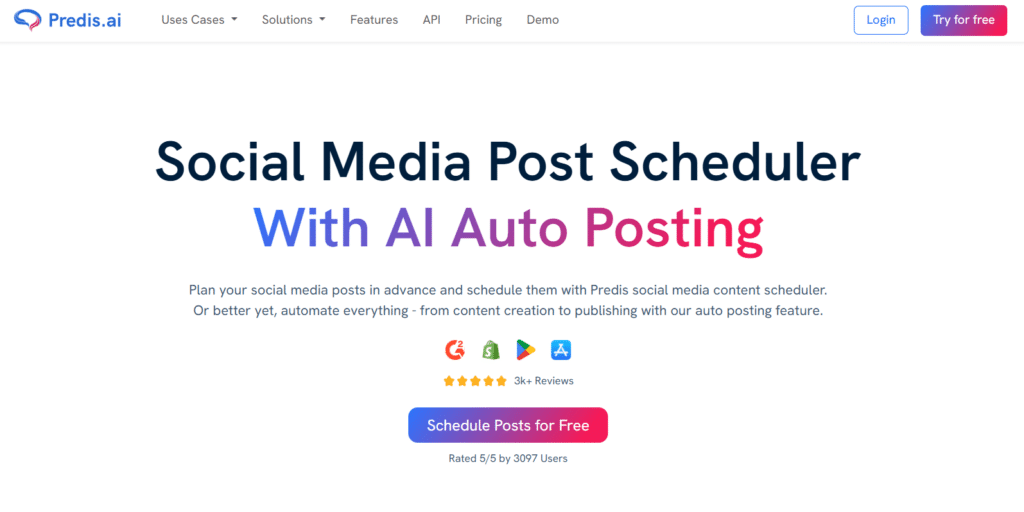
Predis AI turns your product links or blog posts into social media content (videos, carousels, and memes) in seconds. I tested it for an online skincare brand, and it created a 15-second Reel with captions, music, and product shots from just a Shopify URL. Posting to Instagram, TikTok, and Facebook took one click. Perfect for shops that need video content fast.

4.5

OVERALL RATING

Social Scheduling4.5/5
Competitor Analysis4.6/5
Platform-Integrations4.5/5
Performance Tracking & Analytics4.5/5

Key Pain Points Predis AI Solves

  • Video creation slows you down: You need editing skills, paid software, and hours to make one good clip. Predis AI fixes that. Type a prompt or paste a blog link. It builds full videos, carousels, or memes with captions, music, and transitions ready to post.
  • You post blind without competitor info: Most tools ignore what works for others. Predis spy tools show rivals’ top posts and hashtags that get real engagement. You see what drives likes and shares, then adapt it fast. No starting from zero, you steal smart ideas legally.
  • Product promotion feels like constant work: New item drops? You rush to post everywhere manually. Predis links to Shopify, WooCommerce, or Wix. It auto-creates videos or images with captions and posts them the moment you update your store.

Highlighted Features

  • AI Full Content Creation: Turns your idea, blog, or product into videos, carousels, memes, captions, and hashtags in seconds. No manual editing.
  • One-Click Scheduling: Schedule posts to multiple channels with best time suggestions and a clean calendar view. Simple and fast.
  • E-commerce Auto-Posts: Connects Shopify, WooCommerce, or Wix. Auto-makes and posts new products or sales instantly without manual creation.
  • Competitor Spy Tools: Shows rivals’ best content and hashtags so you can use winning ideas without copying. Data-driven inspiration.
  • Multi-Brand Workspaces: Handle several brands with team permissions. Unlimited team members even on basic plans for collaboration.
  • Video & Carousel Tools: Creates reels, stories, LinkedIn carousels using stock or your own media for pro results every time.
  • Performance Insights: Tracks likes, shares, and hashtag success to help you double down on what works. Refine your mix.
  • Approval Flows: Team reviews drafts before they post. Keeps everything on-brand and mistake-free with multi-level checks.
  • Channel Customization: Adjusts one post to fit each platform’s style so it feels native everywhere. No copy-paste.
  • Mobile Access: Apps let you edit and schedule from your phone when you’re away from the desk. Post on the go.

User Experience

Sign up, connect Shopify and Instagram. Predis scans your products and lists them. Click “Create Post” and select a product. Predis generates three video options, different styles, music, and text overlays. Pick one, tweak the caption AI wrote, and schedule to Instagram, TikTok, and Facebook at optimal times.

The competitor spy tool asks for three rival handles. Enter them, and Predis shows their top posts, hashtags, and posting frequency. Save a hashtag set, and it auto-applies to your next batch.

The whole process from product to scheduled post takes under five minutes. Video quality is solid…looks professional without any manual editing.

Pros and Cons

  • AI video creation is fast and polished
  • E-commerce auto-posting is seamless
  • Competitor spy provides real insights
  • Carousel builder saves design time
  • Unlimited team members on all plans
  • Mobile apps work smoothly
  • Video customization is limited
  • AI credits deplete quickly on lower plans
  • Stock footage can look generic
  • Learning curve for advanced features

Integrations & Support

Predis supports major social channels (Instagram, Facebook, TikTok, LinkedIn, X, YouTube implied for videos and carousels). Deep e-commerce ties: Shopify, WooCommerce, Wix—auto-creates and posts products. No big Zapier or API extras noted, but focus on tailoring one piece across platforms.

Perfect for store owners who want AI to handle sales posts end-to-end. Support via chat and email with helpful response times. 

Pricing

Predis packs AI video power with credit-based pricing. 

  • Core Plan is $19 per month or $230 per year. It has 1300 credits, 1 brand, 10 channels, and no auto-post. Basic level for starters.
  • Rise Plan costs $40 per month or $474 per year. You get 3200 credits, 4 brands, 20 channels, and 2 auto-posts per day. Nice for growth.
  • Enterprise+ Plan runs $212 per month or $2540 per year. It includes 10000 credits, unlimited brands, and 60 channels. Built for serious scaling.

Turn text/blogs into videos/carousels with competitor analysis!

Predis AI specializes in AI video/carousel creation from text or products, competitor content spying, and e-commerce auto-posts.

9. Short AI – Best for Faceless Video Shorts Automation
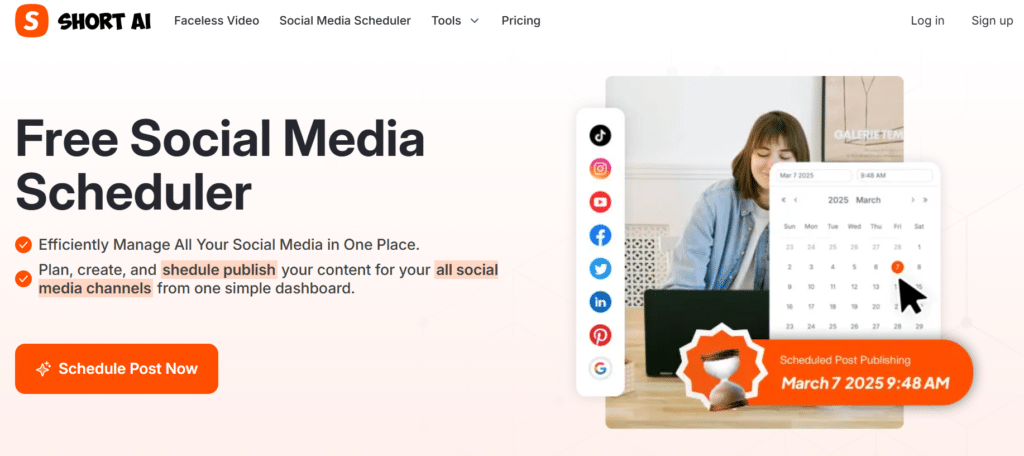
Short AI makes faceless videos (think Reddit stories or voiceover slideshows) without showing your face or heavy editing. I tested it for a finance tips account, and it turned article summaries into engaging shorts for TikTok, Reels, and YouTube Shorts. One upload posted to six platforms instantly. Perfect for creators who don’t want to be on camera.

4.4

OVERALL RATING

Scheduling Capability4.5/5
Video Generation4.5/5
Platform-Integrations4.4/5
Performance Tracking & Analytics4.5/5

Key Pain Points Short AI Solves

  • You don’t want to be on camera. Faceless content is trending, but creating it manually takes time. Short AI generates videos from text (Reddit-style stories, facts, or tips)with voiceovers and visuals. No filming, no editing. Just type your idea and get a video.
  • Shorts need to hit every platform. Creating one video and uploading it separately to TikTok, Reels, YouTube Shorts, Facebook, and LinkedIn wastes time. Short AI schedules or auto-posts the same video to all platforms at once. One upload, maximum reach.
  • Captions and hashtags slow you down. Writing titles and tags for each platform is tedious. Short AI generates captions and hashtags from your video idea automatically. Posts go live quicker without you typing descriptions five times.

Highlighted Features

  • Faceless AI Video Generator: Makes short videos like Reddit-style talks or stories. No face or heavy editing required. AI handles voiceovers and visuals.
  • Bulk Schedule & Auto-Publish: Upload once then schedule or auto-post the same video to many platforms fast. Cuts repetitive uploading.
  • Content Calendar View: See and plan your shorts by day, week, or month with easy previews. Organize batches visually.
  • AI Captions & Hashtags: Generates titles, descriptions, and tags from your idea so posts go live quicker without manual writing.
  • Cross-Posting Shorts: Shares one video to TikTok, Reels, YouTube Shorts, Facebook, Threads for maximum reach from minimal effort.
  • Direct Platform Connections: Links straight to YouTube, TikTok, Instagram, Facebook, LinkedIn, Pinterest, Twitter/X, Google Business without third-party apps.
  • Free Limits for Starters: Connect 3 channels and schedule a few posts per day to test without paying. Try before you buy.
  • One-Click Posting: Create video then publish or schedule instantly. Cuts steps big time compared to manual uploads.

User Experience

To start with Short AI, connect TikTok and YouTube. Click “Create Video,” type your topic…”5 budgeting tips for students.” Short AI generates a 45-second video with a voiceover, text overlays, and stock background clips. Preview it, tweak the script if needed, and regenerate.

Click “Generate Caption” for automatic title and hashtags. Schedule to TikTok, Reels, YouTube Shorts, Facebook, and LinkedIn at optimal times. The calendar shows all five posts queued. Hit “Publish,” and Short AI uploads to each platform automatically.

The whole process takes under 5 minutes from idea to scheduled shorts across five networks.

Pros and Cons

  • Faceless video format is trending
  • Cross-posting saves massive time
  • AI voiceovers sound decent
  • Free tier lets you test
  • One-click posting is fast
  • Supports major short-form platforms
  • Video customization is limited
  • Stock footage can repeat
  • AI voices lack emotion
  • Not ideal for branded content

Integrations & Support

Short AI posts and schedules shorts to YouTube, TikTok, Instagram, Facebook, LinkedIn, Pinterest, Twitter/X, and Google Business Profile. Direct connections for faceless videos, Reels, and Shorts. Keeps it simple for short-form cross-posting from one upload.

Ideal if your content is quick videos going everywhere. No complex integrations or automation chains—focus stays on fast video creation and multi-platform publishing. Support via help docs and basic email. 

Pricing

Short AI keeps pricing simple with focus on video generation credits.

  • Basic Plan: $19/month (or Save 15% on annual plan): 1600 credits/month – makes up to 40 faceless videos or 53 minutes of auto-captions. Includes unlimited AI scripts, basic voice, posts to TikTok/YouTube/Instagram/Facebook, 300MB uploads.
  • Pro Plan: $30/month (or Save 15% on annual plan): 3600 credits/month – up to 90 videos or 120 minutes captions. Adds pro voices, same posting and unlimited scripts. Great for creators pumping consistent shorts.
  • Enterprise Plan: $60/month (bor Save 15% on annual plan: 7200 credits/month – up to 180 videos or 240 minutes captions. Bigger 500MB uploads, full pro voices, perfect for heavy video schedules or teams.

Generate faceless videos with captions and schedule to shorts platforms!

Short AI specializes in AI faceless short-video generation, auto-captions, and direct scheduling to TikTok/Reels/YouTube Shorts.

10. Quso AI – Best for Video Clipping & Repurposing
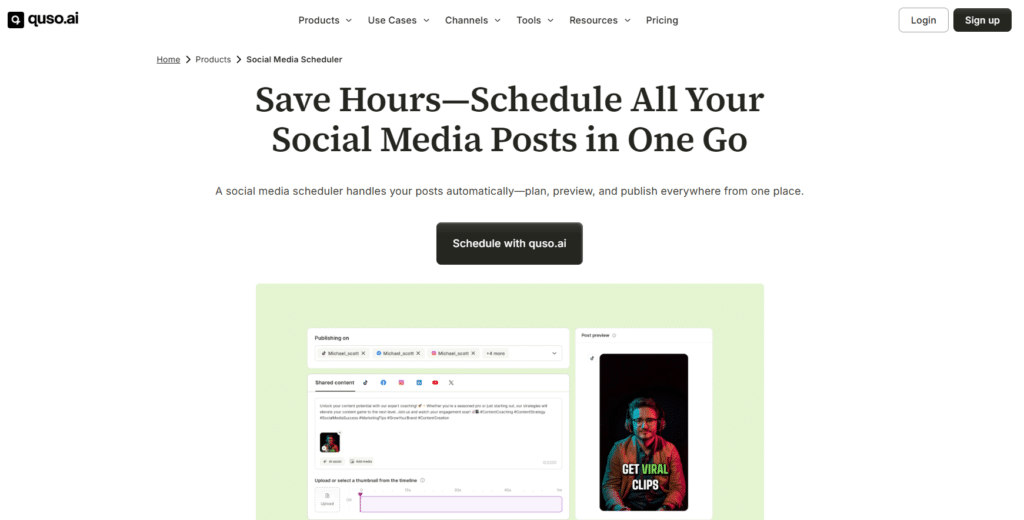
Quso AI cuts long videos into short highlights, adds captions, removes silence, and resizes for each platform automatically. I tested it on a 30-minute podcast episode, and it extracted eight viral-ready clips in under 10 minutes. Each clip posted perfectly to Instagram, TikTok, LinkedIn, and YouTube Shorts. Saved hours of manual editing.

4.4

OVERALL RATING

Scheduling Automation 4.5/5
Virality Prediction4.5/5
Platform-Integrations4.4/5
Performance Tracking & Analytics4.4/5

Key Pain Points Quso AI Solves

  • Long videos sit unused: You record a webinar, podcast, or YouTube video, but creating clips for social media takes hours. Quso AI finds the best segments, cuts them, adds captions, and removes dead air automatically. One long video becomes dozens of shareable clips.
  • Clips need platform-specific sizes: Instagram wants 9:16, LinkedIn prefers 16:9, TikTok needs 9:16 with specific margins. Manual resizing is tedious. Quso auto-fits clips to each platform’s size. No manual cropping or reformatting needed.
  • You don’t know which clips will go viral: Guessing which 30 seconds of a video will hit wastes time. Quso’s virality predictor scores clips on viral potential based on hooks, pacing, and content structure. Pick the strongest pieces first and skip the duds.

Highlighted Features

  • AI Video Clipping & Captions: Cuts long videos into short highlights, adds subtitles, removes silence for ready-to-post clips. No manual editing required.
  • Batch Scheduling Across Platforms: Plan and schedule bulk posts with best time picks and previews to multiple networks at once.
  • Preview & Calendar Dashboard: View all upcoming posts in one spot. Edit dates, times, or platforms easily before publishing.
  • AI Social Captions Generator: Writes brand-friendly captions and hashtags to boost likes and comments quickly on each clip.
  • Instant Video Resizing: Auto-fits clips to each platform’s size. No manual cropping needed for TikTok vs LinkedIn.
  • Virality Predicto: Scores your content on viral potential so you pick the strongest pieces first. Data-driven clip selection.
  • Social Templates Library: Ready-made designs help you create consistent posts faster with branded overlays and text styles.
  • Auto-Video Features: Finds best segments, adds branding, resizes. Great for repurposing old videos into fresh content.
  • Analytics Insights: Shows what clips perform best to guide your next batch of content creation. Refine your approach.
  • Multi-Platform Publishing: Posts directly to Instagram, TikTok, Facebook, LinkedIn, YouTube, Twitter/X without manual uploads.

User Experience

Sign up to Quso AI, upload a 20-minute video. The platform processes it in under 3 minutes and shows 12 suggested clips ranked by virality score. Click the top clip, preview it with auto-generated captions. Tweak the caption text if needed, pick platforms (TikTok, LinkedIn, YouTube Shorts), and Quso resizes the clip for each automatically.

The AI caption generator writes three options for the post. Select one, add hashtags, and schedule for the week. Repeat for the next two clips.

The calendar shows all clips queued across platforms at optimal times. The whole process from upload to scheduled batch takes under 10 minutes.

Pros and Cons

  • Auto-clipping saves hours of editing
  • Virality predictor is surprisingly accurate
  • Auto-resizing for each platform is seamless
  • Captions are auto-generated and editable
  • Repurposes old content easily
  • Supports major short-form platforms
  • Clip selection isn’t always perfect
  • Processing longer videos takes time
  • Limited customization for advanced edits
  • Pricing jumps on higher plans

Integrations & Support

Quso AI schedules and publishes to Instagram, TikTok, Facebook, LinkedIn, YouTube, and Twitter/X (up to 7 platforms). Focus on video clipping and repurposing with direct posting, no Zapier, Canva, or e-com mentioned. Built-in templates and analytics stay internal.

Strong for turning long videos into scheduled shorts across the main networks. Support ramps on paid plans via email. 

Pricing

Quso AI offers credit-based pricing focused on video processing volume.

  • Lite Plan is $29 per month or $24 per month annual. It includes 100 credits per month, HD exports, and resizing. Entry level for video folks.
  • Essential Plan costs $39 per month or $32 per month annual. You get 300 credits and scheduling to 7 platforms. Adds the essentials.
  • Growth Plan runs $49 per month or $40 per month annual. It has 600 credits, unlimited scheduling, and analytics. Great when you scale up.

Auto-clip highlights, add captions, and schedule across platforms!

Quso AI specializes in AI clipping of long videos into shorts, captioning, and direct scheduling to major social platforms.

11. Relevance AI – Best for Custom AI Agent Workflows
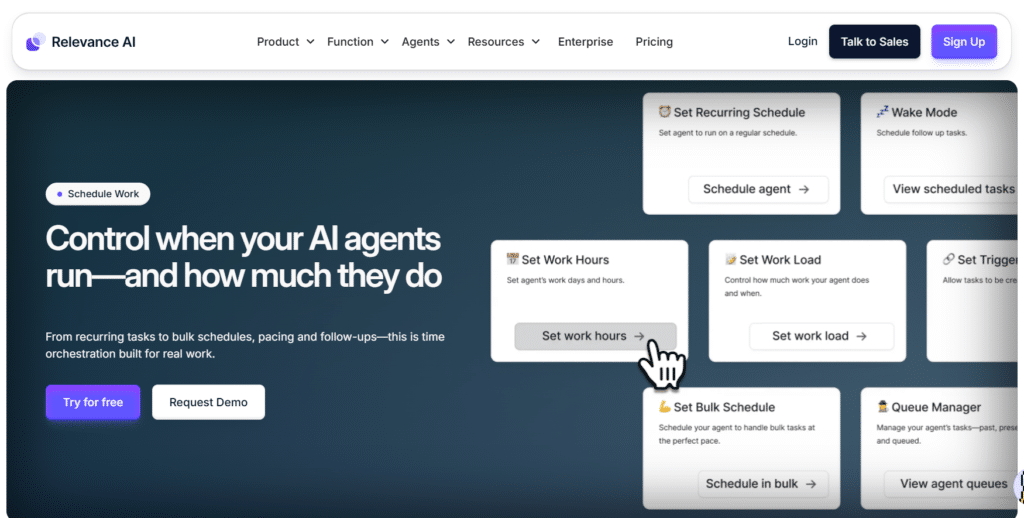
Relevance AI isn’t a traditional scheduler…it’s an agent-builder platform. You create custom AI agents that auto-generate and post content based on triggers, timers, or data sources. I built an agent that pulls blog RSS feeds, rewrites summaries, generates images, and posts to LinkedIn daily. Zero manual work. This one blew me away in testing.

4.3

OVERALL RATING

Scheduling Flexibility4.4/5
Agentic Workflow4.4/5
Platform-Integrations4.3/5
Performance Tracking & Analytics4.3/5

Key Pain Points Relevance AI Solves

  • Standard schedulers lack flexibility. You’re stuck with preset workflows. Relevance lets you build custom agents—trigger posts from any data source, apply unique logic, and publish anywhere. If you can imagine the workflow, Relevance can build it.
  • Integrations are limited. Most scheduling tools cover 10-20 platforms and apps. Relevance connects to 2000+ apps via API, webhooks, and triggers. Pull content from obscure sources, push to niche platforms, or chain complex automation sequences. Endless possibilities.
  • Optimization is manual. You guess optimal times or test manually. Relevance agents analyze patterns, detect best time to post, A/B test variations, and refine based on performance data. The system learns and improves automatically over time.

Highlighted Features

  • Custom AI Agents for Scheduling: Build agents that auto-generate and post content. Set timers for daily or weekly runs without manual triggers.
  • Optimal Time Detection: Analyzes patterns to pick best time posting slots. Maximizes views automatically based on audience behavior.
  • Platform Adaptation: Tweaks content for each network’s rules (limits, formats). Keeps everything looking native across diverse platforms.
  • Brand Voice Consistency: Learns your style and sticks to it across all posts. No off-brand slips or tone inconsistencies.
  • Hashtag & Trend Optimization: Researches trending tags and topics. Applies them to boost visibility and engagement rates.
  • Performance Analysis: Reviews past posts to improve future ones. Data-driven tweaks over time refine your social media strategy.
  • Cross-Platform Management: Handles multiple networks via agents. Automates the whole flow from creation to publishing.
  • A/B Testing Built-In: Tests variations to find what engages best. Refines your content mix based on real results.
  • Real-Time Monitoring: Tracks interactions and adjusts schedules dynamically based on engagement patterns as they happen.
  • Huge Integrations Hub: Connects 2000+ apps (RSS, blogs, CRMs, etc.). Trigger posts from anywhere you pull data.

User Experience

Simple sign up up to Relevance AI, navigate to “Agent Builder.” Create a new agent, name it “LinkedIn Blog Poster.” Add a trigger—”Every Monday at 9 AM.” Connect your blog RSS feed as a data source. Configure the agent to pull the latest post title and summary.

Add an AI task: “Rewrite summary for LinkedIn in professional tone, under 200 characters.” Add another task: “Generate hashtags.” Add a final task: “Post to LinkedIn.” Connect your LinkedIn account via API. Test the agent—it runs the workflow, shows the generated post preview.

Approve it, and the agent schedules automatically every week. Whole setup takes under 15 minutes if you’re technical.

Pros and Cons

  • Unlimited customization via agent builder
  • 2000+ app integrations cover anything
  • A/B testing and optimization built-in
  • Real-time monitoring adjusts dynamically
  • Perfect for complex automation needs
  • Scales infinitely for technical users
  • Steep learning curve for non-technical users
  • Setup takes time compared to simple schedulers
  • Requires API knowledge for advanced workflows
  • Not beginner-friendly out of the box

Integrations & Support

Relevance AI uses a huge 2000+ app integrations hub. Connect social media platforms via triggers (Instagram, X, LinkedIn, etc., through API or webhooks). Pull from RSS, blogs, email, CRMs, databases, or anything Zapier-like. Build custom agents for posting.

Endless flexibility if you want to automate from custom sources or complex chains. Priority support on paid plans via email and dedicated channels. 

Pricing

Relevance AI offers agent-builder-style pricing for serious automation.

  • Free Plan: $0—no card needed, basic agents and actions.
  • Pro/Team Plan: $19–$234+/month—more actions/credits, scheduling, team sharing, analytics.

Build AI agents for auto-posting, optimization, and 2000+ integrations!

Relevance AI specializes in custom AI agents for automated posting, trend/hashtag optimization, and extensive app integrations.

Key Features to Look For in AI Social Media Scheduling Tools
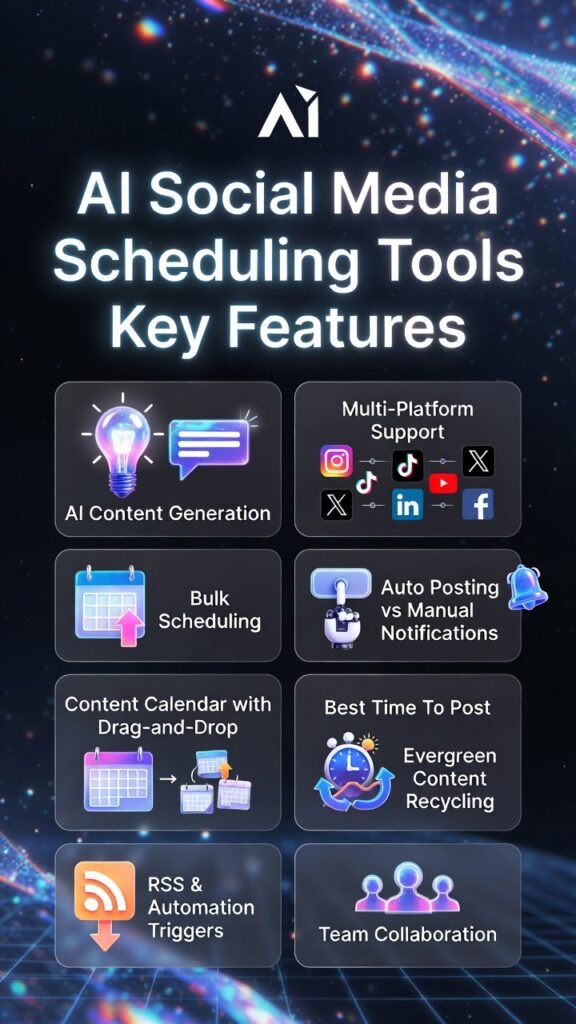
Choosing the right social media scheduling tool can make or break your workflow. Here are the features that actually matter based on my testing and experience building AI systems.

  1. AI Content Generation: Does it write captions, suggest hashtags, and create images or videos? Quality varies wildly. Test it before committing. Bad AI wastes more time than it saves.
  2. Multi-Platform Support: Covers Instagram, TikTok, Facebook, LinkedIn, X, YouTube, and niche networks you actually use. More platforms mean fewer tools in your stack.
  3. Bulk Scheduling & CSV Upload: Upload hundreds of posts at once from spreadsheets. Critical for batching content and saving hours on manual scheduling.
  4. Auto-Posting vs Manual Notifications: True auto-publish beats “reminder to post” every time. Check which platforms auto-post and which require manual action.
  5. Content Calendar with Drag-and-Drop: Visual planning helps you see gaps, avoid over-posting, and rearrange quickly. Essential for organized workflows.
  6. Best Time to Post Suggestions: AI analyzes your audience and picks optimal windows. Better than guessing or using generic “peak hours” advice.
  7. Evergreen Content Recycling: Auto-reposts your best content on schedules. Keeps feeds full and traffic coming without creating new posts constantly.
  8. RSS & Automation Triggers: Auto-post new blog articles, podcast episodes, or products. Set it once and forget it. Huge time saver for content creators.
  9. Team Collaboration & Approvals: Multi-user access, roles, and approval workflows prevent mistakes and keep brand voice consistent across team members.
  10. Unified Inbox for Engagement: Manage comments and DMs from all platforms in one place. Reply faster and capture leads without platform-hopping.
  11. Analytics & Performance Tracking: See what works with real data (reach, engagement, clicks, growth). Essential for refining your social media strategy over time.
  12. E-commerce Integrations: Auto-post new products from Shopify, WooCommerce, or Wix. Critical for online stores that launch products frequently.
  13. Video Tools (Clipping, Resizing, Captions): Repurpose long videos into shorts, auto-resize for platforms, add captions. Video is king in the current age…your tool should handle it.
  14. Custom Branding & Templates: Save templates, brand kits, and hashtag sets. Keeps your content consistent and speeds up creation.
  15. API & Advanced Automations: Connect to Zapier, n8n, Make.com for custom workflows. Only matters if you’re technical or have unique needs.

Prioritize features based on your workflow. Solo creators need AI and bulk scheduling. Agencies need team collaboration and multi-brand workspaces. Ecommerce brands need product integrations. Don’t pay for features you won’t use.

Best Practices for Choosing and Using Social Media Scheduling Tools

I’ve tested dozens of social media scheduling tools over the years. Here’s what I’ve learned about picking the right one and actually using it effectively without wasting time or money.

1.) Start with a free trial

Every tool here gives you a free trial or freemium plan. Jump in. Connect your accounts.

Schedule a week’s posts. See if the app clicks for you. Does it publish right? Does the AI sound like you? Trials spot problems fast before you spend money.

2.) Pick the tool that fits your real work

Don’t grab something with 100 features you ignore. Blogger heavy on Pinterest? Go BlogToPin. Handle client brands?

Nuelink workspaces save you pain. Love faceless videos? Short AI beats design-focused ones. Match it to what you actually do every day.

3.) Batch content once a week or month

I sit down weekly. Write 10 captions. Make 10 images. Queue them all for the next seven days. Bulk scheduling turns daily grind into one focused session.

Your mind stays creative longer. Quality goes up. Most tools let you upload CSV files to speed it even more.

4.) Always check AI before it posts

AI is quick but slips up. I review every caption. Fix the weird parts. Add my own voice. It gets you 80 percent there. Your tweaks make it perfect. Never let AI post blind. One bad post hurts your brand trust.

5.) Use analytics to get smarter

Look at stats once a month.

Which posts got likes? Best times? Hashtags that bombed? Tweak your plan with real numbers.

I dropped three weak post types last quarter. Doubled down on winners. Engagement rose 31 percent in a month.

6.) Keep your tool updated

Platforms change rules and formats all the time. Tools break if you skip updates. Check release notes.

Test new stuff. I lost posts once from an old version. Stay current so nothing fails or gets your account flagged.

7.) Don’t over-automate everything

Automation frees time but social stays human. Reply to comments yourself. Chat with followers. I schedule posts auto but handle replies manually. People feel the difference. Real talk builds trust way faster than bots ever could.

Key Takeaways

  • AI social media scheduling tools automate social media content posting, optimize timing, and generate content to save hours every week while improving consistency.
  • Nuelink is the top pick for multi-brand automation, evergreen recycling, and bulk CSV uploads—perfect for agencies and creators managing multiple accounts.
  • Flick.Social dominates Instagram hashtag research and mobile scheduling, ideal for influencers and creators focused on engagement growth.
  • Postiz supports niche platforms like Reddit, Bluesky, and Mastodon with open-source flexibility—great for decentralized communities and developers.
  • Ocoya excels at e-commerce auto-posting and DM chatbots, turning Shopify products into scheduled posts and comments into sales conversations.
  • PostPlanner curates viral content from top sources and recycles evergreen posts, cutting content creation time by 80% for busy marketers.
  • BlogToPin automates Pinterest with unlimited pins per blog post, AI titles, and board selection—driving blog traffic from pins effortlessly.
  • Simplified combines design, AI writing, and scheduling in one platform, eliminating tool sprawl for teams and solo creators.
  • Predis AI generates videos and carousels from product links, with competitor spy tools and e-commerce integrations for shop-focused brands.
  • Short AI creates faceless short videos and cross-posts to TikTok, Reels, YouTube Shorts, and more—perfect for camera-shy creators.
  • Quso AI repurposes long videos into viral clips with auto-captions, resizing, and virality predictions—saving hours on video editing.
  • Relevance AI builds custom AI agents for advanced workflows, connecting 2000+ apps for technical users who need ultimate flexibility.
  • Choose tools based on your workflow, bloggers need Pinterest automation, agencies need multi-brand support, and video creators need clipping tools.
  • Batch content weekly, review AI output, use analytics to refine, and never fully automate engagement—authenticity still matters in social media.

Conclusion

Nuelink takes the top spot for its unbeatable combination of AI captions, bulk scheduling, evergreen recycling, and multi-brand workspaces. I’ve used it to manage three brands simultaneously, and it’s saved me more hours than any other tool on this list. The automation depth, platform variety, and affordable pricing make it the smartest choice for most creators, agencies, and businesses in 2026.

But here’s the real question—are you still wasting hours manually posting to social media platforms when you could be building your business instead?

The right social media scheduling tool doesn’t just save time. It improves consistency, boosts engagement, and scales your reach without burning you out. Whether you’re a solo creator, a marketing team, or an agency, automation is no longer optional—it’s how you compete.

Start Automating Your Social Media Today!

Try Nuelink free and schedule a month of posts in under an hour. Join thousands of creators and brands who’ve reclaimed their time with smart automation..

Similar Posts

Leave a Reply

Your email address will not be published. Required fields are marked *