Many companies want AI-driven workflows but end up with brittle scripts, overflowing IT queues, and unclear controls. Business teams demand fast results; IT needs governance and data safeguards.
That mismatch costs time and trust. You waste cycles on fragile automations, face audit headaches, and worry whether your models and data meet compliance. It feels like a tug-of-war between speed and safety.
Enter a modern no-code platform that blends visual builders, multi-agent orchestration, and enterprise-grade controls. In this StackAI Review I’ll show how the tool empowers business users to ship automation while IT keeps tight oversight—RBAC, audit logs, and SOC 2-level security included.
I’ve tested it across document-heavy and back-office flows (SharePoint, Salesforce, Snowflake). Expect a pragmatic, honest tour of features, pricing, and where it beats node-based alternatives.
Ready to see if this approach can cut project time without breaking compliance? Let’s dive in.
Key Takeaways: StackAI Review
- The article tests whether no-code AI can deliver enterprise-grade automation without overloading IT.
- The platform pairs visual building with multi-agent workflows and exportable interfaces.
- Security and compliance (SOC 2, HIPAA, GDPR) are central to the evaluation.
- Best fit: document-heavy processes and integrations with core systems.
- Later sections compare pricing, pros/cons, and alternatives like n8n and CX platforms.
StackAI Review: An Overview
Raamish’s Take
Stack AI makes it simple to build AI agents for enterprise tasks, like analyzing docs or automating workflows. No coding needed—just drag and drop in their visual builder.
I like how it handles document intelligence for finance teams, pulling key figures from reports and sending summaries via email. Or use it for ticket triage in IT support, routing issues smartly without waits.
It supports top LLMs like Claude and GPT-4, plus integrations for CRM enrichment or RFP drafting. Security is solid too—SOC2, HIPAA, GDPR compliant, with no training on your data.
Teams at LifeMD and MIT say it speeds up AI deployment, cutting weeks off builds. For ops pros, this means faster results without tech headaches.
Ever wish AI could just handle the boring back-office stuff? Stack AI does that, letting you focus on what matters.
Overall, it’s a game-changer for secure, quick automation.
Introduction to StackAI: Where It Fits in Today’s Enterprise AI Landscape
Think of it as a bridge between citizen builders and IT‑approved automation. The company behind the product built a no‑code/low‑code orchestration platform so business teams can assemble AI agents fast, while IT keeps governance strict.
Background and Philosophy
I’ve seen the team emphasize one idea: give non‑technical users a visual way to create workflows, and pair that with RBAC, audit logs, and enterprise SLAs. Security and compliance (SOC 2 Type II, HIPAA, GDPR) are baked in, and deployments run on public cloud, private cloud, or fully on‑prem.
Who Uses It
Typical users include ops, finance, legal, compliance, and IT—teams that live in documents and need traceability. Organizations with Salesforce, SAP, Workday, SharePoint, NetSuite, or Snowflake integrate their core data and keep controls intact.
- Business teams prototype quickly; IT hardens via RBAC and audits.
- Enterprise support includes onboarding with solution engineers and QBRs.
| Positioning | Focus | Primary Users | Deployment |
|---|---|---|---|
| AI‑first orchestration | Back‑office automation | Ops, Finance, Legal, IT | Cloud, Private, On‑prem |
| Compared to node automators | Higher-level visual builders | Non‑technical users | Enterprise SLA & support |
| Compared to CX tools | Internal workflows, multi‑agent | Document-heavy teams | Auditable deployments |
What is StackAI?
This product gives business teams a visual canvas to stitch together models, data sources, and system actions without heavy code. It’s a no‑code/low‑code platform for building production-ready workflows and multi‑agent sequences that act on enterprise data and systems.
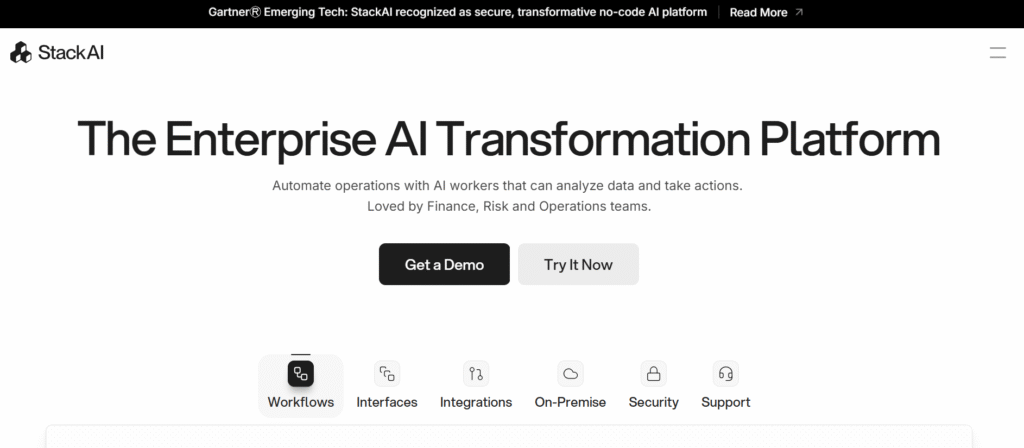
How it works: no-code orchestration, multi-agent flow, visual logic
The 2D canvas is a true visual builder. Drop LLM calls, connectors, logic nodes, and apps, then wire parallel paths and AI routing. The Agent Builder composes multi-step assistants with document grounding, citations, and tool actions.
Native RAG manages chunking, embeddings, indexing, and retrieval so knowledge queries return cited answers. Observability shows usage, token costs, latency, and version history—so you control cost and improve the automation iteratively.
Who benefits most
Ops, finance, legal, compliance, and IT gain the most. You can prototype a workflow, validate with users, then lock it down for production. The platform suits teams that need retrieval‑grounded assistants tied to core apps.
Deployment options for enterprises
Choose cloud, private cloud, or fully on‑prem deployments with feature parity. That means security posture doesn’t force tradeoffs in capabilities or integrations.
| Deployment | Feature Parity | Typical Use | Security |
|---|---|---|---|
| Public cloud | Yes | Rapid prototyping, SaaS scale | Enterprise controls, SOC 2 |
| Private cloud | Yes | Isolated tenants, compliance needs | VPC, custom network policies |
| On‑prem | Yes | Full data residency, regulated industries | Air‑gapped or internal controls |
Best Features of Stack AI
The platform’s standout capability is a visual canvas that turns complex logic into something approachable and fast to iterate. You get parallel branches, AI routing, and a true drag‑and‑drop flow that keeps development accessible to business users while staying auditable for IT.
1. Core Building Blocks: Visual Workflow Magic
Stack AI offers a no-code visual interface that lets you build AI agents without writing any code. This drag drop interface makes it simple for any user to create powerful automations. Stack processes documents instantly through a workflow automation setup. This feature helps teams in finance or operations save hours on repetitive tasks. It allows focus on strategic decisions for better outcomes.
The workflow automation builder sits at the heart of Stack AI. It enables end-to-end processes like uploading a financial report. AI then extracts key metrics automatically.
For a company aiming to streamline back-office operations, this delivers faster insights. It also cuts down on errors in daily routines. Pre-built templates offer ready-made solutions from real use cases. Think RFP drafters or CRM enrichers tailored to needs.
These templates help businesses customize workflow automation fast. They speed up ROI on AI investments right away. Logic tools bring in flexibility without added hassle.
Incorporate conditionals, loops, and data transforms with ease. This integration with basic options helps Stack AI scale for growing enterprises.
Companies gain from automating tough decisions. For example, route support tickets by content analysis. This boosts efficiency across all departments smoothly.
2. Inputs & Outputs: Handle Anything, Output Everything
Handling diverse data matters in today’s software. Stack AI backs a broad set of inputs from text to images, audio, video, URLs, and files up to 20MB. This setup allows smooth integration with tools like Google Drive or Notion. Users dealing with unstructured data find order here. It turns raw info into smart actions, like spotting issues in compliance images.
Document readers parse PDFs, Word files, and PowerPoints on autopilot. They organize everything in a secure knowledge base. This aids companies in keeping sensitive details under control. Quick searches and shares become standard.
Outputs match the strength with text summaries, audio from text-to-speech, or ready emails. Businesses automate outreach like personalized reports. This strengthens ties with clients minus the manual work.
Such tools make Stack AI blend into current software setups. Link outputs to email for better workflow automation. Teams react quicker to shifts in the market.
3. AI Brains & Integrations: Smart and Scalable
Stack AI draws power from top LLMs including GPT-4, Claude 3, and multi-modal options. Custom prompts shape interactions for tasks like chat recaps or case studies. This integration with key AI providers lets companies tap advanced smarts. No need to start from zero on builds.
Knowledge bases support doc uploads or safe web scrapes. No training happens on your data at all. It guards intellectual assets while sharpening AI replies. Actions and plugins widen reach to browsers, APIs, or Slack. A company in sales automates lead hunts on LinkedIn. This frees up the team for higher-value work.
Data loaders manage scrapes and cloud fetches without effort. Overall, these make Stack AI a full software pick. Enterprises get scalable AI solutions that grow with demands.
4. Deployment & Scaling: Go Big or Go Home
Stack AI provides solid deployment paths with APIs, custom UIs, and widgets to embed. Pull analytics exports anytime to check runs. Growing companies rely on on-premise or VPC setups for data control. This proves vital in strict sectors like finance.
Analytics dashboards follow token use and performance closely. They highlight spots for tweaks. Access controls use roles and SSO to lock access tight. Only cleared users get in. Scaling flows from tests to full runs without hitches.
Enterprise plans unlock unlimited projects and seats. This supports big workflow automation pushes. Businesses secure access to rich data views. It fuels strategies backed by facts.
5. Use Cases: Real-World Wins
Stack AI shines in hands-on spots like document smarts for loans or chatbots for IT help. Ticket sorts and CRM boosts handle daily grinds. RFP replies quicken sales flows. These solutions show Stack AI reshaping ops in finance, health, and beyond.
6. Security: Locked Down Tight
Enterprise-grade security stands essential, and Stack AI meets it head-on. SOC 2 Type II, HIPAA, and GDPR keep things compliant. DPAs with firms like Anthropic back safe integration. Policies block data training fully. Companies rest easy with assets protected.
Database rules and custom setups fend off risks. Regulated companies roll out AI with trust. It sidesteps common compliance traps effectively.
7. Stats That Hit Home
Stack AI delivers strong numbers like 1,000+ hours cut in processing. Due diligence runs 10x quicker now. Build costs drop by 80%. These figures highlight the platform’s edge. Companies measure ROI clearly and back AI software spends with proof.
8. Observability and monitoring
Usage analytics show token costs, latency, and version history. That visibility helps you control spend and troubleshoot fast—without guessing where a workflow slowed down.
9. Exportable interfaces
Turn workflows into chatbots, forms, batch processors, secure links, or REST APIs. That reduces extra development and exposes the same logic across applications and systems.
| Capability | What it does | Why it matters |
|---|---|---|
| Visual Builder | 2D canvas, parallel logic, AI routing | Faster prototyping; readable logic for users and auditors |
| Agent Builder | Multi-step assistants with grounding & tool calls | Accurate, auditable assistants for internal apps |
| RAG & Knowledge | Chunking, embeddings, indexing, retrieval | Cited answers and traceable sources |
| Integrations & Models | Enterprise connectors; mix-and-match models | Flexibility to use the best model and keep data local |
| Security & Observability | RBAC, audit logs, usage, token costs | Control for IT and compliance teams |
Pricing Plans of StackAI
Costs track to activity: usage-based SaaS billing ties fees to token consumption, workflow executions, and the number and complexity of agents you run. I find that understanding those drivers upfront makes budgeting much easier.
Usage-based SaaS: what to expect and how costs scale with agents and workloads.
- Charges scale with tokens, API calls, and parallel executions—more agents and heavier models raise costs.
- Plan around real workloads: documents per month, batch sizes, and expected user traffic shape spend.
- Model choice matters—GPT, Claude, Mistral and others differ in cost and latency; mix models to optimize.
Private deployments: enterprise pricing considerations for compliance and control.
Stack AI offers two main tiers: a Free plan for starters and a custom Enterprise plan for scaled needs. Pricing is monthly-based, with no annual options listed. Features scale from basics to full access.
Free Plan
- $0/month (no annual billing)
- 500 runs per month
- 2 projects limit
- 1 seat for users
- Basic modules: Agents, Flows, core data loaders (e.g., Web Scraping, File Upload, Google Drive, Notion)
- Community support via Discord
- Ideal for testing workflow automation without commitment
Enterprise Plan
- Custom pricing (monthly; contact sales for quote, no annual details)
- Unlimited/custom runs and seats
- All features unlocked: Full AI models (e.g., GPT-4, Claude 3, multi-modal), inputs/outputs (text, audio, image, video)
- Advanced integrations: Plugins (Slack Bot, REST API), knowledge bases, document readers (PDF, Word, PowerPoint)
- Deployment options: On-prem, VPC, custom domains
- Enterprise-grade security: SSO, access controls, SOC 2, HIPAA, GDPR compliance
- Dedicated support: Solution engineers, priority email
- Suited for companies needing robust automation solutions
Organizations that need private cloud or on‑prem deployment should expect higher baseline fees. Those prices reflect dedicated infrastructure, added security, and the operational support that keeps compliance in check.
Enterprise support—onboarding, SLAs, and QBRs—adds predictable costs but reduces rollout risk. For many business teams, that support pays for itself through faster time to value.
| Plan Type | Main Cost Drivers | Who it’s for | Benefit |
|---|---|---|---|
| SaaS (usage-based) | Tokens, executions, agents | Small to mid teams testing automations | Low setup; scale with use |
| Private Cloud | Dedicated infra, support, compliance | Organizations with strict security needs | Control and data residency |
| On‑prem | Hardware, ops, premium support | Regulated industries requiring isolation | Maximum control and compliance |
Practical tip: start with capped environments, monitor token and execution metrics, then rightsize. Centralize governance and cost tracking so users across the organization align to responsible use and transparent showback.
Pros & Cons of StackAI
Here’s a concise look at what it does well — and where it trips up.
- Pros: Fast visual building and prototyping with a true drag-and-drop canvas that speeds delivery. Capabilities include multi-agent orchestration, native RAG, and strong data handling for messy docs.
- Pros: Enterprise-grade security—SOC 2 Type II, HIPAA, GDPR—plus RBAC and audit logs. Observability helps you track token costs and latency to control spend.
- Pros: Exportable interfaces and broad integrations shorten engineering time. Multiple deployment options (cloud, private, on‑prem) give IT control and compliance peace of mind.
- Pros: Good support and onboarding reduce rollout risk. Non-technical users can build useful solutions without waiting on dev sprints.
- Cons: If you want hundreds of open-source connectors, a node-based automator may fit better—this tool favors governance over community node breadth.
- Cons: Not optimized for full-scale conversational CX (voice/chat). For contact‑center cases a specialized platform may outperform here.
- Cons: Some “AI agent” competitors have larger plug-and-play catalogs if your primary aim is to quickly connect thousands of apps.
Summary: Choose this platform when you need enterprise-grade controls, strong capabilities, and deployment flexibility. Skip it if your priority is open-source extensibility or deep contact-center features.
Next: I’ll compare these strengths and gaps to n8n, broader agent platforms, and a CX-focused alternative so you can match tools to real use cases.
StackAI Review: Key Alternatives Compared
Choosing the right automation tool often comes down to whether you need deep connectors or enterprise‑grade governance. I’ll summarize practical tradeoffs so you can pick what fits your team and systems.
StackAI vs n8n
Builder style differs: n8n uses a node editor for developers who like JSON, scripts, and linear flows. The visual drop interface here favors business users and reduces development cycles.
When to choose: pick n8n for low-level control and hundreds of connectors. Pick the visual platform for native RAG, multi-agent assistants, and exportable interfaces that cut custom development.
StackAI vs Flowise AI
Many “Flowise AI” tools boast massive integrations and a friendly interface. They speed proofs-of-concept but often lack on‑prem options and enterprise audit controls.
For regulated teams, the platform’s governance, observability, and custom assistant tooling win when you need production-grade solutions.
StackAI vs Sierra AI
Sierra AI specializes in customer chat and voice applications. It’s polished for customer-facing experiences but is cloud-only and not suited for heavy document workflows.
For back‑office automation, multi‑agent workflows, and systems orchestration, the platform provides broader applications and deployment parity.
| Comparison | Best for | Strength | Limit |
|---|---|---|---|
| n8n | Dev-centric automations | Hundreds of connectors; low-level control | Needs custom work for RAG and LLM orchestration |
| Flowise AI | Quick integrations and demos | Wide connector catalog; easy interface | Limited on‑prem and enterprise governance |
| Sierra AI | Customer chat/voice | Polished conversational design; CX features | Cloud-only; weak for document/back-office workflows |
Conclusion
Raamish’s Take
Stack AI makes it simple to build AI agents for enterprise tasks, like analyzing docs or automating workflows. No coding needed—just drag and drop in their visual builder.
I like how it handles document intelligence for finance teams, pulling key figures from reports and sending summaries via email. Or use it for ticket triage in IT support, routing issues smartly without waits.
It supports top LLMs like Claude and GPT-4, plus integrations for CRM enrichment or RFP drafting. Security is solid too—SOC2, HIPAA, GDPR compliant, with no training on your data.
Teams at LifeMD and MIT say it speeds up AI deployment, cutting weeks off builds. For ops pros, this means faster results without tech headaches.
Ever wish AI could just handle the boring back-office stuff? Stack AI does that, letting you focus on what matters.
Overall, it’s a game-changer for secure, quick automation.
If your organization needs governed AI that actually ships into production, this platform deserves a close look. I find it balances ease of use and enterprise-grade capabilities so business teams can build without losing IT control.
Should you buy it? Yes—if your priorities are grounded assistants, measurable automation, and workflows that touch multiple systems and data sources. Best-fit use cases include document-heavy cases (contracts, policies), internal knowledge bots with citations, and research agents that combine scraping plus APIs.
Deployment options matter: choose cloud for speed, or private cloud/on‑prem when compliance and data residency require it. All options keep feature parity, giving flexibility and control for IT and business alike.
Yes, on‑prem is supported; yes, it meets SOC 2/HIPAA/GDPR; models include OpenAI, Claude, Mistral, Google and local endpoints; non‑technical users can build with ease of use; pricing scales with tokens, executions, and agent volume.
This platform turns knowledge and logic into production workflows fast. Request a demo, prototype one high‑ROI case, and expand with clear metrics and guardrails to prove value across your organization.
Frequently Asked Questions
What is StackAI and where does it fit in an enterprise AI strategy?
StackAI is a platform for building and deploying AI agents and automated workflows across teams. I find it sits between no-code automation tools and full custom development—good for ops, finance, legal, and IT teams that need rapid prototyping, document-grounded assistants, and integrations with enterprise systems.
How does the visual builder work and who should use it?
The visual builder uses a drag-and-drop 2D canvas to connect blocks, define parallel logic, and route tasks to different agents or tools. You don’t need heavy engineering skills to start—product owners and citizen developers can prototype quickly, while engineers can extend functionality via connectors and APIs.
Can I create multi-step assistants that cite documents and take actions?
Yes. The AI agent builder supports multi-step flows, document grounding, and tool actions like REST calls or database updates. It also adds citations and source snippets so your responses remain auditable and traceable.
What deployment options are available for sensitive data?
You can choose cloud, private cloud, or fully on-prem deployments. For regulated industries I recommend private or on-prem to keep control over data residency, encryption, and compliance controls like RBAC and audit logs.
Which model providers and integrations are supported?
The platform connects to major model providers (OpenAI, Anthropic/Claude, Mistral, Google, Meta, Azure) and enterprise apps via native connectors. You can also plug in internal models and custom APIs to fit existing stacks.
How does the platform handle knowledge bases and retrieval (RAG)?
It offers native chunking, embedding, indexing, and retrieval workflows so large documents, PDFs, and scraped content become searchable. I find the RAG setup is straightforward and supports batch processing for large corpus ingestion.
What observability and cost controls are available?
You get usage analytics, token-cost tracking, latency metrics, and version history. Those tools help teams monitor spend, optimize prompts, and troubleshoot slow or costly workflows.
Is security and compliance enterprise-ready?
Yes—expect RBAC, detailed audit logs, encryption at rest and in transit, and certifications like SOC 2 Type II. For HIPAA or GDPR workloads, private deployment and strict access controls are recommended.
Can I export assistants or connect them via APIs?
Assistants can be exposed as chatbots, forms, batch tasks, secure links, or REST APIs. That makes it simple to embed functionality into portals, support tools, or backend systems.
How does pricing generally work?
Pricing is usage-based for SaaS—costs scale with agents, API calls, and model usage. Private deployments have enterprise licensing with additional fees for compliance, deployment, and support. Plan for model compute and storage in budgeting.
What common enterprise use cases does it solve?
Typical use cases include automated document review, contract analysis, compliance checks, finance close automation, IT ticket triage, and cross-functional chat assistants that pull from internal knowledge bases.
How steep is the learning curve for teams?
The builder is approachable—product teams can get a proof of concept running fast. Complexity grows with custom integrations, advanced retrieval tuning, and on-prem setups, where engineers and architects should be involved.
How does it compare to alternatives like n8n or specialized conversational platforms?
The platform focuses on agent orchestration and document-grounded assistants, while n8n is stronger at node-based general automation. Specialized conversational vendors may offer deeper CX features, but this platform balances enterprise integrations, compliance, and rapid agent development.
What limitations should teams be aware of?
Expect trade-offs—no-code ease can hide complexity for large-scale deployments, and model costs can grow quickly without governance. Also, bespoke integrations or extreme customization still require engineering effort.
What support and developer tooling are available?
There’s developer tooling for connectors, SDKs, webhooks, and CI/CD-friendly exports, plus enterprise support plans. I suggest pairing internal SRE or integration engineers with vendor support during rollout to smooth deployment.