
Ever stared at your empty living room, paralyzed by indecision?
Or wondered if that bold paint color would be amazing or disastrous? I’ve been there.
Traditional interior design is expensive, time-consuming, and filled with “what-ifs.” But here’s the game-changer: AI home design software has revolutionized how we visualize and create our dream spaces.
These intelligent tools can transform a simple photo into a professionally designed room in seconds, letting you experiment risk-free before making any real-world changes. In this article, we’ll review the top AI tools to help you visualize and create your dream space.
What Is AI Home Design Software?
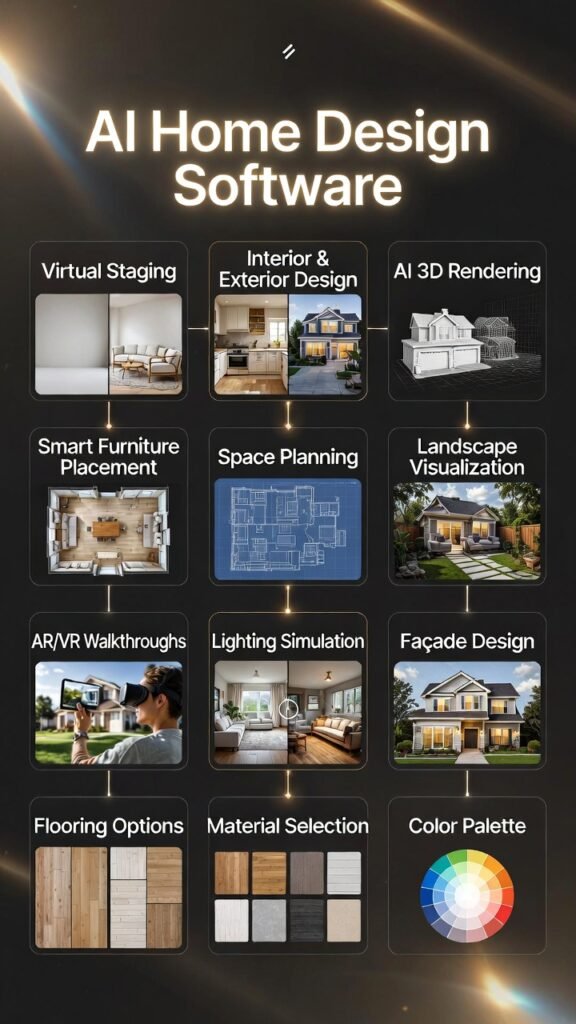
AI home design software is basically smart tools that use artificial intelligence to help you redesign rooms or whole houses super fast.
You upload a photo of your space (empty living room, kitchen, backyard, whatever), and the AI instantly suggests new furniture, colors, styles, layouts – even adds virtual staging for empty places.
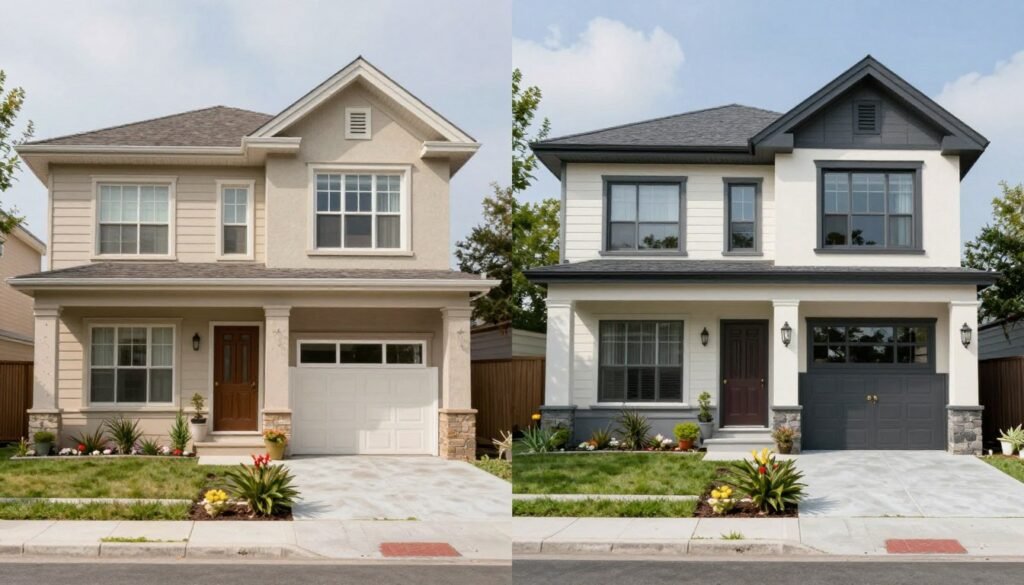
It can swap out old sofas for modern ones, change walls from beige to blue, or turn your boring exterior into something fresh with landscaping.
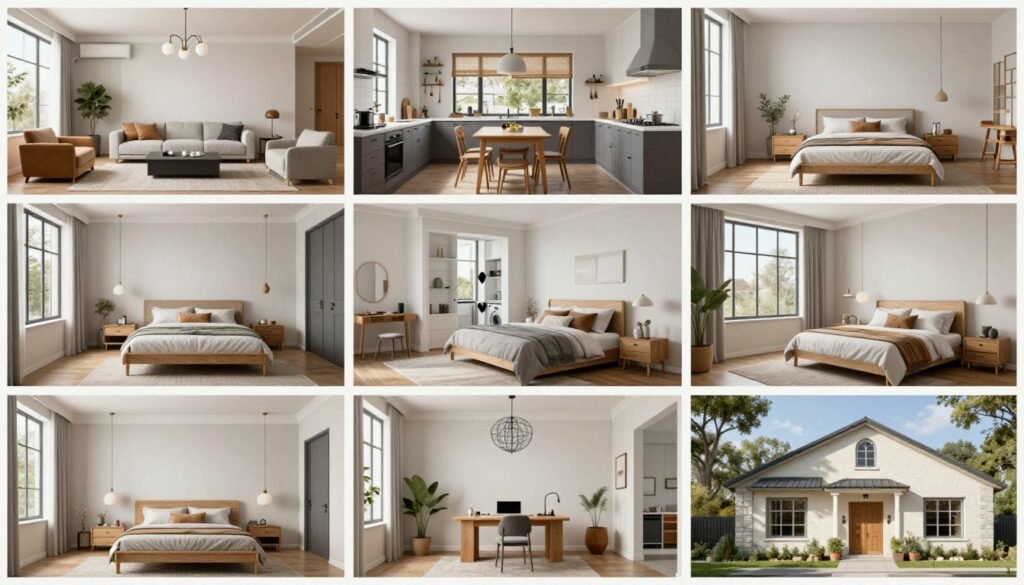
Most of these tools work in seconds, offer dozens of styles (like Scandinavian or boho), and some even link real products you can buy.
Think of it as having an interior designer in your pocket – no skills needed, just your phone or laptop.
These smart tools have democratized design, giving homeowners, renters, and real estate professionals the ability to experiment with different styles, layouts, and color schemes without committing to costly changes.
Whether you’re staging a property for sale, planning a renovation, or just dreaming about possibilities, AI design software offers a quick, affordable way to see the potential in any space.
Can AI Be Used for Exterior & Interior Designing?

Absolutely! AI has transformed both interior and exterior design processes. These powerful tools allow you to preview and refine designs before any real-world work begins, saving time, money, and preventing costly mistakes. Here’s what modern AI design software can do:
I’ve personally used these tools to save clients from expensive renovation mistakes and help them confidently move forward with designs they love. The technology has advanced so much that the results are often indistinguishable from professional renderings.
How I Evaluated The AI Home Design Software
As an AI Engineer with a Master’s in Data Science and Machine Learning and a background in software engineering since 2018, I’ve developed a deep understanding of how these tools work under the hood. I’ve ghost-developed several AI applications and know exactly what separates truly useful AI design tools from flashy gimmicks.
For this review, I personally tested each software with real rooms and design challenges. I wasn’t just looking for pretty pictures…I needed tools that could deliver practical, realistic results. Here are the key criteria I used to evaluate each option:
Output Quality
I assessed how realistic and usable the generated designs were.
Style Variety & Customization
I looked for tools offering diverse design styles and the ability to fine-tune results.
Ease of Use
I evaluated the learning curve and interface intuitiveness.
Speed & Performance
I timed how quickly each tool delivered results and how well it handled different types of spaces.
Value for Money
I compared pricing plans against features offered.
Special Features
I identified unique capabilities that set each tool apart.
AI Home Design Software Comparison Chart
| Rank | Tool | Key Features | Best For | Rating | Starting Pricing |
|---|---|---|---|---|---|
| 1 | AI HomeDesign | Virtual staging, item removal, image enhancement, day-to-dusk, unlimited regenerations | All-around interior & exterior transformations | 4.8 | From $19/month (Pro: 30 photos/mo) |
| 2 | HomeDesignsAI | 80+ styles, interiors/exteriors/gardens, color/texture swap, furniture finder, video gen | Style variety & furniture sourcing | 4.7 | From $24/month (Individual, yearly discount) |
| 3 | REImagineHomeAI | Structural lock, real shoppable products (IKEA etc.), budget control, refinement chat, high-res | Budget-conscious redesigns & shopping lists | 4.7 | From $14/month (Basic credits plan) |
| 4 | Collov AI | Photorealistic staging, furniture eraser, declutter, material overlay, virtual tours | Photorealistic renders & virtual tours | 4.6 | From $19/month (Standard: 60 downloads/mo) |
| 5 | InstantDecoAI | Virtual staging, 4K renovation sim, 50+ styles, exterior redesign, video/tours | Video tours & renovation simulations | 4.6 | From $10/month (Basic: 8 photos/mo, discounted) |
| 6 | Prome AI | One-click room renovation, sketch/photo to hyper-real render, 3000+ styles/templates, consistent designs, floor plan rendering | Sketch-to-realistic interiors & concept brainstorming | 4.6 | From $19-29/month (Base: ~500 coins, HD outputs; free plan with 10 coins/mo) |
| 7 | Virtual Staging AI | Fast staging, furniture add/remove, multi-view consistency, unlimited tweaks, MLS compliant | Real estate staging & quick turnaround | 4.5 | From $16/month (basic entry for limited images) |
| 8 | MyRoomDesigner | Layout detection, chat tweaks, fast gens, item removal, mood board editor, pro styles | Detailed customization & mood boards | 4.5 | From ~$15/month (Personal plan, yearly) |
| 9 | Archi AI | Photo-real renders, unlimited gens, easy upload, room customization, preference-based | Architectural visualization & unlimited renders | 4.4 | Free to start (Pro ~$19/month for unlimited) |
| 10 | Easy-peasy AI | Interior viz, image gen from prompts/photos, quick edits, high-quality outputs | General AI image generation with design focus | 4.3 | From $8/month (Starter plan) |
Top 3 AI Home Design Software Picks

🥇
AI Home
Design
All-around winner for interior + exterior makeovers. Super versatile, unlimited tweaks, great realism.

🥈
Home Designs AI
Exceptional for it’s Massive style variety (80+ options), fast redesigns, and actual furniture shopping links.

🥉
REImagine
HomeAI
Budget-controlled redesigns with real IKEA/Wayfair shoppable items, structural lock, chat edits, photoreal outputs.
Best AI Home Design Software Ranked
1. AI HomeDesign – Best All-Around AI Design Solution
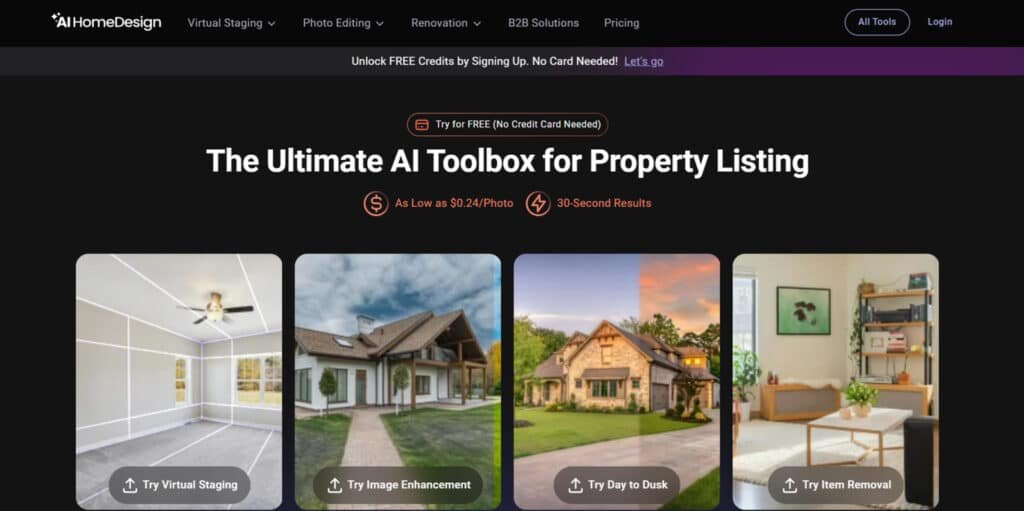
AI HomeDesign stands out as the most versatile and powerful AI design tool I’ve tested. It excels at transforming both interior and exterior spaces with remarkable accuracy and realism.
What impressed me most was how it preserves architectural elements while completely reimagining the design—something many competitors struggle with.
4.8
OVERALL RATING
Key Pain Points AI HomeDesign Solves
Highlighted Features
Real-World Success Story
“ I recently used AI Home Design on 3 Real Estate Listings that I have. It was probably the easiest and most cost effective way to get high quality virtual staging. I am very happy with the product and even shared with my Team and Office & made them aware of the service AI Home Design offers for our business.“
— Alex Montelongo, Broker, AM Real Estate Group
User Experience
Getting started with AI HomeDesign is refreshingly simple. Upload a photo, select what you want to change (furniture, walls, entire room design), choose a style, and within 30 seconds, you’ll have your first design.
The interface is intuitive enough for complete beginners while offering advanced options for pros who want more control.
Pros and Cons


Support & Integrations
AI HomeDesign offers email support for all users and priority support for Enterprise subscribers. The Enterprise plan also includes API access for integration with custom applications and websites, making it ideal for teams and larger businesses.
The platform excels at sub-account management for design teams.
Pricing
Try unlimited redesigns right now!
Start creating stunning designs in minutes with the most comprehensive AI design tool available.
2. HomeDesigns AI – Best for Style Variety & Furniture Sourcing
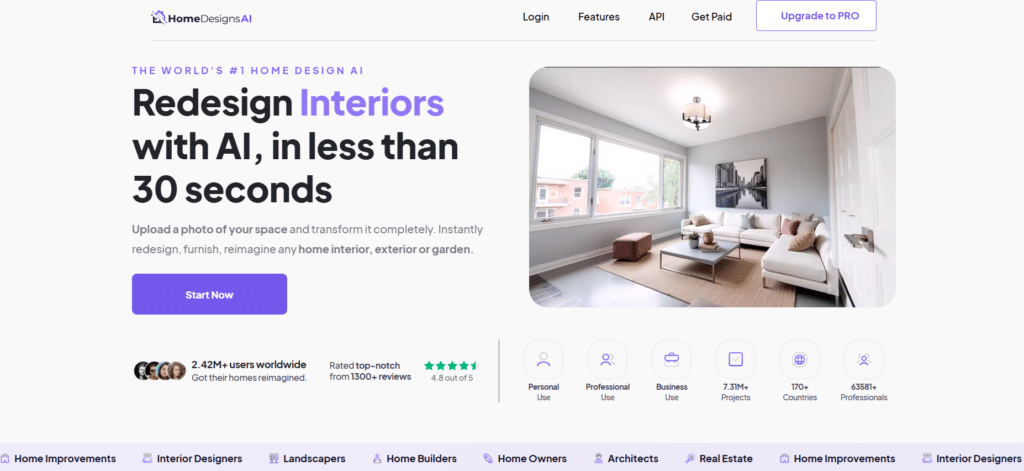
HomeDesigns AI impressed me with its vast library of design styles and its intelligent furniture sourcing feature.
If you’re someone who loves exploring different aesthetic directions or wants to easily shop for items in your virtual designs, this tool deserves a spot at the top of your list.
4.7
OVERALL RATING
Key Pain Points HomeDesigns AI Solves
Highlighted Features
Real-World Success Story
“ I used HomeDesigns.ai over the last year, when remodeling our home and in the midst of a challenging time in life (our home was flooded from top down due to a tornado) this software showed me there is a possibility to make something great out of a low time in life.
I used this for my rooms and one especially, our foyer, it is what I call a ‘waste of space’ due to 4 doors and a large enough room to suit for a bedroom. I was looking for a Christmas design, uploaded the picture and after reviewing a few options, found the perfect layout which changed a wasted foyer into a comfortable, warm and welcoming foyer that friends and family come into and feel like they are stepping into a Christmas space.
Also, look for all the online training which is offered, it helped me greatly to use this software and not feel too overwhelmed.
That was just one of the examples of how I was able to turn a negative experience into something awesome – I love this software.“— Edda Ingram, HomeDesigns AI User
User Experience
HomeDesigns AI offers one of the most straightforward workflows I’ve encountered. Upload your photo, select a space type (kitchen, living room, etc.), choose a style, and watch as the AI transforms your space.
The results appear in about 30 seconds, and you can easily generate alternatives or refine your design with specific requests.
Pros and Cons
Support & Integrations
HomeDesigns AI provides email support and offers a scalable API and widget for business websites.
The Furniture Finder feature integrates with various online retailers, making it easy to shop for items in your designs. The platform works in any modern browser without requiring downloads.
Pricing
Redesign your home in seconds!
Try 80+ design styles and find furniture that matches your vision with just a few clicks.
3. REImagineHomeAI – Best for Budget-Conscious Redesigns
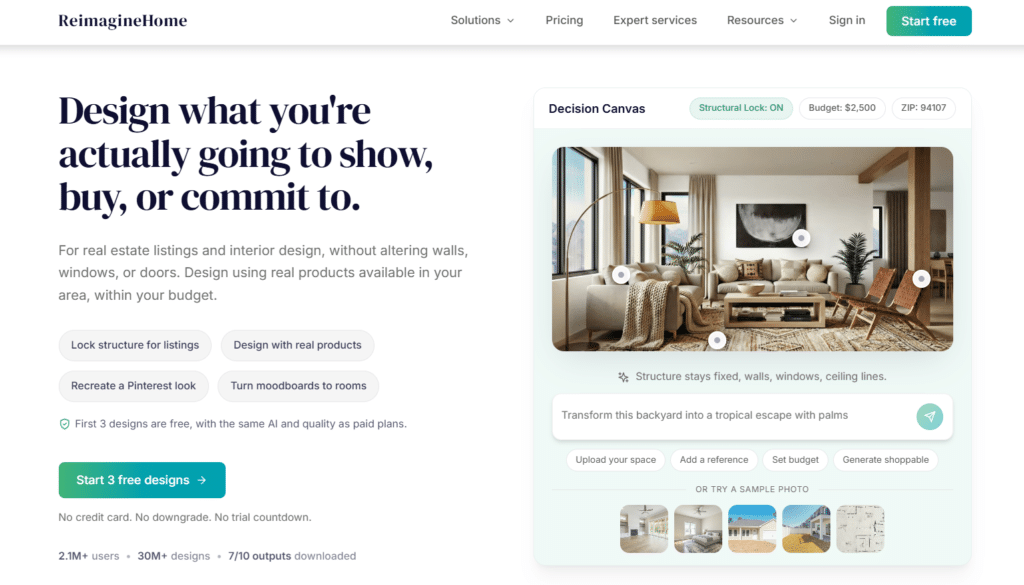
REImagineHome AI stands out for its unique approach to practical, budget-conscious design. What sets it apart is its integration with real retailers and its ability to create designs within specific budget constraints.
If you want not just pretty pictures but actionable designs you can actually implement, this tool delivers exceptional value.
4.7
OVERALL RATING
Key Pain Points REImagineHome AI Solves
Highlighted Features
Real-World Success Story
“ I appreciate good interior design, but I suck at it, and my house is just a collage of many things. I could be inspired by countless pinterest pins or pictures on Instagram, but I need their designs to fit in my modest apartment.
This is where REimagineHome.ai comes in handy, upload a picture of your current room setup, and they redesign it for you, with many different styles.
It’s helpful for me as an individual, but imagine being a real estate agent managing a dozen properties; you can suddenly turn your listings into something more appealing than empty rooms.”
— Nicolas Grenié, Typeform
User Experience
REImagineHome AI offers a slightly different workflow than other tools. After uploading your photo, you’ll set a budget, specify your location (for product availability), and select style preferences.
The AI then generates designs using real products within your constraints. The refinement chat makes tweaking designs intuitive and conversational.
Pros and Cons
Support & Integrations
REImagineHome AI offers email support at info@reimaginehome.ai. Its standout feature is deep integration with major retailers like IKEA, Wayfair, Target, and West Elm for shoppable, accurately priced products. This makes it exceptionally useful for buyers wanting to implement designs exactly as shown.
Pricing
Shop real furniture in your space!
Create beautiful spaces with real, affordable products you can actually buy.
4. Collov AI – Best for Photorealistic Renders & Virtual Tours
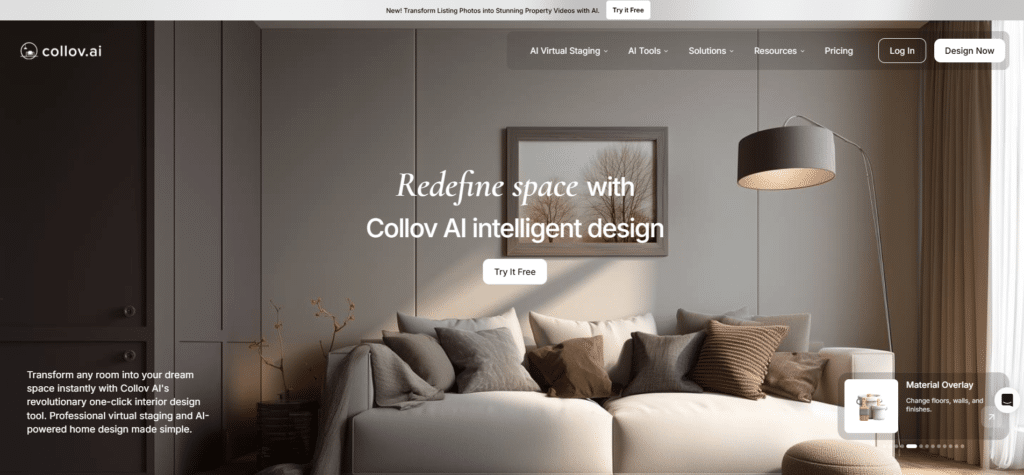
Collov AI stands out for its exceptional render quality and innovative virtual tour feature. If you’re looking for magazine-worthy visualizations and the ability to create immersive walkthroughs of your redesigned spaces, Collov delivers impressive results that go beyond static images.
4.6
OVERALL RATING
Key Pain Points Collov AI Solves
Highlighted Features
Real-World Success Story
“ Long Time User Of Collov AI – Only Getting Better
I’ve been using Collov AI for virtual staging and image editing, and it’s become a core part of my workflow. The product is genuinely powerful, easy to use, and produces impressive results that look natural and professional.
What really stands out is how much better it keeps getting. Over the past year, the quality, speed, and feature set have steadily improved, and it’s clear the team is actively building and listening to users. New features keep rolling out, and each update makes the platform more useful.
If you do real estate, staging, or any kind of visual marketing, Collov AI is absolutely worth using—and it’s only getting better from here.”— EG, Collov AI User, Trustpilot
User Experience
Collov AI offers a clean, professional interface that’s easy to navigate. Upload your photo, select what you want to change (full redesign, material changes, furniture updates), choose a style, and the AI generates multiple design options in about 45 seconds. The virtual tour feature requires just one additional click to activate.
Pros and Cons
Support & Integrations
Collov AI provides email support for all users and offers some enterprise options for custom integrations. The platform focuses strongly on real estate and design professional needs, with outputs optimized for listing platforms and social media sharing.
Pricing
Create stunning visualizations and virtual tours!
Experience photorealistic renders and immersive walkthroughs of your redesigned spaces.
5. InstantDeco AI – Best for Video Tours & Renovation Simulations
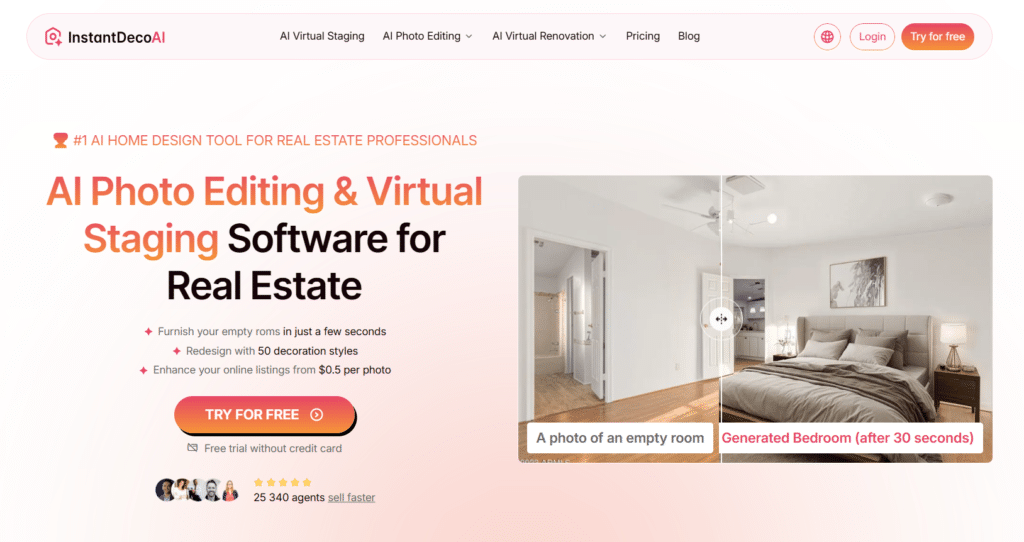
InstantDeco AI rounds out our list with its impressive video capabilities and renovation simulation features. If you want to go beyond static images to create engaging walkthroughs of your redesigned spaces or visualize comprehensive renovations, this tool offers unique capabilities at an accessible price point.
4.6
OVERALL RATING
Key Pain Points InstantDeco AI Solves
Highlighted Features
Real-World Success Story
” I’m experiencing a remarkable boost in lead generation, attributed to enhanced photos in my listings. These improvements have effectively addressed issues where potential clients struggled with visualizing the space, leading to increased engagement. “
— Pierre., InstantDeco AI User, Real Estate Agent
User Experience
InstantDeco AI offers a straightforward workflow similar to other tools. Upload your photo, select a style and the elements you want to change, and the AI generates your design in about 30-45 seconds.
The video generation feature requires a few additional clicks but is intuitive to use. The 4K quality outputs are particularly impressive for sharing and presentations.
Pros and Cons
Support & Integrations
InstantDeco AI offers a user guide and works on both mobile and web platforms. The service allows for cancel-anytime flexibility and focuses on straightforward visualization rather than extensive third-party integrations.
Pricing
Your Virtual Staging Software for Real Estate!
Create engaging tours and visualize complete renovations in stunning 4K quality.
6. PromeAI – Best for Sketch-to-Realistic Interior Magic

Prome AI really stands out when you want to go from a simple sketch, photo, or even an empty room shot to stunning, photorealistic renders in seconds. It handles both interior renovations and architecture sketches super well – something not every tool does smoothly.
What impressed me most is the “consistent rendering” feature: upload one image, and it builds a full set of matching designs (same style across rooms or views). That saves tons of time tweaking everything separately.
4.6
OVERALL RATING
Key Pain Points Prome AI Solves
Highlighted Features
Real-World Success Story
” As an interior designer, I am absolutely blown away by the capabilities of PromeAI. With its ability to generate stunning and realistic 3D images from simple line drawings, I can easily showcase my design ideas to clients and colleagues in a way that is both visually impressive and easy to understand. The variety of styles and scenes available on PromeAI is also incredibly helpful in exploring different design concepts and creating unique and personalized spaces. I highly recommend PromeAI to anyone in the interior design field looking to take their work to the next level!“
— Raymond, Prome AI User, ProductHunt
User Experience
Prome AI is super straightforward…Sign up (free trial with coins), upload your sketch/photo, add a prompt or pick a style, hit generate.
You get results in seconds, then tweak with more prompts or modes.
The interface feels designer-friendly (not too overwhelming once you play a bit), and it’s great for beginners or pros who want speed over manual modeling.
Pros and Cons
Support & Integrations
Prome AI offers email/chat support, plus team features like inviting teammates, private spaces, and account management on higher plans. No big API yet for most users, but team discounts and extra coins make it good for studios or freelancers.
Data stays secure, and commercial use is allowed.
Pricing
Coins are spent on image/video generations; paid tiers boost monthly credits and features.
streamline your Interior Design workflow!
Turn your sketches into stunning realities in minutes with this powerful AI design assistant.
7. Virtual Staging AI – Best for Real Estate Professionals
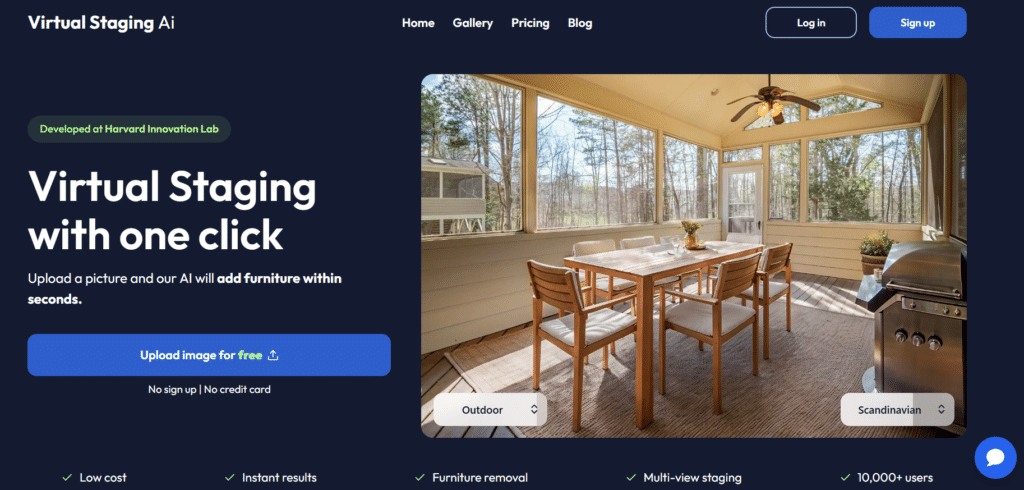
Virtual Staging AI is purpose-built for real estate professionals who need to quickly transform empty properties into appealing, staged spaces.
Its lightning-fast processing, MLS compliance features, and multi-view consistency make it the go-to choice for agents looking to boost listing appeal without physical staging costs.
4.5
OVERALL RATING
Key Pain Points Virtual Staging AI Solves
Highlighted Features
Real-World Success Story
“ After seeing the advertisement for Virtual Staging AI, I decided to give them a try. Besides, I had tried a few other VS apps and I was not pleased with them at all. But, I must say that Virtual Staging AI was different. Their app is easy to use. They make the process very simply to upload your pics and their processing time is complete within seconds of your download. The end result looks so amazing.
This has really helped my business as it pertains to my listed and vacant homes. My clients were amazed at the results and are truly satisfied with the results, which makes me happy. So, if you haven’t given them a try, you should.”
— Monte V, Real Estate Agent
User Experience
Virtual Staging AI offers perhaps the simplest workflow of any tool I tested. Upload your photo, select a room type and style, and within seconds, you’ll have a professionally staged space.
The interface is clean and intuitive, with helpful presets for different property types (luxury, modern, family home, etc.).
Pros and Cons
Support & Integrations
Virtual Staging AI offers a free test upload with no credit card required, making it risk-free to try. The platform is backed by the Harvard Innovation Lab, adding credibility to its technology.
While it doesn’t offer extensive third-party integrations, its focused approach delivers exactly what real estate professionals need.
Pricing
Sell properties faster with virtual staging!
Transform empty listings into appealing, staged spaces in just 15 seconds.
8. MyRoomDesigner – Best for Detailed Customization
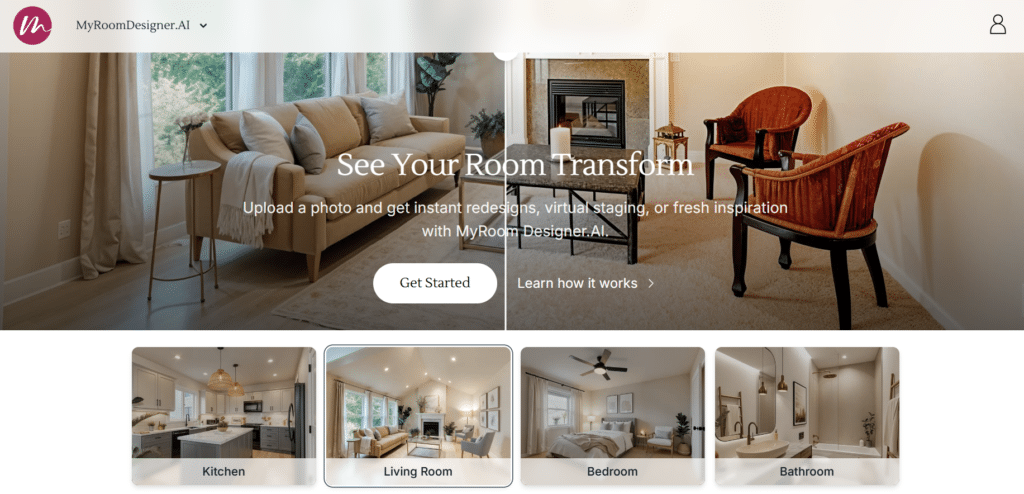
MyRoomDesigner takes a unique approach to AI design with its conversational interface and exceptional attention to detail. If you want fine-grained control over your designs and the ability to create professional-quality mood boards, this tool offers capabilities that feel more like working with a human designer than typical AI.
4.5
OVERALL RATING
Key Pain Points MyRoomDesigner Solves
Highlighted Features
Real-World Success Story
” As an interior design student, I use MyRoomDesigner to quickly test concepts and create professional presentations. The chat refinement feature saves me countless hours of manual editing—I can simply describe what I want changed, and the AI implements it instantly. The mood board creator helped me win a major class project by presenting a cohesive vision that impressed my professors.”
— Olivia M., Design Student
User Experience
MyRoomDesigner offers a slightly different experience than other tools. After uploading your photo, you’ll engage in a conversation with the AI about your preferences.
The design evolves as you chat, with changes appearing in seconds. The mood board tools are particularly intuitive, with drag-and-drop functionality and automatic background removal.
Pros and Cons
Support & Integrations
MyRoomDesigner provides support through an in-app dashboard system for billing, upgrades, and support tickets. The “Find Similar” feature links to real products, though it doesn’t have the deep retail integrations of some competitors. Photos remain private and encrypted for security.
Pricing
Coins are spent on image/video generations; paid tiers boost monthly credits and features.
Chat and customize your room!
Experience the most natural way to create and refine your perfect space.
9. Archi AI – Best for Architectural Visualization
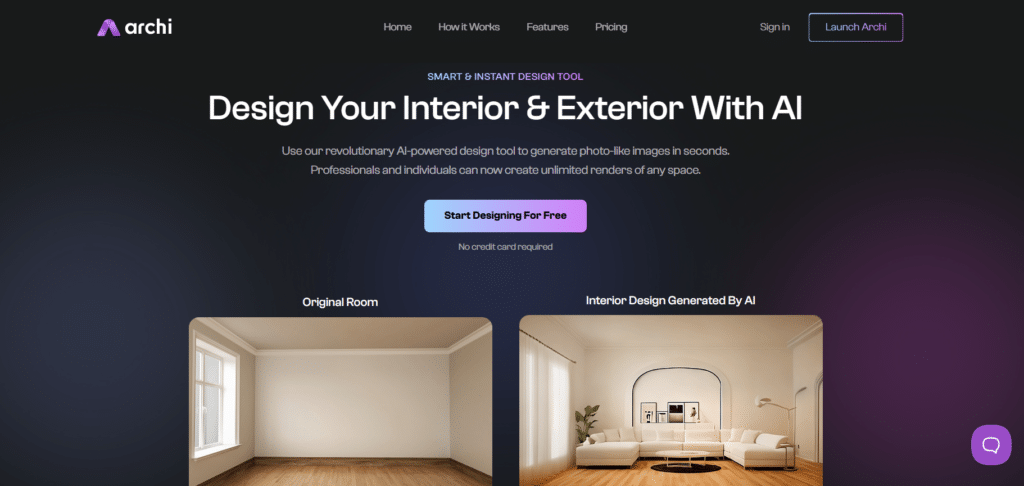
Archi AI specializes in architectural visualization, making it perfect for homeowners and professionals who want to explore structural and exterior changes. Its strength lies in creating photorealistic renders of buildings and spaces before any real construction begins, helping you visualize major renovations with confidence.
4.4
OVERALL RATING
Key Pain Points Archi AI Solves
Highlighted Features
Real-World Success Story
“We were planning a major exterior renovation but couldn’t agree on the direction. Archi AI let us visualize five completely different approaches—from modern farmhouse to contemporary—using photos of our actual home. The renders were so realistic that we could make confident decisions about materials and structural changes. Our contractor was impressed with how accurately the AI predicted the final result.”
— Robert & Susan T., Homeowners
User Experience
Archi AI offers a straightforward drag-and-drop interface for uploading photos. After selecting preferences through a simple form (architectural style, materials, etc.), the AI delivers photorealistic renders in about 30-45 seconds. The platform excels at maintaining structural integrity while implementing significant design changes.
Pros and Cons
Support & Integrations
Archi AI offers chat support for questions about the process, comparisons, and realism tips. The platform is web-based for easy access without downloads, focusing on pure visualization rather than extensive integrations with other services.
Pricing
Both plans give you photoreal renders, easy uploads, and style tweaks.
Render unlimited designs Before Building It!
Visualize architectural changes with photorealistic accuracy before committing to construction.
10. Easy-peasy AI – Best for Creative Experimentation

Easy-peasy AI offers a more general AI image generation approach with strong capabilities for home visualization. What sets it apart is its flexibility and creative freedom—it’s perfect for those who want to experiment with bold, unique design concepts rather than just conventional styles.
4.3
OVERALL RATING
Key Pain Points Easy-peasy AI Solves
Highlighted Features
Real-World Success Story
“As a design blogger, I use Easy-peasy AI to create unique concept images that stand out from typical interior design content. The flexibility of the text prompts allows me to generate spaces that combine unusual influences—like my ‘Scandinavian meets Moroccan’ series that went viral. The quality is high enough for professional publication, and the creative freedom is unmatched by more specialized design tools.”
— Nadia K., Design Blogger
User Experience
Easy-peasy AI offers a clean interface focused on creative freedom. You can either upload a photo for transformation or enter a detailed text prompt describing your desired space.
The AI generates results in about 20-30 seconds, with options to refine and regenerate as needed. The learning curve is minimal, but mastering detailed prompts takes some practice.
Pros and Cons
Support & Integrations
Easy-peasy AI provides email and live chat support for all users, with priority support on higher plans. API access is available in Unlimited tiers for custom workflows, making it suitable for creative professionals who want to integrate AI visualization into their existing processes.
Pricing
Unleash your creative vision!
Generate unique, boundary-pushing designs with the most flexible AI visualization tool.
Key Features to Look For in AI Home Design Software
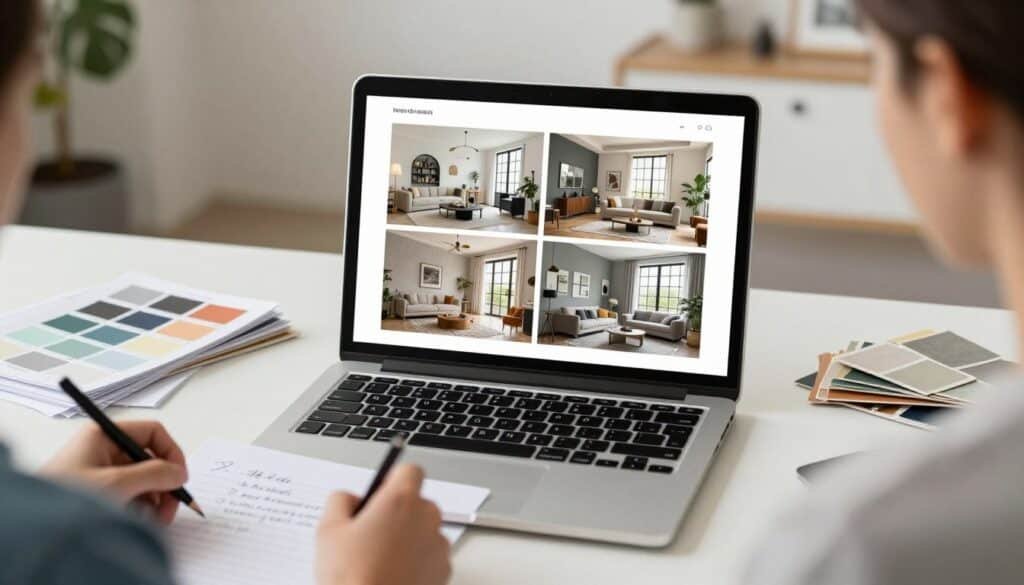
After testing dozens of AI design tools, I’ve identified the most important features that deliver real value. Here’s what to prioritize based on common design challenges:
- Visualization Accuracy: You’re afraid of making expensive mistakes. Look for tools that maintain proper perspective, respect architectural features, and create truly realistic renders that show exactly how changes will look.
- Style Variety: You’re unsure which aesthetic direction to take. Choose software with diverse style options (minimum 20+) so you can experiment with different looks before committing.
- Material & Color Simulation: You’re hesitant about bold color or material choices. Prioritize tools with accurate surface visualization that shows how different paints, flooring, and finishes will transform your space.
- Furniture Sourcing: You love the AI design but don’t know where to find similar items. Select tools that identify products in designs and provide shopping links to make implementation straightforward.
- Budget Awareness: You need designs you can actually afford. Look for software that integrates real product pricing or allows budget constraints to ensure designs are financially feasible.
Best Practices & Tips for Using AI Home Design Software

Key Takeaways & Conclusion
After extensive testing, AI HomeDesign emerges as the top overall choice for its exceptional image quality, comprehensive feature set, and ability to handle both interior and exterior transformations with remarkable accuracy. Its unlimited regenerations and architectural precision make it suitable for a wide range of users from homeowners to real estate professionals.
However, each tool on this list excels in specific areas. HomeDesignsAI offers unmatched style variety, Virtual Staging AI delivers lightning-fast results for real estate, REImagineHomeAI stands out for budget-conscious designs with real product integration, and InstantDecoAI brings unique video capabilities to the table.
Are you ready to stop imagining and start designing?
The tools on this list make it easier than ever to visualize your dream space before making any real-world changes. Whether you’re staging a property for sale, planning a renovation, or just exploring possibilities, AI home design software offers an accessible, affordable way to see the potential in any space.
Transform Your Home Decoration With AI!
Start with our #1 pick for the most comprehensive, accurate AI interior design & exterior design experience.