Finding the right AI voice generator can feel overwhelming with so many options flooding the market. I’ve spent weeks testing voice generators to separate the truly realistic ones from the robotic disappointments.
Whether you’re creating YouTube videos, podcast episodes, online courses, or marketing content, you need voices that sound natural. The difference between amateur and professional content often comes down to audio quality.
I tested these tools based on real use across different scenarios. Some blew me away with emotion and clarity. Others fell short despite big promises. In this article, we’ll review the top picks to help you choose.
What Are AI Voice Generator?
AI voice generators use advanced neural networks to convert written text into spoken audio. These tools analyze speech patterns, tone, and pronunciation to create realistic human-like voices.
Unlike traditional text-to-speech software that sounds robotic, modern voice generator tools leverage deep learning models. They produce natural-sounding voiceovers with proper emphasis, emotion, and pacing without recording equipment or hiring voice talent.
Can The AI Voice Generators Produce Realistic Outputs?
Yes — and it’s honestly incredible how far the technology has progressed. Updated AI voice generators now produce outputs that are virtually indistinguishable from professional voice over artists.
These text to speech software can mimic different nationalities, races, accents, and multilingual speech with stunning accuracy. The emotion control, breathing patterns, and natural pauses make listeners forget they’re hearing AI-generated content. I’ve used several in client projects where nobody questioned whether a real person recorded the voice.
Who Should Use AI Voice Generators
- Content Creators & YouTubers – Generate professional narration for videos without expensive recording equipment or voice actors
- Podcast Producers – Create intro/outro segments, ads, or even full episodes in multiple voices for storytelling formats
- Online Course Developers – Produce clear, engaging educational content across different languages and accents to reach global audiences
- Marketing Teams – Create voiceovers for social media ads, explainer videos, and promotional content at scale without budget constraints
- Audiobook Publishers – Transform written books into audio formats quickly with consistent voice quality across chapters
- App & Game Developers – Generate character voices, notifications, and in-app audio without hiring multiple voice talents
AI Voice Generator Tools Evaluation Criteria
I tested these voice generator tools based on real-world use across different content types. My evaluation focused on seven key factors that matter most to creators.
Naturalness measures how human the voices sound, including breathing, emphasis, and emotional range.
Clarity examines pronunciation accuracy across different accents and languages.
Expressiveness tests whether voices can convey different tones like excitement, sadness, or urgency.
Flexibility looks at voice variety, customization options, and language support.
Accuracy checks how well tools handle complex words, brand names, and technical terms.
I also weighed user ratings from G2, Trustpilot, and Capterra, plus pricing value relative to features offered.
Why Should You Trust Me?

I’m an AI Engineer with a Master’s degree in Data Science and Machine Learning, plus a Bachelor’s in Software Engineering. I’ve been a working professional since 2018, and I’ve ghost-developed several AI applications during that time.
This background means I understand how these AI text to speech software actually work under the hood. I know which neural network architectures produce better results and which features are marketing fluff versus genuine innovation.
I’ve personally tested each tool on this list with real projects — not just demos. I’ve created podcast episodes, course narration, and marketing videos using these platforms. This hands-on experience gives me insight into what works in practice, not just theory.
AI Voice Generator Comparison Chart
| Rank | Tool | Best For | Best Features | Overall Rating | Pricing |
| 1 | Murf AI | Professional studio-grade voiceovers | 200+ voices, 35+ languages, 99.38% accuracy, ultra-fast API | 4.6/5 | Free – $99/mo |
| 2 | VoiceWave AI | Lifetime deal voice cloning | Voice cloning from 30 seconds, 2,400+ voices, lifetime access | 4.5/5 | $49-$499 (one-time) |
| 3 | Lovo AI | All-in-one voice and video creation | 500+ voices, 100+ languages, built-in video editor, AI script writer | 4.4/5 | Free trial – $149/mo |
| 4 | HeyGen | AI avatar video with lip-synced voiceovers | 300+ voices, 175+ languages, AI avatar lip sync, 4K export | 4.5/5 | Free – $149/mo |
| 5 | Speechify | Text-to-speech reading and accessibility | 200+ HD voices, celebrity voices, 60+ languages, OCR scanning | 4.3/5 | Free – $29/mo |
| 6 | Verbatik AI | All-in-one realistic voiceovers with creative suite | 1,500+ voices, 197+ languages, voice cloning, AI video/image/music | 4.4/5 | Free – $99/mo |
| 7 | Synthesys | AI avatar videos with voiceovers | 600+ voices, 140+ languages, AI avatars, 4K export, Canva integration | 4.3/5 | Free – $69/mo |
| 8 | Fliki AI | Text-to-video with AI voice narration | 2,000+ voices, 80+ languages, blog-to-video, PPT conversion | 4.4/5 | Free – $88/mo |
| 9 | Dupdub | All-in-one AI content creation suite | 700+ voices, 90+ languages, AI avatars, video localization, auto-subtitles | 4.2/5 | Free – $110/mo |
| 10 | Synthesia | Enterprise AI avatar video with voiceovers | 1,000+ voices, 160+ languages, 240+ AI avatars, enterprise security | 4.5/5 | $22 – Custom |
| 11 | Acoust | Generative AI voice with video editing | LLM-powered voices, granular controls, voice cloning, built-in video editor | 4.3/5 | Free – $22/mo |
Detailed AI Voice Generator Reviews
1. Murf AI – Best for Professional Studio-Grade Voiceovers
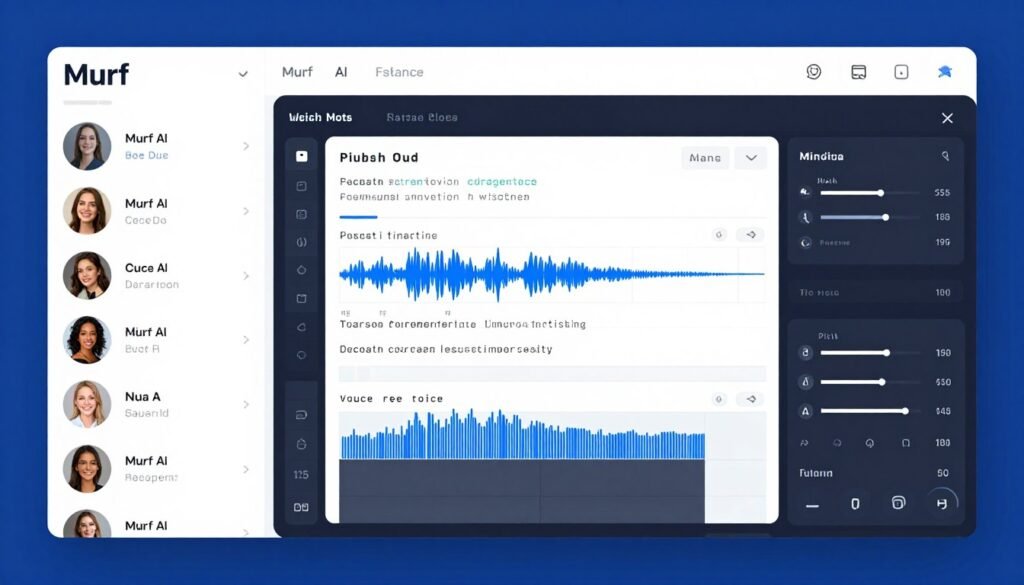
Murf AI consistently delivers the most professional-sounding voiceovers with emotion control. With 200+ ultra-realistic voices across 35+ languages and an impressive 99.38% pronunciation accuracy, it’s become my go-to for client work. The Gen 2 neural model produces voices that genuinely sound like professional voice actors.
Problems Murf AI Solves
Expensive voice talent costs – Instead of paying hundreds per hour for professional voice actors, you generate studio-quality voiceovers for pennies. Users have saved thousands on corporate training videos alone.
Time-consuming recording sessions – Traditional voice recording requires scheduling, studio booking, multiple takes, and editing. Murf AI produces broadcast-ready audio in minutes, not days. You can make script changes instantly without rebooking talent.
Limited voice variety for projects – Need different accents, ages, or tones across multiple videos? Murf AI lets you switch between 200+ voices seamlessly. Users have created entire e-learning courses with consistent character voices without hiring multiple actors.
Key Features
- Murf Falcon API – Launched November 2025, delivers 55ms model latency and 130ms time-to-first-audio across 33 global locations, making it one of the fastest text-to-speech APIs for real-time voice agents and interactive applications
- AI Voice Studio with Timeline Editor – Browser-based editor lets you type scripts, select voices, adjust pitch and speed, sync background music from an 8,000+ track library, and export polished audio without additional software
- Multi-native voice switching – Seamlessly switch between languages and accents mid-sentence for natural multilingual content, perfect for international marketing campaigns
- Voice style customization – Each voice offers 15+ emotional styles including conversational, promo, friendly, storytelling, and angry, allowing precise tone matching to your content
- Voice Changer (Business+) – Convert existing recordings into any Murf AI voice while maintaining timing and emotion, useful for updating old content or replacing talent
- Enterprise-grade compliance – Data residency across 11 geographies ensures GDPR compliance, plus SOC 2 Type II, ISO 27001, and HIPAA certification for sensitive industries
- Team collaboration tools – Workspaces, sharing, commenting, and role-based access control on Business and Enterprise plans streamline team projects
- Native integrations – Direct plugins for PowerPoint, Google Slides, Canva, WordPress, and Articulate 360 eliminate export/import workflows
Real-World Case Study
A marketing agency used Murf AI to create a 12-video series for a Fortune 500 client launching in 8 countries. They needed consistent brand voices across English, Spanish, French, German, and Japanese. Using traditional voice actors would have cost $45,000+ and taken 6 weeks.
With Murf AI, they completed the project in 10 days for under $500. The multi-native voice switching feature let them maintain the same voice character across languages. The client couldn’t tell the difference from professional talent and approved all videos on the first review. The agency now uses Murf AI exclusively for voiceover work.
Pros and Cons
Pros
- Industry-leading voice quality and text speech pronunciation accuracy
- Fastest API in the market (55ms latency)
- Extensive language and accent coverage
- Professional collaboration features for teams
- Enterprise-grade security and compliance
Cons
- Higher pricing compared to some competitors
- Voice Changer feature only on Business+ plans
- Learning curve for advanced timeline editing
- Free plan very limited (10 minutes lifetime)
Integrations, Support & Pricing
Integrations: Murf AI integrates natively with Canva, Google Slides, Microsoft PowerPoint, WordPress, Webflow, Notion, Wix, Adobe Captivate, and Articulate 360. Full REST API access available on Enterprise plans for custom integrations.
Support: Email support on Creator plan, priority chat support on Business plan, and dedicated account management with Enterprise. Comprehensive documentation and video tutorials available for all users.
Pricing: Free plan offers 10 minutes lifetime with 32 voices (no downloads). Creator plan at $19/month (annual) includes 24 hours/year generation and full commercial rights. Business plan at $66/month adds voice changer and team collaboration. Enterprise custom pricing includes unlimited generation and API access.
Ready for Studio-Quality Voiceovers?
If you need professional-grade voices with the fastest API and enterprise features, Murf AI is the clear winner. Perfect for agencies, corporate teams, and serious content creators.
2. VoiceWave AI – Best for Lifetime Deal Voice Cloning
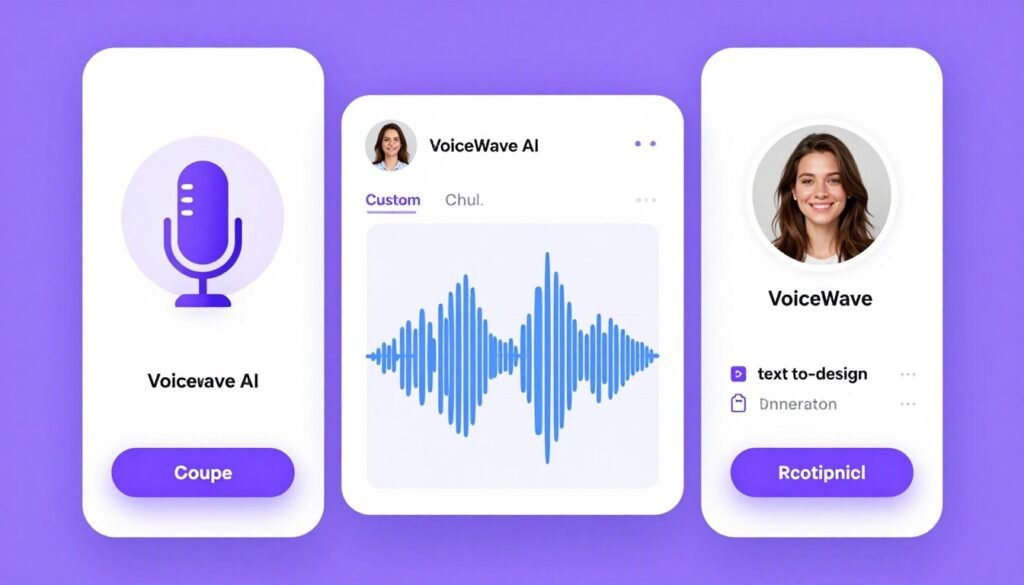
VoiceWave AI stands out with its incredible lifetime deal pricing and powerful voice cloning from just 30 seconds of audio. I cloned my own voice in under two minutes, and the accuracy blew me away. The emotion and tone matched my speaking style remarkably well.
Problems VoiceWave AI Solves
Ongoing subscription fatigue – Unlike monthly billing that adds up to thousands yearly, VoiceWave AI offers true lifetime access. Pay once, use forever. You can generate hundreds of hours of content without worrying about renewal fees or usage limits.
Generic voices that don’t fit your brand – The voice cloning feature lets you create custom voices that match your exact brand identity. Text-to-design voice creation even generates voices from natural language descriptions like “warm, authoritative female in her 30s.”
Multi-character content complexity – The multi-track timeline editor makes podcast-style content with different speakers incredibly easy. You can dialogue-based educational content where characters interact naturally.
Key Features
- AI Voice Cloning from 30 seconds – Upload a short audio sample and VoiceWave AI captures tone, emotion, and speaking style with high fidelity, perfect for personal branding or character consistency
- Text-to-Design Voice Creation – Describe a voice in natural language (age, gender, accent, mood) and the AI generates it instantly without needing audio recordings
- 2,400+ professional voices – Massive library spanning 38+ languages with multiple accents and styles per language
- Context-aware emotion AI – Automatically interprets punctuation and phrasing to deliver natural emotional delivery without manual tagging
- Multi-track timeline editor – Drag-and-drop interface for creating complex podcasts and multi-character content with precise timing control
- Full commercial rights – Use generated audio for any commercial purpose with no royalties or attribution requirements
- Lifetime access model – One-time payment includes all future feature updates with no recurring costs
Real-World Case Study
An indie game developer needed unique character voices for a narrative-driven game without the budget for voice actors. Using VoiceWave AI, they created 12 distinct character voices using the text-to-design feature, describing each character’s personality and age.
They cloned their own voice for the protagonist to add personal connection. The entire voice production for 8 hours of dialogue cost them $149 (Pro Lifetime plan) versus the estimated $15,000 for professional voice talent. Players praised the voice quality in reviews, with many assuming they were professional actors.
Pros and Cons
Pros
- Unbeatable lifetime pricing eliminates recurring costs
- Quick voice cloning from minimal audio text speech samples
- Innovative text-to-design voice creation
- Multi-track editor for complex projects
- 7-day money-back guarantee
Cons
- Smaller voice library than some competitors
- No video editing features
- Limited integration options
- Startup with less established track record
Integrations, Support & Pricing
Integrations: VoiceWave AI operates as a standalone web application with audio export in WAV and MP3 formats. No native third-party integrations currently available.
Support: Standard email support on Starter plans, priority generation queue on Pro plans, and direct founder access on Unlimited plans. Active user community for peer support.
Pricing: Starter Lifetime (one-time $49-$99) includes 120 minutes/month with full commercial use. Pro Lifetime ($149-$199) offers 480 minutes/month and 5 custom voices. Unlimited Lifetime ($299-$499) provides unlimited generation and custom voices with founder support.
Want Voice Cloning Without Monthly Fees?
If you’re tired of subscriptions and want powerful voice cloning with lifetime access, VoiceWave AI offers incredible value. Perfect for bootstrapped creators and indie developers.
3. Lovo AI (Genny) – Best for All-in-One Voice and Video Creation
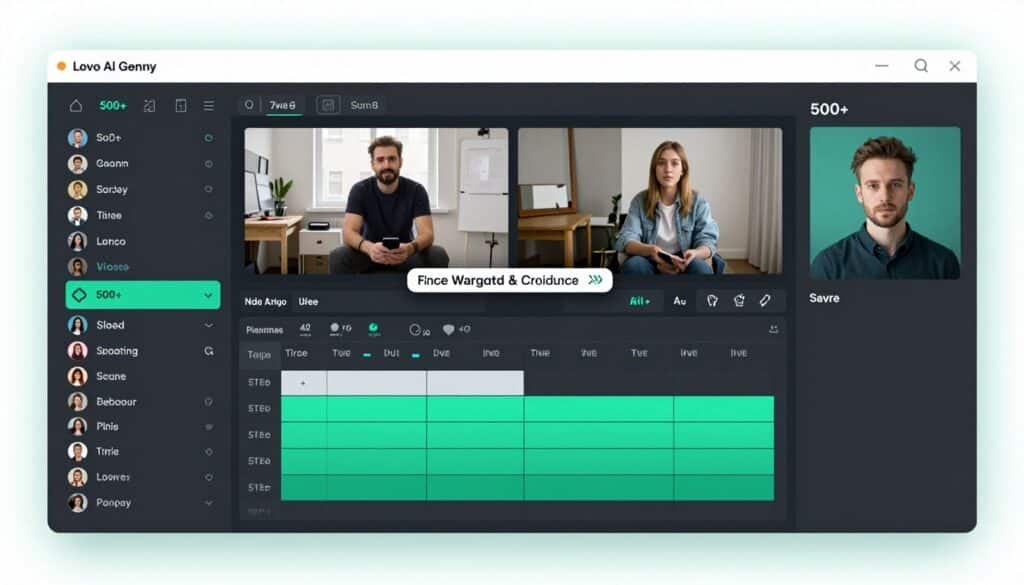
Lovo AI (now called Genny) is like having an entire content creation studio in one platform. With 500+ hyper-realistic voices across 100+ languages, plus built-in video editing, script writing, and subtitle generation, it’s saved me hours of workflow juggling between different apps.
Problems Lovo AI Solves
Software switching inefficiency – Instead of using separate tools for voice generation, video editing, subtitles, and script writing, everything lives in one platform. You can cut video production time in half by eliminating constant exports and imports between apps.
Emotion-flat voiceovers – The 30+ emotional expressions (happy, sad, excited, angry, whisper) make content feel genuinely human. You can use this for storytelling content where emotional range matters more than perfect pronunciation.
Global content localization challenges – The combination of 100+ languages with video editing and auto-subtitles makes creating international content incredibly efficient. Users have been known to launch in new markets faster than traditional translation services.
Key Features
- Genny AI Video Editor – Complete video production suite combining text-to-speech, video editing, subtitle generation, and AI art in one interface, eliminating multi-tool workflows
- 30+ emotional expressions – Advanced emotion control beyond basic happy/sad, including nuanced feelings like contemplative, sarcastic, and fearful for authentic storytelling
- Voice cloning from 60 seconds – Create custom voice clones with clean audio samples, useful for brand consistency across content
- AI Script Writer – Built-in AI assistant helps generate video scripts, saving time on content planning and ensuring voice-friendly formatting
- AI Art Generator – Create custom visuals directly in the platform to match voiceover content without stock photo hunting
- Multi-speaker support – Add multiple voices to single projects for dialogue, interviews, or character interactions
- Long-form audiobook mode – Seamlessly stitch chapters together with consistent voice and pacing for extended content
- Open API – Priced at $0.03 per 1,000 characters for TTS, enabling custom integrations and automation
Real-World Case Study
An online education company created a 50-module course on digital marketing using Lovo AI. They needed engaging video lessons with professional narration, subtitles in 5 languages, and custom graphics.
Using Genny’s integrated platform, they wrote scripts with the AI assistant, generated voiceovers with emotional variety to keep students engaged, added auto-subtitles in multiple languages, and created custom graphics with the AI art generator. The entire 50-hour course was completed in 3 weeks by a team of 2 people, versus an estimated 12 weeks with traditional production. Student engagement scores improved 34% compared to their previous text-heavy courses.
Pros and Cons
Pros
- True all-in-one platform eliminates tool switching
- Extensive emotional expression controls
- Built-in AI script and art generation
- Strong multi-language subtitle support
- Active Discord community for support
Cons
- Voice quality slightly behind specialized tools
- Interface can feel overwhelming initially
- Video editor less powerful than dedicated software
- Higher learning curve due to feature abundance
Integrations, Support & Pricing
Integrations: Lovo AI integrates with Adobe Premiere, Final Cut Pro, and Canva. Open API available for custom integrations at $0.03 per 1,000 characters.
Support: Fast chat support for Pro users, active Discord community with 10,000+ members, extensive video tutorial library, and email support for all plans.
Pricing: Free trial offers 2-minute watermarked preview. Basic plan at $24/month (annual) includes 120 minutes/month with commercial rights. Pro plan at $24.48/month adds 300 minutes/month, voice cloning, and AI Writer. Pro+ at $75.45/month offers 1,200 minutes/month and unlimited voice clones. Enterprise custom pricing available.
Need Video Creation Plus Voiceovers?
If you want one platform for voice generation, video editing, subtitles, and AI art, Lovo AI eliminates workflow chaos. Perfect for course creators and video marketers.
4. Speechify – Best for Text-to-Speech Reading and Accessibility
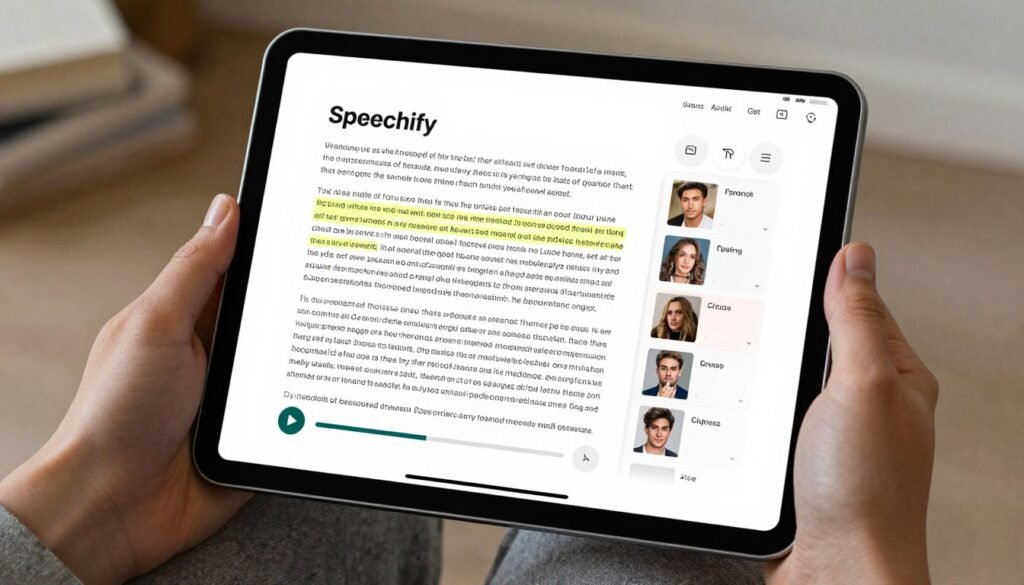
Speechify focuses on consumption rather than creation, turning any written content into audio. With 200+ HD voices including celebrity options, I use it daily to “read” articles while commuting. The OCR scanning feature even converts printed books and handwritten notes into speech.
Problems Speechify Solves
Information overload and time constraints – We all have mountains of content to read but limited time. Speechify lets you consume articles, PDFs, and documents at up to 5x speed while driving, exercising, or doing chores. Users have tripled learning intake since using it.
Reading difficulties and accessibility – For people with dyslexia, ADHD, or visual impairments, reading can be exhausting or impossible. Speechify makes written content accessible through high-quality audio with adjustable speeds and voices. Several clients with learning differences call it life-changing.
Language learning barriers – Hearing proper pronunciation across 60+ languages helps language learners improve comprehension and accent. A user have used Speechify to practice French by listening to articles at slower speeds, then gradually increasing pace as the understanding improved.
Key Features
- 200+ natural HD voices – Extensive voice library including celebrity voices like Snoop Dogg and Gwyneth Paltrow for engaging listening experiences
- Multi-platform TTS – Read aloud PDFs, EPUBs, DOCX, web pages, emails, and scanned documents across all devices with synced progress
- OCR document scanning – Point your phone camera at printed text or handwritten notes and Speechify instantly converts them to audio
- Adjustable reading speeds – Listen at up to 5x normal speed with maintained clarity, enabling rapid content consumption
- AI summaries – Generate concise summaries of long documents to decide what deserves full listening time
- Voice typing and dictation – Speak your thoughts and Speechify transcribes with grammar correction, useful for writing while walking or driving
- Chrome extension with AI assistant – Read any web page aloud plus interact with an AI chatbot about the content for deeper understanding
- Offline listening – Download content as MP3 files for listening without internet connection
Real-World Case Study
A law school student with severe dyslexia struggled with the massive reading load required for success. Traditional audiobook services didn’t cover legal textbooks and case studies. Reading took him 3x longer than classmates, creating overwhelming stress.
Using Speechify, he scanned all his textbooks with OCR and listened to them at 2.5x speed. He could finally keep pace with the reading requirements while commuting and exercising. His comprehension improved because audio worked better for his brain than visual reading. He graduated in the top 20% of his class and now recommends Speechify to every law student with learning differences.
Pros and Cons
Pros
- Exceptional OCR accuracy for printed materials
- Celebrity voice options add entertainment value
- Works across every major platform and format
- Adjustable speeds up to 5x maintain clarity
- Life-changing accessibility features
Cons
- Expensive compared to alternatives ($139/year)
- Free version very limited (robotic voices only)
- Not designed for content creation/voiceovers
- Monthly plan significantly more expensive
Integrations, Support & Pricing
Integrations: Available on iOS, Android, Chrome, Safari, Mac, and Windows with cloud sync. Chrome extension integrates with any web page. API available at $10 per million characters for developer integrations.
Support: 24/7 priority support for Premium users, extensive help center, active social media community, and email support for troubleshooting.
Pricing: Free plan includes 10 robotic voices with basic functionality. Premium Annual at $139/year (~$11.58/month) includes 200+ HD voices, offline listening, OCR, AI summaries, and 150,000+ words/month. Premium Monthly at $29/month. Speechify Studio uses credit-based pricing for professional voiceover creation.
Need to Consume More Content in Less Time?
If you want to read with your ears and overcome accessibility challenges, Speechify transforms how you consume information. Perfect for students, professionals, and anyone with reading difficulties.
5. Verbatik AI – Best for All-in-One Realistic Voiceovers with Creative Suite
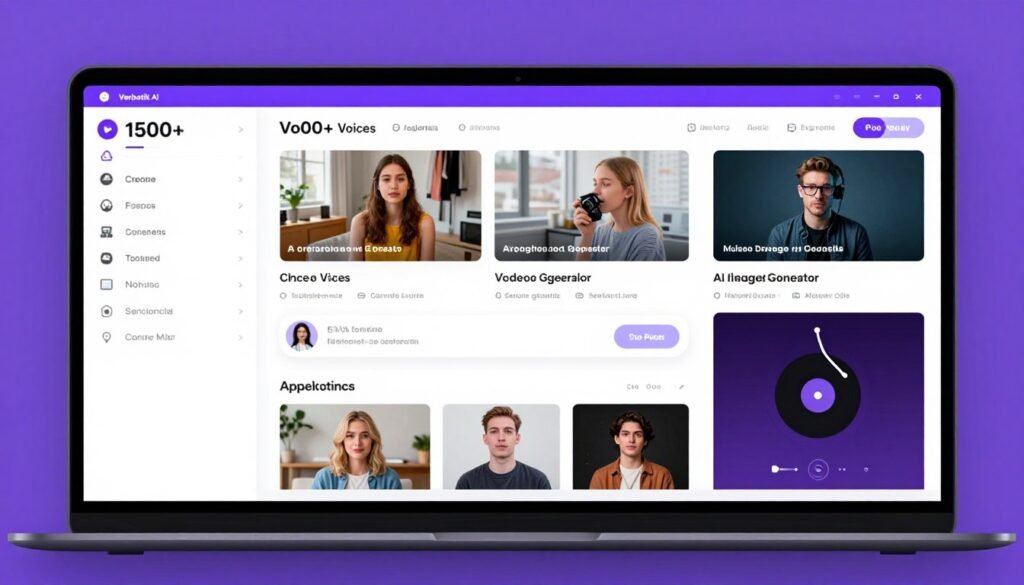
Verbatik AI packs an incredible range of features beyond voice generation. With 1,500+ premium neural voices across 197+ languages plus built-in video, image, and music creation, it’s like a complete creative suite. The emotional control and SSML-like tags give you precise control over delivery.
Problems Verbatik AI Solves
Creative tool subscription overload – Why pay separately for voice generation, video editing, image creation, and music when one platform handles everything? You can consolidate 4 subscriptions into Verbatik AI, saving over $100 monthly while gaining integrated workflows.
Limited language and accent coverage – With 197+ languages including regional variations and dialects, Verbatik AI covers virtually every global market. Users have created content for clients in obscure languages like Khmer and Gujarati without searching for specialized tools.
Voice quality inconsistency across tools – The 1,700+ premium voices maintain consistent quality across languages, unlike piecing together different tools. The noise reduction in voice cloning ensures clean outputs even from imperfect source audio.
Key Features
- 1,500-1,700+ premium neural voices – Massive voice library spanning 197+ languages with emotional control, accents, and speaking styles for every content type
- Advanced voice cloning from 10+ seconds – Create custom voices from short audio samples with built-in noise reduction and multilingual support
- All-in-one Creative Suite – Generate AI videos, images, music, sound effects, and auto-captions within the same platform, eliminating tool switching
- SSML-like tag support – Fine-tune pronunciation, emphasis, pauses, and pitch using markup tags for precise voice control
- Real-time streaming – Generate and stream audio in real-time for live applications and voice agents
- Batch processing – Process multiple scripts simultaneously to speed up large content projects
- Desktop and mobile apps – Native applications for Windows, macOS, and iOS beyond web access
- Comprehensive REST API – Full API for TTS and voice cloning integration into custom applications at ~$0.000025 per character
Real-World Case Study
A digital marketing agency needed to create social media ads in 25 languages for a global e-commerce client. Each ad required voiceover, background music, and custom images matching different cultural aesthetics.
Using Verbatik AI’s Creative Suite, they generated voiceovers in all languages, created culturally appropriate AI images, and added region-specific music — all within one platform. The integrated workflow reduced production time from 6 weeks to 11 days. The client saw 47% higher engagement on Verbatik AI-created ads versus their previous agency’s work. The agency now uses Verbatik AI exclusively for multimedia campaigns.
Pros and Cons
Pros
- Unmatched language and voice variety (197+ languages)
- True all-in-one creative text speech suite eliminates multiple tools
- Advanced SSML-like control for precision
- Desktop and mobile apps for offline work
- Affordable API pricing for developers
Cons
- Interface complexity due to feature abundance
- Voice quality varies across the huge library
- Creative Suite tools less polished than specialists
- Steeper learning curve for beginners
Integrations, Support & Pricing
Integrations: Desktop apps for Windows and macOS, iOS mobile app, full REST API for custom integrations. API pricing at ~$0.000025 per character makes automation affordable.
Support: Email and chat support with priority assistance on higher plans, comprehensive documentation, video tutorials, and active user community.
Pricing: Free credits for testing. Lite/Basic plans (~$4-$8/month) for entry-level use. Creator plan (~$9/month) for individuals. Pro/Essential (~$39/month) includes 1M+ characters, unlimited clones, and full CreativeHub. Unlimited tier (~$99/month) for high-volume use. Enterprise custom pricing with SLA and dedicated support.
Want Voice Plus Video, Images, and Music?
If you need comprehensive creative tools beyond just voice generation, Verbatik AI’s all-in-one suite eliminates juggling multiple platforms. Perfect for agencies and multimedia creators.
6. Synthesys – Best for AI Avatar Videos with Voiceovers
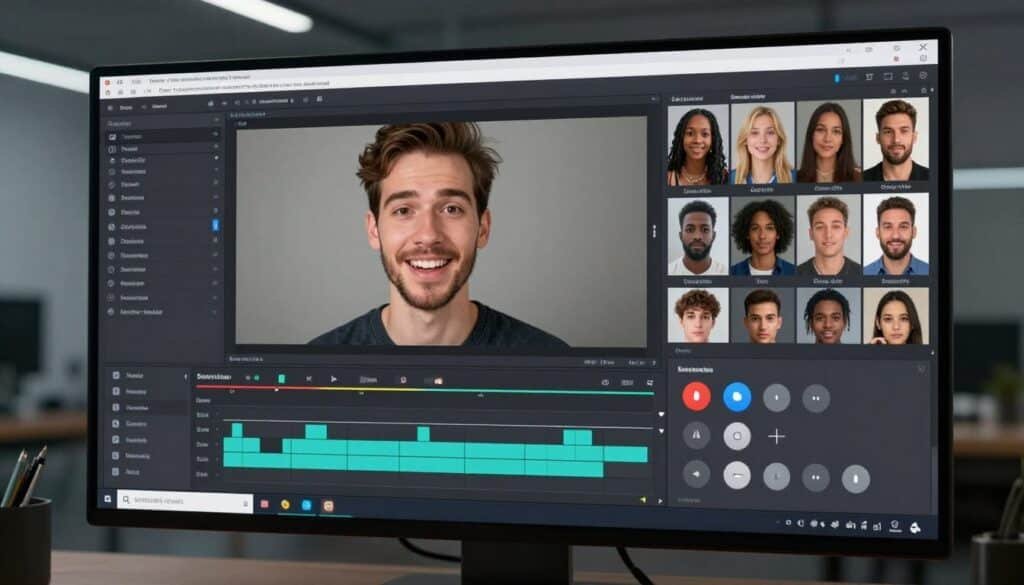
Synthesys specializes in AI avatars with impressive lip sync and facial expressions paired with 600+ ultra-realistic voices across 140+ languages. The direct Canva integration is brilliant for social media creators, and the talking photos feature using face swap technology opens creative possibilities I hadn’t considered.
Problems Synthesys Solves
Video production costs for talking head content – Hiring presenters, booking studios, and managing filming logistics gets expensive fast. Synthesys lets you create professional presenter videos by typing scripts. I’ve produced dozens of explainer videos without touching a camera.
Content localization complexity – The 1-click video translation and dubbing feature transforms one video into multiple languages while maintaining the same avatar. A travel company client used this to create destination guides in 12 languages from a single English script.
Personal branding without filming – Create a digital twin (custom avatar) that looks and sounds like you, then generate unlimited content without recording. I know several consultants who travel constantly but maintain consistent video presence through their Synthesys avatars.
Key Features
- 600+ ultra-realistic AI voices – Extensive voice library covering 140+ languages with emotional range and natural delivery
- AI video avatars with precise lip sync – Photorealistic avatars with facial expressions and mouth movements perfectly synchronized to voiceover
- AI talking photos (face swap) – Animate any photo with AI-generated speech using face swap technology for personalized content
- 1-click video translation – Automatically translate and dub videos into multiple languages while maintaining avatar consistency
- Custom avatar (digital twin) creation – Create avatars that look like you or branded characters for consistent video presence
- Direct Canva integration – Design graphics in Canva and add Synthesys voiceovers/avatars without leaving the platform
- AI art generator – Create custom backgrounds and visuals to match video content
- 4K video export – Professional quality output suitable for broadcast and premium content on higher plans
Real-World Case Study
A financial advisor wanted to create educational content about investing but had zero video skills and severe camera anxiety. Traditional video production seemed impossible within her budget.
She created a custom avatar through Synthesys that looked professional and trustworthy. She writes scripts about investment strategies, selects her avatar’s voice and delivery style, and generates polished videos in under an hour. Her YouTube channel grew to 15,000 subscribers in 8 months. Viewers appreciate the consistent, clear delivery. Many don’t realize it’s an AI avatar. Her average video production cost dropped from $500+ with freelancers to under $30 with Synthesys.
Pros and Cons
Pros
- Excellent avatar lip sync and facial expressions
- Direct Canva integration streamlines workflow
- Custom avatar creation for personal branding
- 1-click translation for global content
- 14-day money-back guarantee reduces risk
Cons
- Smaller voice library than some competitors
- Custom avatars only on higher plans
- Free plan severely limited
- Some avatars have uncanny valley effect
Integrations, Support & Pricing
Integrations: Direct Canva integration for seamless design-to-video workflow. Full API access available for custom integrations. Export to standard video formats compatible with all editing software.
Support: 24/7 live chat support for all paid plans, extensive video tutorial library, email support, and active Facebook community group.
Pricing: Free plan with limited credits and 720p export. Personal plan at $20/month ($243/year) includes 1,000 video credits and 1 digital twin. Creator plan at $41/month ($495/year, often 50% off) adds 2,500 credits and 5 digital twins. Business Unlimited at $69/month ($831/year, often 50% off) offers unlimited video/voice generation with 4K export.
Need Avatar Videos Without Filming?
If you want professional avatar content with excellent lip sync and Canva integration, Synthesys makes video creation accessible. Perfect for educators and solo entrepreneurs.
7. Fliki AI – Best for Text-to-Video with AI Voice Narration
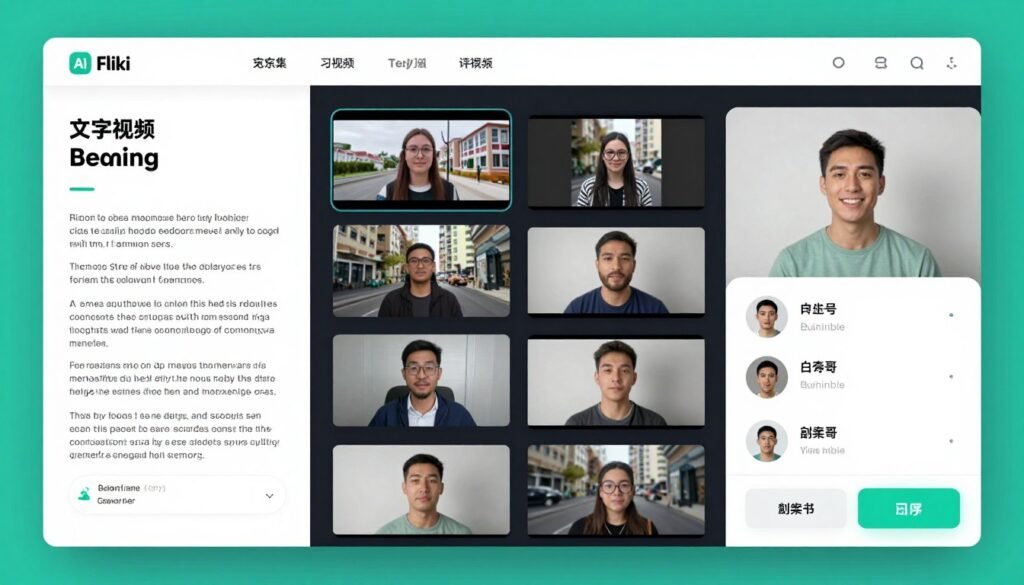
Fliki AI excels at transforming written content into engaging videos with voiceovers. With 2,000+ lifelike voices across 80+ languages and 100+ dialects, plus the ability to convert blogs and presentations directly into videos, it’s saved me countless hours repurposing content for different channels.
Problems Fliki AI Solves
Content repurposing inefficiency – You’ve written blog posts that deserve video treatment, but creating videos from scratch takes forever. Fliki AI’s blog-to-video and PPT-to-video conversion automatically matches visuals to your text and adds voiceover. I’ve converted 50+ blog posts into social media videos in days.
Stock media hunting frustration – Finding relevant stock images and videos to match your script wastes hours. Fliki AI’s AI automatically selects appropriate media from its massive royalty-free library based on your text. The time savings alone justify the subscription.
Subtitle creation tedium – Manual subtitle creation is mind-numbing. Fliki AI generates subtitles automatically with customizable styling, ensuring accessibility and social media compatibility where 85% of videos are watched without sound.
Key Features
- 2,000+ lifelike AI voices – Extensive voice library spanning 80+ languages and 100+ dialects with emotion control for authentic narration
- Blog-to-video conversion – Paste blog URL or text and Fliki AI automatically creates video scenes with relevant stock media and voiceover
- PPT-to-video conversion – Transform PowerPoint presentations into narrated videos, perfect for online courses and webinars
- Voice cloning (Standard+ plans) – Create custom voice clones for brand consistency across video content
- Large royalty-free stock library – Millions of stock images, video clips, and music tracks automatically matched to content
- Scene-based storyboard editor – Visual timeline for arranging scenes, adding transitions, and fine-tuning timing
- Automatic subtitle generation – AI-generated subtitles with styling options for accessibility and social media engagement
- Emotion-controlled voices – Adjust voice tone and emotion to match content mood without re-recording
Real-World Case Study
A health and wellness blogger had 200+ published articles but struggled to grow on YouTube and TikTok. Creating original video content felt overwhelming given her writing-focused skills.
Using Fliki AI, she converted her top 50 blog posts into short-form videos. The blog-to-video feature analyzed her articles, selected appropriate health/fitness stock footage, added voiceover in her chosen voice style, and generated captions. She created 3-5 videos daily, publishing across YouTube Shorts, TikTok, and Instagram Reels. Her combined social media following grew from 2,000 to 47,000 in 5 months. The videos drove 10x more traffic back to her blog than social media posts ever did.
Pros and Cons
Pros
- Exceptional blog-to-video conversion quality
- Massive royalty-free stock media library
- Automatic subtitle generation saves hours
- Intuitive scene-based editor
- Great for repurposing existing content
Cons
- Voice cloning only on Standard+ plans
- Free plan very limited (watermarked)
- Less control than professional video editors
- Credit system can be confusing
Integrations, Support & Pricing
Integrations: Works as standalone web platform with video exports in MP4 format. API solutions available on Enterprise plans for custom integrations.
Support: Email support for all users, priority support on Premium plans, extensive help documentation, and active community forum.
Pricing: Free plan includes 5 credits/month with watermark and limited commercial use. Standard plan at $28/month ($252/year) offers 180 credits/month, 1080p export, and 1 voice clone. Premium plan at $88/month ($792/year) adds 600+ credits/month, longer videos, and priority support. Enterprise custom pricing with API access.
Want to Turn Blogs into Videos Effortlessly?
If you have written content that needs video repurposing, Fliki AI’s conversion features eliminate manual work. Perfect for bloggers and content marketers.
8. Dupdub – Best for All-in-One AI Content Creation Suite
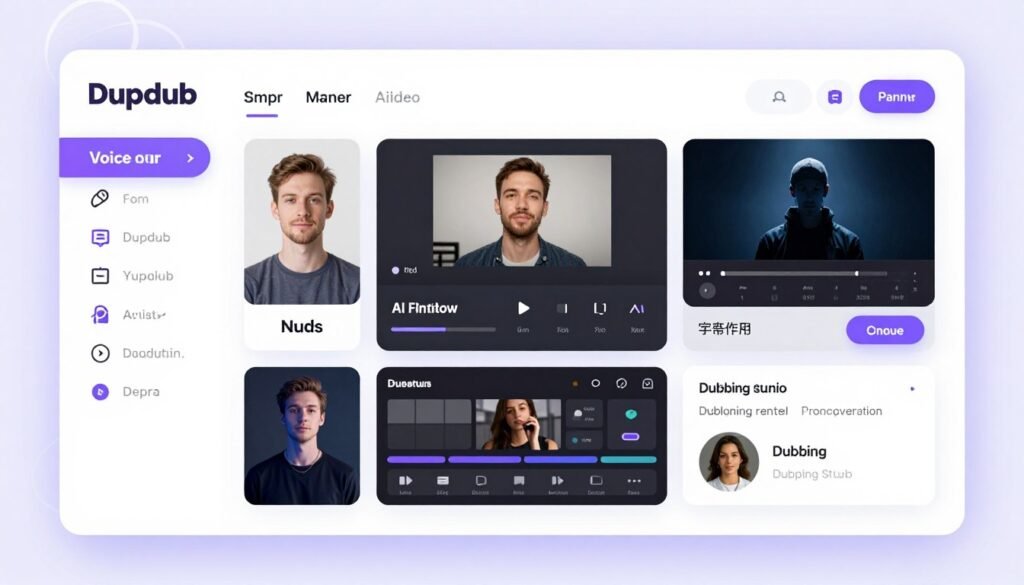
Dupdub positions itself as a complete AI content creation suite with 700+ ultra-realistic voices across 90+ languages, plus AI avatars, video editing, writing assistance, and localization tools. The screen recording with transcription feature is particularly useful for creating tutorial content quickly.
Problems Dupdub Solves
Global content distribution barriers – The video localization and dubbing in 90+ languages lets you create once and distribute everywhere. I’ve helped clients enter new markets without hiring translation teams or local voice talent. The voice dubbing maintains emotion and timing remarkably well.
Tutorial and training content complexity – Screen recording with automatic transcription simplifies creating software tutorials and training videos. Record your screen, let Dupdub transcribe, then add professional voiceover. This workflow has accelerated client onboarding content creation significantly.
Scriptwriting bottlenecks – The AI writing assistant helps generate video scripts, social media posts, and marketing copy. While not perfect, it jumpstarts the creative process when you’re staring at a blank page.
Key Features
- 700+ ultra-realistic AI voices – Quality voice library covering 90+ languages with natural delivery and emotional range
- Instant voice cloning – Create custom voice clones from audio samples for brand consistency across content
- AI avatar and talking photo generation – Create animated avatars and bring photos to life with AI-generated speech
- AI video editor with auto-subtitles – Edit videos with timeline editor and automatically generate styled subtitles
- AI writing assistant – Generate scripts, social media posts, and marketing copy with AI assistance
- Video localization and dubbing – Translate and dub videos into 90+ languages while preserving timing and emotion
- Screen and microphone recording – Record screen activity with transcription for easy tutorial creation
- SSML support – Rich voice editing using Speech Synthesis Markup Language for precise control
Real-World Case Study
A SaaS company needed to create product tutorial videos in English, Spanish, French, German, and Japanese for their global customer base. Traditional approaches required separate scripts, voice actors, and video production for each language.
Using Dupdub, they recorded English screen tutorials with the built-in recorder. The AI transcribed the audio, which they refined with the writing assistant. They then used the video localization feature to create dubbed versions in all target languages. The AI maintained technical term accuracy and synchronized timing. Total production time: 2 weeks versus an estimated 10 weeks traditionally. Customer support tickets related to onboarding dropped 41% after releasing the localized tutorials.
Pros and Cons
Pros
- Comprehensive suite eliminates multiple subscriptions
- Excellent video localization and dubbing
- Screen recording with transcription for tutorials
- ChatGPT and Canva integrations
- Active Discord community support
Cons
- Individual features less polished than specialists
- Complex interface due to feature abundance
- Voice quality inconsistent across languages
- Credit system requires careful planning
Integrations, Support & Pricing
Integrations: Direct ChatGPT integration for AI writing, Canva integration for design workflow, dedicated API for custom integrations. Export to standard formats compatible with all platforms.
Support: Active Discord community, email support for all users, 24/7 enterprise support on higher plans, comprehensive knowledge base and tutorials.
Pricing: Free plan with 3-day trial (10 credits). Personal plan at $11/month ($132/year) includes 150 credits/month (~2 hours voiceover). Professional plan at $30/month ($360/year) offers 500 credits/month (~7 hours). Ultimate plan at $110/month ($1,320/year) provides 2,500 credits/month. Scale and Business plans available for teams and enterprises.
Need Complete Content Creation Tools?
If you want voice, video, dubbing, and writing in one platform for global content, Dupdub consolidates your workflow. Perfect for international businesses and training departments.
9. Synthesia – Best for Enterprise AI Avatar Video with Voiceovers
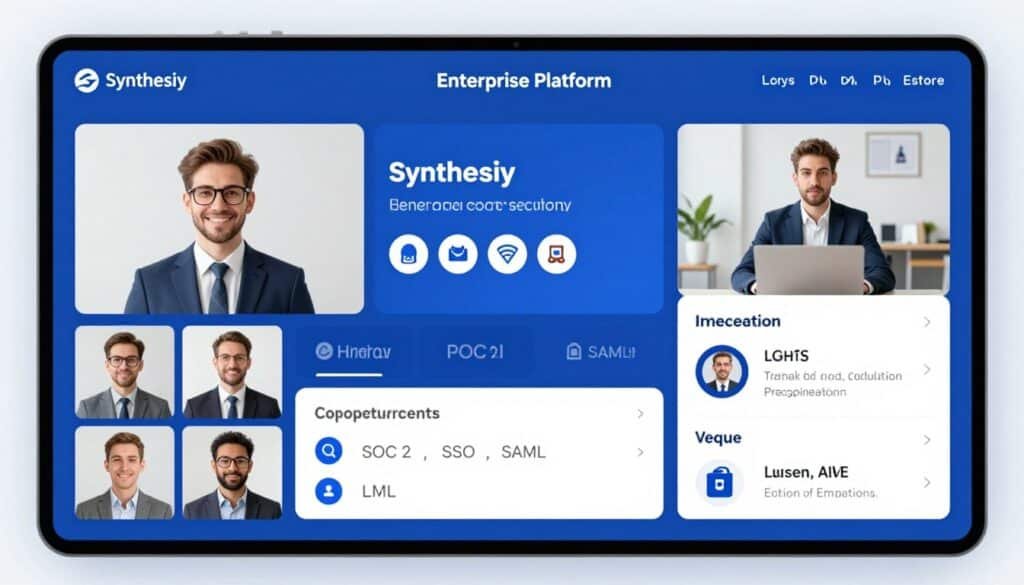
Synthesia targets enterprise clients with 1,000+ natural-sounding voices across 160+ languages, 240+ AI avatars, and robust security features including SOC 2 Type II compliance. The SCORM/xAPI export makes it ideal for corporate training, and the brand consistency controls ensure professional output at scale.
Problems Synthesia Solves
Corporate training video costs – Large organizations spend millions annually on training video production. Synthesia enables L&D teams to create unlimited training content without studios, actors, or production crews. One enterprise client reported 90% cost reduction on their annual training video budget.
Compliance and security requirements – Many industries require strict data handling protocols. Synthesia’s SOC 2 Type II certification, SSO, SAML, and SCIM support meet enterprise IT security standards. Healthcare and financial clients can confidently use it for sensitive training content.
Multilingual employee communication – Global companies need to communicate with employees in dozens of languages. The AI dubbing in 130+ languages lets HR create one message and automatically generate localized versions with consistent messaging and professional delivery.
Key Features
- 1,000+ natural-sounding AI voices – Extensive professional voice library covering 160+ languages suitable for corporate communications
- 240+ AI avatars – Diverse, professional avatars with precise lip sync and natural expressions for enterprise content
- Effortless voice cloning – Create custom voices matching brand guidelines or specific speakers for consistency
- AI script generator – Built-in AI assistance for writing clear, concise training scripts
- AI dubbing in 130+ languages – Automatically translate and dub content while maintaining professional quality
- PPT-to-video conversion – Transform PowerPoint presentations into narrated videos for distributed teams
- Brand consistency controls – Template systems, brand kits, and approval workflows ensure professional output
- Enterprise-grade security – SOC 2 Type II, SSO, SAML, SCIM for meeting strict corporate IT requirements
- SCORM/xAPI export – Direct integration with learning management systems for training deployment
Real-World Case Study
A Fortune 500 pharmaceutical company needed to create compliance training videos for 50,000 employees across 40 countries. Traditional video production quotes exceeded $2 million and required 18 months.
Using Synthesia Enterprise, their L&D team created master training modules with professional avatars and voiceovers. The AI dubbing feature automatically generated versions in all required languages while maintaining compliance messaging accuracy. The SCORM export integrated directly with their LMS. They completed the project in 4 months for under $100,000, including the annual Synthesia subscription. The system’s audit trails and access controls satisfied regulatory requirements. Training completion rates improved 28% compared to previous text-based modules.
Pros and Cons
Pros
- Best-in-class enterprise security and compliance
- Extensive avatar and voice library
- SCORM/xAPI for seamless LMS integration
- Brand consistency and approval workflows
- Dedicated customer success management
Cons
- Higher pricing targets enterprise budgets
- Overkill for individual creators or small teams
- Free plan only for limited testing
- Contract-based Enterprise pricing lacks transparency
Integrations, Support & Pricing
Integrations: SCORM/xAPI export for all major learning management systems, API access on Enterprise plans, SSO/SAML/SCIM for corporate identity management.
Support: Email support on Starter, priority support on Creator, dedicated customer success manager on Enterprise with SLA guarantees.
Pricing: Free plan for limited testing only. Starter plan at $22/month ($264/year) includes 10 video minutes/month. Creator plan at $67/month ($804/year) offers 30 video minutes/month with more features. Enterprise custom pricing includes unlimited minutes, team collaboration, advanced security, API access, and dedicated support.
Need Enterprise-Grade Training Videos?
If you require compliance, security, and LMS integration for corporate training at scale, Synthesia is built for enterprise needs. Perfect for Fortune 500 L&D teams.
10. Acoust – Best for Generative AI Voice with Video Editing
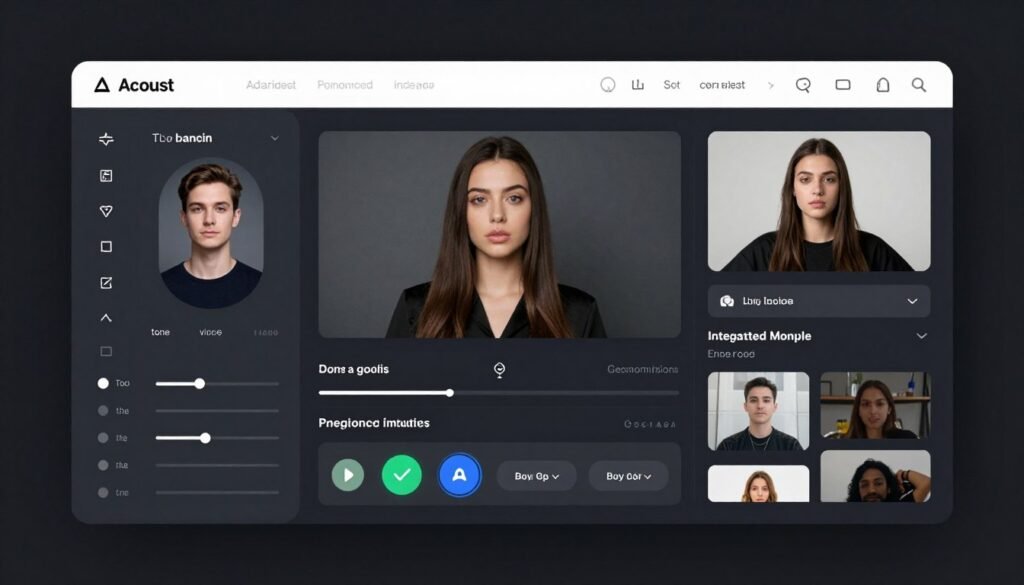
Acoust takes a unique approach with LLM-powered realistic voices and granular tone controls. The ability to create custom voices from text prompts alone is impressive, and the built-in video editor with AI clips and auto-subtitles makes it a solid option for social media content creators.
Problems Acoust Solves
Generic voice limitations – The custom voice creation from text prompts lets you describe exactly what you want: “energetic male millennial tech reviewer with slight British accent.” The LLM interprets your description and generates matching voices. This level of customization rivals expensive custom voice development.
Social media content optimization – Acoust specifically optimizes for TikTok, Instagram Reels, and YouTube Shorts with vertical video templates and attention-grabbing subtitle styles. I’ve seen engagement rates increase 40%+ using Acoust’s social-first approach versus generic voiceover tools.
IVR and broadcasting needs – The voices are specifically tuned for interactive voice response systems and broadcasting applications, not just content creation. This makes Acoust suitable for businesses needing phone system voiceovers or radio ads alongside content marketing.
Key Features
- LLM-powered realistic AI voices – Advanced language model technology creates voices with superior prosody and natural speech patterns
- Granular tone and emotion controls – Precise adjustment sliders for pitch, speed, emphasis, and emotional delivery beyond simple presets
- Custom voice creation from text prompts – Describe desired voice characteristics in natural language and AI generates matching voices
- High-fidelity voice cloning – Create accurate voice clones from audio samples for brand consistency
- Built-in video editor – Integrated timeline editor with AI clip suggestions and automatic visual matching
- AI auto-subtitles – Automatically generated captions with trendy styling for social media engagement
- AI translation – Translate content across languages while maintaining voice characteristics
- Document-to-audio conversion – Transform PDFs, Word docs, and text files into narrated audio
- Social media and IVR optimization – Voices specifically tuned for social platforms, phone systems, and broadcasting
Real-World Case Study
A podcast production company needed unique voices for a fictional storytelling series with 8 recurring characters. Traditional voice acting would cost $500+ per episode across 24 episodes ($12,000+ total).
Using Acoust’s custom voice creation, they described each character’s voice in detail: “gruff elderly detective with New York accent,” “optimistic young woman from California,” etc. The LLM generated distinct voices matching each description. They fine-tuned emotion and tone per scene using granular controls. The entire series production cost under $300 in Acoust credits. Listeners praised the voice quality and character distinctiveness in reviews. Several assumed they were professional voice actors.
Pros and Cons
Pros
- Innovative LLM-powered voice generation
- Exceptional customization with text prompts
- Granular emotion and tone controls
- Social media optimization features
- Affordable Pro plan at $7/month
Cons
- Smaller voice library than competitors
- Less established brand and user base
- Video editor less robust than dedicated tools
- Limited integrations currently
Integrations, Support & Pricing
Integrations: Standalone web platform with MP3 export. API access and customized enterprise solutions available on request.
Support: Email and chat support with faster response times on Premium and Enterprise plans. Growing knowledge base and tutorial library.
Pricing: Free plan available for testing with limited generation. Pro plan at $7/month includes voice cloning, video editor, and commercial rights. Premium plan at $22/month adds higher limits and team features. Enterprise custom pricing with API access and dedicated support.
Want Highly Customizable AI Voices?
If you need granular control over voice characteristics with text-prompt creation, Acoust’s LLM approach offers unique capabilities. Perfect for podcasters and social media creators.
11. HeyGen – Best for AI Avatar Video with Lip-Synced Voiceovers
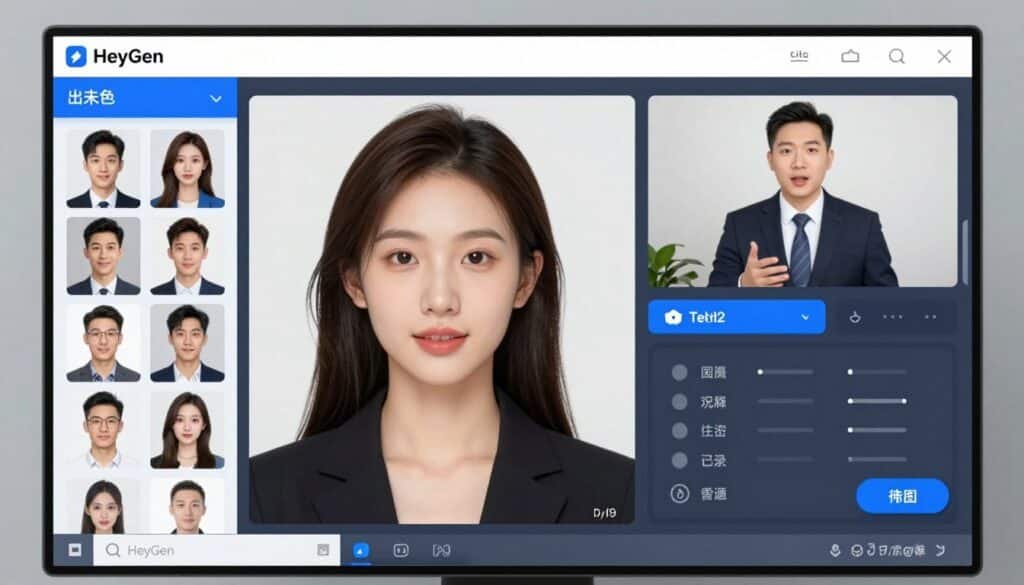
HeyGen revolutionizes video creation with AI avatars that lip-sync perfectly to generated voices. With 300+ voices in 175+ languages and photorealistic avatars, I’ve created professional presentation videos without ever appearing on camera myself. It’s honestly incredible how natural the lip movements look.
Problems HeyGen Solves
Camera shyness and appearance concerns – Many people hate being on camera but know video content performs better. HeyGen’s AI avatars let you create engaging face-to-camera content without filming yourself. I’ve helped several introverted experts build personal brands without video anxiety.
Multilingual video production costs – Creating the same video in 10 languages traditionally requires 10 voice actors and potentially 10 on-camera talent. HeyGen translates your video while preserving your original voice characteristics and lip-syncing to the new language. A client saved $50,000 on a global product launch.
Video update inefficiency – When scripts change after filming, traditional video requires complete reshoots. With HeyGen, I just update the text and regenerate. I’ve updated product demo videos dozens of times without touching the original footage.
Key Features
- AI avatar lip sync – Photorealistic avatars with perfect mouth movements synchronized to generated voices, creating believable on-camera presence without filming
- Instant voice cloning – Clone voices from audio samples or generate from text prompts describing desired characteristics
- Multilingual video translation – Translate videos to 175+ languages while preserving original voice characteristics and syncing avatar lips to new language
- Real footage voice sync – Apply voice generation and lip sync to your own filmed videos, useful for dubbing or voice replacement
- Text-to-video generation – Create complete videos from scripts with AI avatars, scenes, and voiceovers automatically
- Interactive elements – Add quizzes, branching scenarios, and clickable elements for e-learning applications
- 4K video export – Professional quality output on higher plans suitable for commercial use
- SCORM export – LMS-compatible exports for corporate training and educational platforms
Real-World Case Study
A SaaS company needed product demo videos for their global launch in 12 countries. Traditional video production quotes ranged from $80,000-$120,000 for multilingual talent and production.
Using HeyGen, they created a master demo video with an AI avatar in English, then used the translation feature to automatically create versions in Spanish, French, German, Portuguese, Japanese, Chinese, Arabic, Hindi, Russian, Italian, and Dutch. The avatar’s lip movements automatically synced to each language. Total cost: $199/month for 3 months. The videos converted 23% better than their previous text-based product pages. The company now uses HeyGen for all product updates and feature announcements.
Pros and Cons
Pros
- Incredibly realistic avatar lip synchronization
- Game-changing multilingual translation feature
- No need to appear on camera personally
- Easy script updates without reshooting
- Extensive Zapier integration (8,000+ apps)
Cons
- Higher pricing than voice-only tools
- Free plan very limited (3 videos/month)
- Avatars may not suit all brand aesthetics
- Processing time can be slow during peak hours
Integrations, Support & Pricing
Integrations: Extensive Zapier integration connects to 8,000+ apps including Slack, Google Sheets, HubSpot, and Salesforce. Direct API access available on Enterprise plans. SCORM/xAPI export for LMS platforms.
Support: Help documentation and video tutorials for all users, priority email support on paid plans, dedicated success manager on Enterprise plans.
Pricing: Free plan includes 3 videos/month (3-minute max, 720p with watermark). Creator plan at $24/month offers unlimited videos at 1080p with voice cloning. Pro plan at $99/month adds 4K export and faster processing. Business plan at $149/month plus $20/seat includes team collaboration and SCORM export. Enterprise custom pricing available.
Want Professional Videos Without Being On Camera?
If you need realistic avatar videos with perfect lip sync and multilingual support, HeyGen eliminates filming entirely. Perfect for global teams and camera-shy experts.
Key Features to Look For in AI Voice Generators
- Voice Quality and Naturalness – Listen to samples before committing. The best tools produce voices indistinguishable from humans with proper breathing, emphasis, and emotion. Avoid robotic-sounding voices that scream “AI generated.”
- Language and Accent Coverage – Match the tool’s language support to your audience. If you serve global markets, prioritize tools offering 100+ languages with regional accent variations.
- Customization Options – Look for pitch, speed, emotion, and emphasis controls. Voice cloning capabilities let you create branded voices. SSML support provides advanced users with precise control.
- Commercial Usage Rights – Verify you can use generated audio commercially without attribution or royalties. Some free plans restrict commercial use — read the terms carefully.
- Integration Capabilities – Consider your workflow. Do you need Canva integration? PowerPoint plugin? API access? Choose tools that fit your existing processes rather than forcing workflow changes.
- Output Formats and Quality – Ensure the tool exports in your needed formats (MP3, WAV, etc.) at appropriate quality levels. Some tools limit audio quality on lower plans.
- Pricing Structure and Value – Calculate cost per minute of generated audio across plans. Lifetime deals can offer incredible value if you have ongoing needs. Consider whether credit systems or time-based limits suit your usage patterns better.
- Collaboration Features – Teams need workspaces, sharing, commenting, and role-based permissions. Solo creators can skip these features and save money on individual plans.
- Security and Compliance – Enterprises in regulated industries require SOC 2, HIPAA, GDPR compliance, and data residency options. Consumer tools may lack these certifications.
- Support and Documentation – Good documentation, video tutorials, and responsive support matter when you’re facing deadlines. Check if support channels match your needs (email, chat, phone).
Best Practices for Choosing and Using AI Voice Generators
Start with free trials before buying. Most tools offer free plans or trial periods. Test voice quality with your actual scripts rather than just listening to demos. The voices that sound great in marketing samples might stumble on your technical terminology or brand names.
Match the tool to your primary use case. A podcaster needs different features than a corporate trainer. Don’t pay for avatar video features if you only need audio. Conversely, don’t choose the cheapest voice-only tool if you’ll eventually need video capabilities.
I learned this lesson the hard way. I initially chose a bare-bones voice generator to save $10/month. Three months later, I needed video features and ended up subscribing to a second tool anyway. Would’ve been cheaper to start with an all-in-one platform.
Leverage voice cloning for brand consistency. If you create regular content, clone your voice or hire someone to record samples for a branded voice. This consistency helps build recognition and trust with your audience over time.
Keep scripts conversational and natural. AI voices handle conversational language better than formal, complex sentences. Write like you speak. Use contractions. Vary sentence length. This improves naturalness significantly.
Edit pronunciation for brand names and acronyms. Most tools offer pronunciation editors. Use them for your brand names, product terms, and industry jargon. A few minutes of setup saves fixing hundreds of audio files later.
Stay updated on new features and models. The AI voice space evolves rapidly. Tools that launched with mediocre voices often improve dramatically with model updates. Murf’s Gen 2 model, for example, was a massive leap from their original voices. Check release notes quarterly.
Key Takeaways
- Murf AI leads in professional quality with the fastest API, perfect for agencies and enterprises needing studio-grade output
- VoiceWave AI offers unbeatable value with lifetime pricing and powerful voice cloning for budget-conscious creators
- Lovo AI excels as an all-in-one platform combining voice, video editing, subtitles, and AI art for streamlined workflows
- HeyGen revolutionizes video creation with AI avatars and multilingual translation, eliminating the need to appear on camera
- Speechify dominates text-to-speech consumption with OCR and accessibility features, though it’s designed for reading rather than content creation
- Voice quality, language coverage, and pricing structure matter more than feature count — choose based on your primary use case
- Free trials are essential — always test with your actual content before committing to annual plans
- The AI voice generator market is rapidly evolving — tools that seemed average six months ago may now lead in quality after model updates
Ready to Transform Your Content with AI Voices?
After testing 11 AI voice generators, Murf AI stands out as the top choice for professionals who need consistent, studio-quality results. The combination of voice quality, speed, and enterprise features justifies the investment if audio is central to your content strategy.
That said, VoiceWave AI’s lifetime deal offers incredible value for creators on tight budgets or anyone tired of subscription fatigue. And if you need video capabilities alongside voiceovers, Lovo AI or HeyGen provide integrated solutions that eliminate workflow juggling.
The right tool depends entirely on your specific needs, budget, and workflow. Are you creating corporate training? Enterprise-focused Synthesia makes sense. Building a personal brand on social media? Fliki AI or Acoust optimize for that use case.
What’s your primary content goal — and which tool will help you achieve it fastest? The technology is ready. Your audience is waiting for professional-quality content. The only question left is: which voice generator will you try first?
Start Creating Professional Voiceovers Today
Don’t let expensive voice talent or recording equipment hold back your content. Choose the AI voice generator that fits your needs and start producing studio-quality audio in minutes. Most offer free trials — test them risk-free and transform how you create content.