Spending hours every week creating Pinterest pins manually? I’ve been there. The endless cycle of designing graphics, writing descriptions, scheduling posts, and analyzing performance can drain your energy fast.
Pinterest automation tools changed everything for me. What used to take 10+ hours weekly now takes less than one. I’m talking about AI-powered platforms that generate hundreds of unique pins, schedule them at optimal times, and optimize everything for search—all on autopilot.
But here’s the catch: not all Pinterest automation tools are created equal. Some excel at bulk pin generation, others shine in analytics, and a few try to do everything but fall short. After testing dozens of platforms, I’ve narrowed down the field to 11 tools that actually deliver results.
In this article, we’ll review the top picks to help you choose the right Pinterest automation solution for your specific needs, budget, and marketing goals.
Pinterest automation tools are software platforms designed to handle repetitive Pinterest marketing tasks without manual intervention. They leverage AI and smart algorithms to create pins from blog posts or URLs, generate bulk content using customizable templates, and schedule posts at times when your audience is most active.
These tools also optimize your pins for Pinterest SEO by automatically generating keyword-rich titles, descriptions, and hashtags. Many include analytics dashboards that track performance metrics like impressions, clicks, and engagement rates. The best platforms enable direct publishing to your Pinterest account, eliminating the need to upload files manually.
The result? Consistent posting schedules, higher reach, and scalable content marketing—all without spending hours on daily Pinterest work.
Let me be direct. Pinterest automation tools solve real problems that waste your time and limit your growth.
Here’s what they actually do for you:
Save massive amounts of time: Manual pin creation takes 5-10 minutes per pin. If you’re posting 5 pins daily, that’s 175+ hours per year. Automation cuts this to minutes. You get your life back.
Boost consistent posting without burnout: Pinterest rewards accounts that post regularly. But life gets busy. Automation ensures your account stays active even when you’re focused on other things. Consistency = more visibility in Pinterest’s algorithm.
Improve SEO automatically: Most people struggle with Pinterest keyword research. These tools analyze trending searches, generate optimized titles and descriptions, and suggest relevant hashtags. Your pins rank higher without manual research.
Drive significantly more traffic: More pins = more opportunities to be discovered. Automation lets you publish 10x the volume you could manually. More eyeballs on your content means more clicks to your website or products.
Scale without hiring help: Managing multiple Pinterest accounts or boards manually requires a team. Automation tools let one person handle what previously needed three. Agencies and multi-brand marketers especially benefit here.
Test and optimize faster: Create multiple pin variations instantly. Test different images, headlines, and descriptions. Identify what works and double down on winning content. Manual testing would take months. Automation does it in weeks.
I’ve seen bloggers triple their Pinterest traffic within 90 days using these tools. E-commerce brands reduce their cost per click by 40%. Content creators finally achieve the consistency they always struggled with.
The ROI is clear. One hour saved per day = 365 hours per year. That’s nine full work weeks you can invest in strategy, content creation, or simply living your life.
Ready to Automate Your Pinterest Strategy?
Stop wasting hours on repetitive tasks. The tools below will transform how you manage Pinterest. Find the perfect fit for your needs and start growing today.
I tested each platform hands-on to see how it performs in real-world scenarios. My evaluation focused on several critical factors that matter most when you’re trying to scale your Pinterest marketing.
1. Pin Generation Quality
Can the tool create visually appealing, on-brand pins that actually get clicks? I tested design capabilities, template libraries, and AI generation features. Tools that produced low-quality or generic pins didn’t make the cut.
2. Bulk Processing
Determines how scalable your Pinterest strategy can become. Tools that only create one pin at a time won’t help you reach your goals. I focused on platforms that handle bulk uploads, CSV imports, and automated batch creation.
3. Customization
Ensures your pins maintain brand consistency. The best tools let you upload custom fonts, save templates, and adjust colors while still offering automation. Generic, cookie-cutter outputs won’t drive engagement.
4. User Interface
Platforms with confusing dashboards or steep learning curves lose points, even if they have powerful features. I prioritized tools that balance functionality with ease of use.
5. Pricing Value
I compared features across different price points to identify which tools offer the best return on investment for various budgets and business sizes.
Ratings from actual users on platforms like G2, Trustpilot, and Capterra provided additional validation. High ratings across multiple review sites indicated consistent performance and customer satisfaction.
Why Should You Trust Me?
Fair question. The internet is full of listicles written by people who’ve never actually used the tools they recommend.
I’m different. Here’s my background:
I’m an AI Engineer with a Master’s degree in Data Science and Machine Learning, plus a Bachelor’s in Software Engineering. I’ve been a working professional since 2018, and I’ve ghost-developed numerous AI applications.
I understand how these tools work under the hood. I know what separates genuinely intelligent automation from basic schedulers with an “AI” label slapped on for marketing.
I’ve personally used several of these Pinterest automation tools for my own projects and client work. The ones I haven’t used directly, I’ve researched extensively through user reviews, feature documentation, and demo testing.
My technical expertise means I can evaluate the actual AI capabilities, data processing efficiency, and algorithmic intelligence of these platforms. I’m not just repeating marketing copy.
You’re getting insights from someone who builds AI systems for a living and uses automation tools daily. That perspective matters when choosing software that will handle a critical part of your marketing strategy.
Quick Comparison: 11 Best Pinterest Automation Tools
Here’s a fast overview to help you identify which tools match your specific needs. I’ll dive into detailed reviews right after this table.
Advanced visual editor, data visualization, interactive content
4.2/5
From $15/month
This table gives you the essentials at a glance. But choosing the right tool requires understanding what each one actually does and how it fits your workflow.
BlogToPin takes the top spot because it delivers end-to-end Pinterest automation better than any other platform I’ve tested.
This tool converts your blog posts into hundreds of unique pins automatically. It handles design, copywriting, scheduling, and publishing without requiring you to lift a finger after the initial setup.
4.8
OVERALL RATING
Bulk Pin Generation4.9/5
Smart Scheduling & Multi-Account4.8/5
End-to-End Automation4.9/5
Pricing Value4.8/5
Key Pain Points BlogToPin Solves
Creating enough pin volume: Pinterest rewards accounts that publish consistently and frequently. But manually designing 5-10 pins daily is unsustainable. BlogToPin’s AI generates 35 to 1000 pins per day depending on your plan, ensuring your account stays active without overwhelming you.
Managing multiple Pinterest accounts: If you run several niche sites or manage client accounts, logging in and out becomes a nightmare. BlogToPin supports unlimited Pinterest accounts and websites from one dashboard. Perfect for agencies and multi-brand marketers.
Inconsistent posting kills Pinterest growth: Life gets busy. You forget to schedule pins. Your account goes dormant and your traffic drops. BlogToPin’s smart scheduling engine posts at optimal times automatically, maintaining consistency even when you’re focused elsewhere.
Highlight Features
AI-Powered Bulk Pin Generation – Automatically converts blog posts into hundreds of unique Pinterest pins using AI-generated titles, descriptions, and designs. No manual creation required.
Smart Scheduling Engine – Schedules pins at optimal engagement times using algorithmic timing insights. Maximizes reach, impressions, and outbound clicks without manual intervention.
Unlimited Multi-Account Management – Connect and manage unlimited Pinterest accounts and websites from a single dashboard. Ideal for agencies and niche site builders.
Automated Daily Pin Creation – Continuously generates and publishes fresh pins daily from your website content. Ensures consistent activity without manual uploads.
AI Text & Board Generation – Creates SEO-optimized titles, descriptions, and suggests relevant Pinterest boards. Improves discoverability across all published pins.
Advanced Analytics Dashboard – Tracks clicks, impressions, top-performing pins, boards, templates, and colors. Helps refine strategy and scale winning content.
Underperforming Pin Optimization – Automatically identifies and removes low-performing pins while prioritizing high-performing content. Maintains account quality and algorithm favorability.
Template & Design Customization – Large template library with support for custom fonts and templates. Enables consistent branding while allowing high-volume content variation.
Content Recycling System – Reuses existing blog content to generate fresh pin variations. Extends content lifespan and increases traffic potential.
Team Collaboration Features – Allows team member access for large-scale Pinterest operations. Suitable for agencies and enterprise-level workflows.
Real-World Success
“ From zero to 6.5M impressions and 23K outbound clicks in 90 days. It’s unstoppable. Great product.”
The process is straightforward. You connect your Pinterest account and add your website URL. BlogToPin scans your blog posts and automatically generates multiple pin designs for each article.
You can customize templates, adjust scheduling preferences, and set posting frequency. The AI handles title generation, description writing, and board selection based on your content.
Once configured, BlogToPin runs continuously. It monitors your blog for new posts and creates pins automatically. You review performance through the analytics dashboard and optimize based on what’s working.
AI-generated designs sometimes need manual tweaking
Best suited for blog-based content
Integrations and Support
BlogToPin integrates with any blog platform through URL scraping. It works seamlessly with WordPress, Wix, Squarespace, and custom sites. The platform includes built-in analytics, so you don’t need external tracking tools.
Support tiers vary by plan. Starter users get standard email support. Agency plan includes priority support. Enterprise customers receive urgent support plus strategy calls with Pinterest experts.
Pricing
Starter Plan: $25/month or $299/year. Includes 35 pins/day, 100 AI pins/month, unlimited accounts and websites, smart scheduling, and basic analytics. Perfect for beginners testing Pinterest automation.
Agency Plan: $50/month or $599/year. Increases limits to 350 pins/day, 200 AI pins/month, adds advanced analytics and priority support. Ideal for scaling multiple sites.
Enterprise Plan: $125/month or $1,499/year. Supports 1,000 pins/day, 500 AI pins/month, includes team access, auto daily pin creation, and strategy calls. Built for high-volume businesses.
Automate your entire Pinterest workflow!
BlogToPin offers a free trial so you can experience full AI bulk pin generation, smart scheduling, and multi-account automation firsthand.
Pin Generator specializes in one thing and does it exceptionally well – creating massive quantities of pins quickly.
If you need to generate hundreds of pins from product catalogs, blog archives, or design templates, this tool outperforms most competitors in speed and efficiency.
4.7
OVERALL RATING
Bulk Creation Speed4.8/5
SEO Optimization4.7/5
E-commerce Integration4.7/5
Pricing Value4.8/5
Key Pain Points Pin Generator Solves
E-commerce stores need pins for every product: If you sell 200 products, creating individual pins for each takes forever. Pin Generator imports product data directly from Shopify or Etsy and generates pins automatically. One click, 200 pins created.
Repetitive design work wastes creative energy: Making small variations of the same pin design manually is mind-numbing. Pin Generator’s variation engine creates multiple versions by adjusting colors, layouts, and fonts automatically, helping you avoid duplicate content penalties.
Pinterest SEO research takes too much time: Finding the right keywords for each pin is tedious. Pin Generator includes keyword research and trend alerts, optimizing your pins for search visibility without manual digging.
Highlight Features
Bulk Pin Creation System – Generates hundreds of Pinterest pins simultaneously using uploaded images, URLs, or product data. Dramatically reduces manual workload.
Pinterest Scheduling Automation – Advanced scheduling across multiple boards and time slots ensures consistent posting frequency without daily effort.
Custom Template Builder – Design and save reusable templates for consistent branding while automating large-scale pin creation.
Pinterest SEO Optimization Tools – Includes keyword research, trend alerts, and optimization features to improve visibility and click-through rates.
Automated Pin Variations Engine – Creates multiple variations of single designs by adjusting colors, layouts, and fonts. Avoids duplicate content penalties.
E-commerce Integration System – Imports products directly from Shopify and Etsy to automatically generate pins for product listings.
WordPress Integration – Converts blog posts into Pinterest pins automatically, enabling content-driven traffic generation.
CSV Bulk Upload Functionality – Supports mass pin creation using CSV files, ideal for large-scale campaigns or agencies.
Pinterest Catalog Creation – Builds and manages product catalogs for Pinterest, improving shopping visibility.
Chrome Extension Workflow – Allows quick pin creation directly from browser activity for improved speed and convenience.
How Pin Generator Works
To start with Pin Generator, You start by connecting your Pinterest account and choosing your content source – upload images, import from Shopify/Etsy, or add blog URLs.
The template builder lets you customize designs with your brand colors and fonts. Once templates are set, you select how many variations you want and the tool generates them in minutes.
The scheduling interface shows your publishing calendar. You can distribute pins across boards, set optimal posting times, and automate the entire publishing process.
Limited analytics compared to full-featured platforms
WordPress integration requires plugin setup
Integrations and Support
Pin Generator integrates with Shopify, Etsy, WordPress, and works via Chrome browser extension. The platform provides tutorials and Pinterest SEO guides to help users maximize results.
Customer support includes email assistance and an extensive knowledge base. Response times are typically within 24 hours.
Pricing
Basic Plan: Starting around $19-$29/month. Provides pin generation, scheduling, and limited automation features for beginners and small creators.
Pro Plan: Mid-tier pricing at $39-$79/month. Unlocks bulk creation, advanced SEO tools, integrations, and higher pin limits for scaling workflows.
Lifetime Deal: Occasionally available as one-time payment option. Offers long-term access without recurring fees, ideal for budget-conscious creators.
Generate bulk Pins in minutes!
Pin Generator offers a free trial so you can create and schedule a full month of high-quality Pins with powerful SEO and e-commerce tools in seconds.
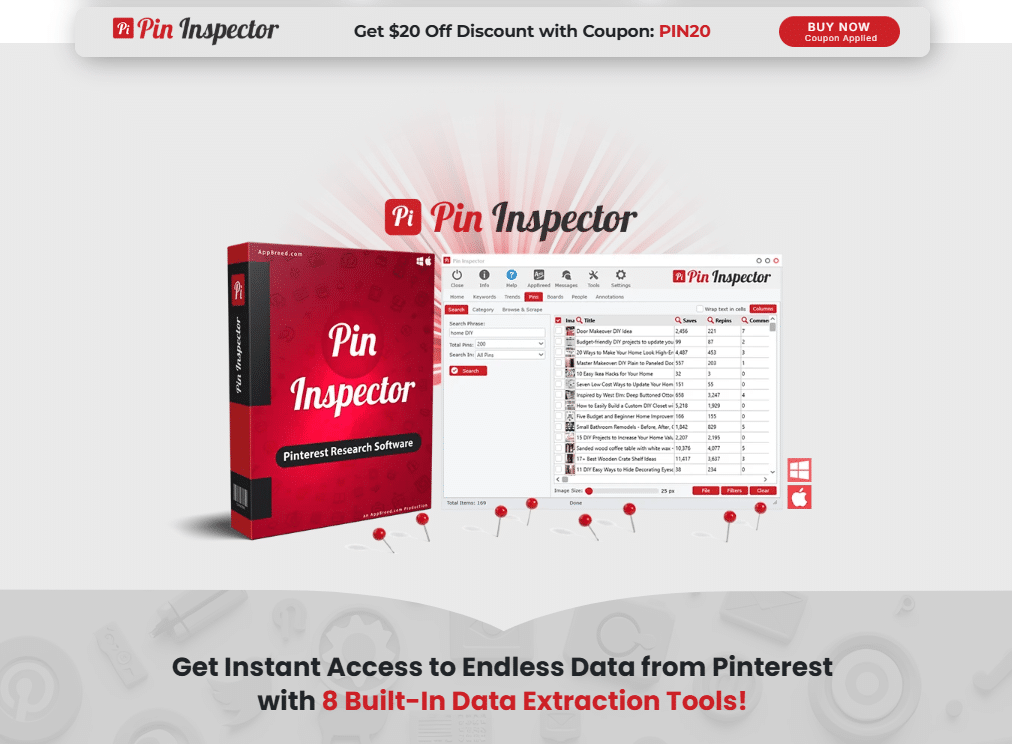
Pin Inspector isn’t a creation or scheduling tool. It’s your Pinterest intelligence system.
This platform helps you discover what’s working on Pinterest right now, what your competitors are doing, and which keywords will drive the most traffic to your pins.
4.7
OVERALL RATING
Keyword Research4.8/5
Competitor Analysis4.7/5
Trending Insights4.7/5
Pricing Value4.7/5
Key Pain Points Pin Inspector Solves
Guessing which content will perform: Creating pins without data is like throwing darts blindfolded. Pin Inspector shows you exactly which topics, keywords, and pin styles are trending in your niche. You create content based on proven demand, not hunches.
Competitors are getting traffic you’re missing: Why are their pins ranking while yours aren’t? Pin Inspector analyzes competitor profiles, boards, and pins to reveal their strategies. You see their top-performing keywords and content gaps you can fill.
Wasting time on unprofitable niches: You invest weeks creating content only to discover nobody’s searching for it on Pinterest. Pin Inspector validates niche profitability before you commit time and resources, reducing wasted effort.
Highlight Features
Advanced Pinterest Keyword Research – Extracts high-ranking keywords directly from Pinterest search data. Identifies profitable niches and optimizes pins for better discoverability.
Trending Content Discovery Engine – Identifies viral pins, boards, and topics in real-time. Allows replication of successful strategies and capitalizes on trending content.
Competitor Analysis Dashboard – Analyzes competitor profiles, boards, and pins to uncover strategies, keywords, and content gaps.
Board Research & Optimization – Finds high-performing group boards and niche boards for pin distribution, improving reach and engagement potential.
Hashtag & SEO Suggestions – Provides optimized keyword and hashtag suggestions tailored for Pinterest’s algorithm.
Historical Performance Insights – Tracks past trends and performance patterns to guide long-term Pinterest strategy.
Niche Validation Tools – Validates profitability of niches before investing time, ensuring content aligns with audience demand.
Pin Performance Estimation – Estimates engagement potential of keywords and topics, reducing guesswork in content creation.
User-Friendly Dashboard Interface – Easy navigation for beginners while providing powerful data insights for advanced marketers.
Export & Data Management Tools – Allows exporting keyword data and research insights for external analysis and campaign planning.
Real-World Success
“ From zero to 6.5M impressions and 23K outbound clicks in 90 days. It’s unstoppable. Great product.”
To getting started with Pin Inspector, simply download and install the software (122 MB). You enter a keyword or topic related to your niche. Pin Inspector analyzes Pinterest’s search data and shows you related keywords ranked by search volume and competition level.
The competitor analysis feature lets you enter any Pinterest profile URL. The tool shows their top-performing pins, boards, and keywords they’re ranking for.
Trending content discovery displays viral pins in your niche from the past week or month. You see what’s working right now and can create similar content while the trend is hot.
Pin Inspector is a standalone research tool. It doesn’t integrate directly with other platforms but exports data you can use in any creation or scheduling tool.
Support includes tutorials and training materials focused on Pinterest marketing strategy. Email support handles technical questions.
Pricing
One-Time Payment: Typically available as a lifetime deal around $67-$97. Full access without recurring costs makes it attractive for long-term use.
Standard access includes keyword research, competitor analysis, and board insights without limitations. Occasional promotions bundle additional training resources for Pinterest marketing beginners.
Master Pinterest keyword research!
Pin Inspector gives you lifetime access so you can uncover trending keywords, competitor insights, and high-volume search data to dominate Pinterest rankings.
Ocoya positions itself as an all-in-one social media management platform with robust Pinterest capabilities built in.
If you manage Pinterest alongside Instagram, Facebook, and other platforms, Ocoya consolidates everything into one workflow.
4.6
OVERALL RATING
AI Content Generation4.7/5
Multi-Platform Scheduling4.6/5
Pinterest Integration4.7/5
Pricing Value4.6/5
Key Pain Points Ocoya Solves
Juggling multiple social media tools. Using separate platforms for Pinterest, Instagram, and Facebook creates chaos. Ocoya centralizes all social content creation, scheduling, and analytics in one dashboard. You manage everything from a single interface.
Creating unique content for each platform takes forever. Ocoya’s AI generates platform-optimized content. You input your topic, and it creates Pinterest-specific titles and descriptions alongside versions for other networks. One idea becomes multi-platform content in minutes.
Publishing the same pin to multiple boards manually. Pinterest best practice recommends sharing pins across relevant boards for maximum exposure. Doing this manually is tedious. Ocoya’s multi-board publishing lets you post one pin to 10 boards simultaneously.
Highlight Features
AI Content Generation Engine – Creates Pinterest titles, descriptions, and visual ideas using AI aligned with brand voice and audience preferences.
Multi-Board Scheduling System – Publishes single pins across multiple boards simultaneously, saving time while maximizing exposure and reach.
Visual Content Calendar – Drag-and-drop scheduling interface for planning Pinterest posts alongside other social platforms in one unified dashboard.
Multi-Platform Publishing – Supports publishing across multiple social media platforms, enabling centralized content management beyond Pinterest.
Pin Performance Analytics – Tracks impressions, clicks, and engagement metrics to help refine strategies and identify high-performing content.
Image & Video Post Support – Allows publishing of images, videos, and carousel posts directly to Pinterest with preview functionality.
AI Copywriting Assistant – Generates captions and marketing copy in multiple languages, improving efficiency and global content reach.
Team Collaboration Workspaces – Supports multiple users and workspaces for managing large-scale campaigns across brands or clients.
Content Asset Management – Stores and organizes media assets, templates, and campaigns within a centralized system.
Brand Consistency Tools – Ensures consistent design, messaging, and tone across all pins and social content.
Real-World Success
“Get more done in less time with this powerful software!
If you’re looking for a content creation tool that will help you save time and improve your efficiency, look no further than Ocoya. This powerful software provides everything you need to manage your content creation process in one place, from scheduling and analytics to collaborator management.
It’s easy to use and customize to fit your specific needs, and the support team is always available to help if you have any questions. With Ocoya, you can finally streamline your content creation workflow and get more done in less time. Highly recommended!”
You connect your Pinterest account along with any other social profiles you manage. The content calendar displays all scheduled posts across platforms in one view.
To create Pinterest content, you can upload images, use AI to generate visuals, or pull from your media library. The AI copywriting assistant creates titles and descriptions optimized for Pinterest SEO.
The multi-board scheduler lets you select which boards receive each pin. You set publishing times, and Ocoya handles the rest. Analytics track performance across all platforms in one dashboard.
Pinterest features less comprehensive than dedicated tools
Bulk pin creation limited compared to specialists
Learning curve with multi-platform interface
Free plan has restrictive limits
Integrations and Support
Ocoya integrates with Pinterest and multiple social platforms including Instagram, Facebook, Twitter, LinkedIn, and TikTok. The platform supports media uploads and provides API-based publishing features.
Support includes a help center with documentation, multi-user collaboration tools, and email support across all paid plans.
Pricing
Free Plan: $0/month includes 1 workspace, 1 user, limited social profiles, and basic AI copywriting features. Suitable for testing the platform.
Bronze/Silver Plans: $15-$39/month offer more social profiles, storage, templates, and AI generation capabilities for growing creators.
Gold/Diamond Plans: $79-$159/month provide high limits, multiple users, large storage, and advanced automation features for agencies and teams.
Imagine.Art brings cutting-edge AI image generation technology to Pinterest pin creation.
Instead of using templates or stock photos, you describe what you want and the AI generates completely unique visuals from scratch.
4.6
OVERALL RATING
Text-to-Image Quality4.7/5
Style Customization4.6/5
Batch Creation4.5/5
Pricing Value4.6/5
Key Pain Points Imagine.Art Solves
Stock photos feel generic and overused. Everyone’s using the same Unsplash images. Imagine.Art generates unique visuals that stand out in Pinterest feeds because nobody else has the exact same image.
Hiring designers for custom visuals is expensive. Custom photography or illustration costs hundreds per image. Imagine.Art creates custom visuals for pennies, making unique branded content affordable for any budget.
Finding images matching specific creative visions. Sometimes the exact image you envision doesn’t exist in stock libraries. Imagine.Art lets you describe precisely what you want, and it generates that specific visual, giving you complete creative control.
Highlight Features
AI Pinterest Pin Image Generator – Creates high-quality, Pinterest-optimized visuals using AI prompts, eliminating need for manual graphic design.
Text-to-Image Generation – Converts text descriptions into visually appealing pin images tailored to specific niches and audiences.
Style & Theme Customization – Allows users to choose different artistic styles, themes, and aesthetics for unique pin designs.
High-Resolution Output – Produces high-quality images suitable for Pinterest publishing and professional use.
Simply login into Imagine.Art, Start by writing a text prompt describing the image you want. The more detailed your description, the better the output. You can specify style preferences like “watercolor,” “minimalist,” or “vintage photography.”
The AI processes your prompt and generates several image options within seconds. You select your favorite or generate additional variations with adjusted prompts.
Once satisfied, you download the high-resolution image and use it in your pin design workflow. The images are unique to you, reducing concerns about copyright or image duplication.
Requires combining with design tools for text overlays
No scheduling or automation features
Credit-based pricing limits can restrict volume
Integrations and Support
Imagine.Art primarily integrates into creative workflows, allowing export to Pinterest publishing tools. The platform offers help resources, prompt guidance, and support for optimizing AI-generated visuals.
Pricing
Free Plan: Limited credits for generating AI images, suitable for testing image generation capabilities.
Pro Plan: Around $10-$20/month offers increased credits, faster generation, and access to premium styles.
Premium Plan: Approximately $30-$60/month includes high-volume generation, priority processing, and advanced customization features for professionals.
Generate AI-powered Pins from text!
Imagine.Art offers a free trial so you can create custom, high-quality Pins with advanced text-to-image generation and style customization.
Simplified excels at creating Pinterest ads that actually convert.
While many tools focus on organic pins, Simplified specializes in paid advertising creative optimized for Pinterest’s ad platform.
4.5
OVERALL RATING
AI Ads Creative Quality4.6/5
Brand Kit & Variations4.6/5
Design Automation4.5/5
Pricing Value4.6/5
Key Pain Points Simplified Solves
Pinterest ads need different creative than organic pins: What works organically doesn’t always convert as a paid ad. Simplified’s AI understands Pinterest ad best practices and creates variations optimized for different campaign objectives like awareness, traffic, or conversions.
A/B testing ads takes too much design time: Testing different headlines, images, and layouts manually is labor-intensive. Simplified generates multiple ad variations in seconds, enabling rapid testing to find winning combinations faster.
Maintaining brand consistency across ad campaigns: As you scale Pinterest ads, keeping visuals on-brand becomes challenging. Simplified’s brand kit automatically applies your logos, colors, and fonts to every ad creative, ensuring consistency without manual oversight.
Highlight Features
AI Pinterest Ad Generator – Creates high-converting Pinterest ads with minimal input by automatically generating visuals, copy, and layouts aligned with campaign goals.
Brand Kit Automation – Imports logos, colors, and fonts to maintain brand consistency across all Pinterest creatives without manual adjustments.
Multi-Variation Ad Creation – Generates multiple ad variations in seconds, enabling rapid A/B testing and campaign optimization.
Drag-and-Drop Design Editor – Intuitive editing tools for customizing pin designs without professional design skills.
AI Copywriting Engine – Produces engaging ad copy, headlines, and descriptions optimized for conversions and audience targeting.
Campaign Objective Customization – Tailors pins for awareness, traffic, or conversion campaigns, aligning visuals with marketing goals.
Template Library Access – Wide range of Pinterest-ready templates for different industries and campaign types.
Collaboration Tools – Enables teams to collaborate on campaigns, share assets, and streamline approval workflows.
Multi-Channel Content Creation – Supports creation of content for multiple platforms beyond Pinterest, improving overall marketing efficiency.
Fast Content Production Workflow – Reduces content creation time from hours to minutes, enabling rapid campaign launches.
Real-World Success
“A Practical Tool That Makes Daily Content Work Much Easier!
I work as a Dietician and Nutritionist, manage a homeopathy clinic, and also handle online education and health awareness content. I mainly use Simplified to create visual content like diet tips, educational posts for online classes, and simple clinic related creatives.
Simplified is very simple and practical for regular content work. The tool is mainly useful for people who need to create quick visuals for education, awareness, and social content, which matches my work very well. I can create a design quickly without spending much time on setup or editing. “
You start by uploading your brand assets or creating a brand kit within the Simplified platform. This includes your logo, color palette, and preferred fonts.
For Pinterest ads, you select your campaign objective – awareness, consideration, or conversion. The AI recommends design and copy approaches based on your goal.
You input basic product information or select from your media library. Simplified generates multiple ad variations using different templates, layouts, and copy angles. You customize any element with the drag-and-drop editor, then export ads ready for Pinterest’s ad manager.
Simplified integrates across social platforms (Pinterest, Facebook, Instagram & YouTube) and marketing tools with collaborative workspace features and extensive template libraries. The platform provides tutorials, a help center, and community support for optimizing ad creative.
Pricing
Free Plan: Limited AI generations and basic design tools, suitable for beginners testing Pinterest ad creation.
Small Business Plan: Starting around $19-$39/month, unlocking more templates, AI credits, and brand kit features.
Business Plan: Ranges $49-$149/month, providing advanced collaboration, unlimited content creation, and premium assets for teams and agencies.
Create scroll-stopping Pinterest ads!
Simplified offers a free trial so you can generate high-converting ad creatives, brand kits, and multiple variations with AI-powered design.
Predis.ai brings AI-powered video creation to Pinterest automation.
Video pins get 2-3x more engagement than static images on Pinterest. Predis.ai makes creating them as easy as typing a few sentences.
4.5
OVERALL RATING
AI Video Generation4.6/5
Competitor Analysis4.5/5
Automated Captions4.5/5
Pricing Value4.6/5
Key Pain Points Predis.aI Solves
Video editing is time-consuming and technical. Most Pinterest creators avoid video because it seems complicated. Predis.ai converts text, product data, or ideas into engaging Pinterest videos automatically. No video editing skills required.
Creating enough video content for consistency. One video tutorial takes hours to produce. Predis.ai generates multiple video variations from single inputs, helping you maintain consistent video posting without the traditional production bottleneck.
Repurposing content across platforms manually. You create a video for Pinterest, then need versions for Instagram Reels and TikTok. Predis.ai generates multi-platform versions simultaneously, saving hours of reformatting and editing.
Highlight Features
AI Pinterest Video Generator – Converts text, product data, or ideas into engaging Pinterest videos optimized for social engagement and storytelling.
Automated Content Creation – Generates images, videos, captions, and hashtags in one workflow, eliminating need for multiple tools.
Competitor Analysis Engine – Analyzes competitor strategies and content performance to inform better Pinterest marketing decisions.
Multi-Platform Publishing – Publishes content across Pinterest and other social media channels from a single dashboard.
AI Caption & Hashtag Generator – Creates SEO-friendly captions and hashtags to improve discoverability and engagement.
Brand Customization Tools – Allows users to define brand colors, fonts, and styles for consistent content output.
Content Calendar & Scheduling – Enables automated scheduling and planning of posts to maintain consistent publishing frequency.
Performance Analytics Dashboard – Tracks engagement metrics and content performance to optimize future campaigns.
Template-Based Design System – Offers pre-designed templates for quick content creation tailored to Pinterest formats.
Voiceover & Media Features – Supports voiceovers and multimedia enhancements for richer video content.
Real-World Success
“Predis Ai is a great tool to generate…
Predis Ai is a great tool to generate images or videos easily. I have used it for the last 4 months! Enter the prompt and there you have it ready to publish immediately or via scheduling. It saves me hours every week! Highly recommended for anyone creating ads and posting on social media. plus the support is fantastic too- really fast reply and it feels like personal support! This is rare! affordable! “
You start by describing what you want to create or inputting existing content like blog text or product descriptions. The AI analyzes your input and generates video content with visuals, text overlays, and transitions.
You can customize brand elements, adjust video length, and modify the script. The platform offers templates for different video styles – tutorials, product showcases, tips, and more.
Once generated, you can publish directly to Pinterest or schedule for optimal posting times. The analytics dashboard shows how your video pins perform compared to static content.
Video customization options more limited than professional editors
AI-generated videos sometimes feel template-based
Higher pricing tiers for serious volume
Learning curve for maximizing features
Integrations and Support
Predis.ai integrates with multiple social platforms including Pinterest, supports publishing workflows, and provides analytics tools. The platform includes onboarding resources, tutorials, and customer support for scaling content operations.
Pricing
Lite/Starter Plan: Around $23-$32/month includes limited AI-generated posts, basic publishing, and single-brand usage. Ideal for solopreneurs.
Premium Plan: Approximately $79/month supports multiple brands, higher generation limits, and faster processing for growing businesses.
Enterprise Plan: Around $249/month offers unlimited brands, maximum generation limits, priority support, and advanced analytics for agencies.
Turn ideas into Pinterest videos instantly!
Predis.ai offers a free trial so you can create engaging AI videos, automated captions, and competitor-beating content for Pinterest.
VistaCreate (formerly Crello) makes designing beautiful Pinterest pins incredibly easy, even if you have zero design experience.
The platform offers thousands of professionally designed templates specifically optimized for Pinterest dimensions and trends.
4.5
OVERALL RATING
Template Library & Ease4.5/5
Design Flexibility4.5/5
Animated Pins4.5/5
Pricing Value4.5/5
Key Pain Points VistaCreate Solves
Design skills barrier prevents quality pin creation. Not everyone can afford a designer or has design expertise. VistaCreate’s template library provides professional-quality starting points. You customize text, colors, and images without needing Photoshop skills.
Starting from blank canvas takes forever. Staring at a blank artboard wondering what to create wastes creative energy. VistaCreate’s templates jumpstart the process. You spend time customizing rather than conceptualizing from scratch.
Static pins get less engagement than animated content. Creating motion graphics usually requires After Effects expertise. VistaCreate lets you add animations and movement to pins with simple clicks, increasing engagement without technical complexity.
Highlight Features
Pinterest-Specific Template Library – Thousands of professionally designed Pinterest templates tailored for different niches, enabling quick high-quality pin creation.
Drag-and-Drop Design Editor – Intuitive editor allowing customization of layouts, fonts, colors, and elements accessible to non-designers.
Animated Pin Creation – Supports creation of animated pins and motion graphics, increasing engagement compared to static images.
Brand Kit Management – Saves brand colors, fonts, and logos for consistent branding across all Pinterest content.
Stock Media Library Access – Millions of photos, videos, vectors, and design elements available to enhance pin designs.
Background Removal Tool – Automatically removes image backgrounds for professional-looking product pins and visuals.
Resize & Format Adaptation – One-click resizing of designs to fit Pinterest dimensions or other social platforms.
Collaboration Features – Teams can work together on designs, share assets, and streamline approval workflows.
Content Organization System – Stores designs, templates, and assets in organized folders for easy access and reuse.
Download & Export Options – Supports high-quality downloads in multiple formats including PNG, JPG, and MP4 for animated pins.
Real-World Success
“What I best like about using VistaCreate, is the ability to add multiple images when I create a multi-page project. This ability to combine images saves my time. Adding music to images is also another feature that I like and I use often. “
Simply login to VistaCreate, You browse the template library filtered by category, niche, or Pinterest-specific formats. When you find a template you like, you open it in the editor.
The drag-and-drop interface lets you replace placeholder images with your own photos, edit text, change colors, and adjust layouts. You can add elements from the stock library or upload your own assets.
For animated pins, you select animation presets for different elements. Preview the animation, make adjustments, then download as an MP4 video file ready for Pinterest.
Limited advanced design controls compared to professional software
Export process requires manual Pinterest upload
Integrations and Support
VistaCreate integrates with social platforms for content export and includes access to stock media libraries. The platform offers help center resources, tutorials, and team collaboration tools for efficient design workflows.
Pricing
Free Plan: Includes access to thousands of templates, limited stock assets, and basic design tools suitable for beginners and casual users.
Pro Plan: Around $10-$13/month (or approximately $120/year), unlocks premium templates, full stock library, background remover, and brand kit features.
Enterprise Plan: Custom pricing for teams, offering collaboration tools, priority support, and advanced asset management for large organizations.
Design stunning Pins with ease!
VistaCreate offers a free trial so you can access thousands of templates, animated Pins, and pro design tools to create beautiful Pinterest graphics fast.
GravityWrite focuses specifically on the copywriting aspect of Pinterest marketing.
While other tools handle design and scheduling, GravityWrite excels at generating SEO-optimized titles, descriptions, and content ideas that help your pins rank and convert.
4.4
OVERALL RATING
AI Pin Text Generation4.5/5
SEO Optimization4.4/5
Content Variations4.4/5
Pricing Value4.5/5
Key Pain Points GravityWrite Solves
Writing compelling pin descriptions takes too long. Crafting keyword-rich descriptions for 20 pins weekly is mentally draining. GravityWrite generates optimized descriptions in seconds based on your pin topic, freeing you to focus on other tasks.
Pinterest SEO keyword research is confusing. You’re not sure which keywords to include or how to naturally incorporate them. GravityWrite’s AI understands Pinterest’s algorithm and creates descriptions that rank well while sounding natural, not keyword-stuffed.
Repetitive content creation causes writer’s block. Describing similar products or blog posts repeatedly becomes boring. GravityWrite generates multiple unique variations, helping you maintain freshness without creative burnout.
Highlight Features
AI Pinterest Pin Generator – Automatically generates Pinterest titles, descriptions, and ideas based on user input, simplifying content creation.
SEO-Optimized Content Creation – Produces keyword-rich descriptions tailored for Pinterest search algorithm, improving visibility and traffic potential.
Multiple Content Variations – Generates several variations of pin copy to enable testing and optimization for better engagement.
User-Friendly Interface – Designed for ease of use, allowing beginners to create optimized Pinterest content without prior experience.
AI Writing Templates – Includes multiple templates for different content types including blog posts, ads, and social media.
Fast Content Generation – Produces high-quality pin content in seconds, reducing time spent on manual writing.
Custom Tone & Style Options – Allows adjustment of tone, style, and audience targeting for personalized content output.
Multi-Language Support – Supports content generation in multiple languages, expanding global reach.
Content Editing Tools – Enables refinement and customization of generated content before publishing.
Integration with Workflow Tools – Can be used alongside design and scheduling tools for complete Pinterest workflows.
Real-World Success
“Made my words come to life
I needed help with writting, everything I was writting just didn’t seem captivating enough. And I signed up and had it rewrite for me and it made my words come to life. Amazing “
Login to GravityWrite, You select the Pinterest pin template and input basic information about your pin topic – your blog post title, product name, or general subject.
GravityWrite’s AI analyzes your input and generates multiple title and description options. You can specify tone preferences like professional, casual, or enthusiastic.
The platform produces several variations instantly. You review the options, select your favorite, make any minor edits, and copy the content into your pin design or scheduling tool.
GravityWrite primarily functions as a content generation tool that integrates into broader workflows. The platform offers documentation, tutorials, and support for users leveraging AI writing in Pinterest marketing.
Pricing
Free Plan: Limited credits for generating content, suitable for testing the platform’s capabilities.
Starter Plan: Around $19/month provides increased content generation credits and access to core writing tools.
Pro Plan: Approximately $49/month offers higher limits, premium templates, and faster generation speeds for scaling content creation.
Optimize your Pin text & content!
GravityWrite offers a free trial so you can generate SEO-optimized titles, descriptions, and multiple content variations for maximum reach.
Quso AI positions itself as an intelligent content automation engine that handles Pinterest alongside multiple social platforms.
The platform uses AI to automate not just scheduling but the entire content creation and optimization process.
4.3
OVERALL RATING
Content Automation4.3/5
Multi-Platform Publishing4.4/5
Smart Scheduling4.4/5
Pricing Value4.3/5
Key Pain Points Quso AI Solves
Creating fresh content constantly drains resources. You run out of ideas and time. Quso AI’s content repurposing tools convert existing content into Pinterest-friendly formats automatically, extending your content’s reach without creating everything from scratch.
Manual posting across multiple platforms is inefficient. Publishing the same content to Pinterest, Instagram, and Facebook separately wastes time. Quso AI’s multi-platform publishing lets you schedule Pinterest content alongside other networks from one interface.
Optimizing captions and hashtags for each platform. What works on Instagram doesn’t work on Pinterest. Quso AI generates platform-specific captions and hashtags, optimizing content for Pinterest’s algorithm while maintaining your brand voice.
Highlight Features
AI Content Automation Engine – Generates Pinterest-ready content including captions, visuals, and ideas, streamlining content creation workflows.
Multi-Platform Publishing – Publishes content across Pinterest and other social media platforms from a single interface.
Smart Scheduling System – Automates posting schedules to ensure consistent activity and maximize engagement across platforms.
AI Caption & Hashtag Generator – Produces optimized captions and hashtags to improve discoverability and reach.
Analytics & Performance Tracking – Provides insights into engagement, clicks, and content performance to refine strategies.
Brand Consistency Features – Maintains consistent tone and design across all generated content.
Workflow Automation Tools – Reduces manual effort by automating repetitive tasks in content creation and publishing.
Team Collaboration Support – Enables multiple users to manage campaigns and workflows together.
Centralized Content Dashboard – Manages all content assets, schedules, and analytics in one place.
Real-World Success
“This app was recommended by a dear friend. I didn’t realize how helpful it was to create shorter videos and have some good features even for a free user. I appreciate that especially for us who’s still starting with these kind of videos. “
Just sign up with Quso AI, Connect your Pinterest account along with any other social profiles you manage. The centralized dashboard displays all your scheduled content across platforms.
For Pinterest content, you can upload visuals, input ideas, or repurpose existing content. The AI generates optimized captions and hashtags specific to Pinterest’s best practices.
The smart scheduler analyzes when your audience is most active and recommends optimal posting times. You can accept suggestions or customize schedules. Analytics track performance across all platforms in one view.
Pinterest features less specialized than dedicated tools
AI content quality varies, needs review
Learning curve for maximizing automation features
Pricing increases quickly for multiple brands
Integrations and Support
Quso AI integrates with Pinterest and other major social media platforms, offering automation workflows and analytics tools. The platform includes support resources and collaboration features for teams managing multiple accounts.
Pricing
Starter Plan: Around $15-$25/month offers basic AI generation and limited scheduling features for individuals.
Growth Plan: Approximately $49-$79/month unlocks advanced automation, analytics, and multi-platform publishing features.
Enterprise Plan: Custom pricing for teams requiring high limits, collaboration tools, and priority support.
Automate content & publishing!
Quso AI offers a free trial so you can experience smart AI automation, multi-platform publishing, and effortless Pinterest scheduling
Visme takes Pinterest pin design to the next level with advanced visual editing capabilities and data visualization tools.
If you create informational or educational content that benefits from charts, infographics, or data-driven visuals, Visme excels where simpler tools fall short.
4.2
OVERALL RATING
Advanced Visual Editor4.3/5
Interactive Content4.2/5
Data Visualization4.2/5
Pricing Value4.3/5
Key Pain Points Vista Create Solves
Data-heavy content looks boring as text. Statistics, comparisons, and educational content perform better as visuals. Visme lets you transform data into engaging infographic pins with charts, graphs, and visual hierarchies that make information digestible.
Generic templates don’t match your unique brand. While template libraries help, sometimes you need precise control. Visme’s advanced editor offers professional-grade customization – exact color codes, custom fonts, precise alignment – without Photoshop’s complexity.
Repurposing presentation content for Pinterest. You have great slide decks that could become Pinterest content. Visme lets you repurpose presentations, reports, and documents into Pinterest-optimized graphics efficiently.
Highlight Features
Pinterest Graphic Templates – Wide selection of customizable Pinterest post templates designed for marketing, blogging, and business use cases.
Advanced Visual Editor – Drag-and-drop functionality combined with advanced design controls for highly customized professional pin designs.
Data Visualization Tools – Incorporates charts, infographics, and data visuals into Pinterest pins, making content more informative and engaging.
Brand Kit & Style Controls – Saves brand assets like colors, fonts, and logos for consistent visual identity across designs.
Interactive Content Features – Supports interactive elements like animations and clickable visuals for enhanced engagement.
Content Collaboration System – Teams can collaborate, comment, and review designs in real-time.
Extensive Asset Library – Access to icons, illustrations, images, and fonts to enhance design quality.
Presentation & Repurposing Tools – Allows content repurposing into different formats including presentations and social media posts.
Download & Sharing Options – Supports exporting designs in multiple formats and sharing directly across platforms.
Content Organization Dashboard – Keeps projects, templates, and assets organized for efficient workflow management.
How Visme Works
You start with a Pinterest-optimized template or blank canvas. The advanced editor provides granular control over every design element.
For data visualization, you input your data directly into chart widgets. Visme generates professional graphs that you customize with your brand colors and styling.
The collaboration features let team members review designs, leave comments, and approve final versions before downloading. Export options include high-resolution images for Pinterest and various other formats for repurposing content.
Visme offers integrations with content tools and export options for social platforms. The platform includes tutorials, customer support, and team collaboration features for managing design workflows.
Pricing
Starter Plan: Around $15-$25/month offers basic AI generation and limited scheduling features for individuals.
Growth Plan: Approximately $49-$79/month unlocks advanced automation, analytics, and multi-platform publishing features.
Enterprise Plan: Custom pricing for teams requiring high limits, collaboration tools, and priority support.
Design professional Pin graphics!
Visme offers a free trial so you can create interactive, data-rich, and visually stunning Pinterest Pins with its advanced editor and templates.
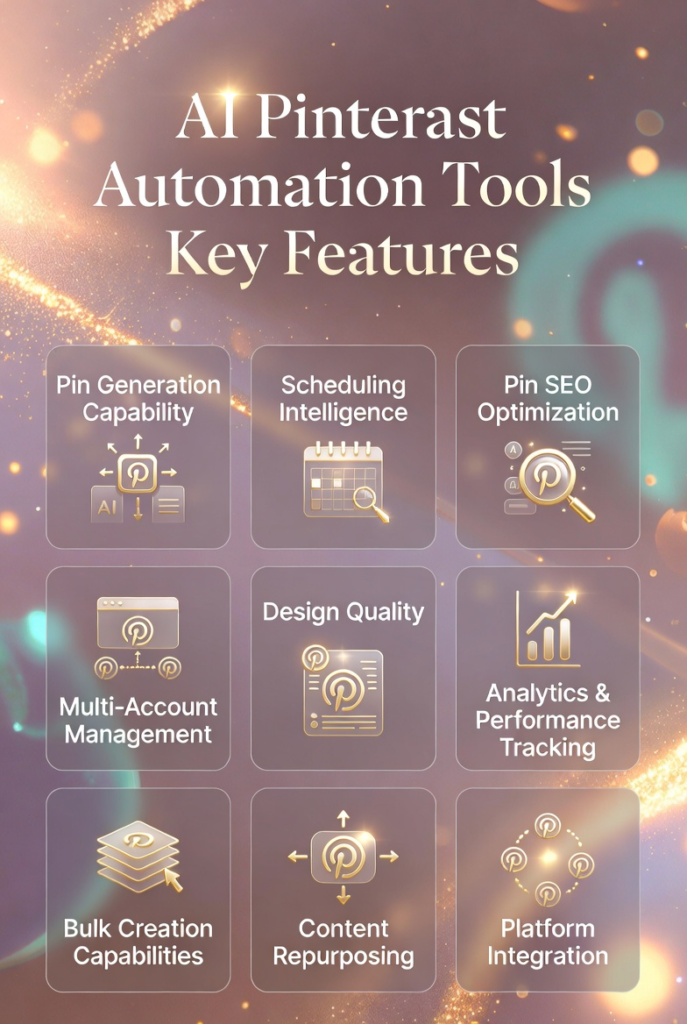
Pin Generation Capability – Does it create pins automatically from your content, or do you have to design each one manually? Look for tools that generate multiple pin variations from single inputs to maximize volume without proportional effort.
Scheduling Intelligence – Basic schedulers let you pick times. Smart schedulers analyze when your audience engages most and post accordingly. Prioritize tools that optimize timing based on data, not guesswork.
SEO Optimization Features – Pinterest is a search engine. Tools that generate keyword-rich titles, descriptions, and hashtags automatically give you a significant visibility advantage over manual creation.
Multi-Account Management – If you manage multiple brands or client accounts, this feature is non-negotiable. Check whether the tool charges per account or allows unlimited accounts at one price.
Design Quality and Customization – Templates save time, but you need brand consistency. Look for tools offering customizable templates, brand kits, and sufficient design control to maintain your unique identity.
Analytics and Performance Tracking – You can’t optimize what you don’t measure. Essential metrics include impressions, clicks, saves, and top-performing pins. Tools that identify winning content help you double down on what works.
Bulk Creation Capabilities – Creating one pin at a time defeats the purpose of automation. Evaluate how many pins the tool can generate or schedule in one batch action.
Content Repurposing Tools – Your existing blog posts, products, and social content are gold mines. Tools that automatically convert this content into Pinterest pins extend your content’s value without additional creation effort.
Platform Integration – Does it connect directly to Pinterest’s API for seamless publishing, or do you need to download and upload manually? Direct integration saves time and reduces errors.
Support and Documentation – When things break or you hit roadblocks, responsive support matters. Check review sites for feedback on customer service quality before committing.
Your perfect tool depends on your specific workflow. Bloggers prioritize different features than e-commerce stores. Agencies need capabilities solopreneurs don’t.
Match the tool’s strengths to your biggest pain points. That’s how you maximize ROI.
Best Practices for Choosing and Using Pinterest Automation Tools
Having the right tool is only half the equation. Using it effectively makes the difference between mediocre results and explosive growth.
Here’s what I’ve learned works:
1.) Start with Your Biggest Bottleneck
Don’t try to automate everything at once. Identify where you’re losing the most time. Is it design? Scheduling? Keyword research? Choose a tool that solves that specific problem first.
I started with BlogToPin because my bottleneck was creating enough pin volume. Once that was automated, I added Pin Inspector for keyword research. Build your stack strategically.
2.) Test Before Committing Long-Term
Most tools offer free trials or low-cost starter plans. Use them. Test the workflow, evaluate the output quality, and confirm it actually saves you time before committing to annual plans.
I’ve wasted money on tools that looked great in demos but didn’t fit my actual workflow. Testing prevents expensive mistakes.
3.) Maintain Brand Consistency
Automation shouldn’t mean generic content. Set up your brand kit properly – colors, fonts, logos. Create or customize templates that match your aesthetic. Consistent branding makes your pins instantly recognizable.
People scroll fast on Pinterest. Visual consistency helps your content stand out and build brand recognition over time.
4.) Don’t Set and Forget Completely
Automation handles execution, but strategy still requires human input. Review your analytics monthly. Identify top-performing content. Adjust your automation inputs based on what’s working.
I spend 30 minutes weekly reviewing analytics and tweaking templates. That small time investment ensures my automation stays optimized and relevant.
5.) Combine Tools for Complete Workflows
One tool rarely handles everything perfectly. I use Pin Inspector for research, BlogToPin for creation and scheduling, and periodically use VistaCreate for special campaign graphics.
Build a tool stack where each component excels at its specific function. Integration between tools creates powerful workflows.
6.) Stay Updated on Pinterest Algorithm Changes
Pinterest updates its algorithm and best practices regularly. Follow Pinterest’s official blog and adjust your automation accordingly. What worked last year might be less effective now.
Tools usually update their features to match platform changes, but understanding why things change helps you use the tools more strategically.
Personal Experience
When I first started using Pinterest automation tools, I made the mistake of scheduling 50 pins daily immediately. Pinterest flagged my account for spam-like behavior.
I learned to gradually increase posting frequency. Start with 5-10 pins daily and scale up slowly as your account ages. Automation power needs to be balanced with platform guidelines to avoid penalties.
Key Takeaways
BlogToPin offers the most comprehensive Pinterest automation, perfect for bloggers and agencies managing multiple accounts who need end-to-end automation from content import to analytics.
Pin Generator excels at bulk pin creation, especially for e-commerce stores needing to convert large product catalogs into Pinterest content quickly.
Pin Inspector is essential for research, helping you validate niches, discover trending content, and analyze competitors before investing time in content creation.
Video pins perform better than static images, making tools like Predis.ai valuable for creators willing to embrace video content in their Pinterest strategy.
Design tools like VistaCreate and Imagine.Art are necessary if your automation tool doesn’t include strong design capabilities, ensuring your pins look professional.
Match tools to your workflow – Don’t choose based on features lists. Choose based on which tool solves your specific bottleneck and pain points.
Automation saves time but requires strategy – Tools handle execution, but you still need to provide direction through keyword research, brand guidelines, and performance optimization.
Start small and scale gradually – Automation makes it easy to post huge volumes, but Pinterest rewards quality and consistency over aggressive quantity.
Combine multiple tools for complete workflows – Research tools, creation tools, and scheduling tools each excel at specific functions. Build a stack that covers your entire process.
ROI comes from consistency – The real value of automation isn’t just time savings. It’s maintaining consistent Pinterest activity that grows your traffic month after month without burnout.
Final Thoughts on Pinterest Automation Tools
If you’re still creating and scheduling every Pinterest pin manually, you’re working harder than necessary.
Pinterest automation tools transform what used to be a 10-hour weekly commitment into a strategic 1-hour investment. The time savings alone justify the cost, but the real value is scalability.
You can finally publish the volume of content Pinterest’s algorithm rewards without sacrificing quality or burning out.
My top recommendation remains BlogToPin for most creators. It handles the complete workflow from blog post to published pin with minimal intervention. The smart scheduling, multi-account management, and analytics make it worth the investment if Pinterest drives significant traffic to your business.
That said, your perfect tool depends on your specific needs. E-commerce sellers might prefer Pin Generator’s product integration. Data-driven creators might choose Visme for infographic capabilities. Video creators should explore Predis.ai.
The tools exist. The question is: Will you use them to finally achieve the Pinterest growth you’ve been chasing?
Stop letting manual work limit your potential. Choose a tool from this list, commit to testing it for 30 days, and measure the results.
Your future self will thank you for the time you’re about to reclaim.
Ready to Transform Your Pinterest Strategy?
Start with BlogToPin and experience complete Pinterest automation today. Join thousands of creators who’ve already reclaimed their time and scaled their traffic.